Search  for anything...

MEKO Stylus Pen for Touchscreen, 2-in-1 Universal Styilsts Pens

Based on 30,127 reviews
Condition: New
Checking for the best price...
$16.98
Holiday Deal · 66% off was $49.90

Buy Now, Pay Later


As low as $4 / mo
  • – 4-month term
  • – No impact on credit to apply
  • – Instant approval decision
  • – Secure and straightforward checkout

Ready to go? Add this product to your cart and select a plan during checkout.

Payment plans are offered through our trusted finance partners Klarna, Affirm, Afterpay, Zip, Apple Pay, and Google Pay. No-credit-needed leasing options through Acima may also be available at checkout.

Learn more about financing & leasing here.

Selected Option

Free shipping on this product

FREE 30-day refund/replacement

To qualify for a full refund, items must be returned in their original, unused condition. If an item is returned in a used, damaged, or materially different state, you may be granted a partial refund.

To initiate a return, please visit our Returns Center.

View our full returns policy here.


Availability: 20 left in stock
Fulfilled by Amazon

Arrives Friday, Nov 13
Order within 17 hours and 57 minutes

Available payment plans shown during checkout

Protect Your Purchase

Easy claims online, fast replacements, no fees

Checking for protection plans...

At a glance

Condition
New
Color
Black/Gold
Model
C-MK21Disc-BG
Dimensions
5.5 x 0.35 x 0.35 in
Weight
0.27 g
Material
Aluminum,Stainless Steel,Plastic,Rubber
Item Diameter
9 mm
Works with
Tablet

Features 3

  • About The Stylus - Length:5.5"(140mm); Pen tube diameter 0.35"(9mm); Disc diameter: 0.27" (6.8mm) including 2mm rubber point ; Fiber tip Diameter:0.24 (6mm); Weight: 24g -- Made from stainless steel and Aluminum, no plastic parts, real pen feeling
  • Precision and Sensitivity- One end is tclear disc tip, which can clearly see exactly where your mark is being made and gives you the accurate point. Perfect for taking notes and drawing apps The other end is a durable fiber tip, which is very suitable for daily use, such as tapping, coloring and scrolling.
  • Compatible with All Touch Screens-These stylus pens are compatible with Smart Phones, Android Tablets, Touch Screen Laptops /PC. (Apple/ iPhone/ Ipad pro/ Mini/ Air/ Android/ Surface) and other capacitive touch screens devices.

Description

For over a decade, MEKO has been the go-to brand for stylus pens. Our company specializes in designing and manufacturing stylus penssince 2011. We offer a full line of quality-assured active and passive stylus, along with accessories. At MEKO, we're committed to providing high-quality styluses and exceptional service at affordable prices. Our mission is to make top-of-the-line technology accessible. Join the thousands of satisfied customers now! High sensitivity & precision disc and rubber stylus pens for all universal touchscreen devices 2023 upgraded stylus pens for touchscreens, fine tips only 0.24''. Complimentary 20 replacement tips, say goodbye to frequent changes. MEKO new iPad pencil, compatible with all devices,dual-mode,easy to switch between iPhone and iPad,fast charge. MEKO stylus for touchscreen, sensitive and precise, anti-slip grip, make it easy and clean to carry. MEKO pens with cap and stand, convenient and portbale for people, ruber tips and disc tips, lightweight but sturdy. 13 mins fast charging iPad pencil for 9 hours usage time, support palm rejection, tilt sensitivity, power display, magnetic adsorption. The most presice and sensitive disc and fiber tip combination gives you the real pen feeling and smooth writing experience. The replacement tip is specially designed for apple pencil to prevent scratch the iPad screen. Same using experience as original one. -The stylus is ready to use, no any set-ups necessary, just twist the cap off and use it directly. Stylus is very light (weight 24g), so you won't feel tired for long time use. Both tips are replaceable and it's easy to be done in second without tool. Carry it on your pocket or tablets now! One end is clear disc which allows you see exactly where your mark is being made and gives you the accurate point. Sutiable for your creation on drawing apps. The other end is durable fiber tip (just like you fingers but more accuracy ) perfect for normal use such as scroll webpage, gaming Both disc and fiber tips can be used on all capactive touchscreens. (Apple iPads , iPhones, iPods, Kindles, Huawei, Samsung Galaxy, Cell phones, Tablets, Laptops &More).You may choose the different tips for different purpose.

Specs 15

Color Black/Gold
Brand MEKO
Material Aluminum,Stainless Steel,Plastic,Rubber
Item Weight 0.27 g
Item dimensions L x W x H 5.5 x 0.35 x 0.35 inches
Item Diameter 9 millimeters
Global Trade Identification Number 51
Item Highlight Fine Fiber & Disc Tips with Pen Clip, Non-slip Rubber Grip, Work for iPhone Duo iPad and All Touch Screens(Black/Gold)

Frequently asked questions

If you place your order now, the estimated arrival date for this product is: Friday, Nov 13

Yes, absolutely! You may return this product for a full refund within 30 days of receiving it.

To initiate a return, please visit our Returns Center.

View our full returns policy here.

  • Klarna Financing
  • Affirm Pay in 4
  • Affirm Financing
  • Afterpay Financing
  • Zip Pay in 4
  • Financing through Apple Pay
  • Financing through Google Pay
Leasing options through Acima may also be available during checkout.

Learn more about financing & leasing here.

Top Amazon Reviews


Undoubtedly the best stylus I've used and both tips work flawlessly.
Color: *Black/Black
The best I've ever used. Really, really excellent. Both tips (wire and plastic disks) couldn't work better. I'm really happy. I bought two others before this... the cheap rubber tips and an inexpensive battery stylus. There is no comparison. This was a great deal and I'm very happy.
Reviewed in the United States on October 12, 2026 by WelcomedRain

Amazing! Worth every penny and then some!
Color: *Black/Black
My husband had a Samsung Note 4 for work at one point, which I would commandeer to draw on the awesome sketch program it had on it. The S pen is a wonderful thing. He left that company and had to return the phone. I recently got a Galaxy Tab A 9.7, but sadly without that lovely little docked pen. I then went on the search for a precision stylus and spent several weeks searching for form and function that was also a reasonable price. I read countless reviews of Bluetooth battery powered styli, and the non-battery counterparts. All claimed to be the best until I got to the reviews and often enough the hype and the price just didn't seem to pan out for them. Then I happened upon this little sparkly gem in the similar products section that Amazon so smartly includes on product pages. I was actually about to purchase a completely different stylus and by chance looked down. The price was in the range I was looking for. This was my first try on precision styli and didn't want to break the bank on something I may not like. Then I read the description. Then I got down to the reviews and I was sold. I too am beyond ecstatic about this purchase. These are FANTASTIC! They have an excellent weight in your hand which leads to a luxurious feel along with the nice padding on the precision end. The ease of changing from one type of tip to another is lovely and the protection that this gives the tips is equally as nice. Then you notice that you get 2 styli with tips already installed AND 2 fabric wide tip replacements AND 4 precision tip replacements. It is a deal that would be foolish to overlook, even if you were skeptical of something. They also throw in this neat little velvet screen cleaner that gets all the gunk off the screen so your lines don't skip around as you write or draw. Oh, and that little bonus can be washed for extended use! I could not be happier with this purchase. ... show more
Reviewed in the United States on December 6, 2015 by adairal25

Recommended. For writing.
Color: *Black/Black
Great for writing or stick figure drawing. If you are looking for an artist pen with the variable pressure points this is not that. The great part about this pen is that it is universal and you do not need to constantly reconnect it to various devices. I didn't realize I ordered a 2 pack. Guess I'll gift the second one away. I'm glad they put a spare tip and cap in the box. Raise your hand if you tried to pluck off the plastic nip thinking it was a cover covering the pen nib. Pros Writing, stick figure drawing, simple presentation drawings, white board presentation drawings, basic notes, math... No battery required Cons Does not have the various pressure points standard artist pens have. Just for writing. ... show more
Reviewed in the United States on August 26, 2026 by Ranee

Great for daily use!!
Color: *Black/Black
Great quality. Great weight and balance. Works on all types of screens! Great for the price!
Reviewed in the United States on October 5, 2026 by Grady C.

MEKO FOR MY IPHONE!!
Color: *Black/Black
I’ve used other stylus pens up until this time and they were fine for the phone I had but now I have the iPhone 17 pro max and they did not work for me anymore. They would cause different actions to happen than what I wanted. I read all the reviews and took a chance on these Meko stylus pens and I have been very impressed and happy with my purchase. They are awesome and 99.9 % of the time they do what I want them to do. I have the ones with the little plastic disc on one end and I was very skeptical about how they would work but now I’m really impressed. I would definitely buy them again and recommend them to anyone looking for a stylus to use with their iPhone 17 pro max. ... show more
Reviewed in the United States on September 14, 2026 by AS68

Meko Meko Meko ... Where have you been all my (touch-screen) life?!
Color: Black/Gold
These are precisely what you expect from an above-average stylus for your tablet. I'm so tired of shoddy options: rubber nibs tear or degrade, the plastic tip brakes, conductivity is minimal, OR it's difficult to vary "touch" from "press". I have purchased (and returned) two different brands of styluses within the last year, that were supposed to be of higher-than-average quality (and in the same price bracket as the Meko). After this I had resigned to finger my devices from hereon, but something about that ugly-flattish metallic orange Meko stylus caught my attention. They were Prime purchases, came with a total of 2 pens, and included additional tips/caps. I've been using my favorite orange-stylus for almost two months now and I'm happy to report it is still physically fit -- no replacement tips and no repairs needed! Yes, these stylish styluses show-off the recent trend of "trendy" apple-esque packaging. They come in black, svelte box that I will keep and array of parts, THE STYLUS WORKS WONDERFULLY!!! Both ends can be used as a stylus for touch screen interfacing. (Let's refer to these as Broad and Fine ends) I have used these pens easily with the Microsoft Surface 3 tablet as well as various (old & new) Apple devices that I own. To use the Fine end, you must first remove the screw-on cap. (but WAIT! Someone on their design team should get a promotion for this: the cap screws ONTO the Broad, opposite end so you won't misplace it while you're using the stylus!) The interchangeable caps are fast, simple and secure. I would classify the overall precision as >good< (for the Broad end) and >excellent< (for the Fine end). Admittedly, I'm not a graphic artist and thus my classification of this attribute could be way off.. be forewarned! But for the casual user these tips will easily fill the pixels they wish them to travel. CON - I'll go ahead and describe the only negative item I can come up with: If you affix the caps too snugly on either end, the replaceable tips may Unscrew along with them. Easy to undo and refasten. This CON could just as easily fall under "user-error" as well... The casing is metal. NOT PLASTIC. But actual metal (or a metal alloy, I didn't chemically examine it). Which means the stylus has some weight and is very solid feeling. It is, however, well balanced. (No one wants their stylus getting top-heavy as they drift off to sleep playing Hearthstone - ever elusive once they slip under the mattress...) That's it for my review -- I don't leave a ton of feedback, and this may be my first POSITIVE one on Amazon. [I'm beginning to have second thoughts on my choice of color. I keep peeking on the item page for the PINK-metallic colored stylus and I can't get it out of my head, ugh!!) I'm happy to respond to questions or comments about my review or the Meko stylus pens I own. Thanks! ... show more
Reviewed in the United States on October 2, 2017 by StandApart

it works on a Samsung tablet
Color: Pink/Purple
To be honest I've not used it a lot. However, it worked fine when I tested it. You only have to make sure your hand isn't touching at the same time.
Reviewed in the United States on August 22, 2026 by K. E. Guenther

A great pen for doodling on-the-go! Great for mobile devices that don't support active styluses.
Color: *Black/Black
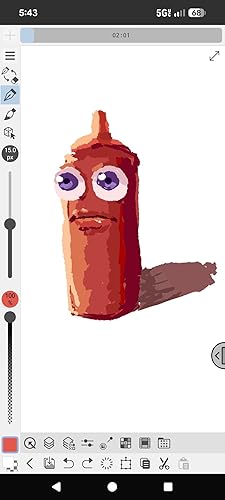
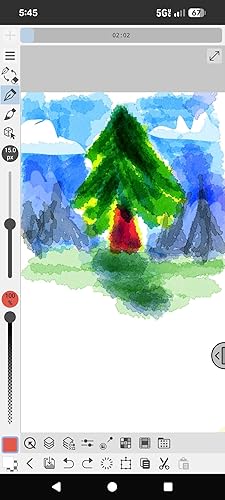
I'm having a fantastic time with this little stylus! It's a capacitive stylus, which means it mimics finger touch. So there's no pressure sensitivity. The little transparent disk allows you to see the fine point on the screen so you can see where you're drawing. The disk also helps the screen detect the points position and the disk swivels to allow the pen to tilt comfortably when you use it. It's pretty accurate but my linework has little hooks upon first contact because the screen is adjusting to the position of the pen whenever I lift and place it on the screen. Zooming in closely when doing linework will make this less noticeable. The line quality will depend on the quality of the touch screen on your device. Older devices struggle with diagonal lines. I'm using Clipstudio Paint (Android, Free version) on Pixel 8a phone. The MEKO stylus gets along fine and has no issues when I draw diagonally on the screen. If your device is newer, check to see if it's compatable with an "Active Stylus" and shop for that instead! They tend to have palm rejection and pressure sensitivity capabilities. To get around the lack of pressure sensitivity with this pen, I highly recommend investing in a BLUETOOTH numeric keypad. You can bind all your drawing shortcuts to it, including "Increase/Decrease" brush size. Draw with one hand, use shortcuts with the other! The keypad I'm using is an "Inland Pad 19 Tri Mode Numpad" ($39) I'm really impressed with this pen. I also like the build quality. It's a little heavier than a Wacom Intuos/Cintiq stylus. It feels great! I'm really pleased and look forward to doodling more! ... show more
Reviewed in the United States on December 8, 2025 by Funymony
Checking for best price...