Search  for anything...

Mac Studio Dock, Beelink Mate Studio 80Gbps Hub, Dual PCIex2 SSD Slots, Max 16TB Expansion, 80Gbps USB-C Port, PD3.0 Port, Allumium Shell - Frost Silver

  • Based on 9 reviews
Condition: New
Checking for the best price...
$139.00 Why this price?
Save $20.00 was $159.00

Buy Now, Pay Later


As low as $23.17 / mo
  • – 6-month term
  • – No impact on credit
  • – Instant approval decision
  • – Secure and straightforward checkout

Ready to go? Add this product to your cart and select a plan during checkout.

Payment plans are offered through our trusted finance partners Klarna, Affirm, Afterpay, Apple Pay, and PayTomorrow. No-credit-needed leasing options through Acima may also be available at checkout.

Learn more about financing & leasing here.

Selected Option

Free shipping on this product

FREE 30-day refund/replacement

To qualify for a full refund, items must be returned in their original, unused condition. If an item is returned in a used, damaged, or materially different state, you may be granted a partial refund.

To initiate a return, please visit our Returns Center.

View our full returns policy here.


Availability: 19 left in stock
Fulfilled by Amazon

Arrives Sunday, Mar 8
Order within 19 hours and 5 minutes
Available payment plans shown during checkout

Protection Plan Protect Your Purchase
Checking for protection plans...

Size: Mate Studio A


Features

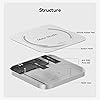
  • Built for Mac Studio: Beelink Mate Studio is same size with the Mac Studio (7.8*7.8*0.7 inches) and the aluminum alloy shell shows high quality and resists fingerprints and scratches. The mac studio dock also compatible with any mini PC, laptop, all-in-one, desktop computer with a Thunderbolt 3/4/5 or USB 4 port
  • 80Gbps Blazing-fast Speed : One USB-C port delivers blazing 80Gbps transfers, enables moving a 20GB file in few seconds. Ideal for large video edits, 3D rendering, or data-heavy workflows
  • Massive 16TB Expandable Storage: Beelink Mac Studio 80Gbps dock comes with dual PCIex2 slots, supports M.2 2280 PCIe3.0/4.0/5.0 SSDs, expandable up to 16TB (2*8TB) ultra-fast storage (SSD not included)
  • Built-in PD3.0 Port: All peripherals with a power below 15W can be powered directly by Mac Studio. However, when using SSDs that draw more than 15W in total, insuficient power may cause instability. For optimal pefermance, we recommend using a PD 3.0 USB-C power adapter (15W or higher), such as a standard phone charger
  • High-Speed Connectivity Hub: 80Gbps USB-C Port*1, Type-C(PD3.0)*1

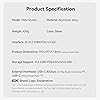
Brand: BEELINK EX


Color: Frost Silver


Hardware Interface: USB Type C


Compatible Devices: Mac Studio


Total USB Ports: 2


Product Dimensions: 7.76"L x 7.76"W x 0.7"H


Number of Ports: 2


Item Weight: 0.43 Kilograms


Wattage: 15


UPC:


Product Dimensions: 7.76 x 7.76 x 0.7 inches


Item Weight: 15.1 ounces


Date First Available: July 21, 2025


Manufacturer: Shenzhen AZW Technology Co., Ltd.


Frequently asked questions

If you place your order now, the estimated arrival date for this product is: Sunday, Mar 8

Yes, absolutely! You may return this product for a full refund within 30 days of receiving it.

To initiate a return, please visit our Returns Center.

View our full returns policy here.

  • Klarna Financing
  • Affirm Pay in 4
  • Affirm Financing
  • Afterpay Financing
  • PayTomorrow Financing
  • Financing through Apple Pay
Leasing options through Acima may also be available during checkout.

Learn more about financing & leasing here.
Top Amazon Reviews


  • Don't waste your time or money—avoid this product.
I tried to like it, but I cannot. I want to give it 0 stars if I am allowed to. I installed 2 of the 4TB Samsung 990 Pro NVMe drives. Both nvme were detected and formatted correctly by my Mac Studio M4. However, 1 of the nvme was randomly disconnected by itself without indication. The same NVMe was disconnected—every time. I replaced the suspect NVMe drive, and the same problem persists. I attached a 30W power source, but it didn’t help. The same problem keeps happening. Both the enclosure and the NVMe exceeded the return period. I have to keep them, and I gave up on troubleshooting it. I only use the first nvme now. I don’t trust the second nvme. I wasted $340 on the second nvme. I may buy another enclosure (Not this 1) for the second nvme. So, my advice is to avoid this product. ... show more
Reviewed in the United States on January 3, 2026 by Snoopy

  • Sharp Looking Unit!
After some trouble getting my Mac Studio M1 to recognize the Mate Studio and Crucial NVMe 4GB Crucial Drive, I couldn't be happier. Gorgeous addition to my home office without the gaudy multiple ports on similar SSD expansion units. Clean and sleek. Tech support was by email instead of by phone, and the rubber feet covering the 4 screws to access the inside of the unit were awkward to put on made this a 4-star review instead of 5, but those are minor. Would like a better manual and a troubleshooting guide, but so far, I love it! ... show more
Reviewed in the United States on November 26, 2025 by Brian Maki Brian Maki

  • Flawed design disconnects constantly.
Disconnection. Every single night when I used CCC to back up the stored data. Finally gave up and am returning it. Not my job to try and fix a defective design or firmware. That is the job of Beelink. I had read other reviews which said the same thing. Unfortunately I chose to not take them at their word. Good idea, bad execution. ... show more
Reviewed in the United States on January 26, 2026 by Gerald R. McGowan

  • Don't buy.
Neither included cable worked, only expensive third party cables. Disconnected regularly on and off external power. What's very weird was it comes with crescent rubber feet to install over the screws after installing storage. The sticky part of the rubber was just stuck to the packing paper. No peel-able film or anything. So the sticky part was covered in paper and barely stuck to the unit. Beelink support was responsive but unhelpful with the hardware challenges. The product has potential if Beelink were serious about it. I picked up a couple single nvme units to replace this that have worked without issue. ... show more
Reviewed in the United States on December 28, 2025 by strong_epoxy strong_epoxy

  • It REQUIRES a 30 watt minimum usbc adapter and cord NOT INCLUDED…
As others have stated, this will NOT work with a Mac Studio UNLESS you purchase a 30 watt minimum usbc charger. Then you will need to purchase a long usbc cable (6-10 foot) to reach the location of the dock. Thunderbolt 5 has more than enough power however this dock will NOT work without external power. Especially with two drives. If a device requires a psu, then it should include it! For crying out loud add a dollar or two to the price, include a cheap 30 watt phone charger and a crappy 10 foot usb c cable so one can actually use this dock and not lose productivity waiting for a power supply and cord. You have been warned… ... show more
Reviewed in the United States on December 19, 2025 by Jophin

  • Same as above
It’s a good companion to a mac studio
Reviewed in the United States on January 25, 2026 by seyed alemi

  • Non-functional with Mac Studio -- returned.
Unable to get it to work with my Mac Studio. Tried different ports, included cables, my own cables, light would come on, but no drives were detected. Tried with 1TB SSD, 8TB SSDs and nothing. Took the same drives and cables and used an SSK enclosure and everything was detected and functional. Returned for a refund. ... show more
Reviewed in the United States on December 16, 2025 by Amazon Customer

Can't find a product?

Find it on Amazon first, then paste the link below.
Checking for best price...