Search  for anything...

Logitech Casa Pop-Up Desk Work From Home Kit with Laptop Stand, Wireless Keyboard & Touchpad, Bluetooth, USB C Charging, for Laptop/MacBook(10” to 17”), Windows,macOS,ChromeOS - Nordic Calm,Tan/Purple

  • Based on 333 reviews
Condition: New
Checking for the best price...
$177.00 Why this price?
Holiday Deal · 2% off was $179.99

Buy Now, Pay Later


As low as $29.50 / mo
  • – 6-month term
  • – No impact on credit
  • – Instant approval decision
  • – Secure and straightforward checkout

Ready to go? Add this product to your cart and select a plan during checkout.

Payment plans are offered through our trusted finance partners Klarna, Affirm, Afterpay, Apple Pay, and PayTomorrow. No-credit-needed leasing options through Acima may also be available at checkout.

Learn more about financing & leasing here.

Selected Option

Free shipping on this product
This item's return window has been extended for the holiday season: FREE refund/replacement until Jan 31, 2026

To qualify for a full refund, items must be returned in their original, unused condition. If an item is returned in a used, damaged, or materially different state, you may be granted a partial refund.

To initiate a return, please visit our Returns Center.

View our full returns policy here.


Availability: Only 5 left in stock, order soon!
Fulfilled by Amazon

Arrives Friday, Dec 5
Order within 9 hours and 31 minutes
Available payment plans shown during checkout

Protection Plan Protect Your Purchase
Checking for protection plans...

Color: TAN / PURPLE


Features

  • *Laptop not included with this desk laptop stand.
  • My Work. My Life. My Home: With Casa Pop-Up Desk, you decide where comfy, focused work happens in the home; when the workday is done, place this folding desk out of sight, out of mind
  • Make More Room for the Things You Love: With a keyboard, touchpad, laptop riser and storage all in one compact kit, you can enjoy every inch of your home office space
  • Great Work On Any Surface: Reach your full potential from anywhere in the home - be it a dining table, high countertop, or simply a corner that catches the sunrays
  • Laptop Days, 40% Comfier(1): The book-like case unfolds into an ergonomic laptop stand, raising your screen to eye level for noticeably better posture, however long you need it
  • A Familiar Experience: Enjoy the laptop-like feel you know and love on Casa Keys and Casa Touch, the minimalist wireless keyboard and smooth wireless touchpad
  • For a Wide Range of Laptops: The laptop holder supports most laptops from 10 to 17(2); plus, each device connects to multiple OS (Windows, macOS, iPadOS, ChromeOS) via Bluetooth Low Energy
  • Sustainability: Plastic parts in Casa Pop-Up Desk include certified post-consumer recycled plastic (3) (Touchpad: minimum 62%; Keyboard: minimum 47%; Book: minimum 44%)

Description

With Casa Pop Up Desk, the new foldaway desk kit from Logitech, it’s your work, your life, your home. All you need for great work is organized in one compact kit, including a keyboard, touchpad, ergonomic laptop stand, and storage. Enjoy the laptop-like feel you know and love on Casa Keys and Casa Touch, the minimalist wireless keyboard and smooth wireless touchpad. When the workday is done? Fold this adjustable laptop stand out of sight, out of mind in moments. Casa supports laptops of all sizes, from 10” to 17”, making it a versatile standing laptop stand. This portable laptop stand connects easily via Bluetooth Low Energy to multiple OS (Windows (1), macOS (1)(2), iPadOS(3), Chrome OS(3)). Casa Keys’ rechargeable battery lasts up to 5 months on a full charge, and Casa Touch lasts up to 3 weeks. Both can stay in use as you power up. The laptop stand for desks works well with desk accessories and a laptop setups. Product Details: Weight: 1.2 kg (2.65 lbs) Battery: Rechargeable Lithium polymer Wireless range: 10 m (33 ft) Laptop not included.

Brand: Logitech


Color: TAN / PURPLE


Form Factor: Case


Compatible Devices: Laptops


Compatible Phone Models: Laptops


Brand: ‎Logitech


Series: ‎Logitech Casa Pop Up Desk


Item model number: ‎920-011238


Hardware Platform: ‎Laptop, PC


Operating System: ‎Windows, macOS, ChromeOS


Item Weight: ‎3.19 pounds


Product Dimensions: ‎1.69 x 9.29 x 1.69 inches


Item Dimensions LxWxH: ‎1.69 x 9.29 x 1.69 inches


Color: ‎TAN / PURPLE


Power Source: ‎Battery Powered


Batteries: ‎2 Lithium Polymer batteries required. (included)


Manufacturer: ‎Logitech


Date First Available: ‎February 27, 2024


Frequently asked questions

If you place your order now, the estimated arrival date for this product is: Friday, Dec 5

Yes, absolutely! You may return this product for a full refund within 30 days of receiving it.

To initiate a return, please visit our Returns Center.

View our full returns policy here.

  • Klarna Financing
  • Affirm Pay in 4
  • Affirm Financing
  • Afterpay Financing
  • PayTomorrow Financing
  • Financing through Apple Pay
Leasing options through Acima may also be available during checkout.

Learn more about financing & leasing here.

Top Amazon Reviews


  • I absolutely love this!
Color: Green / Black
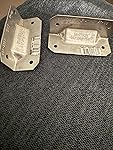
This is an awesome product. I love the setup and I can carry it from home to work, although I mainly just use it at work. What a great solution for someone who prefers a touchpad (not a mouse) and works on just a laptop. It raises the laptop to a good level for ergonomic purposes. Works great with my Macbook Pro. It didn't work with my Dell laptop due to a rounded front edge (and Logitech's website says they don't support rounded edges), but I got two small metal brackets at Lowe's (in the wood/construction department), and they work fine. They create that flat front edge that's needed. I just put them where the lips are on the holder and it works! You can get the angled bracket or the 90-degree bracket. Both work for mine. The laptop can slip off if you accidentally move it, but I'm happy to be able to use this gem of a product. I keep one set at home and one at work so I don't have to carry them back and forth. It's pretty easy to set up, although I had to look at some instructions online. I still haven't figured out how to get the Logi Options to work with it, but I'll keep checking out how and call support if needed. I highly recommend this product! ... show more
Reviewed in the United States on August 9, 2025 by C. Smith C. Smith

  • Great Mobile Workstation For Work From Home and On The Road
Color: Green / Black
I needed a keyboard and mouse solution for working at and on the road after upgrading to a new work laptop with the absolute worst keyboard and touchpad design. This stood out because not only did it include a full size keyboard, it also had a detached touch pad and the case doubled as a laptop holder they raised the screen to the same height as a monitor. The entire package is very well thought out, and only just barely falls short from perfection. What I like is how the touch pad is detached from the full size keyboard. I've tried a few other mobile keyboards of this type, and they all had the touch pad attached, which was fine, but nowhere near as handy as having it detached. This allows me to comfortably use the touch pad in any position. The full keyboard has good key travel and keys are nicely spaced. What I hated about my laptop keyboard is there was no gap between keys, so typos were really easy to make. The only negative I can give for this keyboard are the half sized arrow keys. I find myself hitting shift and ctrl a lot on Excel because of this. Pairing both devices is pretty intuitive the first time. With them instantly appearing as a pairing prompt after turning them on. Each time after that they pair almost instantly when they're switched on. ... show more
Reviewed in the United States on September 7, 2024 by Vincent Vincent

  • Good for taking to school
Color: TAN / PURPLE
This package is very nice. It comes with a keyboard, trackpad, and stand in a portable package no bigger than a notebook. I find it very useful in university as I can just carry this instead of each individual item. The trackpad is very nice and decently sized and I prefer it over the Apple branded Magic Trackpad. The keyboard is also awesome as you can program specific keys for macros (ie pressing one key takes a screen shot instead of command shift 4) However, the stand itself isn’t too secure for big laptops. I have a MBP 17 inch and sometimes the tabs doesn’t hold it in place and it slides off. Other than that, everything else works perfectly. ... show more
Reviewed in the United States on September 22, 2025 by Jerry Jin Jerry Jin

  • 1st Week With Casa Pop-Up Desk
Color: Green / Black
Table of Contents: -Solution -Casa Book -Casa Keys -Casa Touch -Gaming -Logi bolt vs Bluetooth -Score Perspective So to be completely honest. I have a PC desk, a gaming Tower, a Mac, A Raspberry Pi, and a gaming console, and each machine has a different role. I use a professional (but not premium) 28in 4K monitor and a 2nd monitor as well. I do not believe that I am the intended customer for the Casa Pop-up Desk Solution/Practical Application: I got the Casa Pop-Up Desk kit because I just wanted the Casa Touch. The problem that I needed the Casa Touch to solve is I wanted a simple, low maintenance, mouse alternative that uses Logi Bolt, (& the Casa Touch is not yet sold individually) The Casa-Book: I tried the Casa-Book with my Chromebook, and it works as intended. The weight (empty) is almost unnoticeable, but when fully loaded It’s surprisingly heavy. While I like the idea of an easy mobile solution, I actually intended to leave the Casa-Book (and the Casa Keys) stored away but after I tested each piece, I’ve decided to keep the Casa-Book on hand if I need it. The Casa-Keys: While I didn’t think I needed another Mini Keyboard, once I tried it out. I have determined that the Casa Keys is actually a quality Keyboard, very sleek and professional. Although it’s missing Backlit Keys, the one feature that I would have really liked. Since the specs boast a very long battery life, I would think backlit keys is the standard for all premium keyboards. So in my view the Casa Keys is professional but not premium, which is odd to see what should be a $40 keyboard (like the Logitech K380s) in a $180 kit bundle. I would take away -1 star for no backlit keys, except that it wins back +4 stars for that Battery life, sleek design, low profile laptop style keys, Type-C port, and Logi Bolt connectivity. I prefer my Logitech MX Keys Mini, but that’s a $100 premium/professional keyboard and should be superior to the Casa Keys. The Casa-Touch: Low-Profile, Professional, Premium, Multi-Device, Bluetooth, and Logi-Bolt. Very Solid 5 out of 5 performance. I threw a magnetic charger adapter on it, (& some devices don’t like my magnetic Chargers) and then setup the Casa-Touch on my Arm-Rest & a Lapdesk. So I can navigate while reclined. When compared to my Apple Magic Trackpad 2 which is a $150 stand alone, and I estimate the Casa-Keys would be $100-$150 factor in the Casa-Pop-Up Desk Bundle. The question I used, was, “Can the Casa-Touch deliver 75%-90% of the Performance of the Apple Magic Trackpad on Mac while lacking Apple’s most luxury features like Taptic Feedback and Force Touch?” , but testing on Apple and Windows (because Multi-device) I must therefore evaluate the Casa Keys as a 5 out of 5. If I could shrink the Apple Magic Trackpad from 6.3x4.5in to 4.9x3.5in as a a single click pad, and then use it on 3x devices (& remember them), That’s how I describe the Casa Touch.
 Gaming: Of course I was going to test the Casa Pop-up Desk in gaming, and my play style is Long Range Stealth Sniper. I only had to make one change: Scope-in changed to Toggle instead of Hold, because the Casa Touch only has one button that has to do both jobs.of left and right click. While I only succeeded in one game, I did succeed without much effort to modify my setup. So I will conclude more success is possible if the effort is made, even if I believe the same amount of effort will see more success with other technology. The only point of the test is can the Casa Pop-Up desk be used in gaming and the answer is yes. Logi Bolt: So I’m not going to say something untrue just to keep my review consistent. I am very unhappy with the introduction of Logi Bolt, especially since I have so many Unifying devices. And the implementation of Logi Bolt gives me the problem that needed to be solved. If I had Unifying devices that I still wanted to keep using, but I also want to start using Logi Bolt, then I am forced to use both USB Adapters. Now that I found the Casa Touch, I can remove all Unifying from my Multi Device Setup, and go fully immersed in Logi Bolt. But I would have preferred the Logitech allowed the new devices to still use Unifying. * At one point I observed a huge lag gap in the Casa Touch’s response time, as well as dropped frames. I suspected there was some kind of malfunction with either my Logi bolt USB Adapter, My devices, or the Software. But unplugging the USB and then reconnecting corrected the problem. I imagine if connected over Bluetooth, I would need to power cycle (Turn off, then on, or restart) the Bluetooth to apply this remedyI * If Bluetooth is the only option to control my system (ie not a laptop) correcting a malfunctioning connection would literally be impossible (Like a desktop Mac) See my pictures my Mac uses wired connection on non Logitech Devices. Score: The Lowest rating I can award the overall Bundle of the Logitech Casa Pop-up Desk is 4.5/5 stars, simply because I only wanted one item in the Bundle, but after using each item individually and then with all of them together for approx 1 week. I am confident with a full 5/5, because I’m glad to have each piece, if I ever need them. I wish I could explain -1 star for the case/stand and the Keyboard I didn't need the extra weight, but these products, match or exceed the quality of similar products and win more than enough stars back through quality and reliability alone. ... show more
Reviewed in the United States on April 24, 2024 by V4N6U4RD V4N6U4RD

Can't find a product?

Find it on Amazon first, then paste the link below.
Checking for best price...