Search  for anything...

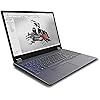
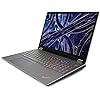
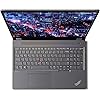
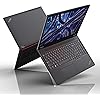
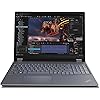
Lenovo ThinkPad P16 Gen 2 Intel Core i7-14700HX, 20C, 16" WQUXGA (3840 x 2400), 800 nits, 60Hz, 32GB RAM DDR5, 1TB SSD, NVIDIA RTX 2000, Backlit KYB, Fingerprint Reader, Windows Pro

  • Based on 0 reviews
Condition: New
Checking for the best price...
$2,359.98 Why this price?

Buy Now, Pay Later


As low as / mo
  • – Up to 36-month term if approved
  • – No impact on credit to apply
  • – Instant approval decision
  • – Secure and straightforward checkout

Ready to go? Add this product to your cart and select a plan during checkout.

Payment plans are offered through our trusted finance partners Klarna, Affirm, Afterpay, Apple Pay, and PayTomorrow. No-credit-needed leasing options through Acima may also be available at checkout.

Learn more about financing & leasing here.

Free shipping on this product

FREE 30-day refund/replacement

To qualify for a full refund, items must be returned in their original, unused condition. If an item is returned in a used, damaged, or materially different state, you may be granted a partial refund.

To initiate a return, please visit our Returns Center.

View our full returns policy here.


Availability: In Stock.
Fulfilled by D.O.E. LLC

Arrives Tuesday, May 19
Order within 5 hours and 50 minutes
Available payment plans shown during checkout

Protection Plan Protect Your Purchase
Checking for protection plans...

Features

  • Processor:14th Generation Intel Core i7-14700HX Processor (E-cores up to 3.90 GHz P-cores up to 5.50 GHz)
  • Memory: 32 GB DDR5-4000MHz (SODIMM) - (2 x 16 GB); Storage: 1 TB SSD M.2 2280 PCIe Gen4 Performance TLC Opal
  • Display16" WQUXGA (3840 x 2400), IPS, Anti-Glare, Non-Touch, HDR 400, 100%DCI-P3, 800 nits, 60Hz, Low Blue Light, LED Backlight
  • Graphic Card: NVIDIA RTX 2000 Ada Generation Laptop GPU 8GB GDDR6
  • Color: Storm Grey

Description

Processor 14th Generation Intel Core i7-14700HX Processor (E-cores up to 3.90 GHz P-cores up to 5.50 GHz)Operating System Windows 11 Pro 64Graphic Card NVIDIA RTX 2000 Ada Generation Laptop GPU 8GB GDDR6Memory 32 GB DDR5-4000MHz (SODIMM) - (2 x 16 GB)Storage 1 TB SSD M.2 2280 PCIe Gen4 Performance TLC OpalDisplay 16" WQUXGA (3840 x 2400), IPS, Anti-Glare, Non-Touch, HDR 400, 100%DCI-P3, 800 nits, 60Hz, Low Blue Light, LED BacklightAC Adapter / Power Supply 170WWarranty 1 Year Courier or Carry-inBattery Up to 94WHr, supports Rapid ChargeBrand Mobile WorkstationScreen Resolution 3840 x 2400Touch Screen Non-TouchOperating System Language EN:EnglishWeight Starting at 2.95kg / 6.5lbs

Brand: Lenovo


Model Name: Lenovo ThinkPad P16 Gen 2


Screen Size: 16 Inches


Color: Silver


Hard Disk Size: 1 TB


CPU Model: Core i7 Family


Ram Memory Installed Size: 32 GB


Operating System: Windows 11 Pro


Special Feature: Backlit Keyboard, Fingerprint Reader


Graphics Card Description: Dedicated


Color: Silver


Hard-Drive Size: 1 TB


Operating System: Windows 11 Pro


Other Special Features of the Product: Backlit Keyboard, Fingerprint Reader


Graphics Description: Dedicated


Graphics Coprocessor: NVIDIA RTX 2000 Ada GPU 8GB GDDR6


Hard Disk Description: SSD


Item Weight: 4.58 Kilograms


Video Processor: NVIDIA


Specific Uses For Product: Business


Webcam Capability: No


Graphics Card Ram: 8 GB


Automatic Backup Software Included: Windows 11 Pro


Form Factor: Laptop


Hard Disk Interface: PCIE x 4


Voltage: 19 Volts (DC)


Biometric Security Feature: Fingerprint Recognition


Graphics Ram Type: GDDR6


Compatible Devices: Laptop, USB devices, Wi-Fi devices


Warranty Type: On Site


Item Dimensions L x W x Thickness: 14.3"L x 10.5"W x 1.2"Th


Chipset Type: Intel + NVIDIA


Power Device: AC adapter


Video Output: HDMI, DisplayPort


Virtual Reality Ready: No


Number of Drivers: 1


RAM Memory Installed: 32 GB


RAM Memory Technology: SDRAM


Ram Memory Maximum Size: 128 GB


Memory Speed: 4000 MHz


RAM Type: DDR5 RAM


RAM Memory Slot Total Count: 4


Memory Slots Available: 4


Connectivity Technology: USB, Wi-Fi


Wireless Technology: Wi-Fi


Wireless Compability: 802.11a/b/g/n/ac


Bluetooth Version: 5.3


Bluetooth support?: Yes


Human-Interface Input: Keyboard, Touch Pad


Keyboard Description: Backlit


Keyboard Layout: QWERTY


Control Method: Touch


Touchpad Feature: False


Processor Series: Core i7 Family


Processor Speed: 3.9 GHz


Processor Count: 20


Processor Brand: Intel


CPU Model Number: Core i7-14700HX Processor (E-cores up to 3.90 GHz P-cores up to 5.50 GHz)


CPU Model Generation: 14th Generation


CPU Model Speed Maximum: 5.5 GHz


CPU Codename: Alder Lake


Brand: Lenovo


Model Name: Lenovo ThinkPad P16 Gen 2


Model Year: 2024


Model Number: 21FA0051US


Built-In Media: Laptop, Power Adapter, Power Cord


Manufacturer: Lenovo


Series Number: 2


UPC: 198153670147


Unit Count: 1.0 Count


Warranty Description: 1 year depot


Screen Size: 16 Inches


Resolution: 3840 x 2400


Native Resolution: 3840 x 2400 pixels


Display Type: LED


Display Resolution Maximum: 3840x2400 Pixels


Display Technology: LED


Maximum Display Brightness: 800 Nit


Touch Screen Type: Non-Touch


Has Color Screen: Yes


Screen Finish: Matte/Anti-Glare


Battery Cell Type: Lithium Ion


Number Of Cells: 25


Lithium-Battery Energy Content: 94 Watt Hours


Total Usb Ports: 1


Number of Ports: 4


Available M2 Slot Count: 2


Audio Output Type: internal


Microphone Form Factor: Integrated


Audio Recording: Yes


Frequently asked questions

If you place your order now, the estimated arrival date for this product is: Tuesday, May 19

Yes, absolutely! You may return this product for a full refund within 30 days of receiving it.

To initiate a return, please visit our Returns Center.

View our full returns policy here.

  • Klarna Financing
  • Affirm Pay in 4
  • Affirm Financing
  • Afterpay Financing
  • PayTomorrow Financing
  • Financing through Apple Pay
Leasing options through Acima may also be available during checkout.

Learn more about financing & leasing here.

Top Amazon Reviews


  • The Beast
I need a lot of processing power so despite wanting a lightweight elegant system, I went with the heavy brick. Very upgradable and good value. I’ve never replaced a computer part in my life, but bought as much RAM as I could stack in this thing and the install was easy. The factory ram was under the keyboard and would’ve been more complicated to get to, but the back opens up with two slots to place ram in so about as easy as it gets. The processor is a couple generations old, but not significant for what I do. Massive ram means this thing pretty much screams for my giant spreadsheets and calculations, etc.. It is heavy, so using it as a laptop for me is not ideal. It might work for other people who don’t have knee injuries and don’t want any extra weight anywhere near the knees. It seems pretty well known that if you need raw computing power think pad is the way to go. Functional over sexy. ... show more
Reviewed in the United States on November 21, 2025 by Leslie

  • Wow!
Love it thank you
Reviewed in the United States on February 4, 2026 by David Raglin

  • This Laptop Made Me Lose Files. Microsoft "OneDrive" Has Become Actively Malignant!
Do NOT buy a Lenovo Thinkpad with Windows 11 unless and until you understand the danger of Microsoft OneDrive. You will lose data. This is my 5th or 6th ThinkPad. It's a good machine. On the last couple of ThinkPads, MicroSoft OneDrive was just a nuisance, a bit of bloatware of zero value that could be ignored. In April 2026, I shifted from my last 2023-era ThinkPad to this one. Evidently Microsoft is no longer content merely to annoy Windows users with OneDrive. They want to force you to use their cloud storage scheme, even if that means destroying your work. I am now missing three weeks of Excel work. Let me explain. 1. I am an adult professional. The work I do using MS apps like Excel is valuable, and thus I am thoughtful and careful about where and how I save my files. That means using the laptop's hard drive—secured by passwords—for files I use all day long, backing up to portable drives frequently against the danger of a lost or bricked laptop. And yes, using professional-grade cloud drives for certain documents. Note: professional-grade, not this kindergarten OneDrive malignance. 2. On my last ThinkPad, avoiding OneDrive was just a matter of paying attention when you saved something. OneDrive urgently wants you to save things in OneDrive, and will actively attempt to misdirect your file path when you save something. This was annoying, but vigilance and a click or two of the mouse was sufficient to avoid OneDrive. 3. On THIS ThinkPad, I discovered, OneDrive has become criminally aggressive in hijacking your desired file path. As before, I was saving my work to a folder on the desktop, and as before, I DID have to glance at the file path to make sure I wasn't saving to OneDrive. But on the April 2026 ThinkPad, OneDrive would not be ignored. It was going to save my files to OneDrive no matter what. Of course this was annoying, but my files were ALSO being saved to my customary desktop folders, so I ignored the problem, figuring that at some point I'd have time to watch three or four hours of online tutorials and figure out how to turn off the demon OneDrive. 4. OneDrive was not content to be ignored, I discovered. You only get 5GB of storage on OneDrive, you see, which any professional user will exceed almost immediately. What was new with the April 2026 Thinkpad is that, once I hit that 5GB limit, I could not use MS Excel without getting a glaring yellow and red warning that OneDrive was full and I needed to purchase a storage plan with more memory. 5. STILL, at this point it was just an aggravation, because I was careful to amend the file path when I saved something so that it was saved in my safe, intelligent-grown-up-person's folders on my laptop. 6. Eventually, I tired of all the blaring alarms. Time to kill OneDrive! It took some research and two or three tries, with restarts each time, but finally I "unlinked" my account from OneDrive, and turned it off. 7. UH-OH. And at that moment, three weeks of Excel spreadsheet work vanished from my desktop folders. Gone. As near as I can tell, around the time that the silly 5GB OneDrive storage limit was reached, OneDrive did something to the files that were being saved both to OneDrive and to my customary folders. When I turned off OneDrive, it zapped them out of my hard drive folders. 8. And thus far, I cannot get them back. The internet suggested that all I needed to do was to turn OneDrive back on, retrieve my files from there, then turn OneDrive back off. But...when I turned OneDrive back on, everything went glitchy. The missing files were not to be found in OneDrive, or anywhere. It's possible that purchasing a storage plan from Microsquash will ransom my files. I really can't tell. Conclusion: Unless you understand how to work around OneDrive, DO NOT BUY A LENOVO THINKPAD WITH WINDOWS ON IT. ... show more
Reviewed in the United States on May 3, 2026 by A reader

Can't find a product?

Find it on Amazon first, then paste the link below.
Checking for best price...