Search  for anything...
Couldn't find selected product

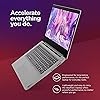
Lenovo Ideapad 3i Flagship 14'' FHD Laptop for Business and Students Essential, 12GB RAM, 512GB NVMe SSD, Intel Dual Core Processor, Wi-Fi 6, HDMI, Dolby Audio, Windows 11 Home, GM Accessories, Gray

  • Based on 82 reviews
Condition: New
Checking for the best price...
$349.00 Why this price?
Save $450.00 was $799.00

Buy Now, Pay Later


As low as / mo
  • – Up to 36-month term if approved
  • – No impact on credit to apply
  • – Instant approval decision
  • – Secure and straightforward checkout

Ready to go? Add this product to your cart and select a plan during checkout.

Payment plans are offered through our trusted finance partners Klarna, Affirm, Afterpay, Apple Pay, and PayTomorrow. No-credit-needed leasing options through Acima may also be available at checkout.

Learn more about financing & leasing here.

Selected Option

Free shipping on this product

This item is eligible for return within 30 days of receipt

To qualify for a full refund, items must be returned in their original, unused condition. If an item is returned in a used, damaged, or materially different state, you may be granted a partial refund.

To initiate a return, please visit our Returns Center.

View our full returns policy here.


Availability: In Stock.
Fulfilled by Amazon

Arrives Thursday, Apr 2
Order within 21 hours and 9 minutes
Available payment plans shown during checkout

Protection Plan Protect Your Purchase
Checking for protection plans...

Capacity: 12GB RAM | 512GB PCIe SSD


Color: Gray


Features

  • Intel Dual Core Processor11th Gen Intel Core i3-1115G4, 2 Cores & 4 Threads, 3.00 GHz Base Frequency, 4.10 GHz Max Turbo Frequency, 6MB L3 Cache, 10nm, 2 Cores & 4 Threads enough for light daily office use, office, Ensures smooth use of office software, communication software and web pages, Ultra-low power consumption can effectively improve the battery life of the laptop.
  • Upgraded to 12GB DDR4 RAMSubstantial high-bandwidth RAM to smoothly run your games and photo- and video-editing applications, as well as multiple programs and browser tabs all at once.
  • Upgraded to 512GB NVMe SSDSpeedy solid-state drive for seanless performance and reliable multitasking, allows you to store a large number of files, improving the reading speed of large files, ensuring daily use and the speed of opening large files, reduce the time of application and file loading.
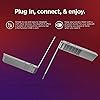
  • Display & Ports 14'' FHD (1920 x 1080) Display with Four Sided Narrow Bezels to deliver a clear, crispy image thats easy on your eye. 1 x USB 2.0, 2 x USB 3.2 Gen 1,1 x HDMI 1.4, 1 x Card reader, 1 x Headphone / microphone combo jack (3.5mm), 1 x Power connector.
  • Windows 11 Home in S modeYou may switch to regular windows 11: Press "Start button" bottom left of the screen; Select "Settings" icon above "power" icon;Select "Activation", then Go to Store; Select Get option under "Switch out of S mode"; Hit Install. (If you also see an "Upgrade your edition of Windows" section, be careful not to click the "Go to the Store" link that appears there.)

Description

We sells computers with upgraded configurations. If the computer has modifications (listed above), then the manufacturer box is opened for it to be tested and inspected and to install the upgrades to achieve the specifications as advertised. If no modifications are listed, the item is unopened and untested. Defects & blemishes are significantly reduced by our in depth inspection & testing Switching out of S mode in Windows 11 Windows 11 in S mode is designed for security and performance, exclusively running apps from the Microsoft Store. If you want to install an app that isn't available in the Microsoft Store, you'll need to switch out of S mode 1. On your PC running Windows 11 in S mode, open Settings > System > Activation. 2. In the Switch to Windows 11 Pro section, select Go to the Store. (If you also see an ''Upgrade your edition of Windows'' section, be careful not to click the ''Go to the Store'' link that appears there.) 3. On the Switch out of S mode (or similar) page that appears in the Microsoft Store, select the Get button. After you see a confirmation message on the page, you'll be able to install apps from outside of the Microsoft Store. Processor: Intel Core i3-1115G4 (2C / 4T, 3.0 / 4.1GHz, 6MB) Graphics: Intel UHD Graphics OS: Windows 11 Home in S mode Memory: Upgraded to 12GB RAM Storage: Upgraded to 512GB NVMe SSD Display: 14'' FHD (1920x1080) 220nits Anti-glare Wireless: WIFi 6, 11ax 2x2 + BT5.0 Ports: 1 x USB 2.0 2 x USB 3.2 Gen 1 1 x HDMI 1.4 1 x Card reader 1 x Headphone / microphone combo jack (3.5mm) 1 x Power connector Camera: HD 720p with Privacy Shutter Dimensions (WxDxH): 12.88 x 9.49 x 0.78 inches Weight: 3.31 lbs


Brand: Lenovo


Screen Size: 14 Inches


Color: Gray


Hard Disk Size: 512 GB


CPU Model: Core i3 Family


Ram Memory Installed Size: 12 GB


Operating System: Windows 11 S


Special Feature: Dolby


Graphics Card Description: Integrated


Graphics Coprocessor: Intel UHD Graphics


Standing screen display size: ‎14 Inches


Screen Resolution: ‎1920 x 1080 pixels


Max Screen Resolution: ‎1920 x 1080 Pixels


Processor: ‎3 GHz core_i3_family


RAM: ‎12 GB DDR4


Hard Drive: ‎512 GB SSD


Graphics Coprocessor: ‎Intel UHD Graphics


Chipset Brand: ‎Intel


Card Description: ‎Integrated


Number of USB 2.0 Ports: ‎1


Number of USB 3.0 Ports: ‎2


Brand: ‎Lenovo


Item model number: ‎Lenovo


Hardware Platform: ‎PC


Operating System: ‎Windows 11 S


Item Weight: ‎3.3 pounds


Product Dimensions: ‎12.88 x 9.49 x 0.78 inches


Item Dimensions LxWxH: ‎12.88 x 9.49 x 0.78 inches


Color: ‎Gray


Processor Brand: ‎Intel


Number of Processors: ‎2


Computer Memory Type: ‎DDR4 SDRAM


Flash Memory Size: ‎512 GB


Hard Drive Interface: ‎Solid State


Power Source: ‎AC & Battery


Batteries: ‎1 Lithium Ion batteries required. (included)


Date First Available: March 14, 2023


Frequently asked questions

If you place your order now, the estimated arrival date for this product is: Thursday, Apr 2

Yes, absolutely! You may return this product for a full refund within 30 days of receiving it.

To initiate a return, please visit our Returns Center.

View our full returns policy here.

  • Klarna Financing
  • Affirm Pay in 4
  • Affirm Financing
  • Afterpay Financing
  • PayTomorrow Financing
  • Financing through Apple Pay
Leasing options through Acima may also be available during checkout.

Learn more about financing & leasing here.

Top Amazon Reviews


  • Battery life
Capacity: 12GB RAM | 512GB PCIe SSD Color: Gray
I searched for months before choosing the Lenovo "ideapad" 3. It is everything I hoped for; fast, great screen, plenty of ram and storage. The reason I gave a three star rating is that the battery is represented to last up to 14 hours. I have used this computer for days now and the battery does not last 14 HR as represented. It is a disappointment but not a show stopper. ... show more
Reviewed in the United States on July 12, 2023 by L. Plasschaert

  • There is no docking station that is compatible with this laptop -- it lack a USB-C port.
Capacity: 8GB RAM | 256GB PCIe SSD Color: Gray
I am unable to find a docking station that is compatible with this laptop. It has no USB-c port, nor is there a cable that an be used to connect the dock to the computer. I have been unable to get any help with this issue using the hat.
Reviewed in the United States on June 26, 2023 by Patricia G.

  • Not impressed yet
I've only had it about a week, and it has been constant troubleshooting. When it works, I like the keyboard, the display is crisp and it boots up fast and switches tasks quickly. But things didn't (and some still don't) work out of the box, and there is too much spamware installed. The right click on the touchpad did not function out of the box. I researched a bit, couldn't find a good solution, but after I did a BIOS update for a different problem it seems to work now, although with a fiddly two finger gesture instead of just one finger clicking in the bottom right like every other laptop I've got. It is a dice roll whether it registers both fingers or not, so you might get the right click menu, you might just open links or jump to somewhere else in the program and then have to get back and try again. I'm guessing I'd get used to this. You do get Windows pre-installed. The license key is a bit hard to find in case you need/want to reinstall it, but you can find it in the BIOS. It boots real fast, so it is tricky to get to the BIOS menu. Windows also doesn't seem to actually shut down, so when you open up the lid, it is already past the BIOS prompt (with the default settings). Microsoft requires a Microsoft account to even use the computer, which isn't Lenovo's fault, but annoying. Lenovo comes with "helpful" admin tools to update firmware and the BIOS, but you have to set up a Lenovo account to do so. That is a pain, and I exited out, only to see that I've got an email verifying my Lenovo account, apparently populating it with info from the Microsoft account that I just set up. I don't want to be paranoid, but Microsoft had me set up an account and five minutes later my information is being used to set up other accounts. Not a good look for either side - how am I supposed to trust anything I do on this laptop? But even worse is the Lenovo software is like continuously being asked about your car's extended warranty, warning you about all the bad things that will happen and upselling you on better support. How many people are buying a $500 laptop and needing on-site replacement services? The biggest problem by far is that I still don't know what the USB-C port does. I initially set it up using my docking station. USB-C charging didn't work. It didn't recognize a second display. It did recognize the ethernet connection and mouse and keyboard. Reading up, it looks like it is fiddly with exactly which docking stations it will talk to. I'm currently leaving one job, starting another, and for . . . reasons . . . , I currently have 5 daily use laptops, all of which work flawlessly with a "high end" Dell docking station. I also have a ton of cheap ones from the last year hooking up school Chromebooks to various monitors. None of them work with this Lenovo. It will recognize the second display if I plug in the HDMI cable directly. I have also tried any number of adapters to plug into the USB-C port - from Chromebooks, from a MacBookPro, from a dedicated USB charging hub that far exceeds the power requirements - no luck. It doesn't recognize any of them to charge. It does have a second charging port with a dedicated, proprietary connector which works well enough, but the brick that plugs to the wall is large and the cord is short-ish and the charging port is on one side of the machine only, which limits where I can actually use it. Speaking of which, the battery is nowhere near the 8.5 hours advertised. More like 4, with the settings out of the box. That is enough for me, but I had 75% charge left, suspended the computer and closed the lid, and it was completely empty 6 hours later. I'm not sure you could be doing anything less with the computer, and it still drained the battery pretty quickly. I've played with disabling some BIOS settings but don't see a huge difference. If I don't have it plugged in overnight, it is dead in the morning. Other than that, no problems :) I actually like the computer when it is running, it is much better than the one I am replacing, performance-wise. But things did not work out of the box, and having a half-baked USB-C port that doesn't charge is probably a deal breaker for me. I'm waiting on another docking station that has been reported to work well with this laptop before throwing away the days of configuration and returning it. Who knows, maybe I just got a bum USB port and it does work out of the box for everyone else. ... show more
Reviewed in the United States on February 15, 2022 by Troy Tanzer

  • Awesome Laptop
I am glad I made this investment. The computer is very fast, it's lightweight. The touch screen feature is amazing. The memory and storage capacity is excellent. The download speed as well as how quickly programs open up makes life so easy, and it's an attractive laptop. This replaced my dinosaur of a desktop that was bought over 10 years ago. That is super slow now. Takes over an hour to open anything. ... show more
Reviewed in the United States on April 23, 2022 by misspaula

  • Light fast and dependable
Light fast and dependable
Reviewed in the United States on September 19, 2022 by Michael R Merola

  • Excellent laptop for the $
Love it. For under 300, it's a very good laptop. Excellent battery life
Reviewed in the United States on December 13, 2022 by Acs498988

  • Negative stars - Lenova wanted $69 more for a software issue!!!! Amazon is processing the return
Capacity: 12GB RAM | 512GB PCIe SSD Color: Gray
I returned this item because Lenova wanted to charge me for a software problem. I had just received the item. After turning it on, going through initial setup I wanted to get out of S mode. I followed the directions multiple times but the app to get out of S mode was not available. I phoned Amazon who quickly put me through to Lenova. The help person gave me directions one at a time to solve the problem. It didn’t work. He asked me for a shot of the error screen. I sent it he than asked me to wait while he contacted tech support (I thought he was tech support). The solution was I pay $69.00 for software support because this was not a hardware issue. I was furious this was a new computer and it didn’t work but I was expected to pay $69 more. Fortunately Amazon told me to return it and I would be refunded. ... show more
Reviewed in the United States on August 23, 2023 by David N.

  • Like new. So far so good. Pretty fast and efficient.
I hope it lasts enough for making the purchase a real success. :) It is what it was offered. Fast and easy to carry.
Reviewed in the United States on September 11, 2022 by Amazon Customer Amazon Customer

Can't find a product?

Find it on Amazon first, then paste the link below.
Checking for best price...