Search  for anything...

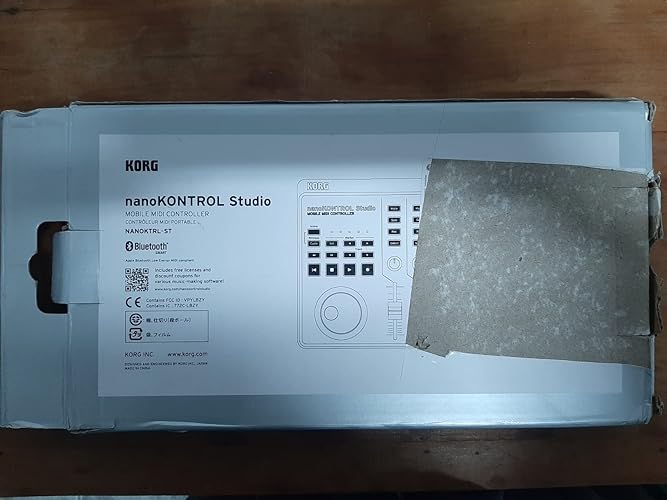
Korg Nanokontrol Studio Bluetooth/USB MIDI Control Surface with 8 Faders & Backlit Switches

  • Based on 1,058 reviews
Condition: New
Checking for the best price...
$188.01 Why this price?

Buy Now, Pay Later


As low as $31.34 / mo
  • – 6-month term
  • – No impact on credit
  • – Instant approval decision
  • – Secure and straightforward checkout

Ready to go? Add this product to your cart and select a plan during checkout.

Payment plans are offered through our trusted finance partners Klarna, Affirm, Afterpay, Apple Pay, and PayTomorrow. No-credit-needed leasing options through Acima may also be available at checkout.

Learn more about financing & leasing here.

Selected Option

Free shipping on this product

30-day refund/replacement

To qualify for a full refund, items must be returned in their original, unused condition. If an item is returned in a used, damaged, or materially different state, you may be granted a partial refund.

To initiate a return, please visit our Returns Center.

View our full returns policy here.


Availability: Only 3 left in stock, order soon!
Fulfilled by WORLD ONLINE(JPN)

Arrives Jan 21 – Feb 5
Order within 18 hours and 59 minutes
Available payment plans shown during checkout

Protection Plan Protect Your Purchase
Checking for protection plans...

Style: nanoKONTROL Studio


Features

  • A compact physical MIDI controller thats ideal for mobile or desktop uses.
  • USB and wireless for more music production freedom.
  • Refined and stylish design
  • Please Note: Kindly refer the User Manual before use.

Description

The nanokontrol studio provides transport keys and a mixer section, giving you stress-free control of your DAW or DJ software. It is battery operated and can connect wirelessly with your iPhone/iPad or Mac/Windows. It’s a light-weight, compact mobile MIDI controller that lets you create music More intuitively than ever.

Brand: KORG


Number of Keys: 45


Connectivity Technology: Bluetooth


Special Feature: Compact, Lightweight


Model Name: NANOKONST


Item Weight: 1.46 pounds


Product Dimensions: 13.5 x 6.81 x 1.65 inches


Item model number: NANOKONST


Batteries: 2 AA batteries required. (included)


Is Discontinued By Manufacturer: No


Date First Available: January 20, 2016


Compatible Devices: Smartphone, Tablet


Connector Type: USB


Hardware Interface: USB


Supported Software: Ableton Live or Avid Pro Tools or FL Studio


Musical Style: Electronic


Instrument Key: Any


Number of Keyboard Keys: 45


Mixer Channel Quantity: 8


Battery type: Alkaline


Hardware Platform: PC/Mac/iOS


Power Source: Battery Powered


Frequently asked questions

If you place your order now, the estimated arrival date for this product is: Jan 21 – Feb 5

Yes, absolutely! You may return this product for a full refund within 30 days of receiving it.

To initiate a return, please visit our Returns Center.

View our full returns policy here.

  • Klarna Financing
  • Affirm Pay in 4
  • Affirm Financing
  • Afterpay Financing
  • PayTomorrow Financing
  • Financing through Apple Pay
Leasing options through Acima may also be available during checkout.

Learn more about financing & leasing here.

Top Amazon Reviews


  • Unleash Your Creativity with the Korg nanoKEY2 MIDI Controller
Style: Slim-Line USB Controller
As a musician and producer, finding the right tools to bring my ideas to life is essential, and the Korg nanoKEY2 MIDI Controller has quickly become a staple in my setup. Sporting a sleek white design and compact form factor, this 25-key MIDI controller packs a punch in terms of functionality and versatility. Here's why it's earned a permanent place in my creative arsenal. First and foremost, let's talk about portability. The nanoKEY2's slim and lightweight design makes it the perfect companion for musicians on the go. Whether I'm working in the studio, jamming with friends, or composing on the road, this controller slips easily into my bag, allowing me to take my music wherever inspiration strikes. Plus, the USB bus power means I can plug it into my laptop or tablet and start making music without the need for an external power source. Despite its compact size, the nanoKEY2 doesn't skimp on features. The 25 velocity-sensitive keys provide a responsive and expressive playing experience, allowing me to capture every nuance of my performance with precision. Plus, the Octave Shift buttons give me instant access to a full range of musical pitches, making it easy to play melodies, chords, and basslines across multiple octaves. But where the nanoKEY2 truly shines is in its versatility. With a range of assignable controls, including knobs, buttons, and a touch-sensitive XY pad, it offers endless possibilities for creative expression and experimentation. Whether I'm tweaking synth parameters, triggering samples, or adding effects to my tracks, the intuitive layout and customizable settings make it easy to tailor the controller to my workflow and musical style. Setup is a breeze, thanks to the plug-and-play compatibility with a wide range of music production software. Whether you're using Ableton Live, Logic Pro, Pro Tools, or any other DAW, the nanoKEY2 integrates seamlessly, allowing you to start making music right out of the box. Plus, with native support for Mac, PC, and iOS devices, you can use it with all your favorite software and devices without any hassle. In conclusion, the Korg nanoKEY2 MIDI Controller is a powerful and versatile tool that's perfect for musicians, producers, and anyone looking to unleash their creativity. With its portable design, responsive keys, assignable controls, and plug-and-play compatibility, it's a must-have accessory for anyone serious about making music. Highly recommended for beginners and seasoned professionals alike! ... show more
Reviewed in the United States on May 30, 2024 by Shane Lawrence

  • More use than just music production...
Style: Slim-Line USB Controller
I use my Korg NanoKontrol2 for more than just music production. I am able to use it when mixing in FL Studio, Serato DJ to macro FX and toggle samples and have found use as a stream deck to toggle scenes and trigger sound alerts when streaming through OBS. I did have a problem with a driver and Windows registry that needed a little adjusting but got it up and running with help from watching a YouTube video on how to correct the problem. Korg really made a great product with many uses beyond music production. And if you look elsewhere to find this item you will see Amazon is the place to shop! ... show more
Reviewed in the United States on August 6, 2025 by Ed Sto

  • Not supported on BIG SUR but there's a work arround. Better to use directly true USB.
Style: nanoKONTROL Studio
I hope musicians read this article before buying this device. This device is not supported on Big Sur. Nobody who's writting reviews know this because it's was not on the korg site till recently. They are working on updates even for Monterey version so it's going to take some patience before we can use it. Wait and check the site before buying. The device itself works ok. You can use it any how but have to go and set it up as generic remote controller in your studiosetup in Cubase 11 pro. After that you have to use the learn function and go true each midi program number to see and set it up. It's easy but it takes some time to get it running but it's worth it. there's no latency in the faders or knobs so if you have this issue there's something going wrong. For people who bought this to use with logig X and Garageband they have made a driver for this. You just have to search the site a little bit. If you mess up use these function to factory reset: Press <,stop and scene buttons when turning on to usb. You have to wait at least a couple of minutes and don't turn the device off. You can reset with scene and cycle botton to when turning on. It's like a lite reset. when the buttons your holding flashes let them go. There's a driver that works for the nanokontrolstudio I don't know were I got it today 3 Nov 2021. It's called advKorgUSBMIDIDriver.plugin. with this plugin the Korg nanokontrolstudio works perfectly. when your done and the Mac 2018 see it you must hold down scene and marker buttons at start up and the Korg goes in cubase mode. In studio setup choose the Mackie control in the top of the same screen choose nanokontrolstudio control both midi in and out press ok and your done. Mine works now without any problems all function work only the individual rec arm button does not work but I think I can set it in the Korg editor what I have not used because it doesn't communicate with the device. Hope this will help a lot. 10-11-2021 I have reset correctly now and all funcions work perfectly. I'm using it with Cubase pro 11 and have no problems. To put it in Cubase mode hold the scene and <marker button it lights all scene buttoms up. Let it go and be sure in the studiosetup the midi in and out is set to your nanokontrole and your set to mackie control and that's it. There is a driver for Garageband and one for Logic X so it should work now in those DAW to. Go to Korgswebsite to download them. ... show more
Reviewed in the United States on November 3, 2021 by Music Teacher

  • Analog simplicity
Style: nanoKONTROL Studio
Because I use a DAW that doesn't recognize the automatic configuration, I had to do it manually button by button, but once I did this, the operation was glorious! I felt like a real sound operator again. Having the REC button and analog faders back is incomparable, it speeded up my recording process a lot, everything was excellent. ... show more
Reviewed in the United States on September 15, 2025 by Pablo Romano

Can't find a product?

Find it on Amazon first, then paste the link below.
Checking for best price...