Search  for anything...

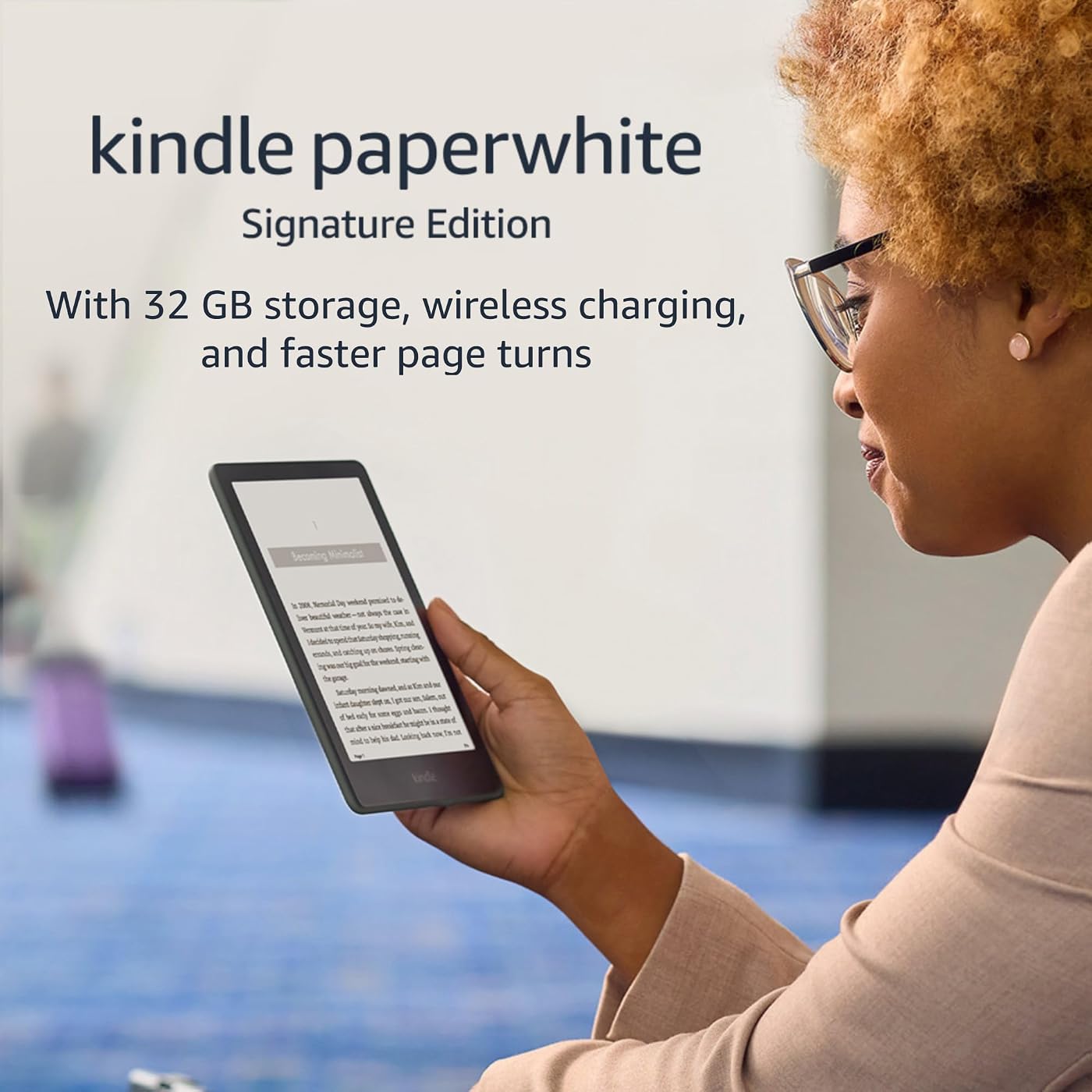
Amazon Kindle Paperwhite Signature Edition (32 GB) – With auto-adjusting front light, wireless charging, 6.8“ display, and up to 10 weeks of battery life– Without Lockscreen Ads – Agave Green
  • Based on 30,728 reviews
Condition: Used - Good
Checking for the best price...
$144.87 Why this price?
Save $55.12 was $199.99

Buy Now, Pay Later


As low as $24.15 / mo
  • – 6-month term
  • – No impact on credit to apply
  • – Instant approval decision
  • – Secure and straightforward checkout

Ready to go? Add this product to your cart and select a plan during checkout.

Payment plans are offered through our trusted finance partners Klarna, Affirm, Afterpay, Zip, Apple Pay, and Google Pay. No-credit-needed leasing options through Acima may also be available at checkout.

Learn more about financing & leasing here.

Selected Option

Free shipping on this product

This item is eligible for return within 30 days of receipt

To qualify for a full refund, items must be returned in their original, unused condition. If an item is returned in a used, damaged, or materially different state, you may be granted a partial refund.

To initiate a return, please visit our Returns Center.

View our full returns policy here.


Availability: Only 1 left in stock, order soon!
Fulfilled by Amazon

Arrives Wednesday, Jul 29
Order within 8 hours and 4 minutes
Available payment plans shown during checkout

Protection Plan Protect Your Purchase
Checking for protection plans...

Color: Agave Green


Option: Without Kindle Unlimited


Offer Type: Without Lockscreen Ads


Features

  • Get more with Signature Edition Everything in the Kindle Paperwhite, plus wireless charging, auto-adjusting front light, and 32 GB storage.
  • Purpose-built for reading With a flush-front design and 300 ppi glare-free display that reads like real paper, even in bright sunlight.
  • More reading time A single charge via USB-C or compatible Qi wireless charger (sold separately) now lasts up to 10 weeks.
  • Adjustable screen Now with adjustable warm light and auto-adjusting front light for a personalized reading experience, day or night.
  • More books in more places Store thousands of titles, then take them all with you.
  • Find new stories With Kindle Unlimited, get unlimited access to over 2 million titles, thousands of audiobooks, and more.
  • Go hands-free Pair with an Audible subscription and Bluetooth headphones or speakers to listen to your story.

Frequently asked questions

If you place your order now, the estimated arrival date for this product is: Wednesday, Jul 29

Yes, absolutely! You may return this product for a full refund within 30 days of receiving it.

To initiate a return, please visit our Returns Center.

View our full returns policy here.

  • Klarna Financing
  • Affirm Pay in 4
  • Affirm Financing
  • Afterpay Financing
  • Zip Pay in 4
  • Financing through Apple Pay
  • Financing through Google Pay
Leasing options through Acima may also be available during checkout.

Learn more about financing & leasing here.

Top Amazon Reviews


  • Practically Perfect
Color: Denim Option: Without Kindle Unlimited Offer Type: Without Lockscreen Ads
As you probably know, the kindle paperwhite is black and white and is used as a dedicated e-reader for books and other reading material. I've happily worn out several generations of kindle paperwhites because I read so many books, and I've given away about a dozen (new) kindles as presents over the years. The idea of within a minute retrieving any book in my library or getting a brand new book is simply irresistible. The kindle paperwhite is a great e-reader. Note that it frequently goes on sale so try to time your purchase so you can save $$. These are the things I like about it: * PORTABLE The kindle paperwhite is light and fits easily into my purse, even with a cover. By the way if you get a kindle definitely get a cover as well to protect it. There are many attractive ones besides just the official amazon covers. Or if you can live without the Signature edition, to save a little $$ buy the kids paperwhite kindle which comes with a case. (This is the exact same device as the regular kindle paperwhite -- just navigate out of the kids section on the device and don't forget to d/c the kids subscription). * WATERPROOF The kindle paperwhite is waterproof. Indispensable for the pool or bathtub. * EASY ON THE EYES The screen lighting of the kindle paperwhite is adjustable and reading is pleasant. I prefer to read with black background and white letters. (Settings > Accessibility > Invert Black and White). You can change the brightness by swiping down from the top and finding the "Brightness" setting. And don't forget you can change font and text size as well. When your book is open simply touch the top of the screen, select Aa > Font then adjust as you want. * READ TO YOU EVEN IF YOU DON'T USE AUDIBLE The kindle paperwhite reads to you even if you don't have audible books, alexa, or a phone app. Simply connect your bluetooth device to the kindle (Settings > Wi-Fi & Bluetooth > enable Bluetooth > select your device) then turn it on (Settings > Accessibility > VoiceView Screen Reader). You can adjust the volume and speech rate to your liking. * WIRELESS CHARGING -- SIGNATURE The Signature edition kindle paperwhite can be charged on your standard wireless phone charger. I turn the kindle upside down so the indicator lights are visible. EXTRA SPACE FOR AUDIBLE BOOKS -- SIGNATURE The standard kindle paperwhite has 8 GB storage which can store at least 2000 or 3000 ebooks or roughly 35 audible books. Newer kindle paperwhites have 16 GB. However the Signature kindle paperwhite has 32 GB which can store close to 160 audible books. (These numbers are from a quick browser search). Personally I like the text to speech feature on the kindle rather than subscribing to audible books since it's $$, but I use that extra space on the Signature to store other computer files that I don't want to lose. (You just attach the device to your computer and move files manually). _____ These are three things I don't like about the paperwhite software: * NO GAMES I really really miss the games. These were so fun to play for me and to entertain young ones. Please can we bring supportive software for games back? * KINDLE DEVICE HOME AND LIBRARY SCREENS Oh my gosh finding books is so confusing! Home lists books in order of last opened and while Library can be listed by title or author (three lines at top right screen give you "Sort by" screen), I find that if I don't remove books after I've read them things go berzerk. I hate having to scroll through long bars to find something. * COLLECTIONS IN AMAZON CLOUD Organizing books in the Amazon cloud is abysmal since you have only one layer of folders. If you have, say, science fiction books and mysteries, you either jumble them together in "Fiction" or else you have to make two separate folders that don't link. Please, Amazon, fix this. _____ Overall while the kindle paperwhite isn't *perfect* it's pretty darn close and lovely to read for books with plain text and even black and white images. PDFs and more complex images are difficult to see on the small screen and may do better with the Kindle Scribe which is larger. The kindle paperwhite and kindle paperwhite Signature is a great device for what it is meant to do -- read books -- and for that I will give five stars, although I am keeping my fingers crossed for software updates to make the experience even better. ... show more
Reviewed in the United States on August 25, 2023 by Eclectic Reader

  • Truly Converted Me
For many years I have been a staunch believer that physical books were the only proper way to enjoy my favorite books. For years my wife gently suggested a kindle, to stop the incoming tide of books piling up on shelves and even under the bed. Well I finally decided to give one a shot, and I could not be happier. The paperwhite does an excellent job of mimicking the look of a real page and I have not experienced any eye fatigue at all while reading. The Signature edition is worth the extra cost in my opinion for the additional storage space, but also the auto adjusting back light. I did not think that feature would make much of a difference to me but has quickly become one of my favorite features as it allows me to keep reading without stopping to adjust brightness when going from inside to outside or if the lighting changes in the room I am sitting in. At night the subtle glow of the Kindle Paperwhite helps me with not falling asleep while reading, usually a constant struggle for me, but doesn't leave me restless like looking at my phone does. The battery life is phenomenal. I have been using mine for 2 weeks and still have 60% battery life remaining on my original charge. I have changed my physical book buying habits to exclusively my favorites that I want to display and collect, but my everyday reading is now done almost exclusively on the Paperwhite. The ease of access to it and all the books in my Kindle library has increased the amount I am reading and that is the best reason I can think of to make the switch if you are unsure. A few minor gripes that I have found would be, the touchscreen, the kindle store specifically on the kindle, and graphic novels/comics. The touchscreen isn't unresponsive, but occasionally it doesn't pick up my swipes the first input. Not regular enough to even be an annoyance honestly, but worth mentioning. I do not recommend navigating the kindle store on the Kindle Paperwhite. The kindle is not designed with browsing the store in mind, and as such is slow and downright clunky. Fortunately there is a simple solution, browse the kindle store on your phone then just hit send to kindle. It's super easy to do and your Kindle will start downloading automatically once it has access to Wifi. I typically browse on my phone for a new book while taking a break at work, and when I pick up my Kindle when I'm ready to read the book is already downloaded and waiting. Lastly, I would not recommend using the Paperwhite to read graphic novels/comics personally. Everything is obviously in black and white so you aren't getting the full impact of the illustrations. This one is more up to personal preference but I would prefer to read these in full color. To summarize my rambling; If you are considering making the switch to an e-reader, the Kindle Paperwhite should absolutely be your first choice. Excellent battery life, convenience, and ease of access that has revolutionized my daily reading habits. ... show more
Reviewed in the United States on July 14, 2022 by tamrielsavage

  • Use it every day!
I honestly didn't think I needed a kindle reader until I got one as a gift... I now repent of my skepticism. Here's what makes a difference for me after using my phone for years: - The width of the screen lets me a) get more words per line and/or b) increase the font size so I don't have to get noseprints on the screen. - The smart lighting is great, so I can read in any environment. - It's not completely glare free, but the glare is heavily reduced and it's easy to read in daylight. My phone screen is a screen, the kindle screen is not EXACTLY like paper, but it's closer. There are cons: - The phone is always in my pocket, the kindle isn't. But it is easily mobile and fits in a coat/jacket pocket handily. - On my phone, I can quickly highlight a word and learn more on wikipedia or whatever. I can't do that to the same degree on kindle... but I still HAVE my phone, so it's not that big a deal. - My kindle doesn't have internet access, so I have to make sure that I have loaded what I want... but my phone works as a hotspot just fine and the kindle connects right up, so that's not that big a deal. - The official case is okay, but it loses the edges quickly, and the cover is kind of a pain while reading. I think there are probably some better third-party covers out there, but I haven't found one yet. - The kindle doesn't handle images (including maps and such) as well as the phone app. Despite all of this, this has become my go-to way to read the books that I enjoy when I get a chance to sit down and read. As kindle books replaced paper books for me, this device has replaced the phone app. I don't plan to go back... BUT I can always pull up a book on my phone when needed. (I just don't prefer it.) ... show more
Reviewed in the United States on February 23, 2024 by William Marks

  • Great upgrade to older Kindle generations
My Kindle Paperwhite 7th gen (released 2015), was still working fine when I upgraded to this. I have been waiting for the USB - C Kindle, and I'm now officially micro-usb free. I traded in and paid the extra to get the wireless charging so that, when this Kindle lasts many years to come, I can still use it when we're someday cable-free entirely. At a high level, this Kindle is a terrific device. Until color Kindles come out some day years from now, it's going to be perfect for reading use. It's lightweight and a pleasure for me to use with one or two hands. All my minor complaints aside, I truly love this device and use it daily. I have no complaints with regard to my daily use. If you have the Kindle paperwhite I had before, it's not worth upgrading unless you want to treat yourself. I have no regrets about the purchase, as I wanted to treat myself. If you don't have a Kindle, this is the best, and you will enjoy it. The reasons I upgraded: -Larger screen. Nice, not necessary but apprecated -Dark mode. Old generations didn't have this (thanks, Amazon, for artificially limiting older generations' software) -USB-C. I was way too excited about this, but I stand by it. I was concerned that the flush glass screen would be worse than my old paperwhite's recessed screen. It is, but not noticeably so, which I'm pleasantly surprised to say. It's less paper-y than the old Kindles, but makes the Kindle look very clean and crisp. It's plenty responsive, and there's still enough bezel to hold it without touching the screen. It also has the same ppi (Pixels per inch) of my 2015 Kindle, and the new screen type makes it less clear because of the layers. I was concerned about that too, but it's not noticeable. Side-loading books is still very easy with new versions of Calibre. Dark mode is great for reading in bed with the lights off without bothering a partner next to you in bed. I upgraded primarily for the dark mode, as regular mode is too bright for me when I'm trying to go to sleep (same for real books with a reading light). It wirelessly charges on both of my phone chargers, one of which is one of the stand-style chargers (like the Amazon-branded Kindle one). I'm a little surprised that the larger Kindle still works on my phone's charging stand, and it is an excellent little surprise. A couple other notes for you future owners: -Don't buy the Amazon-branded cases for this generation. They're a rip-off and poorly designed this generation. There are many generic cases that work just as well, such as Ayotu's. I use that case for when I travel with the Kindle in a bag. -Don't buy the Amazon-branded USB wall adapters. They're ridiculously overpriced, and their maximum wattage is below the Kindle's maximum charging wattage. Amazon scam. -Don't buy the Amazon Kindle charging stand. It's got a weird proprietary cable to hook into the wall. You're better off getting one flat wireless charging pad, as pretty soon (if you're not already there), your phone, earbuds, and Kindle will all charge wirelessly, and a flat pad will be able to fit all of them. How often will you really need to charge your Kindle, anyways? -I got a Harris Tweed sleeve from SarahJayneDesi9ns on Etsy, and highly recommend it. It's beautiful. Other miscellaneous gripes: -It's a ripoff that Amazon charges for you to remove ads from a product you bought, but that's not relevant to this version, as there is no ad version with wireless charging. -It's a ripoff that I couldn't have dark mode on my old paperwhite. It's black and white. It's not too difficult to push a software update to it to make it white and black. They just wanted me to upgrade (and it worked). Buying this product supports that corporate mentality. -The screen is the same ppi and slightly blurrier than my 2015 Kindle. -To reiterate, the main upgrades are a charging port that Android phones have used since 2008 and a software update that they wouldn't let my 2015 Kindle have. I still love this Kindle and will use it daily for years to come. For being a mainstream product, I really appreciate Kindles' longevity, and I truly hope this one will last for years like the previous generations have. ... show more
Reviewed in the United States on February 10, 2022 by Ben

  • Never saw a use for a dedicated eReader until I used this. Never saw a use for a dedicated eReader until I used this.
Color: Agave Green Option: Without Kindle Unlimited Offer Type: Without Lockscreen Ads
Up until now I never saw a use. I've always used an app on a tablet. Both have their pros and cons, but now that I have a dedicated reader I can see the difference. TL-DR: While a tablet offers more flexibility with a number of other uses and priced similar to a Kindle, this Kindle is so much better for reading that I don't see myself going back to my tablet. I'd advise getting a case with a cover, and skipping a screen protector. A feature of the Kindle display is that it has minimal/almost no glare, and can look close to the page from a book. A screen protector can only detract from that. A case has a cover to keep it protected while not is use, and a hand strap for when you're using it. The Kindle is a dedicated reader, while a tablet is a multi use device. I've never had another e-reader, but I have had a couple tablets in the same price range, so that's what I have to compare it too. The Kindle is lighter and easier to hold for longer periods than my tablet, but it's also a couple inches smaller than my tablet. The size has been a non-issue for me as far as reading goes. Does miss out on a feature I enjoyed on my tablet which is turning it sideways. The Kindle is a great size and format for displaying one page at a time, but on my tablet I can hold it landscaped and display two pages at once. It's just cosmetic, but it was neat. The screen is crisp and clear, and I do find it easier on the eyes. I guess they said they upgraded the displays on this model, and it's excellent for reading. I tweaked the brightness and added a bit of yellowing to suit my preferences, and if it wasn't for the lack of that wood pulpy texture, it looks like a real page from a book. I've never had an issue reading on the tablet as you can customize reading apps in many ways, and the display is adequate, but this just "feels" better. However it is a monochrome screen. For reading the Kindle display is top notch, but it does miss out on some other things a tablet can provide. I guess it's a pretty minor issue, but it'd be nice if the storefront had a splash of color, and I'd absolutely love to have my book covers in color again! The Kindle has all the features you NEED to customize an tailor it to suit you, I can't find any faults. But the app I liked using on my tablet might have more, and has done some better. By some I guess I'm only referring to one Kindle feature which I liked more on my app. The Kindle's page turning effect is more like a dissolve wipe moving from one side of the screen to the other. The page turning effect on the app I used was perfection. You could flick or touch for an actual page turning effect, or you could click and drag it watching the page actually turn like a book. This might be a limitation of the special screen they use for the Kindle though. I think the same goes for it being a monochrome screen. Again, the Kindle has the better display for reading, but it isn't as flexible as the screen on your tablet or phone. It's light weight making it easier and more comfortable to hold, which I said near the beginning, but I think you're going to want to get a case. The Kindle is rather thin, and the bezel/margins are small enough to give you some hand/wrist strain after a while. It's also easy to tap the side and turn the page by accident. Having a case doesn't just provide more protection, but it makes it easier to hold. It's still light wight, but now thicker and easier to hold. If you get one with a hand strap like I did, you really don't even need to hold it. Depending on the case, it can make it more pleasing to the eye and also more like a book (I used the "Fintie Stand Case" which I found here on amazon for anyone curious. It comes in a large variety of styles, and has features that improve the reading experience. It's inexpensive too. (I get no incentives from either Amazon or Fintie, I just really enjoy the case the made for this Kindle.)). Lastly, I'd caution getting a screen protector. Normally I do this for my other electronics, but adding a screen protector to this Kindle I think would defeat one of it's better features, being no screen glare. It already has a display designed for reading, and I think a screen protector would just end up adding more glare. The glare is so minimal on the Kindle that it can look like a real page in a physical book. Oh, and my battery is still at 70% after... I dunno, a dozen hours of reading, and I increased the brightness from the default. ... show more
Reviewed in the United States on June 16, 2024 Reviewed in the United States on June 16, 2024 by Darth Chalupa

  • Very nice but no cigar! Very nice but no cigar!
Am in my second week of using my new Paperwhite Kindle. This is my fourth, having been through the Keyboard, the Touch, the Voyage and now the Paperwhite. Positives are it is clearer, perhaps easier to read because it is a bit sharper, charges wirelessly and has finally upgraded to the newer type C mini usb charging plug (yeah!). I am not thrilled with the software as opposed to my Kindle Voyage. I am big on having collections so I can put all unread books into an 'UNREAD' collection and I am very big on lists of books. I do not like the 'Grid' concept nor do I want to see covers. The Paperwhite does have a collections function but when it is used you lose the ability to sort by Title or by author. In all past versions I have used when you had a collection it was still sorted by author. In the Paperwhite that capability is no longer available. I strongly urge Amazon to add that function to a upcoming software change. The wireless charging dock works well and charges through the leather cover I purchased. The Paperwhite comes with a port that takes the mini usb C type charging plug/receptacle. Same as my Samsung S20FE phone so it is one less cord to travel with. Battery life appears good. Have been using about 1 hour per day for last 10 days and still has over 60% capacity. Along with the Paperwhite I purchased the wireless charging dock and because quite a few reviewers said the Amazon cover was poor quality I purchased the CoBak cover with stand and holding strap. High quality and real leather. Also has an inside spot to hold 1 or 2 credit card size items. Appears to work well as I dropped the Paperwhite and watched it bounce down my stairs. The Paperwhite came through fine but suggest you not try this on yours. I am not upset with the on button. Seems to work based on time. Have not measured but think after 6 or more hours the Paperwhite turns itself off and you must use the button to turn back on. Pressing left or right margins of pages causes the Paperwhite to go to the next or previous page. Fonts are selectable. Font size is selectable. Warmth and light intensity are also selectable. Software issues aside this was a good purchase. Every Kindle seems to have new 'quirks' and I am sure I will get over the loss of by author sorting when I am in Collections mode. That is the main reason I am rating 4 rather than 5. ... show more
Reviewed in the United States on July 25, 2022 Reviewed in the United States on July 25, 2022 by Nate

  • Signature vs Paperwhite: Observations from Owning Both
I own the 11th Gen (newest model 2022) standard Kindle Paperwhite and the Signature Paperwhite. I love them both. If dough is not the issue, I would buy the Signature model for fifty bucks more. Here’s some of my particular findings in use. Cases: Note that I do not like the Amazon cases because I don’t like folding over cover type cases; I prefer cases that simply help with holding the device. I purchased the “MoKo Case for 6.8" Kindle Paperwhite (11th Generation-2021) and Kindle Paperwhite Signature Edition, Ultra Clear Soft Flexible Transparent TPU Skin Bumper Back Cover Shell, Clear” from Amazon and it fits the Kindle ideally, and most importantly this case DOES go on the proprietary charging stand made by Anker and the charge does go through the case (that is, I do not need to remove the case to charge the Kindle in that charging stand). Battery: Amazon states that the Kindle 11th gen will hold a charge for 10 weeks, when used at limited brightness for 90 minutes a day (and a lot of other stipulations, like WiFi and Bluetooth off, etc). In reality, many may turn up the brightness, read more than 90 minutes, and Airplane mode on, or use other features that drain the battery faster (See audiobooks below). I have found that my battery drains faster than 10 weeks, but I am using the device with Airplane mode off, Wifi on, Bluetooth On. I do not like turning off wifi in particular because it MUST Be on to sync books between devices, and since I have two Kindle 11th gens, plus a MacBook, iPhone, iPad, and I read 5 books at a time simultaneously, I have no desire to turn wi-fi off. Thus, having Qi charging is helpful…not mandatory but helpful. Another BIG reason for the Qi charging is Audible audiobooks. I do listen to them through the Kindle itself, and the battery drains fairly quickly when listening to audiobooks. Memory Storage: The Kindle has 8 GB storage, but only 5.8 GB after their software OS. The Signature Kindle has 32 GB storage, but only 28 GB after their software OS (there is slightly different software between the two models as the Signature supports more menu and charging features). So if you love downloaded “off-line” reading, and in particular if you enjoy having audiobooks in your downloaded library (they take much more storage than an e-book), the 32 GB is reassuring. Auto-light adjust: I can’t even detect that it’s doing anything, but if one rides a train daily to work and it passes through dark tunnels, this feature may be of benefit to you. Advertising free: Many forget the $20 value of the ad-free that is part of the Kindle Signature. Even those that wouldn’t pony up for it on their own may enjoy it here as “icing on the cake” for the price difference. I like seeing my own book cover on the sleep screen, and that is not possible with the “with ads” version. I thought I enjoyed the ads for editors choice books and book sales and stuff, but I much prefer the ad-free model. And, little discussed fact, the ad-free version has one less swipe to get to your Library or current book every single time you turn on the Kindle. True! Dedicated Signature Charger Stand: I bought the Qi charging stand and like it greatly. It does work with my “MoKo Case for 6.8" Kindle Paperwhite (11th Generation-2021) and the Kindle Paperwhite Signature Edition, Ultra Clear Soft Flexible Transparent TPU Skin Bumper Back Cover Shell, Clear”., and charges through the case and the case fits the stand (but not quite as bump-proof as the Kindle without the case). I like that the stand sits quietly on my desk as I am working, or on my coffee table while I’m watching sports do I can read during commercials. I do not need to keep the AC cord attached to the stand at all times; sometimes I use the charger stand as simply a free-standing stand for either of my Kindles. I like that it can hold my Kindle 11th generation normal edition without Qi charging and I can read on it as an easel stand. I feel the utility as an easel stand is underrated. Qi chargers in general are not free, and neither are easel stands, so coupling those two together, you get the price of this Anker model. I find no issues with the size of the “wall wart” or the plug in the back of the stand. Some people complain with the charging stand that the white light indicator does not turn to another color, such as green, to indicate full charge. A “work around” for this is to place the charging Kindle on the stand upside down; now the LED light at the bottom of the Kindle device itself, which does change color when fully charged, is face upward and easily seen. Frankly, there is no issue with simply assuming the Signature PW is charged after an hour or two. I like this stand much more than I thought I would. I’ve owned every Kindle since the first one! I use library Libby, and am an Audible and Kindle Unlimited subscribers. I guess you could say I’m a “power user”. I definitely prefer the Signature version, but both are good readers. If I could change one thing about these Kindles, it would be to add a physical button like the Oasis. I realize that sounds outdated, but to reach and switch with the other hand, or reach thumb across screen to scrub, every page turn is a chore that is solved with an under-thumb button like Oasis. Additionally, the e-ink is good, but after two decades, one would think the text versus background contrast would be better…that is, darker text, whiter background. Instead, it remains darkest gray text in lightest gray background, not ideal. Happy reading! ... show more
Reviewed in the United States on March 19, 2022 by WayneChicago

  • One of the best e-readers; beats print hands down
Color: Denim Option: Without Kindle Unlimited Offer Type: Without Lockscreen Ads
This isn't quite the top of the line for Kindles, but it's close. That honor would go to the Scribe, with the Oasis possibly taking second place, though we haven't seen a new Oasis in a while. It sports more memory than the regular Paperwhite, and I think that's particularly worth it if you're using Audible on the device. It would take a lot of text-based books to fill 8 gig never mind 16. I want to compare ereaders, then compare ebooks to print. If you are going to use this for audiobooks, it's hard to ignore the Nook from B&N as a competitor to this. The Glowlight 4 is about the same size as this and the 4 plus is a bit larger. All of these sport 32 gig of memory, are waterproof, and have about the same screen type. The advantage of the Nook is you get a 3.5mm headphone jack as well as being able to connect headphones via Bluetooth. The Kindle is limited to Bluetooth. The advantages of the Kindle are first that it supports Audible. If you have a subscription already, that becomes a no-brainer. If not, there are a lot of titles on Audible that B&N doesn't have. If those interest you, you're better off with the Kindle, and you'll want the larger memory. Second, transfering your own documents wirelessly to the device is substantially easier on Kindle. Just email it, or use the website, or send it to the app on your phone. Nook requires you use a USB cable and then find the right folder to put it in. This is a win for the Kindle, but any Kindle, not just Paperwhite Signature. Third, market dominance. The demise of Nook is often predicted (I don't think they're going anywhere, but that's merely my prediction based on market share over time) but no one in their right mind thinks Kindle, with a commanding 80+% market share at the time of this review, is going anywhere. For free books, Kindle has the monthly subscription to unlimited, Nook gives out a free books (or sometimes audiobook) every Friday. Prime subscribers can pick a free book (sometimes two) from a small selection at the beginning of the month. Overall, I'll call that a toss up. I use both, but if I could have only one, I'd go with the Kindle. If you're deciding between Kindles, the Oasis is smaller despite having a slightly larget screen and physical buttons (the bezel is much smaller) and it has cellular. The Paperwhite Signature has USB-C (not a big deal in my opinion) and wireless charging (and the stand they sell for that is absolutely amazing). The Paperwhite Signature is also substantially less expensive. The Scribe supports the pen and has built in notebooks, making it kind of a hybrid between the Supernote and the Kindle. That's the big win there. The win for the Paperwhite Signature is that it's waterproof, smaller, and less expensive. The basic Kindle is also worth looking at on a budget. It has less memory and isn't waterproof, but it's extremely affordable. This is the one I'd take with me into situations where I'd worry about it getting lost or damaged because it's the easiest to replace. This is also the one I'd give a kid, for the same reason, and also the one I'd suggest someone start on if they're not sure if they'll like ebooks. It really is a nice device. I use mine a lot. The Paperwhite regular sports less memory, but is a fine contender if you only want ebooks, no audio. You can only go up to 16 gig memory there, no wireless charging. It's front lit, but not automatically adjusting and it has ads. On the topic of ads, I've seen memes that seem to suggest they pop up while reading. While this model has no ads, if you're considering another don't let that stop you. They are on the sleep screen. They don't interfere with reading. It's one of the myths told by the "dead tree only" crowd. The others are: You can't dogear them. Well, you can, only you can also remove the dogear without leaving a trace, so that's actually a win in the ebook column. You can't mark them up. Again, you can and you can undo, but because the space is not limited to the page, you can add larger notes here than would be supported in print books, particularly those with thin margins. You can't use them if the battery dies. The battery lasts weeks for me and I'm a heavy reader. I have never found myself unable to use my Kindle because I was in some foresaken wasteland without access to power. I can even recharge my device for free on the bus if I have my cable with me (I usually do). I have found myself reading a book I lost interest in while out and about and using a Kindle (or any ereader), that's no issue. With print it used to be. You can't use it near water. This one is waterproof. I've never seen a print book that wasn't destroyed if you got it soaking wet. I'm not even sure where that myth came from. I can say my Paperwhite Signature fell into a sink full of water and didn't care. You retain more from print books. I'm putting this one in the myth column because I don't trust the methodology. First, they were only using iPads with notifications turned on. Then, when enough people cried, foul they used the Kindle DX (giant, wonderful device; I wish they'd revamp and reintroduce those). Only they only selected people who'd never used one before. I recently spoke to someone involved and we discussed why they didn't include audiobooks. Participants get 15 minutes to read about 25 pages. The print folk just get the book and start reading. The ebook folk get a lecture on how to use it before they start reading, but the lecture cuts into the 15 minutes. Ever wonder why the studies also show people on ebooks read faster? If they threw in audiobooks they'd have to allow enough time for participants to hear the story at normal speed. I want an apples to apples comparison, with people experienced with ebooks and identical reading times before I'll trust this. On a side note, if you want to remember what you read better regardless of medium, check out Moonwalking with Einstein (available on Kindle). One thing the "dead tree only" crowd won't talk about is the environmental impact. The impact of ebooks has always been better than that of print, but we've come so far in so little time, that a modern ereader like this one has the same impact as 14 print books. Once you read your 15th book on this, you net an environmental win. Another thing is accessibility. Any book can transform immediately into a large print book while remaining light and easy to hold and carry. Then there's lighting and the ability to read anywhere. I read in bed with the lights off. If you have a kid who "sneaks" a book under the cover, this makes it easier and reduces eye strain. Then there's the ability to text search for something you forgot and want to reference. I can barely stand print books for the inability to find some random tidbit easily. That and you get to keep your entire library. I'll always have nightmares about helping a little old lady who loves to read move into assisted living and having to discard the bulk of her library. The bulk of my library sits in my purse. And you can have the same book on multiple "shelves". That's how I get around the "is Star Wars science fiction or fantasy" debate. It lives in both. So for me, ebooks win overall, and if I have to go with one line, it's Kindle. Amongst the Kindle, my favorite is usually the Scribe for non-fiction (for the ability to take notes) and this for fiction (for the most comfortable form factor) with the base model being used in some situations. ... show more
Reviewed in the United States on December 21, 2023 by Ivy Reisner

Can't find a product?

Find it on Amazon first, then paste the link below.
Checking for best price...