Search  for anything...

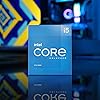
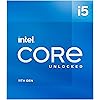
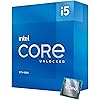
Intel® Core™ i5-11600K Desktop Processor 6 Cores up to 4.9 GHz Unlocked LGA1200 (Intel® 500 Series & Select 400 Series Chipset) 125W

  • Based on 1,097 reviews
Condition: New
Checking for the best price...
$199.00 Why this price?
Save $179.99 was $378.99

Buy Now, Pay Later


As low as $33.17 / mo
  • – 6-month term
  • – No impact on credit to apply
  • – Instant approval decision
  • – Secure and straightforward checkout

Ready to go? Add this product to your cart and select a plan during checkout.

Payment plans are offered through our trusted finance partners Klarna, Affirm, Afterpay, Apple Pay, and PayTomorrow. No-credit-needed leasing options through Acima may also be available at checkout.

Learn more about financing & leasing here.

Selected Option

Free shipping on this product

FREE 30-day refund/replacement

To qualify for a full refund, items must be returned in their original, unused condition. If an item is returned in a used, damaged, or materially different state, you may be granted a partial refund.

To initiate a return, please visit our Returns Center.

View our full returns policy here.


Availability: In Stock.
Fulfilled by Amazon

Arrives Wednesday, Jun 10
Order within 19 hours and 48 minutes
Available payment plans shown during checkout

Protection Plan Protect Your Purchase
Checking for protection plans...

Style: i5-11600K


Features

  • Compatible with Intel 500 series & select Intel 400 series chipset based motherboards
  • Intel Optane Memory Support
  • PCIe Gen 4.0 Support
  • No thermal solution included

Description

11th Gen Intel® Core™ i5-11600K unlocked desktop processor. Featuring PCIe Gen 4.0 support, unlocked 11th Gen Intel® Core™ desktop processors are optimized for productivity, gaming, and overclocking. Thermal solution NOT included in the box. Compatible with 500 series & select 400 series chipset based motherboards. Refer to motherboard vendor for compatiblity details. 125W.

Brand: Intel


CPU Manufacturer: Intel


CPU Model: Core i5-11600K


CPU Speed: 3.9 GHz


CPU Socket: LGA 1200


Processor Series: Core i5-11600K


Processor Speed: 3.9 GHz


Processor Socket: LGA 1200


Secondary Cache: 12.0


Wattage: 125 watts


Cache Memory Installed Size: 12


Processor Count: 6


Processor Number of Concurrent Threads: 12


Processor Core Count: 6


Platform: Windows 10


Brand: Intel


Processor Brand: Intel


Model Number: i5-11600K


UPC: 735858477253


Manufacturer: Intel


Mfr Part Number: BX8070811600K


Warranty Description: Box 3 Year Limited


Item Type Name: Processor


Item Weight: 0.1 Ounces


Unit Count: 1.0 Count


Frequently asked questions

If you place your order now, the estimated arrival date for this product is: Wednesday, Jun 10

Yes, absolutely! You may return this product for a full refund within 30 days of receiving it.

To initiate a return, please visit our Returns Center.

View our full returns policy here.

  • Klarna Financing
  • Affirm Pay in 4
  • Affirm Financing
  • Afterpay Financing
  • PayTomorrow Financing
  • Financing through Apple Pay
Leasing options through Acima may also be available during checkout.

Learn more about financing & leasing here.

Top Amazon Reviews


  • Price to performance is great
Style: i5-11600K
The i5 11600k is, at the time of this writing, really the best value in CPUs on the market. You have to pay a bunch more to get a couple more cores in an i7, while an i3 is only a bit cheaper for certainly less performance. Meanwhile, Ryzens are just too much extra money for frankly a little less performance. They may have a huge marketing cult, and they are very good processors to be sure, but if you're trying to maximize performance for the dollar, the Intel cores still have the edge. The i5 11600K is the strongest performing and most flexible of the gen 11 i5 variants and is plenty good enough for the casual to moderately serious gamer or workstation--especially if you dabble in overclocking, but also even if you don't, this is still a little stronger than the 65wtdp locked version. Keep in mind that the unlocked K version i5 is the full performance version and does not include a cooler like the locked i5s usually do. It's also rated to dissipate more heat which is surely why intel doesn't include one. I think the intel vs. ryzen people do entirely too much hand wringing over architecture and TDP differences between the brands. Guys, stop being silly. The truth is that unlocked intels and ryzens BOTH put out a ton of heat and both need coolers that exceed the rated TDP. For the 11600K I'd recommend a cooler in the 150w-190w TDP range. I ended up finding a good price on a Be Quiet Shadow Rock 3 which is a very nice air cooler for the i5 and probably overkill unless you're playing with overclocking. I'd also recommend the same for the congruent ryzen, by the way. The inconvenient truth is unlocked intel and ryzen both put out more heat than CPUs ought to be in this day and age and you need to spend some money on cooling any of them. At least with the 5s you can get away with upper mid-grade air cooling and definitely don't "have" to do water if you don't want to, especially if you're keeping to a budget. The 11600Ks generally support 3200 ram with no need for ram overclocking which is great, but check the capability of your particular motherboard. This is one of the improvements from 10th gen. I'm running a couple 16gb sticks of 3200 cl 16-18-18-38 with excellent results and no funny business in the bios. The intel integrated graphics on the 11600K is what you'd expect. It's fine for workstation/business use, can output 4k video content fine, and will get you by for light gaming, but serious gamers will obviously need discrete graphics. You can get the KF version of the 11600 if you don't want or need integrated graphics, but depending on the day, it may or may not actually be cheaper than the K. Overall, the i5 11600K really is the current value champion for mid to upper-mid grade PC builds in 2022 to date and will continue to be until the next big price drop on the 12th gen CPUs and motherboards. You get near-i7 performance for less money and you get a bit better than current ryzen 5 also for less money. Match this up with your favorite reasonably robust cooler and a good mid grade motherboard (I like Asus TUF, but you do you) for a really great bang for the buck PC build with some lasting power. ... show more
Reviewed in the United States on July 25, 2022 by rags

  • Extremely good CPU, albeit power hungry. 650 watt PSU is adequate for most systems.
Style: i5-11600K
Using this in the ASUS TUF Gaming Z590-Plus WiFi motherboard. To my surprise, it also came with its latest BIOS update, so no need to flash it so far. Coming from an i5-4690k, man... I'm just floored. This thing is insanely fast compared to what I'm used to. I was aware it could get rather hot as well, so I decided to get water cooling (AIO Cooler) for the very first time. Managed to fit the NZXT Kraken X53 in my Corsair Carbide 200R case. Rigged it just above my Low-Profile RAM sticks, with screws in the hexagonal grill with the included washers, and used Velcro to stabilize the frontal area, as there was no coverage for screws there. Spent all day building this, but hoo boy, it was worth it. Stable, fast, and ultimately, an absolute joy to game on. I'm still using my EVGA GTX 1660 Ti XC Ultra with this, as I've nothing better. However, I'm no longer CPU bottlenecked like I was before. Now it's maybe a 5 ~ 10% GPU bottleneck. Nothing too serious, and games run phenomenal. Zero issues. Temps never go above 65c with the aforementioned cooler. (Which I highly recommend, if you can both fit & afford it, it's about $140 including tax at the time of this review) 16 GB of low-profile RAM fit perfectly with my build, and they're of the 3200 MHz kind. It only reaches that via XMP in bios, but that is intentional, so definitely use it if you have sticks like these. Goes great with the CPU. So far it varies between 4.6 GHz and 4.9 GHz all on its own, and so far I'm just leaving it that way. Typically stays at 4.9 GHz during heavy gaming. Temps are still good, below or around 60c depending on the game. Just know that air cooling may not be as safe for this one, not that I can attest to that personally. I almost chose to air cool it, but now that I've experienced liquid cooling, I'm not sure I can go back to air. Haha. I highly recommend this processor, as well as the cooler and motherboard I mentioned. RAM was the all-popular Corsair Vengeance kind, of course. Couldn't be happier! ... show more
Reviewed in the United States on April 7, 2021 by Thomas G

  • The onboard graphics are better than the 10th Gen i5 10500 The onboard graphics are better than the 10th Gen i5 10500
Style: i5-11600K
I own a Gigabyte Z490M Gaming X motherboard. It has two M.2 slots, but one that doesn't work (labeled limited functionality). It turns out that Gigabyte built ahead to provide added functionality once the 11th Gen processors were released. So, when the new processors came out, I replaced my 10th Gen i5 10500 processor with this one. Initially, I noticed six things: 1. This processor requires more power (125 watts vs 65 watts for the i5 10500) 2. Even though it uses twice the power, it only runs about 4 degrees Celsius hotter under an average or light workload. (I used the same 120mm liquid cooler for both). 3. The onboard graphics are noticeably improved over the previous generation chip. 4. The processor doesn't feel twice as fast, but is noticeably faster than the 10th gen i5 10500 (which was a solid processor too). 5. My second M.2 slot on my motherboard now works due to the functionality of the 11th-gen 11600k. Currently, I use one slot for my Intel WiFi card and one for my uber-fast M.2 hard drive. This frees up a ton of room on my PCI-Express ports for a really nice video card. 6. My motherboard required a firmware update in advance of installing the processor. Words of caution before buying: 1. Make sure your motherboard has the right socket type: LGA1200. 2. Make sure your power supply has not just the four-pin power connection, but also a second 4-pin power connector (for a total of 8 pins). Most 600 Watt or bigger ATX or ITX power supplies should probably work. Often the two plugs have a connection to plug them together side-by-side before plugging into the motherboard. Don't try to use the other connector intended for a video card. 3. Make sure you have the correct firmware installed BEFORE you try to install the new processor. Otherwise, you'll waste time and thermal paste and will have to reinstall your old processor, install the firmware update, test it, and then reinstall the new processor. 4. Recalibrate your fans if needed afterwards. My computer boots faster, plays Minecraft at a higher frame rate, and doesn't run significantly hotter. I don't overclock it. It was just so close in price to the next model down a the time, that I decided to get it. ... show more
Reviewed in the United States on June 18, 2021 Reviewed in the United States on June 18, 2021 by Joeyslaptop

  • Shouldn't have bought it, but I did anyway
Style: i5-11600K
I upgraded from a 10600kf to the 11600k. Its an almost entirely pointless upgrade and I don't recommend anybody else take this route. If you do, here's some more info... Pros: *Pcie gen 4, babyyyy *Performance is pretty solid so far *Definitely has overclock potential. I got it to 4.9ghz all core with just a 2-fan water cooler. I couldn't run it as a daily driver with that cooling setup, but it DID work. Lol. Cons: *Gave me a hard time with setting ram speeds for some reason. 10600 allowed me to set ram at 3600 but the 11600 gets grumpy if I go over 3400 *Price to performance didn't make any sense for me to upgrade...but I did it anyway. I guess this is kinda a neutral thing? If you're like me and you just want to have the highest gen you can get for your board, it's a nice chip. It doesn't come with any thermal paste anywhere in-box so just make sure you have some laying around. I recommend Noctua NT-H. It doesn't include a fan. If you're upgrading from 10th gen, you can use the same fan. If you're doing a new build just make sure you've got a fan. CoolerMaster makes good budget fans ... show more
Reviewed in the United States on March 16, 2023 by billie

  • Excellent processor! Excellent processor!
Style: i5-11600K
Excellent mid-range processor with a reasonable price. My budget did not allow me to go 12th generation, nor could I afford and i7. Paired this baby with an MSI Z590 WIFI Pro Series motherboard and I have not been disappointed. I pushed it to 5.0 Ghz on the turbo boost setting and it blew away my previous 9th gen i7. Stress test after 10 minutes and everything was still rock solid. I backed it down to stock settings and it still performed very respectably. I don't do any gaming on my PC so I can't give an honest rating for it, but it had no problem with the Passmark benchmark. Besides, the graphics adaptor is the key in that realm. Highly recommend this if you are on a tight budget and looking for a good all around choice. Update - I wrote this review back in April but for some reason it never got posted. The only thing I can figure is they didn't like me mentioning overclocking it to 5.0 Ghz. Anyway, I have bee running it for nearly 3 months and I still could not be more pleased with it. All I can say is if you looking for a decent CPU for a reasonable price, then this one is for you. ... show more
Reviewed in the United States on May 24, 2022 Reviewed in the United States on May 24, 2022 by Robert L. Schlessman

  • Intel i3-10105 Upgrade! Great Upgrade! Yet, I don't suggest i5-11600K unless you want or need it!
Style: i5-11600K
I purchased the Intel i5-11600K to upgrade an older Intel i3-10105 system. The i3-10105 ran for several years and yet I wanted to test out what a lot people are and have been and still are saying about the Intel i5-11600K Microprocessor. I swapped components and even a new case and new fans and even tested various heatsink solutions and several other things! The Microprocessor runs hot and also has some very big Memory Controller issues from what I was able to determine. I gave it five stars and because it was a great upgrade from the Intel i3-10105! However, I think that's a best case scenario that's a worst scenario with what's available and that also depends upon what you're doing and that's at this time. It's and LGA 1200 and it is slow compared to a Intel i5-12600K so again I mean slow! I think that Intel i5-12600K is a best case scenario in a worst case scenario and yet best case pulled it out in terms of technology progression! Intel i5-12600K it's a LGA 1700 Microprocessor solution and so of course you must match those components together and all, and so the Intel i5-12600K it has E-Cores and I shut those off, and it's about 2 times faster on quite a lot of benchmarks and various types of processing and it has a much much higher memory bandwidth! And so, it was a great upgrade from an Intel i3-10105 and also to do some testing! Yet, if you're choosing a brand new computer and trying to find some deals, I doubt the Intel i5-11600K is the right choice for you unless you're testing or upgrading a system! Anyways, in that price range and with discounts going on, I'd suggest an Intel i5-12600K or Intel i7-12700K and even if you disable the E-Cores! Also, the Intel i5-11600K uses about 235 Watt TDP and so you'll need an adequate to more than adequate heatsink solution(s)! That's base and so I mean pre-configured! Thus, I'd suggest a 235 Watt TDP or higher rated direct CPU solution and a great cooling solution and also exact same thing with the Intel i5-12600K and Intel i5-12700K! Also, at this time, you're using a heat-pipe solution, that you have at least 5 heat pipes for those processors! In addition, from testing plus using the Intel i5-12600K, I'd suggest that you have at least 5-6 heat pipes in that design and also a 235 Watt TDP or higher rated direct CPU solution and for the Intel i7-12700K based upon that, that you have at least a 6-7 heat-pipe solution and also a 255 Watt TDP or higher rated direct CPU solution! Also, the VRM MOS is a very big deal for these types of processors and also very fast processing requirements and so you need a great motherboard with a thermal solution designed to help dissipate that heat energy or you might have a problem with thermal throttling or even worse! And so, I'd suggest that you pay attention to those things! Also, I noticed that even with my Intel i5-12600K having the E-Cores disabled, that the Intel i5-12600K actual has a slight higher turbo wattage TDP! And, so it's also why I pointed that out! Also, those are all Intel Microprocessors, though varying CPU socket types! I don't suggest unless you want or need it for some reason at this time! Thank You! ... show more
Reviewed in the United States on May 23, 2026 by Audrey

  • Decent cpu, definitley better out there.
Style: i5-11600K
This CPU replaced a 6 year old 4790k and at the time was a decent jump, always ran cool and stable. I ran this cpu for about 2 years and have since replaced it with a 13600k which felt an even bigger leap then 4790k to 11600k. For the price it is today, id just grab a 13600kf instead for $45 more.
Reviewed in the United States on November 8, 2023 by Tanner

  • This processor 'is' a gaming beast and then some!
Style: i5-11600K
I upgraded from an old i7 3770K which was overclocked to 4.2 ghz and while that chip served me well throughout the years, it was time for the upgrade. Upgraded to this i5 11600K with 16 gigs 3200 RAM's and keeping my 1660 Super as GPU prices are just ridiculous right now. But I immediately noticed a significant improvement in GTA V Online as I went from my graphics card utilization being in the mid 50's to low 90's% usage to almost always at 99 - 100% usage in demanding areas and that ofcourse increased my fps by almost 30-40%. I used to get random stuttering as well and that is completely gone now and I don't even need to overclock this processor as it stays at 4.6 ghz with the intel and Asus boost technology for my Asus Prime B560 plus motherboard. For under $250 this is bargain super chip for gamers and should be good for streamers as well. ... show more
Reviewed in the United States on January 1, 2022 by Powpow

Can't find a product?

Find it on Amazon first, then paste the link below.
Checking for best price...