Search  for anything...

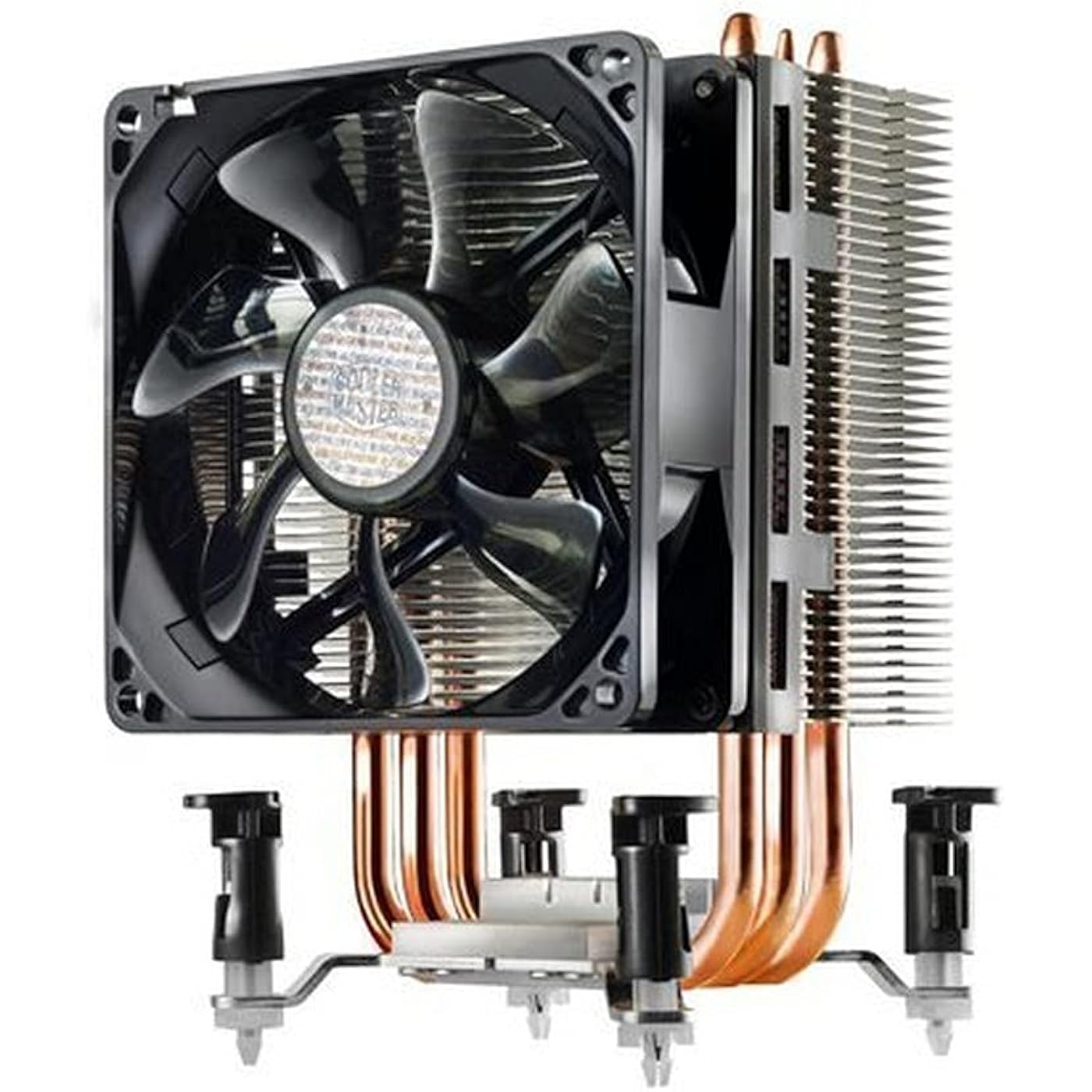
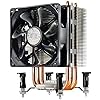
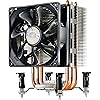
Hyper TX3 – CPU Cooler with 3 Direct Contact Heat Pipes

  • Based on 5,041 reviews
Condition: Used - Very Good
Checking for the best price...
$25.00 Why this price?
Prime Day Deal · 78% off was $113.26

Buy Now, Pay Later


As low as $6 / mo
  • – 4-month term
  • – No impact on credit to apply
  • – Instant approval decision
  • – Secure and straightforward checkout

Ready to go? Add this product to your cart and select a plan during checkout.

Payment plans are offered through our trusted finance partners Klarna, Affirm, Afterpay, Apple Pay, and PayTomorrow. No-credit-needed leasing options through Acima may also be available at checkout.

Learn more about financing & leasing here.

Free shipping on this product

This item is eligible for return within 30 days of receipt

To qualify for a full refund, items must be returned in their original, unused condition. If an item is returned in a used, damaged, or materially different state, you may be granted a partial refund.

To initiate a return, please visit our Returns Center.

View our full returns policy here.


Availability: Only 2 left in stock, order soon!
Fulfilled by MemoryC

Arrives Jul 10 – Jul 15
Order within 3 hours and 17 minutes
Available payment plans shown during checkout

Protection Plan Protect Your Purchase
Checking for protection plans...

Features

  • CPU Support: Intel: Core i5 / Core i3 / Core2 Extreme / Core2 Quad / Core2 Duo / Pentium / Celeron AMD: FX-Series / A-Series / Phenom II X4 / Phenom II X3 / Phenom II X2 / Phenom X4 / Phenom X3 / Athlon II X4 / Athlon II X3 / Athlon
  • Maximum compatible CPU wattage: over 130W TDP
  • Heat Sink Material: Aluminum fin / 3 heat pipes
  • Fan Speed: 800 ~ 2800 R.P.M. (PWM)- Noise Level: 17-35 dBA
  • Includes 0.1 oz Cooler Master thermal paste.

Description

Cooler Master Hyper TX3 RR-910-HTX3-GP CPU Fan For Intel LGA1156/775 & AMD AM3/AM2/940/939/754 From the Manufacturer

Brand: Cooler Master


Power Connector Type: 3-Pin


Voltage: 12 Volts


Wattage: 2.88 watts


Cooling Method: Fan


Compatible Devices: Desktop


Noise Level: 17 Decibels


Material: Aluminum


Maximum Rotational Speed: 2200 RPM


UPC: See more


Power Connector Type: 3-Pin


Voltage: 12 Volts


Wattage: 2.88 watts


Cooling Method: Fan


Compatible Devices: Desktop


Noise Level: 17 Decibels


Maximum Rotational Speed: 2200 RPM


Material Type: Aluminum


Brand Name: Cooler Master


UPC: 884102027505 512538502258 102930701443 045556034734 191120102146 803982773388 115970715387 884102013652 884102005053 168141448126 112040012612


Global Trade Identification Number: 53, 52, 05, 87


Warranty Description: 1 year


Manufacturer: Cooler Master


Number of Items: 1


Model: 126799


Item Part Number: RR-TX3E-22PK-R1


Part Number: RR-TX3E-22PK-R1


Item Weight: 10.58 Ounces


Unit Count: 1.0 Count


Frequently asked questions

If you place your order now, the estimated arrival date for this product is: Jul 10 – Jul 15

Yes, absolutely! You may return this product for a full refund within 30 days of receiving it.

To initiate a return, please visit our Returns Center.

View our full returns policy here.

  • Klarna Financing
  • Affirm Pay in 4
  • Affirm Financing
  • Afterpay Financing
  • PayTomorrow Financing
  • Financing through Apple Pay
Leasing options through Acima may also be available during checkout.

Learn more about financing & leasing here.

Top Amazon Reviews


  • One Of The Best Low Cost CPU Coolers On The Market! Be Aware When Using Two Fans The Current Draw May Be Too High!
I've purchased two of these coolers for installation on older AMD Phenom X4 CPU's. One a quad core 3.0 GHZ, the other a 2.5 GHZ quad core. I've been running the CPU cooler on the 3.0 GHZ CPU for months now with amazing results. With the stock AMD CPU cooler the CPU runs around 40C idling. Under heavy load the CPU easily passes 65C. With this cooler installed the CPU runs at 30C idling and never exceeds 45C under full load. Big difference! Well worth the small price for such an amazing cooler. Another reason I bought this particular model (TX3) is because I did not want to have to remove the motherboard and disassemble the fan mounts to install a proprietary mount for the TX3. The TX3 has a mounting bracket made specifically for the existing motherboard CPU cooler. Wonderful! It is extremely easy to install and runs so quiet you will wonder if it is running. I didn't have room in my case to install two fans but with one fan on the cooler it works great. The fan life is an expected 40,000 hours which is just over 4.5 years of continuous run time. Can't beat that with a stick! UPDATE: Still rating this setup with 5 Stars but I have to mention something that is very important in my system: The cooling fan that comes with this cooler draws 0.6 Amp DC at full speed. That is considerable especially if this fan is powered by the CPU fan pins on the motherboard. One fan is OK. Two fans is not! If you add a second fan to this unit and connect them to a 2-To-1 4 Pin PWM extension as I did the maximum current draw is now 1.2 AMPs from the motherboard fan connector. That is excessive! When the fans ramp up to maximum speed the current draw is too high for my motherboard and causes the system to immediately turn off. It took me a while to figure this out with testing for hours yesterday. Suggestions: 1) Replace the fan with the Arctic F9 PWM 92mm fan which has a maximum current draw of 0.16 AMP. You can use two Arctic F9 PWM fans with a total current draw of 0.32 AMP at full speed on the motheboard CPU fan connector without a hitch. The downside to this is quite a bit of reduced air flow compared to the cooler master fans but it will keep the CPU cool and not overload the current setting of the motherboard. Another option is to go into the motherboard BIOS and turn off the "CPU Fail" shutdown function and power the cpu fans from a fan controller such as those made by NZT. I suggest if you do this to keep the motherboard "CPU High Temperature Shutdown set to ON". Another option, which is what I decided to do, is to leave the Cooler Master fans (yes I have two for my TX3) on the TX3 and connect them as 3 pin fans on the SYS Fan connector and AUXFAN1 Connector on the motherboard. This runs both fans at maximum speed which really cools the CPU and keeps the motherboard fan connectors from being overloaded. ... show more
Reviewed in the United States on August 20, 2015 by Ryan Cawdor

  • A MUST buy at this price point. If you intend to run games, or your room is warm, spend the money. A MUST buy at this price point. If you intend to run games, or your room is warm, spend the money.
I decided finally buy a CPU cooler, after the demo for Star Wars Battlefront caused my CPU to reduce voltage to prevent over heating. Using AMD's Overdrive utility to see where the bottleneck\issue was, the thermal margin on my budget build AMD FX-6300 processor was the issue. While running the game, it would reduce voltage, the graphics would freeze and I would get sniped\killed. After reading lots of reviews, I finally settled on this cooler. Multiple reviews show this as being superior or equal to the more expensive 4 pipe Cooler Mater EVO 212. Bonus, I did not need to install the backplate, so the MOBO stayed in place. Replacing the cooler was easier than anticipated. After removing the old one with the clip, I wiped the CPU with rubbing alcohol and lint free cloth. I test fitted the new cooler with the clip, instead of the screw in mounts. While not as "accurate" as the hard mounts, it made for a much easier installation. Plus I know for sure that the Heatsink is tightened to the CPU properly, and not under-tightened. This was it ensures a better contact with the CPU. I applied my Arctic Silver Ceramique ( accidental purchase when buying the PC originally, instead of Arctic Silver 5). This DOES include Cooler Master thermal paste, but I had the Arctic laying around. I "tinted" the surface of the cooler after removing the plastic. This was done to ensure that the grease conducted the heat with no gaps. "Tinting", is where you apply a small amount, then wipe it back and forth to fill in any gaps\ridges. You apply it, then use a credit card\keycard to spread it until all gaps are filled and the surface is visible. You want the thinnest film left on there. I applied a grain of uncooked rice size dot directly to the CPU. I set the Cooler directly on the CPU and clipped it in. The clips are kind of a pain, but again the trade off is not having to worry if it was tight\loose enough on the CPU. Plus if I need to remove it quickly, no screw driver needed. I plugged the fan in, powered it up, and opened CPU intensive tasks, I am running chrome, pandora, excel, and I have the overdrive utility testing the system. Prior, the CPU would be very very angry. It would beep incessantly as it ran out of thermal margin (Temperature left before shutdown). For the AMD FX-6300, it shouldn't run over 65c or 149 f. With the stock cooler, it would EASILY hit 65 and reduce voltage\performance. In AMD Overdrive, there would be NO thermal margin, with the new cooler, and grease, there is always at least 20c\68f margin. The AMD autotune got up to 4400mhz and STILL had the 20 c margin! (it would only get to 4100 then crap out with the stock cooler). This was all while writing this review and a few minor background processes. The grease will break-in, in the next 25 hours, and the system should run a few degrees cooler. This cooler used to run $45+ when it came out. There is really only a few degrees Celsius difference between this and WAY more expensive coolers. This is a great deal, and in my opinion, a must purchase. The CPU fan is MUCH quieter than the stock CPU fan, which would kick in ALL the time. The fan points right at my case fan, which helps to remove the heat immediately. There is an option to attach another fan to cooler, but a few tests out there show that this doesn't really help appreciably to cool the CPU. I chose to not add the second fan, and at this performance I don't need to. The original heatsink\fan combo is a joke. I should have taken side by side photos before installing, but I didn't. Trust me, the Cooler Master is easily 4 times larger. The other good thing is, this fits in my case. The CM EVO 212 MIGHT have fit, but this leaves a solid 2", plus it over $10 less. Pros: Cheap! I paid $18 for this. Originally this was $45+ Easy to install, just clip it in! System runs 20C cooler and never hits its thermal limits, even in overclock! You can add a second fan to it. Cons: Not as fancy as some other coolers. Nothing else! ... show more
Reviewed in the United States on October 13, 2015 Reviewed in the United States on October 13, 2015 by Denverdude

  • Effective cooling - Easy installation
Works great, and easy to install! [Performance] I am using an 8 core CPU that runs at **125 watts**. When comparing my results to those which you can predict for yourself, refer to the wattage rating of your own CPU, and use the difference in the wattage of your CPU and mine to estimate probable results. With the stock cooling solution, my idle temps were commonly in the 54C range. Under heavy load, my CPU temps shot up past 65C (150F), and as they creeped up past 67, during prolonged load, sometimes could even shut my computer down from heat. After installing this new heatsink/fan, my idle temps are around 38C, average normal operating is around 43C, and my temps under heavy load are round 52C. I've seen the temp spike up to 55 in very rare cases, under prolonged heavy load, but I've never seen it over 55. I installed this cooler using ArcticSilver thermal compound instead of the compound it came with. This cooler is MUCH quieter than my stock AMD cooler. The other one was enough to wake the dead at max RPMs, which it was constantly required to run at to keep my machine from overheating. This new cooler does not need to run at max RPMs to keep my CPU temp down and, even if it did, I cannot even hear this one at max RPMs. [Installation] My CPU socket is an AM3+. The socket uses the same mounting bracket that was used with AM3 and AM2 and AM2+ CPUs. I chose this particular cooler because I wanted one that would be compatible with my existing mounting bracket. Many aftermarket coolers require an entire replacement of the CPU back plate on the motherboard. For those of us adding a cooler to an existing build, this can be a royal pain... because you -usually- have to remove the motherboard from the case, to do this. This cooler definitely accommodated my existing mounting bracket quite nicely. Installation was quick, easy, and painless... requiring no modification of any part of my motherboard or case. I was extremely pleased with this feature My opinion of the snugness with which it fits is that it is: Sufficient. Not too tight, not too loose. It's tight enough to hold solid if your case just sits stationary all the time. If you are someone who is constantly picking up your case and going to LAN parties, then I would occasionally check the heatsink to make sure it is still perfectly centered over the CPU... but i don't think it would ever fall off. [Bottom Line] Considering the marked improvement in my CPU temps, combined with the ease of installation, I definitely won't hesitate to give kudos to this unit. [Note to future CPU reviewers] If you don't include the wattage of your CPU in the review, then you aren't giving viewers enough information to easily compare your experience to their potential results! A quantifiable point of reference is necessary! ... show more
Reviewed in the United States on March 30, 2014 by 21st Century Druid

  • Good value for what you get
Summary: Very cost effective, minimal strain on CPU socket/bracket, cools much better than stock, and can handle some gentle overclocking. Details: The unit was to be attached to an AM3 socket. It weighs 110g more than the stock CPU cooler, which is a plus (more on that in a moment). My Phenom II x4 965BE is the 125w edition so it is well within the thermal envelope of the cooler, which is rated for about 130w of disappation. The old thermal paste was removed and a new layer of Arctic Silver 5 added. I also added 3 small lines into the "line" of where each heat pipe touched the flat aluminium backing, so that it will expand out and fill any gaps. Attaching the cooler, one quickly learns that the diagram for the tensioning arm is in fact reversed; looking at the bar itself, you can clearly see that the indent is facing out (and not in, like the other side of the clip). Amazon's image for the AM3 mount shows it in the correct position (the tensioning arm loads clockwise left to right, and the small indent points inwards). Once I was able to seat the unit with the tensioning arm, the last 1/8th inch of travel gave out a bit of a "crinkle" sound (which I attributed to the CPU socket springs, or the retaining clip flexing); so far, knock on wood, the motherboard its attached to hasn't had any issues, so I don't think I damaged the socket. The heat sink is firmly in place and is oriented in my case so that it is suspended sideways from the socket (board is in a tower case, heat sink is attached to the side of the board pointing out sideways, with air travelling to the back of the case). I don't have a metal backplate to act as a strain relief for a larger heatsink, so weight is a definite concern. The strain on the retention bracket over the years isn't going to help things, and while plastic (for)gives, it can still turn brittle or warp. Having the installation hang in mid-air, jutting out sideways like that is one of the big reasons why I was happy with the meager 110g increase in weight. At that weight, it's not much worse than having the stock 965BE heat sink attached. Compare this with the +650g weights of several other heatsink/fan combos, a 40% increase over stock, and you begin to wonder what the installation will look like in 2-3 years. The unit works well, keeping my stock-speed 3.4Ghz CPU at about 40-43C, sometimes lowering to 38C at idle. The CPU fan can be very buzzy at higher RPM so make sure you enable your motherboard's fan control for the CPU, along with any advanced settings (if present). The CPU is installed into a 790FX-GD70, so I have some control over the fan speed and target temperature in the BIOS. If I want it to stay quiet, I can set the target to 50C and the fan to 62.5% minimum speed, and you barely notice that it's on. Right now I have it set to 45C target and 50% minimum speed, and with all four cores running full tilt, it rarely reaches 49C, although the fan will ramp up and down to keep it within the target temperature. When it's below 1500RPM it's quieter than the case fans, but still keeps it cool. The slowest RPM speed I could obtain is about 700+, below that the board won't generate enough voltage to start the fan. No, do not attempt to go fanless with this heatsink unless you're using a very, very low power CPU, I tried turning the fan off to see what kind of ambient it would reach and it kept climbing, at which point I reset the computer before it reached higher than 56C to prevent possible damage. Overall, you're getting a great value for your money, provided you're willing to hassle with the installation for a few minutes. You might want to have an extra pair of hands to help you with the install. Just be careful on the last few degrees of travel when tightening the bracket, and yes, the arm will clear the heatsink if you have it on right. (NOTE: if you can't get the arm to clear the heatsink fins, it's not attached right, look at how you have it seated/centered, and how the tension arm is set up, and try again). ... show more
Reviewed in the United States on June 2, 2011 by HP

  • Lowered my CPU temp by 40%!!! FANTASTIC! Lowered my CPU temp by 40%!!! FANTASTIC!
After upgrading my CPU processor (AMD Athlon X2 6000+) a couple of days ago, I was getting warnings of the temp being too hot. I was using the original stock CPU cooling fan. At idle, the CPU was running at around 56-58C, and when there was even the slightest load, it would go up to around 60-64C. Of course, this is not good. Unit arrived in a standard blister pack, and looked HUGE. Thought for a moment I was not going to be able to get it to fit (don't worry -- it does, and with plenty of space to spare). Opened package and poured out the contents. Small box at bottom of package contained all necessary feet/clamps to hold it down. BONUS: Included thermal paste as well! The beauty of this thing, is that you can turn it virtually any direction you want. For maximum air flow and dissipation, I directed the fan to blow towards that rear case fan in order to improve overall heat removal. Although I already had some Arctic Silver thermal compound, I actually decided to use the included one. Assembled clamps, and mounted to CPU/MB in a matter of seconds. Connected the fan cable to MB, and we were ready to start. Booted up the computer and went into Speccy. At idle, the CPU was running at a cool 35 degrees C!! That's a difference of almost 40%!! Put a load with a CPU benchmark test, and temp barely got above 46C! Fantastic!! I must say, the price on this thing is almost too good to be true. I can't think of any reason, at least for this CPU, to buy anything more expensive. Great stuff! PROS: * Great options for mounting * Superb heat dissipation * Ultra-quiet fan * Sturdy construction * Includes thermal paste/compound CONS: * Absolutely none! ... show more
Reviewed in the United States on November 1, 2014 Reviewed in the United States on November 1, 2014 by Seanzilla

  • Inexpensive alternative to the the AMD Phenom II X4 965 stock cooler without removing motherboard.
I purchased this cooler to replace the stock cooler provided with the AMD Phenom II X4 965, which is notorious for being loud. I chose it for three reasons. 1) Price. I didn't break the piggy bank open to get this. 2) I did not have to remove my motherboard to install it. 3) I don't have clearance to exit onto the tarmac and was tired of listening the jet engine disguised as my CPU's stock cooler. This cooler was installed after I upgraded from a Phenom II X3 on an Asus M4N72-E motherboard in an Antec 900 case. That case has no cutout on the panel the motherboard is mounted to. If you're in a similar situation, this cooler can be installed without removing any hardware other than your currently installed CPU cooler. The cooler ships with other mounting hardware, so I don't think this is true if you have an Intel socket. My core temps are uniform and average 40-42 C at idle with an ambient temp of 70 degrees with my current fan configuration. Under load, core temps are stable at about 55 C. The mounting bar and locking lever come as two separate pieces. Now that it's over, if I had to install it again, it would be a breeze. Figuring out the best way to do that the first time was mildly frustrating but not infuriating. The fan can be removed and attached to the opposite side of the cooler, but it's orientation is going to be determined by where the latch hooks are already place on your mobo. In my case, the M4N72-E is latched on the left and right, so the cooler mounts with up/down airflow. I installed it with the fan on the top side of the cooler, pulling air through the fins into the large top fan in the Antec 900 case. I have read dozens of threads regarding this processor and cooler combination, and my experience is consistent. The fan is quieter than the one that ships with the X4 965, but cooling performance out of the box, with all of the other variables taken into consideration, is just ok. 3 stars means "it's ok" to Amazon, and for me that turns out to be accurate. If you want a quieter CPU cooler for a chip on an AMD motherboard you don't want to remove, for minimal cost, then I recommend it. (I also took the suggestions of setting overclocking to manual and fans to performance in the BIOS.) ... show more
Reviewed in the United States on March 24, 2014 by Trace

  • Wonderful cooler (for the price)
I've recently built an AMD Athlon II 425-based computer (a certain regional electronics retailer well-known for their CPU/motherboard combos made an offer I could not refuse. What I paid for the CPU works out to less than forty dollars.) Naturally, and like most other people who choose to assemble their own PCs, I could not resist the allure of overclocking. Of course, stock cooling solutions are adequate for... well, cooling the CPU at stock settings. Since all modern CPUs have great overclocking potential but get quite hot when doing so, I wanted to upgrade my cooler. After some searching, I found the Cooler Master Hyper TX3. In keeping with the philosophy of my build (buy the product at the point where performance just about stops increasing linearly with the price), I made the purchase, and the product arrived at my doorstep a few days later. Cooler Master has elected to use plastic blister packaging for the Hyper TX3. It was easy to open, and required no scissors, which is a refreshing change from most packaging of this type. I received the universal version of the cooler, meaning my version of the TX3 supports Core 2 as well as Core i5, along with pretty much all Athlon 64s and above (Athlon 64, Athlon 64 X2, Athlon II, Phenom, Phenom II.) The cooler does not require installation of a motherboard backplate for use. Since this is a smaller cooler, it uses Intel's standard push-pins or AMD's clips to remain secure. Cooler Master has apparently revised the TX3 recently; previous versions used a clip to secure the 92 mm fan to the heatsink. This clip received VERY mixed reviews (Yes, I do mean VERY - some reviews were absolutely glowing while others had the deepest contempt I have ever seen. Okay, maybe the reviews were not that extreme, but I did see a lot of love and a lot of hate.) The new fan retention mechanism is made of plastic. The fan is secured to the plastic mount with screws, and the mount itself snaps onto the cooler. Rubber pads are used to dampen fan vibrations. Also, this revision apparently makes the gap in between the heatpipes and aluminum smaller, which is always a welcome change. The TX3 comes with one 92 mm fan, but comes with all the necessary accessories required for attaching a second 92 mm fan for a push-pull configuration. Cooler Master also included a tube of thermal paste, which is a nice touch, though I elected to use Arctic Silver 5 instead. I did search online to see how good Cooler Master paste is, and although it is not as good as AS5, it does easily beat the thermal pads that come default with many heatsinks. Now, as for installation... I can only comment on AMD. Installing the TX3 was not as easy as the stock heatsink, as the TX3 is larger, leaving less room for your hands to maneuver. Additionally, I chose to go with a micro ATX case and motherboard, leaving me even less room. Whereas the push-pins for Intel are attached solidly to the heatsink by screws, the clips for installation into AMD-based systems are only secured when you finish installing the heatsink. Before installation, the clips are kept in place mostly by gravity. They're also two pieces, so when you're fumbling around in a small space trying to install the TX3, you might bump a clip off the heatsink. This cooler is about 140 mm tall, according to my measurements, so it'll fit into any standard ATX-width case with millimeters to spare. I've seen some comments (complaints?) about the TX3 using a 92 mm fan as opposed to a 120 mm fan. For a cooler in this price range, I am not sure if those complaints are valid. Remember, the stock AMD fan uses a 60 mm fan and spins at over 3000 RPM. I'm going to guess Intel uses something very similar. This cooler is 92 mm and spins at 2800 RPM maximum. Beats stock, yeah? As for the part everyone cares about. Performance beats stock, of course. Keep in mind I am using a micro ATX case. Also, I'm providing CPU temperatures, not core temperatures. The diodes used for monitoring core temperatures are not accurate at lower temperatures. They're built into the CPU for throttling (they save your CPU from becoming an expensive key chain holder.) Idle temp stock is 38 to 40 degrees Celsius, depending on time of day. TX3 is able to do 32 to 35 degrees Celsius. Full burn from Prime95, stock reaches 71 degrees Celsius, while the TX3 keeps it under 53. I've since overclocked my CPU from 2.7 GHz to 3.41 GHz. Max temp I've seen in Prime95 is now 58. Not bad for $20. Your results will vary depending on what thermal paste you use, how well you've installed the cooler, whether or not you overclock and how much you overclock, how well air flows in your case, what else you have in your case (buff graphics card? =) and so on. Well, I'm happy. Great cooler. You can buy this and be unhappy at the small stuff like how the part of the heatsink that makes contact with the CPU isn't perfectly flat, but you have to remember this is a budget cooler, and also a perfectly flat heatsink is just a means to an end. You buy a heatsink because it cools better than stock, not because it has a perfectly flat surface. A perfectly flat surface might cool better, but then again, how much better? Remember, this cooler has direct contact heatpipes, so there is going to be some gaps. The heatpipes and the aluminum also have different coefficients of thermal expansion, so maybe the surface does get more flat when it's in use ;p. Also, does a "nonsmooth" direct contact cooler beat a mirror-finish non-direct-contact cooler? Think about it! ... show more
Reviewed in the United States on January 19, 2010 by Unicorn

  • AM2 chip is MUCH bigger than contact of cooler
Size: 3 Heat Pipes Style: Hyper TX3
I have plenty of clearance around the CPU cooler, no issue with sizes, no issue with heights. The latch is an assembly which is really difficult to master, being 2 pieces which must nest together UNDER the huge tower of fins, AND be connected onto the motherboard cooler mounting frame, and only THEN should you rotate the latch all the while holding everything with ONE hand. Not at all easy to do (but probably much easier to do if the motherboard is NOT in a case). But then consider these 4 critical points: 1] My Athlon 64 X2 6000 is a huge chip compared to the cooler mounting base, the cooler contact area barely covers 3/4 of the chip surface. Maybe less? But wait! 2] The 3 heat pipes on the contact area of the cooler are NOT flush with the mounting base but are ABOVE the mounting base (which holds the 3 heat pipes) by almost 2/3rds the thickness of a credit card. Which means that the only contact points to the CPU are the 3 heat pipes. Or less - see next point. This is a design issue which most builders will NEVER accept. 3] When the cooler is 'mounted', you stand a chance of one of the heat pipes NOT making full contact with the CPU, because the cooler can easily be placed to one side. Yet this next point takes all the above moot: 4] The latch arm will NOT rotate completely due to mechanical interference (a design error). Which means the latch arm will spring open when you are simply looking at it. It did so for me several times and I was almost going to use a twist tie to hold it in an ALMOST LATCHED position. After I added all 4 of the above problems, I reassembled the original CPU cooler I had been using - this one cannot and will not be used in my system, it is totally inadequate for my needs. DO NOT BUY this cooler unless you can machine it to correct the 2 design issues AND you have a smaller chip. ... show more
Reviewed in the United States on January 21, 2020 by Splutt

Can't find a product?

Find it on Amazon first, then paste the link below.
Checking for best price...