Search  for anything...

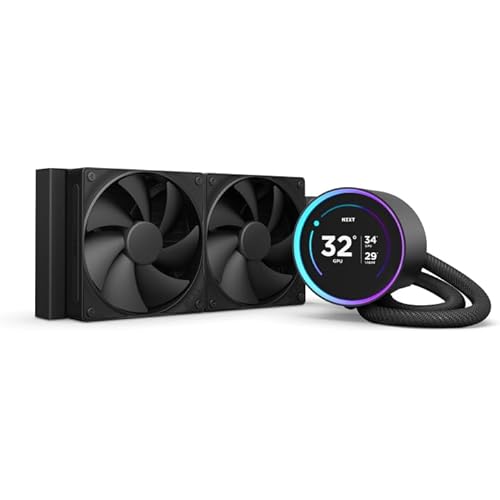
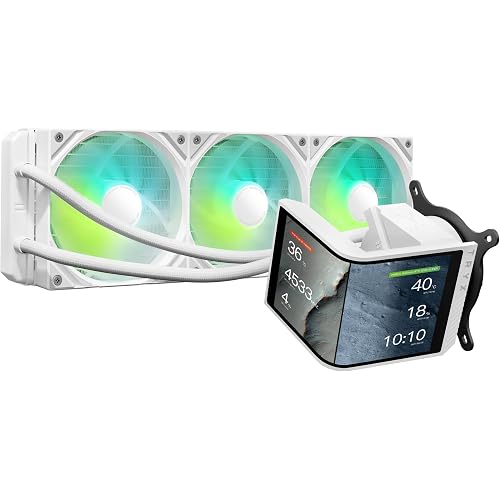
CoolerMaster MasterLiquid ML240L RGB V2, Close-Loop AIO CPU Liquid Cooler, Gen3 Dual Chamber Pump, 240mm Radiator, SickleFlow 120 PWM ARGB, AMD Ryzen AM5/AM4, Intel LGA1700/1200 (MLW-D24M-A18PC-R2)

  • Based on 11,980 reviews
Condition: New
Checking for the best price...

Buy Now, Pay Later


As low as $15.00 / mo
  • – 6-month term
  • – No impact on credit to apply
  • – Instant approval decision
  • – Secure and straightforward checkout

Ready to go? Add this product to your cart and select a plan during checkout.

Payment plans are offered through our trusted finance partners Klarna, Affirm, Afterpay, Apple Pay, and PayTomorrow. No-credit-needed leasing options through Acima may also be available at checkout.

Learn more about financing & leasing here.

Selected Option

Free shipping on this product

This item is eligible for return within 30 days of receipt

To qualify for a full refund, items must be returned in their original, unused condition. If an item is returned in a used, damaged, or materially different state, you may be granted a partial refund.

To initiate a return, please visit our Returns Center.

View our full returns policy here.


Availability: In Stock.
Fulfilled by Amazon

Arrives Tuesday, Jul 14
Order within 1 hour and 39 minutes
Available payment plans shown during checkout

Protection Plan Protect Your Purchase
Checking for protection plans...

Style: ML240L RGB V2


Features

  • 3rd Generation Dual Chamber Pump for overall cooling efficiency and performance
  • New SickleFlow Refreshed exterior design for improved lighting and fan blades for a quiet airflow performance
  • RGB Lighting Signature cooling performance with an RGB design for all of the users wanting lighting effects that are fully customizable
  • Industrial Grade Seal High Industrial Grade EPDM material to strengthen the seal for improved longevity and Anti-Leaking
  • AMD AM4/AM3 plus/AM3/AM2 plus/AM2/FM2 plus/FM2/FM1
  • Intel LGA1700*/1200/1151/1150/1155/1156/1366/2066/2011-v3/2011 Intel’s Alder Lake LGA1700 Kit, Available on Amazon Part:603005870-GP ASIN:B09V3CFDP3

Description

COOLER MASTER MasterLiquid ML240L RGB V2 is a refreshed design from the popular MasterLiquid Lite Series that elevates the exterior design elements The Pump of the ML240L RGB V2 has been enhanced with the newly designed 3rd Gen Dual Chamber Pump that improves the overall cooling efficiency of the AIO water cooler The radiator surface area has been enlarged to increase the surface area for heat dissipation for optimized cooling performance The ML240L RGB V2 will included the latest SickleFlow 120 RGB fan with a brand new design and Air Balance fan blades that is quieter than before without compromising on air flow and pressure.

Power Connector Type: 4-Pin


Voltage: 12 Volts


Wattage: 260 watts


Cooling Method: Water


Compatible Devices: Desktop


Noise Level: 30 Decibels


Maximum Rotational Speed: 1800 RPM


Air Flow Capacity: 62 Cubic Feet Per Minute


Item Dimensions L x W x H: 0.43"L x 0.19"W x 0.04"H


Material Type: EPDM


Brand Name: Cooler Master


UPC: 884102067891


Warranty Description: 2 Years


Manufacturer: Cooler Master


Number of Items: 1


Model: MLW-D24M-A18PC-R2


Part Number: MLW-D24M-A18PC-R2


Item Weight: 1340 Grams


Unit Count: 1.0 Count


Best Sellers Rank: #54 in Water Cooling Systems


ASIN: B086BYYFG5


Customer Reviews: 4.6 4.6 out of 5 stars (11,980) 4.6 out of 5 stars


Frequently asked questions

If you place your order now, the estimated arrival date for this product is: Tuesday, Jul 14

Yes, absolutely! You may return this product for a full refund within 30 days of receiving it.

To initiate a return, please visit our Returns Center.

View our full returns policy here.

  • Klarna Financing
  • Affirm Pay in 4
  • Affirm Financing
  • Afterpay Financing
  • PayTomorrow Financing
  • Financing through Apple Pay
Leasing options through Acima may also be available during checkout.

Learn more about financing & leasing here.

Top Amazon Reviews


  • Beautiful Product; Installation not the easiest
First off, let me say that I do recommend this product for folks looking for a liquid cooler but don't want to go all out. I genuinely enjoy this product and feel that it elevates the setup I am currently using. Pros: - EXTREMELY QUIET-- I don't even hear my fans anymore, even while gaming - RGB works great! - Easy packaging - Looks and works great overall (no heating issues with my CPU) Cons: - Installation (could have been easier/more clear to understand) - Too many extra pieces Regarding the cons, they're more of a personal pet peeve. Hooking up the power for the cooler was easy. The RGB? Honestly a little confusing until I realized I had RGB (or whatever they're called) ports right on my motherboard. Didn't need to go through all of the extra wiring/remote usage when I can control everything through my lighting software. Also a pet peeve, but there are SO MANY extra pieces to this product. I understand that they're trying to cater to a bunch of different MOBO types, CPU's, backplates, etc, but I have so many extra screws and pieces that I'm just not going to use. The hoarder in me doesn't want to throw out these perfectly good pieces, but in my normal day-to-day I just don't need them. Not sure what an easy fix would be, but again, just hate the thought of tossing perfectly good screws that only have 1 very specific purpose and can't be used for anything else. Seems kind of silly and wasteful-- definitely not environmentally conscious. Overall rating: 5/5 ... show more
Reviewed in the United States on November 23, 2022 by Katie

  • Fantastic cooler at a fantastic price
Style: ML240L RGB V2
I was previously using a much older Corsair AIO liquid cooler and although it worked fine, with a fair bit of overclocking I was idling at 50-55C and would peak at about 80C while doing some heavy gaming. I let this go on for quite some time before it started to bother me. I tweaked fan settings and profiles and managed to get down a few degrees but nothing major. I stumbled upon this Cooler Master about a week ago and it was on sale so I thought, WHY NOT? Installation: To be honest looking at the little flip open book of instructions at first made my scratch my head. However after actually looking at it and following it, this install is very straight forward. Attach plate to back of board, setup mounting screws, attach cooler head, mount radiator and fans, done. Performance: The performance is fantastic. Could you get better out of larger systems? I imagine so. Could you get worse out of smaller units? Most definitely. When it comes down to numbers though, it shines. As stated above I was idling around 50-55C and now I idle around 38-42C, an impressive drop. Gaming temps: 72C peak. Noise: Extremely quiet. I have other case fans that most definitely make more noise than this cooler does, by a long shot. The only noise I really get out of it is the occasional sound of liquid moving, or whatever you wish to call it. Appearance: Beautiful. The lights are crisp, can be turned down or off completely and you can cycle through various colors or stop at the typical RGB rainbow cycle. TL;DR: Buy this cooler. It works extremely well, looks great, install is easy. ... show more
Reviewed in the United States on December 4, 2020 by Nathan B.

  • A Powerful Liquid Cooler with SickleFlow Fans for Efficient Cooling
Style: ML240L RGB V2
The CoolerMaster MasterLiquid ML240L RGB V2 is a top-notch AIO CPU liquid cooler that truly delivers on its promise of effective cooling performance, especially during intense gaming sessions. SickleFlow Fans for Enhanced Cooling: The ML240L RGB V2 utilizes the renowned SickleFlow fans, which are known for their efficient airflow and quiet operation. These fans work in harmony with the liquid cooling system, ensuring optimal heat dissipation and a temperature drop that keeps the CPU running smoothly. Exceptional Cooling Efficiency: Even during prolonged gaming sessions or heavy workloads, this liquid cooler maintains impressively low CPU temperatures. It provides the kind of cooling performance that allows gamers and content creators to push their systems to the limit without worrying about overheating. Easy Installation and User-Friendly Setup: The installation process of the ML240L RGB V2 is straightforward, and CoolerMaster provides clear instructions, making it a hassle-free experience for both experienced users and newcomers to liquid cooling. Sleek RGB Lighting Effects: The liquid cooler boasts customizable RGB lighting effects that add a touch of style to any PC build. The lighting options are extensive, allowing users to personalize the look of their system to match their preferences and gaming setup. Silent and Efficient Operation: The SickleFlow fans, combined with the liquid cooling system, ensure that the ML240L RGB V2 operates quietly even under heavy load. This is a significant advantage for those who value a peaceful gaming environment or need to concentrate during demanding tasks. Sturdy Build Quality: The MasterLiquid ML240L RGB V2 is built to last, with high-quality components and materials. It exudes a sense of durability and reliability, offering peace of mind for long-term usage. Compatible with Various Sockets: Whether you have an Intel or AMD processor, this liquid cooler has got you covered, as it is compatible with a wide range of CPU sockets. Final Verdict: In conclusion, the CoolerMaster MasterLiquid ML240L RGB V2 stands as a powerful and efficient AIO CPU liquid cooler. Its implementation of SickleFlow fans ensures excellent cooling performance, while the customizable RGB lighting adds a dash of personality to any PC setup. If you are seeking a liquid cooling solution that excels at keeping your CPU cool even during intense gaming sessions, the ML240L RGB V2 is undoubtedly an impressive choice. It offers reliable and silent operation, user-friendly setup, and top-notch cooling efficiency, making it a must-have for PC enthusiasts and gamers who demand the best from their cooling systems. ... show more
Reviewed in the United States on July 20, 2023 by CAPN

  • It's good with a 10700k @ 5GHz with some modification
Style: ML240L RGB V2
I'm running an I7 10700k oc to 5.0 Ghz. The cooler works well. Manages temps around 38c-50c at idles and up to 90c when stressed. Update 08/29/2020 The tubing is not long enough to reach the processor if the fan is mounted upside down (as it should be). iF YOU DO A FRONT MOUNT the tubes should exit at the bottom of the radiator. The tubes should always come out of the BOTTOM of the radiator and go to the Cpu. They simply cannot reach the cpu. This AIO struggles with a 10700k clocked at 5. Temps during stress tests (AIDA XTU, can reach 90-100) Update 09/01 I'm overclocked stable at 5. My temps were too high during a stress test. I exchanged fans on the unit. So i removed the sickle flow fans and replaced them with these : Scythe Kaze Flex 120mm Fan, Quiet Case/CPU Cooler Fan, PWM 300-1200 RPM. These are configured to push air through the radiator. The difference is day and night. During a stress test I could not go above 70c. COOLER MASTER SHAME ON YOU, what a headache this whole process has been. The moral of the story guys. DO NOT GO RUNNING TO BUY A 360 AIO COOLER INSTEAD OF THE 240. Change fans. The Kaze fans are a revelation. I also purchased two of these and shall be trying them against the Kaze Noctua NF-F12 iPPC 3000 PWM, Heavy Duty Cooling Fan, 4-Pin, 3000 RPM (120mm, The problem is that the kaze work really well and are dead silent. The Noctua (so i hear) (have not tried them yet) Sound like a jet engine). Final update 09/06 I have tried multiple fans and multiple configurations, as well as multiple thermal pastes and well as multiple reseats. The industrial Noctua fans changed the temperature 1c. So I cannot recommend. The final configuration I have selected and that works best with this system is two fans in front of the rad, and two behind. They are all 4 pushing air through the rad. I did notice something else which needs to be mentioned. I have tried multiple reseats. Some reaseats were a pea size shape thermal paste in the middle of the processor, then wiggle the head around whilst bolting it down. Some reaseats were one pea size shape but spread on the processor, really thin with a spreader. Some reseats with two pea size thermal paste, not spread and then spread. I noticed a 6c gain (both idle and under stress) When "more" rather than "less" thermal paste was applied AND spread before attaching the head. Artic silver 5, is less viscous than most other thermal paste. I used more of it (two pea size) and spread it out. I am idling at 40 at 5gz and stress out at 70c-74c which is a huge improvement. Cinebench seems to stress the cpu more than most other stress tests. The moral of the story. This is a keeper at 5hz with a 10700k. 4 fans need to be used in push configuration. Thermal paste needs to be spread in a more generous amount. I tried push and pull. It increased the temps considerably. Update 10/2024 This cooler is still going strong. Unbelievable ... show more
Reviewed in the United States on August 21, 2020 by Japilla

  • Solid aio doin it’s job well so far.
Style: ML240L RGB V2
Put on a new ryzen 5600x no overclock. Paired with a good airflow case and wow-temps are excellent. Mounted horizontally at case top. Only thing I hear is the fans a little when they spool up, no water noise. COD warzone and the cores stay in the 40sC, might spike over 50 here and there but so far that’s as high as it goes. I do see a spike initially when firing up the game but it drops into the 40s almost immediately. That tells me this cooler is doings its job. Install was ok, YouTube has several install how to’s. RGB and fan connections were piece of cake. No issues syncing rgb thru mobo. Only negative was one fan had a wobble from jump-not the highest quality. Amazon support took care of that no muss no fuss. No info on longevity yet, only been running a few days but so far pretty pleased. I will update as needed *****update****** At 2 months all is well. Added 2 more fans for push/pull . Don’t see a significant temp drop but fans aren’t working as hard and I feel more warm air coming out the top. ... show more
Reviewed in the United States on January 21, 2021 by Amazon Customer

  • Worked For My Custom Build
Style: ML240L RGB V2
This was very easy to install per the instructions. It was worth the money because it keeps everything cool and there was no problem with airflow, but also because the color is very beautiful. It was compatible with the custom build. Definitely recommend.
Reviewed in the United States on February 16, 2026 by mm576

  • Excellent quality and performance.
Style: ML240L RGB V2
It is working as expected, it definitely helps cooling the CPU, I can feel the computer not necessarily more responsive but I can feel that it is doing what is supposed to do, which is getting the hot air out.
Reviewed in the United States on March 3, 2026 by Amazon Customer

  • Super quiet and cool running.
Style: ML240L RGB V2
The instructions leave something to be desired in clarity but are correct. There are several videos on installing this AIO that are excellent, and they're a good place to look if you're new to these. This cooling system has a wide compatibility with various CPU sockets. Fit and finish were excellent, all screws were present and correct (unlike some experiences in PC parts), and the RGB is probably adequate but I don't employ it. The AIO installation was easy, with the only concern being the orientation of the brackets. Noise is not an issue. In my case it's dead quiet. This was a far easier installation than the tower air cooler I was using before, and the system is running far cooler. How much? Hard to say, because with the air cooler I was CPU undervolting with a mild multiplier bump (40 instead of 37) to keep the temps below 95c. With this cooler, I let the UEFI have it's head and run whatever it wanted (it wants a multiplier of 47), and I never saw temps past 75c. This AIO can do the job on my unlocked 95w TDP CPU. I'm running an intel i5 9600KF with my motherboard maker's "auto-overclock" settings but against a tower fan profile because I'm being mildly cautious. Running an MMO with max graphics and excellent frame rates I'm seeing spikes up to 74c across cores. I don't know if I'll go back to air cooling again, this has been a fantastic experience. ... show more
Reviewed in the United States on July 15, 2022 by MusicoMan

Can't find a product?

Find it on Amazon first, then paste the link below.
Checking for best price...