




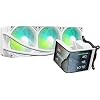
TRYX Panorama SE 360mm AIO White Curved Screen GIPHY Built-in Asetek 280w
Condition: Used - Very Good



$189.99
Save $117.99
was $307.98
Buy Now, Pay Later
As low as
$31.67
/ mo
Learn more
- – 6-month term
- – No impact on credit to apply
- – Instant approval decision
- – Secure and straightforward checkout
Ready to go? Add this product to your cart and select a plan during checkout.
Payment plans are offered through our trusted finance partners Klarna, Affirm, Afterpay, Zip, Apple Pay, and Google Pay. No-credit-needed leasing options through Acima may also be available at checkout.
Learn more about financing & leasing here.
Selected Option
Free shipping on this product
30-day returns
Learn more
This item is eligible for return within 30 days of receipt
To qualify for a full refund, items must be returned in their original, unused condition. If an item is returned in a used, damaged, or materially different state, you may be granted a partial refund.
To initiate a return, please visit our Returns Center.
View our full returns policy here.
Availability:
In Stock.
Arrives
Tuesday, Nov 3
Recently Viewed


At a glance
- Condition
- Used - Very Good
- Color
- P360A SE WH
- Model
- L-P360L-AM3M-G0W
- Dimensions
- 16.93"L x 8.74"W x 5.71"H
- Weight
- 5.6 lb
- Power Connector Type
- 7-Pin
- Voltage
- 12 V DC
- In the box
- AIO Cooler,AMD/ Intel Brackets,Thermal Paste,Manual,Accessories
- Warranty
- 2 Year Screen, 6 Year Cooler
- Works with
- Cpu
Features 6
- ROTATABLE 6.67'' CURVED SCREEN: TRYX PANORAMA SE 360mm AIO white adopts a 6.67 inch AMOLED curved screen. It features a 60Hz refresh rate, 2K resolution and 400nit brightness to deliver anamorphic viewing effects. Compared with mainstream LCD panels on the market, this AMOLED screen reaches 372PPI pixel density and a 1,000,000:1 contrast ratio to upgrade overall visual performance. The rotatable screen supports multi-angle adjustment to match the preset Waterfall 3D animation
- ASETEK COOLING SOLUTION: TRYX PANORAMA SE 360mm AIO cooler white adopts Asetek Adela professional cooling system. It copes well with heavy CPU loads including video encoding, AI processing, software compilation and gaming. Equipped with a 27mm high-density fin radiator and matched ARGB cooling fans, the cooler provides total 280W TDP cooling capacity to maintain stable and lasting heat dissipation for daily work and gaming
- GIPHY AVAILABILITY: TRYX KANALI software builds native connection with GIPHY. Users gain access to thousands of GIF resources, content browsing and screen switching become completely effortless. No local downloading or manual import is needed, bringing abundant GIF options to customize the display style of your TRYX cpu cooler. Install the latest KANALI version to unlock all complete GIPHY functions
- ULTIMATE CUSTOMIZATION: TRYX KANALI software supports instant screen content switching, split-screen display and real-time system information monitoring. Users can upload self-made media files including PNG, JPG, GIF, MP4 and AVI to enjoy full customization
- HIGH COMPATIBILITY: TRYX PANORAMA SE white 360mm liquid cooler is equipped with full all-metal mounting hardware for secure assembly and balanced mounting pressure. It is fully compatible with Intel LGA1851/1700/1200/1151/1150/1155 and AMD AM4, AM5
- STABILITY AND QUIET OPERATION: TRYX PANORAMA SE 360mm AIO cooler white is preinstalled with three 120mm ROTA ARGB fans. The fans adopt FDB bearings and ARGB GEN2 LEDs for long-term stable operation. Four-corner damping pads reduce vibration noise effectively. The operating noise stays below 27.86dB(A) even under full-load operation
Specs 23
| Product Dimensions | 16.93"L x 8.74"W x 5.71"H |
|---|---|
| Brand | TRYX |
| Power Connector Type | 7-Pin |
| Voltage | 12 V DC |
| Wattage | 5.5 watts |
| Cooling Method | Water |
| Noise Level | 27.86 db |
| Material | Aluminum, Copper, Polybutylene Terephthalate |
| Maximum Rotational Speed | 3600 rpm |
| Air Flow Capacity | 66.09 cfm |
| Item Dimensions L x W x H | 16.93"L x 8.74"W x 5.71"H |
| Material Type | Aluminum, Copper, Polybutylene Terephthalate |
| Brand Name | TRYX |
| Item Highlight | 6.67'' AMOLED, 2K 60Hz, Rotatable, KANALI Highly Customizable, ROTA ARGB Fans, Whisper Quiet, Intel LGA 1851/1700 AMD AM5/AM4 |
| UPC | 850066255209 |
| Set Name | PANORAMA SE |
| Number of Packs | 1 |
| Manufacturer | Shanghai TRYX Technology Co.Ltd |
| Number of Items | 1 |
| Unit Count | 1 Count |
| Item Weight | 5.6 pounds |
| Model | L-P360L-AM3M-G0W |
| Part Number | L-P360L-AM3M-G0W |
No specs match.
Frequently asked questions
If you place your order now, the estimated arrival date for this product is:
Tuesday, Nov 3
Yes, absolutely! You may return this product for a full refund within 30 days of receiving it.
To initiate a return, please visit our Returns Center.
View our full returns policy here.
To initiate a return, please visit our Returns Center.
View our full returns policy here.
- Klarna Financing
- Affirm Pay in 4
- Affirm Financing
- Afterpay Financing
- Zip Pay in 4
- Financing through Apple Pay
- Financing through Google Pay
Learn more about financing & leasing here.
Similar Products




Top Amazon Reviews
High-End AIO That Performs as Good as It Looks
Color: P360A SE WH

The TRYX Panorama SE has been a great addition to my build and stands out for both performance and appearance. The cooling performance has been excellent, keeping my CPU temperatures consistently low even during gaming and heavier workloads. Build quality feels premium throughout. The radiator, tubing, and fittings all feel sturdy and well-made, and the overall design gives the system a clean, high-end look. Installation was straightforward and compatibility was not an issue in my setup. The included hardware made mounting simple, and once installed everything felt secure and properly supported. The panoramic display is easily one of the best features. It adds a unique visual element to the build and looks sharp inside the case without feeling gimmicky. Customization and media display make it more than just a standard cooler. Noise levels have also been impressive. The pump and fans remain relatively quiet while still providing strong cooling performance, which helps keep the system comfortable during longer sessions. Overall, the Panorama SE delivers strong cooling, premium aesthetics, and a standout display feature that makes it feel like more than just another AIO cooler.
...
show more
Reviewed in the United States on May 30, 2026 by Shawn
A better choice than ASUS
Color: P360A SE WH
I was eyeing the ASUS Ryujin III for its screen, but the price tag is simply absurd. I’m so glad I found this TRYX Panorama SE 360mm instead. It offers an incredible aesthetic and premium build quality for a much more reasonable price. The curved screen is the star of the show; it looks amazing and provides a unique wrap-around visual effect inside the case. Crucially, the software is actually good. It's intuitive, stable, and comes pre-loaded with tons of high-quality 3D animations that are easy to switch between, which is usually where these non-major brand AIOs fail. In terms of cooling, this is a beast. Thanks to the Asetek pump design and robust 280W TDP rating, it keeps my high-end CPU perfectly cool even under full load. Performance is right up there with the best 360mm AIOs on the market. If you want the ultimate screen AIO without being completely overcharged, this is the one to get.
...
show more
Reviewed in the United States on July 28, 2026 by Nico
Overall great value, but limited compared to Non SE version.
Color: P360A SE WH

I would give this product a 4.5 if I could it's so close to being perfect, but its software customization is really limited. I got the Panorama SE because the price was far better than normal version and its screen has an onboard memory which makes CPU utilization near 0%. Pros: The screen, It looks amazing and its more stunning in person than any picture can show. Great cooling, it keeps my 9800x3d between 75c and 80c while gaming. Long tubing allow to mount and hide the tubing. The RGB fans look pretty nice and have good brightness. Cons Kanali software is too limited for the SE model, cannot control the pump peed, rgb, speed of the fans. Mounting bracket for the screen is flimsy with only 4 small plastic pins holding it, if they break you are done. Overall a great purchase, I might do a custom Waterloop and 3d print a mount for the screen to put on top of a boring waterblock, I don't plan on buying the $240 waterblock screen, its way too over priced.
...
show more
Reviewed in the United States on January 2, 2026 by Jose Castillo Quiros
Absolutely love this cooler performance and personality!
Color: P360A SE WH

Installed this on my custom FlutterByte build, and it’s been flawless. The TRYX Panorama SE 360 not only keeps everything icy cool, but it looks just as chill doing it. The 6.67” AMOLED screen gives the setup a futuristic, showpiece look it’s like my PC has its own dashboard! Temps stay low even under heavy gaming and editing loads, and the fans are whisper-quiet. The display customization options are a total bonus I have mine showing temps, time, and a custom animation that matches my case lighting.
...
show more
Reviewed in the United States on November 6, 2025 by Cl2ysta1
Hoping it turns out better.
Color: P360A SE WH

Update: After some back and forth with Tryx. It came to the conclusion that the screen it's self was faulty so they sent me a replacement. Took a few days, didnt like all that much after all it who would want to wait to appreciate a fully built computer but once it arrived I put it through the test. I put in the replacement sand started playing with the program. Testing what it could do either putting in my own images and clips and testing out their own standard views. And wow I was surprised. I don't like all that much the standby screen it has while the program Manali is not running but wow does the screen look good when it is actually running what I want. Didn't have a very good experience at the start but once I got the replacement am I happy with it now. Tested for 2 months now and the screen still working. Old Review: I'm a but disappointed. I've spent weeks slowly getting parts to build my ultimate gaming PC. When I finally turned it on, I was so happy but then after 3 hours of setting up the bios, software, and downloading game even playing a little, the Tryx Panaroma screen goes black. I don't know what happened but I figured just turn it off and figure it out the next day. I contacted Tryx followed all their steps, disconnected and reconnected the cables, checked software, firmware, and double checked the Kanali program....the device is recognized but the screen is black. Changing anything in the program does nothing so their conclusion is I have a faulty screen. Just great all the money and time wasted now I have to wait more to see what I can do about replacement. So I never got much time to enjoy and play around with it's capabilities. So this review is just from my brief experience and it hasn't been great so far. I'll update this review once I know what replacement I get and when....hoping it works and it was just the screen. In the image shows when it was like in the first 3 hours when I turned it on....when it worked.
...
show more
Reviewed in the United States on December 23, 2025 by Amazon Customer
Looks amazing!
Color: P360A SE WH


This is my first pc build, so I'm not sure if my review would be useful. If you're going for looks... THIS IS THE ONE! Everyone that ever see my pc always mention how cool the screen is. Some people say they never seen something like this. I did swap out the stock fan with something else. The size of it fits pretty good in a mid size tower. If you were going with a smaller tower then the screen might not fit, so be aware. You can upload anything you want or go with their pre-set screens. If you were to pick their pre-set, you can also display your temps, frequency, usage, and other things. Now performance.. I'm not knowledgeable about this part. I don't play any hardcore game like COD, but I've played a little Apex and marvel rivals. When playing I've seen the temp reaching about 77°C, but other than that it usually flex around mid 45° to 55° if a game is just opened. I know there's more tech into this, but I just don't know much about it. All in all very nice and would recommend! Also planning to buy another in the further.
...
show more
Reviewed in the United States on June 30, 2026 by Amazon Customer
Insane Cooling + The Screen is a Showstopper
Color: P360A SE WH

This AIO exceeded my expectations. Cooling performance is excellent—even under heavy loads my temps stay very controlled on a high-end CPU. The fans are quiet and airflow is solid. But the real highlight is the AMOLED curved screen. It’s super crisp, bright, and actually useful—not just a gimmick. Being able to rotate it and customize the display adds a ton of personality to the build. Installation was smooth, and everything felt well-built and fit perfectly. If you want something that performs AND stands out visually, this is easily one of the best AIOs out right now.
...
show more
Reviewed in the United States on March 19, 2026 by Nelly
excellent
Color: P360A SE WH


An excellent heatsink; honestly, I'm delighted with it. It works really well in my PC. If you're looking for one like this, I recommend it—10/10.
Reviewed in the United States on July 31, 2026 by Raleidi