Search  for anything...
HP

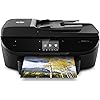
HP Envy 7640 Wireless All-in-One Photo Printer with Mobile Printing, HP Instant Ink or Amazon Dash Replenishment Ready (E4W43A)

  • Based on 2,683 reviews
Condition: Used - Very Good
Checking for the best price...
$329.99 Why this price?
Save $619.96 was $949.95

Buy Now, Pay Later


As low as / mo
  • – Up to 36-month term if approved
  • – No impact on credit to apply
  • – Instant approval decision
  • – Secure and straightforward checkout

Ready to go? Add this product to your cart and select a plan during checkout.

Payment plans are offered through our trusted finance partners Klarna, Affirm, Afterpay, Zip, Apple Pay, and Google Pay. No-credit-needed leasing options through Acima may also be available at checkout.

Learn more about financing & leasing here.

Selected Option

Free shipping on this product

This item is eligible for return within 30 days of receipt

To qualify for a full refund, items must be returned in their original, unused condition. If an item is returned in a used, damaged, or materially different state, you may be granted a partial refund.

To initiate a return, please visit our Returns Center.

View our full returns policy here.


Availability: Only 6 left in stock, order soon!
Fulfilled by Amazon

Arrives Sunday, Oct 4
Order within 4 hours and 29 minutes
Available payment plans shown during checkout

Protection Plan Protect Your Purchase
Checking for protection plans...

Style: Printer


Features

  • Main functions of this HP color inkjet photo printer: copy, scan, fax, wireless printing, Air Print, two-sided duplex printing, color touchscreen
  • Mobile printing: print from anywhere using your smartphone or tablet with the free HP ePrint app, easily print from your iPhone or iPad with Air Print
  • Manage multiple pages quickly with the 25-page automatic document feeder and automatic two-sided printing

Description

Advanced mobile and photo printing in three steps: The easiest way to print from your smartphone or tablet-with or without a router or local wireless network. Print 4x6-and 5x7-inch photos from mobile devices without switching paper, with the separate photo paper tray. Start printing quickly with easy setup from your smartphone, tablet, or PC. Save up to 50% on ink with HP Instant Ink: Print high-quality documents and photos in black-and- White and color-all for the same low price. Print lab-quality color photos in seconds for pennies, when you sign up for HP Instant Ink. Getting started with HP Instant Ink is quick and easy - learn more at hp instant ink. Versatile performance for all your home projects: Create borderless, lab-quality photos, fulfilling creative projects, and standout documents with ease. Manage multiple pages quickly with the 25-page automatic document feeder and automatic two-sided printing. Walk up, edit, and print photos right from the 3.5-inch (8.89 cm) touchscreen.

Brand: HP


Connectivity Technology: Wi-Fi


Printing Technology: Inkjet


Special Feature: Auto Document Feeder


Color: Black


Model Name: 5119322


Printer Output: Color


Maximum Print Speed (Color): 4


Max Printspeed Monochrome: 14 ppm


Item Weight: 16.91 Pounds


Printer Type: Inkjet


Other Special Features of the Product: Auto Document Feeder


Printer Output Type: Color


Item Weight: 16.91 Pounds


Item Dimensions D x W x H: 7.6"D x 17.87"W x 7.6"H


Print media: Envelopes, Glossy photo paper, Labels, Paper (plain), Transparencies


Scanner Type: Photo, Portable


Maximum Copy Speed Black and White: 22 ppm


Compatible Devices: Laptops, PC, Smartphones


Warranty Type: Limited warranty


Maximum Copies Per Run: 25


Ink Color: Color Ink


Additional Printer Functions: All In One


Control Method: Voice


Compatible Cartridge: HP 62 Black Ink Cartridge, HP 62 Tri-color Ink Cartridge


Number of Trays: 1


Resolution: 4800 x 1200


Display Type: LCD


Color: Black


Color Depth: 16 bpp


Maximum print Resolution Color: 4800 x 1200 dpi


Maximum Print Resolution Black and White: 1200 x 1200 dpi


Wattage: 5.04 watts


Dual-sided printing: Yes


Duplex: Automatic


Brand: HP


Model Name: 5119322


Model Number: 7640


Built-In Media: Printer Accessory


Model Series: ENVY


Specific Uses For Product: Home and on-the-go photo printing, creative projects, document printing, mobile printing, and printing on various media types


UPC: 888182702451 888182702444 888182702475 888182702468 888182702413


Global Trade Identification Number: 13, 68


Manufacturer: HP


Warranty Description: One-year limited hardware warranty; 24-hour, 7 days a week limited support


Unit Count: 1.0 Count


Color Pages per Minute: 4


B&W Pages per Minute: 14 ppm


Maximum Media Size: 8.5 x 14 inch


Maximum Sheet Capacity: 25


Paper Size: 4 inch x 6 Inches, 5 inch x 7 Inches, 8 inch x 10 Inches


Output sheet capacity: 125


Printer Connectivity Type: Wi-Fi


Hardware Interface: Ethernet


Number of Ethernet Ports: 1


Total USB 2.0 Ports: 2


Total Usb Ports: 2


Maximum Copy Resolution Color: 1200 x 1200 dpi


Maximum Copy Resolution Black and White: 600 dpi


Frequently asked questions

If you place your order now, the estimated arrival date for this product is: Sunday, Oct 4

Yes, absolutely! You may return this product for a full refund within 30 days of receiving it.

To initiate a return, please visit our Returns Center.

View our full returns policy here.

  • Klarna Financing
  • Affirm Pay in 4
  • Affirm Financing
  • Afterpay Financing
  • Zip Pay in 4
  • Financing through Apple Pay
  • Financing through Google Pay
Leasing options through Acima may also be available during checkout.

Learn more about financing & leasing here.

Top Amazon Reviews


  • Great printer
Style: Printer
We had an older HP printer. I think it was from about 2011. It worked fine for what we needed though. It ran out of ink so I came to Amazon to find some. Ink for that printer at Office Depot is over $40. I couldn't even find the ink or the printer on Amazon's website or even on HP's website. That's an old printer! So I decided it was time to upgrade. For about $50 more than we would pay for ink, we could get a brand new printer that comes with ink. So we did that. This printer, and probably most HP printers, comes with a smart ink feature. If you enroll in the program, the printer tells HP when it's running low on ink and they automatically send you ink! It's super convenient and there are different subscriptions depending on how much you think you'll print. We are going to pay less using that subscription than it would've cost us to by one more set of ink for that old printer. I haven't used all of the features on this printer yet. The scanner works great. It scans clearly and neatly with an auto feeder or directly on the glass for smaller or oddly shaped documents. The printer itself prints good, quality prints. It can automatically print on both sides of a page which is a huge plus for me. It has a tray that automatically comes out to support the pages when you print. That's kind of cool. And it has a sleek, modern look that was missing from our older printer. ... show more
Reviewed in the United States on August 26, 2015 by Rose

  • Love My New Envy 7640
Style: Printer
I've had the HP1510 All in One since 2001, and it still works perfectly. However, I needed to upgrade to a wireless printer since I use my smartphone for just about everything. I lurked until the price was, well amazing, and finally pulled the trigger. The Envy 7640 is plug and play. I did some research, thanks to all the reviewers before me, and had my apps loaded, which made everything go that much smoother on my phone. For Android I needed the All in One Remote and HP Eprint. I simply followed any instructions for both printer and apps setup and I was printing with ease. The footprint is similar to my old model, it sits a little higher with autofeed, which I didn't have before. It's amazing how much faster everything prints compared to my 1510, and the clarity is incredible. This is the first printer I've seen where I'd consider wasting ink to print photos. I purchased an extra Black cartridge based on reviews, but I've printed approx 30 pages on the smaller? included cartridge, and still have 75% remaining. It's great that I can use a touch screen to quickly check ink usage, link my google drive acct, can print recipes and all sorts of things I haven't explored. For someone who prints around 300 copies a month, and needs wifi capability, this is a great printer. HP generously gave me my 1510 when I worked for their biz partner, the largest chip mfr, which made me brand loyal. I feel like they have continuously earned my trust over the years with other purchases, including my new Envy 7640. I did get the Square Trade warranty because it's crazy for me no to, but would be surprised if I needed it. My cats think the printer is great fun, and come running when it cranks on. As long as they're happy,,,, ... show more
Reviewed in the United States on June 22, 2016 by Jodi

  • Poor Quality Prints; Ink Supply Racket
Style: Printer
I bought this printer to replace my HP Photosmart, which fell apart in stages over the course of two years. I do freelance graphics work and printing high-quality drafts and proofs is very important to me. Also, I design and print my own Christmas cards each year, which number over 400. Before it started succumbing to entropy, the Photosmart was an awesome little printer for high-volume jobs and stunning-quality prints. I was disappointed to see it's not made anymore, but information online suggested the Envy was its successor. Well, let me assure you, it most certainly is not. Color prints lack the rich vibrancy of Photosmart prints. Even pictures with fairly simple color palettes come out looking milky and dull. Photographs look flat and unsatuated. I haven't decided what to do about my Christms cards this year -- I'll probably take them to a professional printer. Also, I'm very unhappy with he way HP has turned ink into a racket. Ink for this printer is prohibitively expensive, but they give you an auto-fill scheme to buy into, whereby you pay a monthly fee and they ship you ink when you run low. So you have to estimate your ink usage to esrablish your monthly fee, but if you use less ink you only get credit up to a certain point. Yet, if you use more ink, you're charged on a per-piece basis. This will be the last HP printer I buy. My problem now is deciding how long to tollerare these poor-quality prints before just junking this thing and trying some other brand. ... show more
Reviewed in the United States on July 4, 2017 by Epeterius

  • Like the printer, hate HP Like the printer, hate HP
Style: Printer
I really want to give the printer 3 stars because HP is such a pain to deal with, but I must admit this has been a phenomenal printer. PROS: -It’s a low-key workhorse. Neither the description nor the reviews adequately communicate just how heavy-duty this small, sleek machine is. This printer has withstood one year of grad school and three years of law school printing probably at least 50pgs/wk. The auto two-side printing is a lifesaver. -It prints BEAUTIFULLY in color. I also use this printer for crafting, and, for scrapbooking in particular, I have been blown away by the quality of the prints. I haven’t been thrilled with photo printing, but I print digital papers/cards (I’ll include pics), and they look professional. IMO, you can’t tell that these are homemade elements instead of the pricey store-bought ones. -The autofeeder for multipage scans/copies is beyond clutch. -Scan to desktop is handy and simple to use. -I don’t know if this is more due to my phone or the printer, but printing from my phone is a breeze and took very little set-up. CONS: -It is SO LOUD. I’ve attached a video so you can see. I don’t think it’s always been this way, though (I wonder if it might have gotten jostled around when I moved, but there were no other problems after that). -It does **NOT** PRINT BORDERLESS. I know the specs say it does, but it absolutely does not. I used the HP software and went through all the troubleshooting available from their website, and even when the software indicates that it is printing borderless, it simply doesn’t. I could call HP support for like $20 or however much a one-off support call costs, but I should have to pay to get my printer to do what it’s supposed to (I should note that I’m not a novice with this kind of stuff). -Now that it’s a few years old, it’s not printing straight (even after realigning). It’s only off by a little; I only notice because I use a squared paper trimmer for crafting, but it’s REALLY annoying that I can’t get a straight line. -The whole HP Ink program thing INFURIATED me. I enrolled in the program where they send you cartridges on whatever schedule or when you run low. It was fine for a while, until my credit card on file expired. My ink levels were no where near low, and I had another backup set of cartridges ready to go from the last shipment. But because my card expired — after I’d been paying monthly for ink for years, and even though I had *ALREADY PAID* for more than enough ink — HP LOCKED MY PRINTER. what the actual eff. I absolutely couldn’t believe it. I find this so egregiously unacceptable I deleted my account on the spot. But I still was SoL finishing a print job I needed that morning. Outrageous. -Since Ive started buying individual cartridges from Amazon, I swear HP ‘throttles’ non-subscription printing. My print quality starts going when my ink is barely below 50%, and it stops working completely at around 25%. Like, my ink levels will literally show plenty of ink, and my pages will print blank and/or distorted. (And no, it’s definitely the ink; when this happens, I’ve gone through all the diagnostics, and the printer keeps saying everything’s fine, but the only think that fixes the problem is putting in a brand new cartridge.) -Can’t handle moderate-weight cardstock. 110lb is the heaviest I’ve been able to print on. I know it’s not specifically designed for heavy duty printing, but I don’t think something the weight of drug store poster board is unreasonable. BOTTOM LINE: In the future, I’m going to shell out more for something that keeps the office functionality of this printer but can handle just a little more for crafting (borderless printing; heavier card stock). And I will NOT be buying HP ever again. ... show more
Reviewed in the United States on April 9, 2019 Reviewed in the United States on April 9, 2019 by SomethingAwesome

  • Quality & Reliability Matters
Style: Printer
My Envy 7640 Printer is pure delight. Back in 2000, I purchased my first HP G85 Printer. I loved its multifunction. A year later, I lost it due to home burglary. I immediately replaced it. For 16 years it gave me great service. Last month I purchase new computer. Since HP disconnected model and original software disc misplaced, Windows PnP software auto-installed. Kept getting Port Mismatch error. Something about old USB could not connect to USB 3.0 connection. As you know, the market is fully of cheap printers. I’d rather pay a bit more for quality and reliability. After reading many reviews and ratings, I decided to stay with a company that has produced thousands of printers over many, many years. I am still suffering from G85 withdraw, but love going wireless at last. Setup was easy and simple. Print quality is great. LOVE ePrint function and HP Smart Utility. Enrolled in Instant Ink Program. I think it will be a real cost-saver. I know nothing lasts forever, but if I get the next 5 years I’ll be extremely satisfied. ... show more
Reviewed in the United States on August 20, 2017 by Richard842

  • I really like this printer
Style: Printer
My Kodak printer went down and after researching decided to go with the HP Envy 7640 as its replacement. My desktop Dell computer is currently running on Windows 7. My family's laptops, phones and tablets all access our WIFI network. I found setting up this printer to extremely easy taking me about 30 minutes to hook up, load all the required software and register the product with HP. We then downloaded the HP ePrint app to the phones and tablets, went through the verification process with each device individually and now everyone can print from this printer remotely. HP linked everyone to the printer's email address (yep - HP gives this printer its own email address) so they can print from anywhere. Pretty cool stuff. The printer itself works very well and the picture/print quality is excellent. The 3.5 inch display touchscreen is easy to view and manage. I also like that this printer will print 2 sided but there isn't a 6 inch duplex "bubble" on the back of the unit. Therefore the printer sits back up against the edge of my desk. Time will tell how quickly we go through ink. HP states that we will get 200 b/w pages from the 62 ink cartridge and 600 from the 62XL cartridge. HP also states that you will get 165 color pages from the 62 tri-color cartridge and 415 from the 62XL. I've already ordered the black 62XL and 62 tri-color cartridge package from Amazon (comes with some photo paper) for when these run out. ... show more
Reviewed in the United States on August 16, 2015 by stm0041

  • THIS IS FANTASTIC!!
Style: Printer
This printer is amazing. If you're printing photos, this will EXCEED all expectations. Frankly I'm amazed that you can get high quality photos from a $100 printer. I bought this for regular personal and home business printing, not necessarily for pictures. However, after printing a couple out with the photo paper included with the printer I'm going to save some $$$ and print my own pictures as opposed to going to CVS or Walmart for photo printing. The Instant Ink program is a killer deal. After 8 hours of frustration FINALLY was able to get Windows 10 to recognize the printer. I still haven't been able to connect with my iMac or Android Samsung Galaxy S7... Set up was easy and connecting to the router, an absolute BREEZE. However, for some reason, I cannot connect via WIFI. I can connect easily with USB... UPDATED: After spending literally 3 days trying to set this up I finally contacted HP support via the chat. The tech support people were knowledgable and professional. After completing an initial assessment and realizing I had followed all the instructions, he conducted a remote login. The problem wasn't with the printer or my computer, it was in the router settings. After some quick adjustments everything loaded fine. This printer is packed with so many features it is amazing. I can send an email to the printer from wherever I am at and when I get home my document of picture is waiting on me. Way too cool. The touchpad is clear and easy to read and understand. Printing is quick and quiet. ... show more
Reviewed in the United States on April 29, 2017 by DonJuan

  • I loved it but there are some failures.
Style: Printer
I was reading something online came across someone talking about the HP Instant Ink program and decided to check it out since I was planning on buying a new printer soon. We don't do a ton of printing (maybe between 5 and 20 pages a month, max) but we always run out of ink at an inconvenient time, and I am a huge cheapskate and always put off buying the ink until I have to. I HATE paying for printer ink, because our old printer that I loved had ink that was more expensive to buy than the dang printer itself. I also hate when printers won't print with the black and white cartridge when the color cartridge is empty. I realize you can override most printers, but really? So, I figured that even if I ended up paying more for ink in the long run, $3 a month was pocket change that I wouldn't miss, and I would always have ink. Since we recently quit smoking (and between my husband and myself we were smoking 2-3 packs a day combined) that more than made up for $3 a month, lol. I realize that Instant Ink is probably a bit gimmicky, but it works for our family - and if we go a bit over, which would be rare, if ever, is completely reasonable. All of that in mind, I specifically sought out a printer that was instant ink eligible and finally settled on this one because it was inexpensive, multi-function and can print photos in a pinch, and since we are hobby photographers, we have a professional printer so photo print quality on this printer wasn't important. They're good enough in a pinch. Regular printing is quick, not too noisy and the colors are vibrant. I am happy with this printer, and happy that I can print easily from any of our computers, phones, tablets and even from outside of the house. UPDATE 1/25/2016 ----------------------------- We are STILL using the ink that came with this printer, and have yet to install the instant ink cartridge to start are $3/m subscription. I don't do a ton of printing, but we received the printer mid semester (I am in college) and I print a few things a month for the kids to color or worksheets. This is the LONGEST starter ink has ever lasted for me in a printer. UPDATE JULY 2016 ----------------------------- We FINALLY ran out of the starter ink and placed the official cartridge into the printer at the end of June, officially starting our subscription. We still enjoy this printer and service! Will update when we finally empty this cartridge and see how the autoship works out for us. UPDATE JANUARY 2018 ---------------------------- The pink ink my tricolor cartridge ran out, making the printer quit printing properly. I had to argue to get my ink replaced (Even though I have not had a shipment since I started my subscription!) and they will not expedite it. I specifically bought this printer and got this subscription so that I would never have to worry about running out of ink and yet here I am with a useless printer having to fight to get a set sent to me, and to be spoken to like I have no idea how ink cartridges work. So not only am I paying for a subscription but now I have to pay to print elsewhere until replacement ink eventually shows up.... after I had to get upset to even have it sent. They have offered to send a second set "just in case" but that really doesn't solve the problem of not sending before my ink ran out, does it? This could be a great system... if it worked properly. I am happy with the printer, and I am happy with the life of the ink. I am NOT happy with the subscription or the customer service. Keep that in mind if you buy. ... show more
Reviewed in the United States on November 2, 2015 by TheLeeFamily

Can't find a product?

Find it on Amazon first, then paste the link below.
Checking for best price...