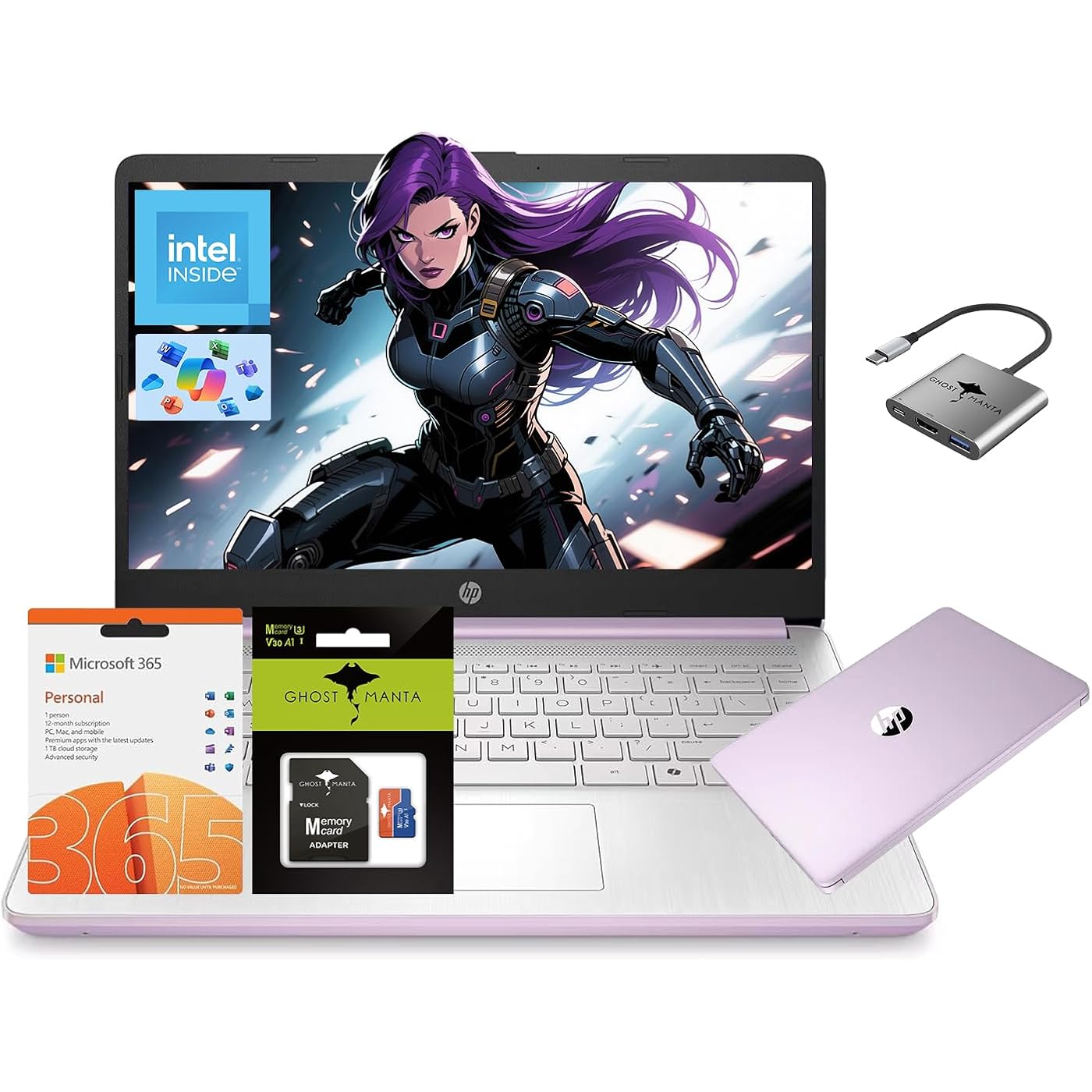
HP 14 Laptop, Quad-Core (Beat i3) 16GB RAM 256GB Storage(128GB UFS + 128GB SD Card) 1-Year Office 365 Copilot AI Computer for Student Study Back to School Win11 w/GM Accessory





Buy Now, Pay Later
- – Up to 36-month term if approved
- – No impact on credit to apply
- – Instant approval decision
- – Secure and straightforward checkout
Ready to go? Add this product to your cart and select a plan during checkout.
Payment plans are offered through our trusted finance partners Klarna, Affirm, Afterpay, Zip, Apple Pay, and Google Pay. No-credit-needed leasing options through Acima may also be available at checkout.
Learn more about financing & leasing here.
Selected Option
30-day refund/replacement
To qualify for a full refund, items must be returned in their original, unused condition. If an item is returned in a used, damaged, or materially different state, you may be granted a partial refund.
To initiate a return, please visit our Returns Center.
View our full returns policy here.


At a glance
- Condition
- New
- Style
- 16GB RAM | 256GB Storage
- Color
- Honey Lavender
- Storage
- 256 GB
- Memory
- 16 GB
- Screen size
- 14 in
- Weight
- 3.2 lb
- Works with
- USB-C devices, USB-A devices, external displays, wireless devices (Wi-Fi 6, Bluetooth 5)
Features 4
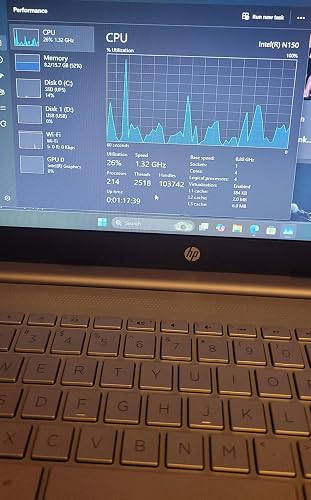
- Efficient 4-Core ProcessorPower through your day with an Intel Celeron N150 processor (Beat i3 Turbo Boost), this HP laptop ensures faster performance and smoother operation for everyday taskseasily managing 20+ browser tabs, HD video calls, video editing, and casual gaming without slowdowns.
- 1-Year Office 365 & 128GB Expandable StorageBoost your productivity with a 1-year Office 365 subscription, perfect for students and professionals creating documents and presentations. The 128GB UFS storage, expandable via SD card, offers ample space for all your files, making this student laptop a complete laptop for college students.
- Humanized DesignEquipped with a premium WiFi 6 for blazing-fast internet and 1-Year Microsoft 365 Copilot AI, users benefit from this notebook intelligently assists with tasks, boosts productivity, and streamlines workflows, making it a reliable choice for office computer laptops, college laptops and gaming laptops alike.
- Windows 11 Home in S mode (You may switch to regular windows 11: Press "Start button" bottom left of the screen; Select "Settings" icon above "power" icon;Select Update & Security and Activation, then Go to Store; Select "Get" option under "Switch out of S mode"; Hit Install.)
Description
Microprocessor: Intel Processor N150 (4 Cores, up to 3.6 GHz) Memory:Upgraded to 16GB DDR4 RAM Video Graphics: Intel UHD Graphics Wireless Connectivity: Wi- Fi 6 and Bluetooth 5 combo External Ports: 1 x SuperSpeed USB Type-C 3.0 2 x SuperSpeed USB Type-A 3.0 Minimum Dimensions(W x D x H): 12.76 x 8.86 x 0.71 inches Weight: 3.24 LB Power Supply type: 45 W AC power adapter Battery Life Mixed Usage: Up to 11 hours Webcam: HP Wide Vision 720p HD camera with camera shutter and integrated dual array digital microphones Activate 1 Year MS office 365 Activate pre-installed Office: 1.Launch any Office app > 2.Start your activation by signing in with your Microsoft account(Create a account if you don't have one yet) > 3.Click "Activative Office" > 4.Sign in your account and follow the next prompts. > 5.Complete Step 1,2 and 3 > 6.Click on Refresh once Office is ready > 7.Open a document and accept the license agreement. Switching out of S mode in Windows 11 1. On your PC running Windows 11 in S mode, open Settings > System > Activation. 2. In the Switch to Windows 11 Pro section, select Go to the Store. (If you also see an "Upgrade your edition of Windows" section, be careful not to click the "Go to the Store" link that appears there.) 3. On the Switch out of S mode (or similar) page that appears in the Microsoft Store, select the Get button. After you see a confirmation message on the page, you'll be able to install apps from outside of the Microsoft Store. Accessories: 128GB Ghost Manta SD Card + 3in1 Type C Hub
Specs 81
| Brand | HP |
|---|---|
| Model Name | HP Laptop |
| Screen Size | 14 inches |
| Color | Honey Lavender |
| Hard Disk Size | 128 GB |
| CPU Model | Celeron N |
| Ram Memory Installed Size | 16 GB |
| Operating System | Windows 11 |
| Special Feature | HD Audio, Memory Card Slot |
| Graphics Card Description | Integrated |
| Hard-Drive Size | 128 GB |
| Other Special Features of the Product | HD Audio, Memory Card Slot |
| Graphics Description | Integrated |
| Graphics Coprocessor | Integrated Graphics |
| Hard Disk Description | UFS |
| Item Weight | 3.2 pounds |
| Video Processor | Intel |
| Specific Uses For Product | Business, Gaming, Personal |
| Automatic Backup Software Included | Webcam |
| Form Factor | Traditional Clamshell |
| Hard Disk Interface | Solid State |
| Voltage | 7.4 volts |
| Camera Description | Front |
| Graphics Ram Type | Shared |
| Warranty Type | Limited |
| Item Dimensions L x W x Thickness | 12.76"L x 8.86"W x 0.71"Th |
| Chipset Type | Intel Processor N150 |
| Hard Disk Rotational Speed | 3200 rpm |
| Optical Storage Device | No Optical Drive |
| Video Output | USB-C |
| Operating System Family | Windows |
| Front Photo Sensor Resolution | 2 mp |
| RAM Memory Installed | 16 GB |
| RAM Memory Technology | DDR4 |
| Memory Clock Speed | 3200 MHz |
| Ram Memory Maximum Size | 16 GB |
| Memory Speed | 3200 hertz |
| RAM Type | DDR4 SDRAM |
| RAM Size | 16 GB |
| Memory Storage Capacity | 256 GB |
| Compatible Flash Memory Type | SD |
| Memory Slots Available | 1 |
| Total Usb Ports | 3 |
| Hardware Interface | 802.11 b/g/n, Bluetooth 5, HDMI, USB 3.0, USB 3.0 Type A, USB 3.1 Type C |
| Number of Ports | 3 |
| Total Number of HDMI Ports | 1 |
| Human-Interface Input | Keyboard, Keypad, Microphone |
| Keyboard Description | Ergonomic |
| Notebook Pointing Device Description | laptop |
| Control Method | App |
| Processor Series | Celeron N |
| Processor Speed | 3.6 GHz |
| Processor Count | 4 |
| Processor Brand | Intel |
| CPU Model Number | Intel Processor N150 |
| CPU Model Speed Maximum | 3.6 GHz |
| Model Year | 2025 |
| Model Number | HP |
| Built-In Media | 1 Year Warranty, 1 x HP Laptop, 1 x Type-C 45W PD Fast Charger, 1 x User Manual, Windows 11 |
| Manufacturer | HP |
| Unit Count | 1 Count |
| UPC | 198990724560 198990510170 |
| Number of Items | 1 |
| Item Type Name | laptop |
| Resolution | 720p |
| Native Resolution | 1366 x 768 pixels |
| Display Type | LED |
| Display Resolution Maximum | 1366x768 pixels |
| Display Technology | LED |
| Display Refresh Rate in Hertz | 60 |
| Display Maximum Resolution | 1366x768 pixels |
| Connectivity Technology | Wi-Fi |
| Wireless Technology | Wi-Fi |
| Wireless Compability | Bluetooth |
| Cellular Technology | WiFi |
| Battery Cell Type | Lithium Polymer |
| Battery Life | 7.5 hours |
| Battery Average Life Standby | 11 hours |
| Number Of Cells | 1 |
| Lithium-Battery Energy Content | 45 watt-hours |
| Audio Output Type | Speakers |
No specs match.
Frequently asked questions
To initiate a return, please visit our Returns Center.
View our full returns policy here.
- Klarna Financing
- Affirm Pay in 4
- Affirm Financing
- Afterpay Financing
- Zip Pay in 4
- Financing through Apple Pay
- Financing through Google Pay
Learn more about financing & leasing here.
Similar Products


Top Amazon Reviews