Search  for anything...

GMKtec Gaming Mini PC K8 Plus AMD Ryzen 7 8845HS(8C/16T, up to 5.1GHz) 32GB DDR5 RAM 1TB SSD, Desktop Computer Dual NIC 2.5G, HDMI 2.1, USB4

  • Based on 1,007 reviews
Condition: New
Checking for the best price...
$919.99 Why this price?
Save $589.99 was $1,509.98

Buy Now, Pay Later


As low as / mo
  • – Up to 36-month term if approved
  • – No impact on credit to apply
  • – Instant approval decision
  • – Secure and straightforward checkout

Ready to go? Add this product to your cart and select a plan during checkout.

Payment plans are offered through our trusted finance partners Klarna, Affirm, Afterpay, Zip, Apple Pay, and Google Pay. No-credit-needed leasing options through Acima may also be available at checkout.

Learn more about financing & leasing here.

Selected Option

Free shipping on this product

FREE 30-day refund/replacement

To qualify for a full refund, items must be returned in their original, unused condition. If an item is returned in a used, damaged, or materially different state, you may be granted a partial refund.

To initiate a return, please visit our Returns Center.

View our full returns policy here.


Availability: In Stock.
Fulfilled by Amazon

Arrives Wednesday, Oct 21
Order within 20 hours and 46 minutes
Available payment plans shown during checkout

Protection Plan Protect Your Purchase
Checking for protection plans...

Size: R7 8845HS 32GB DDR5 + 1TB


Features

  • Advanced Gaming PCPowered by the AMD Ryzen 7 8845HS processor with 8 C/ 16T, up to 5.1GHz, and featuring a 16MB L3 cache. This powerful CPU excels in gaming, video editing, and multitasking. With its 35-54W TDP range, it ensures efficient power consumption without compromising on performance. NPU (AI Engine) Only in 8845HS Improved over 8745HS (No NPU) Dedicated Neural Processing Unit for faster AI workloads (Windows Studio Effects, Copilot+, local AI tasks).
  • 32GB DDR5 + 1TB SSDEquipped with 32GB memory capacity,DDR5 speed up to 5600MHz, offering faster data processing and multitasking. The dual 16GB channels support expansion up to 128GB, allowing users to customize based on their needs. The 1TB PCIe 4.0 M.2 SSD ensures ultra-fast storage, with expansion options up to 8TB, making it perfect for heavy workloads and large storage needs
  • WHY CHOOSE DDR5 5600MHz DUAL CHANNEL (216GB): With a 5600MHz clocka 17% frequency uplift over 4800MHzthis kit delivers massive bandwidth gains that elevate real-world performance. Gamers enjoy higher minimum FPS and less stutter in open-world and sim titles for a smoother competitive experience. Video editors and 3D creators benefit from faster 4K/8K timeline scrubbing, quicker renders in DaVinci Resolve and Premiere, and swifter asset loading. For AI/LLM workloads, the superior throughput reduces I/O bottlenecks, cuts token generation latency, and accelerates model fine-tuning by keeping processing cores fed with dataso you wait less and create more.
  • Dual Intel i226V NIC 2.5Gbps, WiFi 6 & BT 5.2Featuring dual Intel i226V 2.5Gbps Ethernet ports, K8 Plus mini PC provides faster and more stable wired network connections, ideal for gamers and content creators. WiFi 6 supports multiple frequency bands, ensuring a strong, low-latency wireless connection. BT5.2 delivers faster data transfer, lower power consumption, and support for the latest peripherals
  • AMD Radeon 780M Gaming PC GPUThe AMD Radeon 780M is an integrated GPU based on the new RDNA3 architecture and has 12 CUs (= 768 shaders) clocked at up to 2700MHz. Thanks to the new architecture and higher clock speeds, the Radeon 780M should be clearly faster then the old Radeon 680M. This means most demanding games should be playable in minimum graphics settings (like Cyberpunk 2077) and less demanding games like Fifa 23 can be played in higher settings and resolutions (1080p).
  • Oculink Interface for High-Speed ConnectivityThe Oculink interface allows ultra-fast external connections for storage expansion or GPU upgrades. It ensures faster data transfer rates compared to traditional interfaces, offering enhanced flexibility for users who require additional performance for tasks like large data transfers or external GPU use
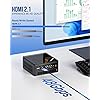
  • 4-Screen 4K Output with Advanced ConnectivityThe Nucbox K8 Plus mini PC supports up to 4 displays in 4K/8K resolution, via 2 USB4 ports (40Gbps), HDMI 2.1 (8K@60Hz), and DisplayPort 2.1 (8K@60Hz). The USB4 ports support Power Delivery 3.0 and DP1.4 for seamless multitasking, allowing users to run multiple applications simultaneously, perfect for workstations, gamers, or professional content creators
  • Three Performance ModesFeaturing three customizable performance modes: Silent mode (35W), Balanced mode (54W), and Performance mode (65W, peak 70W). This flexibility ensures that you can optimize for either silent operation or maximum performance depending on your workload
  • Upgraded Dual-Fan Cooling SystemThe advanced dual-fan cooling system with VC heat pipes ensures stable and efficient thermal management, allowing the system to handle intensive tasks without overheating
  • GMKTEC WARRANTY - GMKtec offers a 3-year limited warranty (1 year replacement + 2 years parts replacement) for each mini PC, starting from the date of the purchase effective on all sales starting Oct. 2026. All defects due to design and workmanship are covered. With a professional after sales team always ready to attend to your needs, you can simply relax and enjoy your mini PC

Description

1 Year War~ranty, 24Hr Support. Amazing discounts for Business Buyers. Follow our brand for deals and updates. Shenzhen GMK Technology Co., Ltd is a high-tech enterprise integrating scientific research, development, production and sales of Mini PC and Computer Accessories. Our company was established on June 6, 2019 and our core team is composed of engineers with 20 years of experience in consumer electronics. It was our shared dream that brought us together as GMKtec. GMKtec manufactures professional Mini PC computers. GEEK | We aim to provide the ultimate product experience for users around the world. MODERN | We aim to provide users with cutting-edge technology products. (K) Creative | We always adhere to the innovative spirit of keeping pace with the times. The GMKtec mini PCs are widely used at office, home theater and bussiness. All computers support customer customization. Due to global market constraints, DDR4/DDR5 RAM and SSD storage prices are on the rise. If you have been planning a PC build or storage expansion, now is the time to buy. Current inventory is still available at existing rates, but forecasts indicate costs will continue climbing. Don't wait until it costs more—lock in your savings today and upgrade with confidence. Equipped with the latest AMD Ryzen & Intel Processories. Built-in GPU for smooth framerate and gameplay. Introducing the Improved Nucbox K8 PLUS Mini Gaming PC with a translucent top cover that can easily be removed by rotating the cover counter clockwise. It also comes with a metal chassis, Oculink, HDMI 2.1, DP2.1 and dual upgraded cooling fans and vents. In this video, the Nucbox K8 Plus shows how easy it is to setup and use the computer right out of the box! Simply connect the power supply, HDMI cable to your display and complete the setup within 3-5 minutes. In this video, we will show the Nucbox K8 PLUS playing some of the recent AAA game titles with steady fps. AMD Radeon 780M iGPU delivers great performance and can combine the latest Frame Gen technology for superior gaming experience. This is one of the best value gaming pc in the current marketplace. In this video, we showcase the inside components of the Nucbox K8 Plus. We only use premium quality DDR5 RAM sticks and SSD drives. Our upgraded twin cooling fan system keeps the cpu cool at all times. In this video, we showcase the BIOS settings which includes Automatic Power On, 3 Power Modes (Quiet, Balanced, Performance), iGPU Shared RAM Allocation, and more! In this video, we showcase the Nucbox K8 Plus AMD Ryzen 7 8845HS benchmark scores and how it stacks up against the other CPU models.

Brand: GMKtec


Operating System: Windows 11 Pro


CPU Model: AMD Ryzen 7 8845HS


CPU Speed: 5.1 GHz


Cache Size: 16 MB


Graphics Card Description: Integrated


Graphics Coprocessor: AMD Radeon 780M 2700MHz


Memory Storage Capacity: 128 GB


Specific Uses For Product: Everyday Use, Gaming, Video Editing


Personal computer design type: Mini PC


Operating System: Windows 11 Pro


Specific Uses For Product: Everyday Use, Gaming, Video Editing


Personal Computer Design Type: Mini PC


Color: Black(K8 PLUS)


Additional Features: Intel i226V Dual NIC 2.5G Ethernet, Metal Chassis with Glossy Top Cover Lid, Oculink Port, HDMI 2.1, DP 2.0 Quad Display Video Ports with Built-in DMIC, Updated UEFI BIOS, VRAM Allocation, Auto Power On, WOL, Fan Speed Control, Upgraded Top and Bottom Large Cooling Fans


Hard Disk Description: PCIe 4.0 M.2 2280 SSD Dual Slot Max. 8TB


Hardware Interface: 3.5mm Audio, 802.11 ac/b/g/n, Bluetooth 5, DisplayPort, USB 3.2 Gen 1, USB Type C


Power Consumption: 35 watts


Item Weight: 12.64 ounces


Video Output Interface: DisplayPort, HDMI


Hard Disk Interface: PCIE x 16


Style Name: R7 8845HS


Cooling Method: Air


Compatible Devices: External GPU, Keyboard & Mouse, Monitor, Speaker & Headphones, Television


Power Plug Type: Type B - 3 pin (North American)


Total Expansion Slots Quantity: 2


Video Output: HDMI, DisplayPort, USB4 Type-C


Graphics Description: Integrated


Graphics Coprocessor: AMD Radeon 780M 2700MHz


Graphics Card Ram: 32 GB


Graphics Ram Type: VRAM


Graphics Card Interface: Integrated


Processor Series: AMD Ryzen 7 8845HS


Processor Speed: 5.1 GHz


Processor Socket: TSMC 4nm FinFET


Processor Count: 8


CPU Model Speed Maximum: 5.1 GHz


Total Usb Ports: 6


Total Number of HDMI Ports: 1


Number of Component Outputs: 4


Total Thunderbolt Ports: 2


Human-Interface Input: Buttons, Keyboard, Mouse


Keyboard Layout: QWERTY


Brand: GMKtec


Model Number: K8 PLUS


Model Name: K8 PLUS


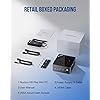
Built-In Media: GMKtec Nucbox K8 Plus AMD Ryzen 7 8845HS Mini PC Computer, HDMI Cable, Power Supply & Cable, User Manual, VESA Mount and Screws


Processor Brand: AMD


Model Year: 2024


CPU Model Number: AMD Ryzen 7 8845HS


Warranty Description: 3-Year Limited Warranty (1 Year Replacement + 2 Years Parts Replacement)


Video Processor: AMD


Unit Count: 1 Count


Manufacturer: Shenzhenshi Jimokekejiyouxiangongsi


Cache Memory Installed Size: 16 MB


Memory Storage Capacity: 128 GB


RAM Memory Installed: 32 GB


RAM Memory Technology: DDR5


Ram Memory Maximum Size: 96 GB


Memory Speed: 5600 MHz


RAM Type: DDR5 RAM


Memory Clock Speed: 5600 MHz


Memory Slots Available: 2


Screen Size: 75 inches


Display Resolution Maximum: 7680x4320 pixels


Display Type: External


Aspect Ratio: 169


Resolution: 4096 × 2160


Native Resolution: 4096 × 2160


Connectivity Technology: Bluetooth, Ethernet, HDMI, LAN, USB


Wireless Compability: 2.4 GHz Radio Frequency, 5 GHz Radio Frequency, 5.8 GHz Radio Frequency, 802.11a/b/g/n/ac, Bluetooth


Wireless Technology: Bluetooth, Wi-Fi


Wireless Network Technology: Wi-Fi


Frequently asked questions

If you place your order now, the estimated arrival date for this product is: Wednesday, Oct 21

Yes, absolutely! You may return this product for a full refund within 30 days of receiving it.

To initiate a return, please visit our Returns Center.

View our full returns policy here.

  • Klarna Financing
  • Affirm Pay in 4
  • Affirm Financing
  • Afterpay Financing
  • Zip Pay in 4
  • Financing through Apple Pay
  • Financing through Google Pay
Leasing options through Acima may also be available during checkout.

Learn more about financing & leasing here.

Top Amazon Reviews


  • Surprising performance in a little package
Size: R7 8845HS 32GB DDR5 + 1TB
In my real life, I am a Technical Writer and Knowledge Manager for the company I work for, so if this review seems a little long or maybe too detailed, I wanted to make sure you got as much information as possible as I started using the computer. At home I am an avid movie and personal video collector and I just completed rebuilding my video server. It is in a tower case and is occupying the only space I have in my office for such a computer. As part of the rebuild, I intended to separate the serving and processing functions, so I was searching for a compact solution that would allow me to render video content for the server. This computer has provided everything I was looking for and more. These are the criteria I used in deciding on a replacement computer High speed processing I needed a computer that would help with video rendering. I am not a gamer but the performance of a gaming computer would speed up the video work I do. With the initial testing, this design is completing the rendering tasks about 20% faster that my previous computer. A compact Design. I have limited space on my desk for a PC. This mini PC was great as the size gave me options on my already crowded desk. Its size allowed me to place it behind a monitor, but there were also 2 mounting screw holes in the case so I decided to mount it to the back of my desk. Convenience of Several connection options. With 4 USB A ports I was able to connect my printers, keyboard and mouse and still had USB C connection options for my USB monitor and an External SSD device. See the picture Exterior Pictures Showing Ports and Top Removal Along with that connectivity there are options to connect wireless networks and to use Bluetooth top connect audio devices like headphones. Expandability In this small package I could still add an additional standard sized SSD. The surprise expandability is found in the Oculink Port this port gives PCIe connectivity speed for external devices. What Came in the Box The computer Introductory Booklet (Unfortunately not an English Page, but other picture have some English labels.) Power Supply and Power Cord HDMI cable (Must boot first time on HDMI) Mounting Bracket (No instructions on the exact uses. I mounted mine using the mounting holes on the back of the case.) See the Picture What's In the Box Setting up the Computer Unpacking the computer was straight forward. There was no assembly required. The only things needed to get started is a monitor to connect the HDMI cable (provided), a keyboard & mouse and to plug in the power supply. I followed the instructions on the yellow notice over the network ports advising that the system would set up much more quickly without Windows attempting to update during the initial boot up. This worked great and I will use this process on any other computer I will build. Within a few minutes, I was at the windows desktop. I was in a position to start installing software. See picture Original Desktop. I then connected a network wire and I was able to install my software and connect to my Microsoft account. There was a bit of disappointment, as there were no instructions in English supplied. There were about 10-12 languages in a pamphlet included in the box but none were English. The drawings were labeled well enough to identify the details of the ports well enough for my trained eye, but the standard user may be left with questions about a few of the ports. I decided to add a second SSD to the computer and found the access inside very simple. Turned the top shield a quarter turn to the left and it unlocked exposing 4 screws that held the top fan in place. Once those were removed, the fan lifted out easily (be careful of the wire connecting the system board to the fan.) See the picture Disassembly with SSD 2 Slot Identified As part of the final setup, I had to decide where the computer would be on my desk. I had a option to put it behind my monitor See Picture Behind the Monitor, but instead, I took advantage of the mounting holes on the bottom of the computer to hang the computer from the back of my desk. See the picture Desk Mount BIOS Notes I did look at the BIOS. I was curious about how configurable it was as I have found with other units that the BIOS is very focused and not designed to allow tweaking. While the interface was not very fancy (very DOS like) it appeared to have several settings to adjust memory and processor. See the picture BIOS Advanced There are many drill down options. Summary Overall this computer provides a significant performance boost over the equipment I had. In my research I found that the AMD products provide better performance for the dollar, combined with integrating the GPU into the chip design it made the unit compact while still providing enough horsepower to drive 3 monitors effectively. In the few days I have worked with this unit, I still find myself marveling at how fast bootup times are and how quickly applications launch and web pages load. If you are looking for a gaming computer I would give this one a chance, I think you will be surprised at the speed of this computer and its ability to keep up with some of the most demanding games. ... show more
Reviewed in the United States on July 3, 2025 by James Corona

  • Wow, very fast for just 15 watts of power.
Size: R3 5400U 16GB DDR4 + 512GB
Edit update again 01/10/2025: I fixed my fan issue and as promised raised the score back up to 5 stars. It is a good, fast little computer but does get hot when you are gaming. I recommend popping the top off and exposing the top fan to the outside as this really helps in keeping it cool. When you put the top back on, when your finished, don't snap the top back in place so it will be easy for you to remove when needed. I know this would bother some people but I am not bothered by it as it helps keep it cool. Still five stars for what it can do for it's size. Still highly recommended. Edit up date 01/09/2025: I had to reduce the GMKtec M5 Plus from five stars to three stars because the little top cooling fan will not work all the time. I have the lid on but not snapped in because I have to take it off to force the fan to run. A quick spin with my fingers gets it going but I got to keep an eye on it other wise the little computer will over heat even though it's only fifteen watts. This is serious and the reason for only three stars. I am going to try to contact them and if they help I will improve the review back to five stars. *Next is another concern that has a lot of YouTube press and that is, Mini PC's shipping out with Malware or viruses. Let me make clear that GMKtec has been cleared so far and I tested mine forward and backwards with zero positives but you should be made aware of this. The most offending company (watch YouYube to get the companies name as it is all over) still has not completely cleaned their computers and are being very sneaky in the way they hide the Malware. One buyer replaced his M2 SSD and loaded a fresh copy of Windows 11. If you are one of those people who are sensitive to computer security then you need to know what you are getting into with Mini PC's. I didn't know this before I bought mine. Please check out the problem on YouTube before you buy. If you do buy, do not connect to the net till you have run a complete check. I recommend the very long but important Windows 11, full virus scan and download the free version of Malwear Bytes and run a test with that. I hope Amazon allows this review update to be printed as this is an important issue that everyone should be made aware of before they buy a mini PC. First off, it worked right out the box. Early setup could not have been any easier, a smart 8 year old could have set this mini computer up. That's not stretching it either. However setting up all the drivers from AMD and getting Windows 11 up to date did take time and requires someone a little more knowledgeable. I bought this as a novelty but now using it all the time. My big gaming computer has taken a back seat to this amazing little mini computer. Pros: Very quite, Very fast, Yes it plays games but more on the casual level. Beautiful eye popping monitor visuals, It uses only 15 watts of power. That means it runs very cool. The AMD processor the 5825U is designed to run on 15 watts. Cons: Terrible instructions with tiny print. Example, they send you a piece of black metal with some black screws that looks like it might be some sort of mounting bracket but the instructions give you zero information on what it is for. It uses only 15 watts of power. I know I had that as a pro but it could also be a con if you want to play more powerful AAA games. But who would use a mini computer to play AAA games like Cyber Punk 2077 or Hogwarts. Come on, use common sense. I will end this by saying do your research. Not all mini computers are only fifteen watts like this one. And if you look you will find the newest mini computers are AM5 platform and use up to 70 watts. But those units run from seven hundred and fiftly to almost a thousand dollars. You start spending that much money you might as well buy a full size gaming rig. Highly recommended ... show more
Reviewed in the United States on January 2, 2025 by Q

  • Top notch customer service if its needed. Great PC for price point and intent.
Size: R3 5400U 16GB DDR4 + 512GB
TLDR: Excellent customer service for a solid, relatively inexpensive mini PC Long version: Ordered this in December of 2024. I purchased the same one a month prior for my wife to have after her laptop motherboard took a dive. Was impressed enough to order myself one for my office as well. We both have work laptops so neither of us needed a laptop for the house and for the price of these, you cannot beat their capabilities. Within about a couple months of owning this one, while using it mid session it had rebooted itself to bios. I was quickly able to see that it wasn't recognizing the installed SSD so I powered down and pulled the drive and reinstalled. It booted up normally and I was back in business. Happened a couple of times periodically with same results after reseating the drive. Now I'm no PC builder but have moderate tech capabilities and knew this was signs of a bad hard drive, but I wasn't bothered enough to replace it. Then 7 months into owning, the drive completely failed. Remembering they have a support function through amazon I went back to my order details. A quick email to GMKtec on a Saturday night resulted in their support emailing me back by the next Sunday morning. My initial email described what I had been experiencing along with the troubleshooting steps I had taken and their response was to send them the drive and they will replace it with a new one. I was pleasantly surprised I did not get 20 emails asking for more troubleshooting or worse, no response at all. 5 stars for customer service alone. From the time I contacted them to receiving my replacement drive was 9 days. All the while my wife's pc is running without a single issue, being a month or so older. The specs of the unit itself are what I would consider middle of the road. More than enough for typical office tasks but would probably fall short of serious gaming. I use it primarily for Fusion 360 doing 3D modeling and running my 3d printers off of, with Netflix or similar running on the second screen. I also have taken it on road trips and connected up a Xbox remote to play games from steam without any issues. But I am no serious gamer so it fit the bill for me. Are there other brands out there for mini pc's? Of course and they are all pretty similarly priced for the specs. I wouldn't hesitate to buy from GMKtec again based off my experience. ... show more
Reviewed in the United States on September 11, 2025 by Amazon Customer

  • Units work well
Size: R3 5400U 16GB DDR4 + 512GB
The units are fast and reasonably priced. I did have a power supply fail on one unit out of about 5 I have purchased. When I gave the vendor my order information, they replaced the power supply quickly. Thanks!
Reviewed in the United States on May 28, 2026 by Robert L. Whiteman III

  • Horrible junk. Don't buy it.
Size: R3 5400U 16GB DDR4 + 512GB
Needs a 0 star review. I should have read all the negative reviews first. We got one of what appears to be MANY defective/corrupt computers. It started up great the first time when we set it up. Rebooted it to install and set setting changes. Now is dead in the water. Will not start up at all. We got to the screen to try to reset to factory, but won't even do that. ... show more
Reviewed in the United States on October 30, 2025 by jaimes10577

  • Great product topped by great support.
Size: R3 5400U 16GB DDR4 + 512GB
Excellent pc for an excellent price! (i got it on sale though :P) It's small, silent, has every peripheral you could need on a mini pc, though i'm using mine for pfsense. I had trouble setting it up though because of the realtek NICs. Julian was an absolutely amazing and thorough help though when i emailed their support team. I wasn't the most polite and yet they messaged me back within a day with a detailed and thorough explanation on how to fix the problem. This is everything you could ever want out of a product, a good product, for a good price, with amazing customer service that DOES go the extra mile when it comes to support. My little GMKtec square now sits comfortably mounted upside down (did i mention the mounting bracket is great too?) in my home made tv stand looking perfect. ... show more
Reviewed in the United States on September 23, 2026 by Buckshot2825

  • Fast!
Size: R3 5400U 16GB DDR4 + 512GB
We have the 32G version with 1TB of SSD. It's really fast, really quiet, and small. Everything we were looking for. We did have a few issues with the external power supply. It's a wallbug, not a brick with a tail, which makes it difficult to plug into a power strip. Then, the wallbug failed after about 6 months. Julian from GMK support was helpful in getting that resolved quickly. We were able to verify the problem with a generic power supply, so they just sent us a new one. ... show more
Reviewed in the United States on September 5, 2026 by emc

  • Decent Little Homelab Machine
Size: R3 5400U 16GB DDR4 + 512GB
I bought 2 of these units with the intent of creating a Proxmox cluster, but decided before doing so I would benchmark the out of the box install of windows to hopefully give everyone a good idea of performance. Most of this review is going to be from the point of someone that works in IT/Homelabber/Developer, so if you are just looking to buy this desktop as a home user, just look at the benchmark numbers and compare to your current machine Installed latest windows updates Ran windows debloat scripts before testing Suite of tests Geekbench 6 passmark cinebench r23 Crystal Disk Mark Out of the box PBO max was set to 4.55Ghz and was hit during benchmarks XMP was correctly enabled at 3200MT/s Infinity Fabric timings were only around 1200mhz???? CPU package was capped at 15watts per the CPU spec (~25watts from the wall during windows setup, ~10 watts at idle) Microsoft account requirement was DISABLED!! I only use a local account on my last remaining windows machine so this was definitely nice to see??? I would be curious/concerned about any other tweaking done to the OS, would definitely recommend you download the official installer from Microsoft. Fan noise could best be described by, have you ever watched a video on youtube with a small jet engine in it? it sounds like that from a pitch/tone perspective but quieter, it wasnt enough to be overly annoying but you can definitely hear it. Crystal Disk: 3500MB/s Seq, 53MB/s RND4k read. 2600MB/s Seq, 106MB/s RND4K write Passmark CPU: 15427 multi, 3008 single Geekbench: 6516 multi, 1822 single Cinebench: 6650 multi After tweaking, Bios, power mode set from balanced to performance. This causes the system fan to go full jet engine mode Increased Vram split to 8GB Passmark CPU: 20335 multi (~30% improvement), 2962 single (margin of error) Geekbench: 7876 multi, 1816 single Cinebench: 9730 Im sure you could put ryzen master on here to tune some more settings but I didnt want to risk a brick or anything. If you are planning on putting this in a homelab and have a closet so you dont hear the noise, run it in performance mode, it makes a sizable difference. For fun I also tested CS2 after the tweaks, on the de_dust2 benchmark map, high settings preset, and native res, this got an average of 38fps and 0.1% lows of 20fps. Definitely not a gaming machine but on lower settings, upscaling, etc you could probably push this to around 50 or 60fps with ease Overall its a solid little unit for a homelab and virtualization and would make a solid desktop if you just needed something that was small, low powered, and could pack a decent punch. Or even an HTPC, especially if you put it in power saver mode ... show more
Reviewed in the United States on June 11, 2025 by brandon

Can't find a product?

Find it on Amazon first, then paste the link below.
Checking for best price...