


Search  for anything...

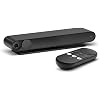
Meta Portal TV - Big Screen Smart Video Calling for Group Calls on Your TV

  • Based on 7,019 reviews
Condition: New
Checking for the best price...
$175.00 Why this price?
Save $24.00 was $199.00

Buy Now, Pay Later


As low as $29.17 / mo
  • – 6-month term
  • – No impact on credit to apply
  • – Instant approval decision
  • – Secure and straightforward checkout

Ready to go? Add this product to your cart and select a plan during checkout.

Payment plans are offered through our trusted finance partners Klarna, Affirm, Afterpay, Zip, Apple Pay, and Google Pay. No-credit-needed leasing options through Acima may also be available at checkout.

Learn more about financing & leasing here.

Selected Option

Free shipping on this product

FREE 30-day refund/replacement

To qualify for a full refund, items must be returned in their original, unused condition. If an item is returned in a used, damaged, or materially different state, you may be granted a partial refund.

To initiate a return, please visit our Returns Center.

View our full returns policy here.


Availability: Only 2 left in stock, order soon!
Fulfilled by Amazon

Arrives Wednesday, Sep 30
Order within 11 hours and 33 minutes
Available payment plans shown during checkout

Protection Plan Protect Your Purchase
Checking for protection plans...

Style: TV


Features

  • Scale up your greatest conversations. Smart video calling on your TV brings your favorite people, larger-than-life, into your living room.
  • Share the room. Perfect for group calls. Meta Portal TV captures your whole room so everyone is in view without jostling for position.
  • Call anyone, anywhere. Use apps like Messenger and WhatsApp to connect with friends and familyeven if they dont have a Meta Portal.
  • A more natural connection. Smart Camera adjusts automatically so you can move freely and stay in frame, while Smart Sound ensures you can be heard clearly.
  • Privacy by design. Easily disable the camera and microphone, or block the lens with the camera cover.

Description

The entire Meta Portal family is video calling designed to bring people closer. Meta Portal TV brings smart video calling to the biggest screen in your home and turns your TV into a smart video calling screen that’s perfect for group calls. It’s easy to call friends and family on their smartphones and laptops with Messenger and WhatsApp, even if they don’t have a Meta Portal. A Smart Camera pans and zooms to get the whole room in shot and automatically adjusts to keep everyone in frame as they move and talk naturally. Smart Sound makes sure you can be heard by reducing background noise and enhancing the voice of whoever is speaking. Meta Portal’s simple privacy settings mean you can easily disable the camera and microphone, or block the camera lens with a cover. All Meta Portal WhatsApp calls are end-to-end encrypted and you can choose to call individual Messenger contacts using end-to-end encryption. Meta Portal TV needs a wireless internet connection and AC power. Meta Portal voice command availability varies. Screen images simulated. User experience may vary. Requires wireless internet connection and Facebook or WhatsApp account. WhatsApp is not available on tablets. Features, functionality, and content vary and may not be available on all Meta Portal models or in all areas and languages. Some features may require a Facebook account and downloading the Portal mobile app. Additional account registration, terms and fees may apply. Meta Portal TV requires an HDMI cable (not included). Meta Portal TV comes with a remote control.

Recommended Uses For Product: Night Vision


Brand: Facebook


Model Name: TV


Connectivity Technology: Bluetooth, WiFi


Special Feature: Flat


Other Special Features of the Product: Flat


Indoor Outdoor Usage: Indoor


Compatible Devices: Smartphone


Mount Type: Mount on TV or place below


Color: Black


Enclosure Material: Metal


Water Resistance Level: Not Water Resistant


Alert Type: Motion Only


Room Type: Living Room


Light Source: Infrared


Waterproof Rating: IP54


Control Method: Voice


Screen Size: 0.01 inches


Connectivity Technology: Bluetooth, WiFi


Connectivity Protocol: Wi-Fi


Wireless Technology: Wi-Fi


Video Capture Resolution: 720p


Viewing Angle: 120 degrees


Zoom Type: Optischer Zoom


Photo Sensor Technology: CMOS


Flash Memory Type: SmartMedia


Antenna Location: Night Vision


Brand: Facebook


Model Name: TV


Number of Items: 1


Built-In Media: Portal TV, Power adapter, Portal TV remote


Model Number: 899-00081-02


Manufacturer Warranty Description: 1 YEAR Manufacturer Warranty


Global Trade Identification Number: 83


UPC: 810387030183


Manufacturer: Facebook Technologies, LLC


Mfr Part Number: 899-00081-02


Power Source: Corded Electric


Wattage: 1 watts


Number of Channels: 1


Video Capture Format: MPEG-4


Item Dimensions: 7.49 x 2.26 x 1.29 inches


Item Weight: 10.88 ounces


Unit Count: 1 Count


Frequently asked questions

If you place your order now, the estimated arrival date for this product is: Wednesday, Sep 30

Yes, absolutely! You may return this product for a full refund within 30 days of receiving it.

To initiate a return, please visit our Returns Center.

View our full returns policy here.

  • Klarna Financing
  • Affirm Pay in 4
  • Affirm Financing
  • Afterpay Financing
  • Zip Pay in 4
  • Financing through Apple Pay
  • Financing through Google Pay
Leasing options through Acima may also be available during checkout.

Learn more about financing & leasing here.

Top Amazon Reviews


  • Easy set up, great features; perfect for the Deaf and Hearing impaired..
I am a professional A/V Integrator and company owner. So I wanted to demo this myself before recommending it to my clients. I had ours installed within 5 minutes and on our first video chat. Our Portal is connected through the HDMI input of a Denon AVR and the video is shown on a new 75" Sony UHD-TV. We have had a few calls that were pixelated or where the calls were dropped, however I believe that was most likely a reception issue originating from the person(s) we called. Both parties we called live in rural areas or areas that have poor cellular and Ethernet reception. I am quite pleased with the video quality when WiFi strength is good and how effectively the camera adjusts to Zoom and Pan thus accommodating people moving about in the room. If I make a Portal call from my couch the camera zooms onto me and any movements. If my wife enters the room the camera immediately zooms out to get her into frame until she sits next to me on the couch, then the camera zooms in closer to include us both in the video call. Using a Sony Smart TV and enabling HDMI-CEC I can be watching Netflix from the Sony Netflix app and all I have to say is "Hey Portal Call Mom" The Portal responds and begins the call. Once the call begins the Sony TV automatically switches from Netflix to Portal TV. This is perfect for the older generation who are not technically savy. A great way to stay in touch with kids, parents, grandparents and friends afar. We have used the Story Telling feature with our 2 year old grandson who loved the interaction with us. Only Con I have is that it has no hardwired Ethernet connection, only Wi-Fi. When we first installed Portal TV we had Xfinity 300mbps Wi-Fi, last week we upgraded to Google Fiber Gigabit so I again I am certain that any video issues we are experiencing are actually originating from whom we called. It may be they do not have their mobile device camera set at the highest resolution, poor celluar and or Wi Fi reception. I have not tried any of the included streaming apps on the PortalTV as we use the apps from our Sony UHD TV. For the price this a wonderful device, for my many deaf and hearing impaired friends this is AWESOME, as it does have a hand held remote so speaking commands is not necessary. ... show more
Reviewed in the United States on January 10, 2021 by Darren M.

  • Perfect for Family Calls
A couple Christmas ago my mom and I bought portals for all the members of our extended family. We used them for our annual gift exchange to talk virtually. They worked perfectly. We could see everyone in the room. We could zoom in on specific people opening presents. It was like we were all really together. We have also used it for some of its filter functions to entertain nephews and nieces from afar. It has a lot of the same filter games you get on Facebook messenger. But it has the added functionality of story mode where you can read a book and it transposes your face on the characters. Very interactive and engaging for kids. I can’t wait to see what more functionality they add. We like it so much, we are buying more this year for other family members. ... show more
Reviewed in the United States on October 23, 2024 by J. R. Swantek

  • Great device for the price. Cheapest way I know to get video calling and zoom on a big screen
I have seen a lot of reviews saying that you can't enable drop-in for a grandparent. I found a way to pull this off, it took a little work though. First I setup zoom on this device. Then I made a new zoom account, with a unique username and password just for this device specifically. I logged in to the account on my computer. A computer and installed software is necessary for some of this. You can get to advanced settings directly from logging into the zoom website to avoid the software, but its a bit cumbersome. Since "advanced settings" and "contacts" are not in the same area, you'll need to add/edit contacts elsewhere. If you already use zoom on a computer, you can just switch back and forth easier than other ways. Then I went on zoom and added my personal zoom account to the device contact/my friends list, and vice versa. Then I had to go onto the zoom settings on my computer, then to the advanced settings at the bottom which redirected me to the zoom website for the advanced account settings. I enabled "Auto Answering group". Also took off a few of the restrictions from the account. Allowing everyone (me on other end) to share screen without permission, white board, etc... basically giving them nothing they need to press or allow for me on my end. Then I went back to contacts, clicked my name and added myself to "auto answer group". Then on the device I opened the zoom app and left it there to see if it would work. Then I went back to my personal account on my phone, to contacts, to their name and pressed the little video icon and it connected automatically. Also did it from my computer by clicking "meet with video" and it also worked. I then setup a wifi IR blaster to allow me to control their television remotely, so that I would be able to turn on their television and switch inputs from my house. Its a lot of work to begin with. But once its all setup its really cool. Especially how the portal automatically zooms and follows the people on screen. So that everyone is in view. ... show more
Reviewed in the United States on July 1, 2022 by Bart

  • Fun for personal calls and tiktok content, not so much for business
I have a Sunday family call every week with 7 people and was tired of getting my laptop out (and be reminded of work). Since this went down so much in price I thought it was worth a try. Using Zoom, it's a bit irritating to type in the meeting # each time (you can just click it if it's scheduled on a calendar with your zoom info though). It should have voice capability for that. Same with using "chat" in Zoom, can't do it without typing letter by letter. Some of the controls are wonky. It loses internet connection fairly often and I have to turn it off an on. It has a bug on mine that I can't download any more apps. The Ring app lets you view your doorbells/cameras but not all at once. And they take like 15 seconds before the view comes up so it'd be easier to look at your doorbell from your phone. As for Netflix, Spotify, Pandora, Alexa, web browsing, What's App, Facebook: I have Chromecast, Roku TV, other smart TVs and Echo devices all over my house so they're just redundant apps. All in all, still a cool product for the panning/zooming camera for $50. If you're doing an exercise video or something it'd be useful. For my purpose of a family call it's what I wanted. ... show more
Reviewed in the United States on September 7, 2022 by Nicole L.

  • It’s like being in the same room with the Family!
This purchase was a god send for our family, being across country & having a military family we can’t always be together. I love having the face time options on my phones or tablets, this took it to a whole new level of seeing and talking to the kids and grandkids. We loved it so much we sent one to our daughter for her big screen TV. The set up was a little difficult it took 2 try’s & we had to manually reset the whole thing but after 2nd try it started to work fine, we use FB app for our calls. We also have a fire stick, and cable on that same TV & it does not interfere, we just switch over the HDMI options when we are using the device. Then when finished we slide the lense cover closed, and switch back the HDMI to watch TV. I’m sure there is other ways to use it but this works for us. ... show more
Reviewed in the United States on July 18, 2021 by Nicole Jones

  • Setting up for a relative with new FB Account? Forget it!
I ordered this and thought it would be perfect for my Dad in his assisted living center. While waiting for it to arrive, I created a FB account for him as it is required and he has never had one. After submitting his profile picture, his account was disabled due to him "violating community standards" just as another reviewer noted. WHAT??? Completed the appeal to FB 72 hours ago and still have not heard anything back from FB. Guess I will wait a few more days and then send this back if the FB account is not fixed. Buyer beware if you are purchasing for yourself or someone else that does not already have a FB account. UPDATE: Portal Support contacted Facebook Support on my behalf and their error was corrected within 5 days. However, it took multiple emails and quite a bit of time to get an obvious mistake corrected. 2nd UPDATE: After using this now for 3 weeks, I have to say this thing is fantastic. My dad is in an assisted living center and is able to use the voice commands to place and answer a call. Video is very clear and he loves having the video calls. 5 Stars now after using a few weeks. Can’t say enough good things about the device after the initial hiccups. ... show more
Reviewed in the United States on August 3, 2022 by Oscar

  • UPDATE!! No ZOOM to be found.
We purchased the portal TV camera as we wanted to be able to use Zoom for our holiday family meets. We researched the portal TV as some other web cams are incompatible with our tv. On Amazon's product page, as well as the product's home page, it specifically states that it IS able to run Zoom. There are instructions specifically for how to set it up even if the app is missing. After reading and searching we opened live chat with portal. We spoke with Michael and his response was that the engineers are working on making the portal TV work with Zoom... We researched and read all available information. Once we received the camera, we set it all up and we cannot find the Zoom app anywhere! Then we searched for a 'work around'. Yep, it says just use the browser to access Zoom. We searched and searched... no browser to be seen. The portal TV is supposed to have an app for Zoom and it does not. The portal TV is also supposed to have a browser app to access the internet and it does not. We are VERY disappointed in the product information provided. They lied and falsely promoted the Portal TV as able to access Zoom. We are returning this item. Bad job Amazon. *** Kept the portal and there is now ZOOM! Much better now! ... show more
Reviewed in the United States on December 22, 2020 by Nicki

  • I WANT to love this thing, but they make it sooo hard...
I WANT to love this thing, but they make it sooo hard... As we've made the purchases we push through and use, and enjoy them... but I'd be hesitant to really recommend someone buy one... Next Generation maybe? Positives: Bought these for myself, mom, and sister, and father in law... We use it almost every weekend and love how it connects the family. We have young kids and the grandparents get to see them run around, and now the kids recognize their voice etc. After you're done its ALMOST like you sat next to them on the couch and had a good chat... Now very good during COVID isolation as well... The AR is fun for kids and adults and the story time thing is cool. Negatives: They had such a strong chance for a GREAT product, but the negatives are almost to the point where I'd be iffy about actually recommending this to someone. Making and Connecting on calls - Linking up multiple people is for some unknown reason, always a pain... You can sign in through Facebook Messenger AND/OR WhatsApp... BUT if you want too add people to calls they need to be signed into the same thing (Messenger or Whatsapp), and you can only ADD someone to call, you can't combine a received call... I bought the ones that hookup to your TV, so I'll admit this is partially due to that, but you effectively need to call ahead, make sure everyone has their TV's to the right input, and is signed into the right service. As my sister said this morning, you come near to starting a family fight while trying to get the call going asking why someone isnt signed into the right service (see below). Also while combining calls (specifically for having 3 people on a call, it just shows the middle of the field of view of the camera and cuts off the sides... My mom inevitably can only see me in the center of the picture and misses my kids running around, and I in turn see my mom well centered, but only see my sisters cat which is situated between her and her husband... Set-up - It should be easy, but its not... Initial set up is KIND OF intuitive, but its not as simple as many other things... Its not impossible, and even after initial set up things don't always seem to stick... I (the tech knowledgeable 30 something) inevitably spend sometime face-timing or phoning the person on the other end to help them re-sign into something (even I've experienced being randomly signed out of profiles). Image Quality, Zoom, and following - We're all used to HD or 4K... and this is definitely not that quality... In a wide field of view the 12 mp camera does fine BUT when it "Zooms" in on you its only digital zoom so picture quality degrades quickly... The camera follows you nicely for big motions but sometimes seems to kind of have some ADD and randomly goes "Squirrel!" and zooms to another part of the room or just decides it doesn't like someone and won't include them in the picture... You can choose someone for the camera to focus on, but honestly having the OPTION just being able to manually control where the camera is looking would be super nice.. AR only tracks (3) faces which is kinda lack luster... even in a family of 4 someone is left out... ... show more
Reviewed in the United States on December 23, 2019 by Nom de Plume

Can't find a product?

Find it on Amazon first, then paste the link below.
Checking for best price...