Search  for anything...

eufy Security Video Doorbell (Wired) S330 with Chime, Dual Cam, Delivery Guard, Security Camera, 2K with HDR, No Monthly Fee, 16-24V, 30VA, homebase NOT Supported, Motion Only Alert

  • Based on 2,195 reviews
Condition: New
Checking for the best price...
$123.49 Why this price?
Holiday Deal · 38% off was $199.99

Buy Now, Pay Later


As low as $20.58 / mo
  • – 6-month term
  • – No impact on credit
  • – Instant approval decision
  • – Secure and straightforward checkout

Ready to go? Add this product to your cart and select a plan during checkout.

Payment plans are offered through our trusted finance partners Klarna, Affirm, Afterpay, Apple Pay, and PayTomorrow. No-credit-needed leasing options through Acima may also be available at checkout.

Learn more about financing & leasing here.

Free shipping on this product
This item's return window has been extended for the holiday season: FREE refund/replacement until Jan 31, 2026

To qualify for a full refund, items must be returned in their original, unused condition. If an item is returned in a used, damaged, or materially different state, you may be granted a partial refund.

To initiate a return, please visit our Returns Center.

View our full returns policy here.


Availability: In Stock.
Fulfilled by Amazon

Arrives Thursday, Dec 25
Order within 36 minutes
Available payment plans shown during checkout

Protection Plan Protect Your Purchase
Checking for protection plans...

Features

  • Dual cameras provide enhanced front-door coverage and clear 2K HDR video.
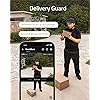
  • Delivery Guard detects packages, sends arrival/pick-up reminders, and alerts for tampering.
  • 3-second pre-roll previews show activity before motion events.
  • Works with Alexa and Google Assistant for voice control and smart integration.
  • No monthly subscription fees; compatible with 1624V, 30VA wiring (HomeBase not supported).

Recommended Uses For Product: Baby Monitoring, Outdoor Security


Brand: eufy Security


Model Name: S330 Wired


Connectivity Technology: Wired


Special Feature: 2K with HDR, Dual Camera, Motion Alert, No Monthly Fee, Wired Power


Indoor/Outdoor Usage: Indoor


Compatible Devices: Smartphone, Tablet


Power Source: Corded Electric


Connectivity Protocol: Wi-Fi


Mounting Type: Wall Mount


Video Capture Resolution: 2K


Color: Black


Number of Items: 1


Included Components: Doorbell Chime, Screw pack, Mounting bracket, Micro-USB charging cable, Screw hole positioning card, 15° mounting wedge, Detaching pin, Quick start guide, Brand card, 24/7 monitoring sticker


Number of Channels: 2


Wireless Communication Technology: Wi-Fi


Form Factor: Box


Material: Plastic


Voltage: 16 Volts, 24 Volts


Wattage: 3 watts


Item dimensions L x W x H: 6.22 x 1.97 x 1.06 inches


Flash Memory Installed Size: 8 GB


Batteries Required?: No


Item Weight: 0.44 Pounds


Low light technology: Night Color


Alert Type: Motion Only


Room Type: Classroom, Kitchen, Living Room, Office


Video Capture Format: MPEG-4


Unit Count: 1 Count


International Protection Rating: IP65


UPC: 194644096007


Product Dimensions: 6.22 x 1.97 x 1.06 inches


Item Weight: 7 ounces


Item model number: E8203


Date First Available: January 10, 2022


Manufacturer: Anker


Frequently asked questions

If you place your order now, the estimated arrival date for this product is: Thursday, Dec 25

Yes, absolutely! You may return this product for a full refund within 30 days of receiving it.

To initiate a return, please visit our Returns Center.

View our full returns policy here.

  • Klarna Financing
  • Affirm Pay in 4
  • Affirm Financing
  • Afterpay Financing
  • PayTomorrow Financing
  • Financing through Apple Pay
Leasing options through Acima may also be available during checkout.

Learn more about financing & leasing here.

Top Amazon Reviews


  • The best Video doorbell I have owned.
I just installed this Eufy S330 wired doorbell and so far it is fantastic. I have tried the cheap no name wired video doorbell in the $40.00 range. It had constant false alarms poor video quality but it was only $40.00. I have had two Nest wired doorbells they don't seem to hold up much longer than two years. One went dead on me and the latest one gives me very late notifications or just failed to notify me at all. I said enough of Nest video doorbells. After doing some online research the Eufy video doorbell had good reviews. So I purchased this S330 video doorbell. This is a review for the refurbished model. It was a significant savings ($50) and I thought I would give it a try. So when I plugged it in to my USB power supply and followed the instructions it worked great. I installed the included jumper wire in my old electromechanical doorbell on the wall I measured 16.5VAC at the doorbell. I installed the Eufy S330 and nothing at all, no lights or power! I figured this is why it was probably returned and went through a refurbishing process. On further inspection I noticed that the actual screws on the Eufy S330 are painted black or are anodized black. Also the actual contacts seemed to be slightly below the plastic housing of the doorbell. So I added two small tooth washers to bite into the screws and make a good connection. This worked perfectly. Why Eufy didn't do this from the factory is beyond me. Anyway I tested it and updated the firmware. Things looked pretty good at this point but the Eufy diagnostics was reporting that the transformer was not powerful enough. So I replaced the transformer with a 20VAC 1.5 amp one that I had lying around. The diagnostics reported no problem after the transformer swap. The video quality is really sharp and the colors are crisp. It blows away the Nest Video doorbell!! The lower camera for packages looks very good too. The notifications are quick within a second. So far I am extremely pleased with this Eufy S330 wired doorbell. I hope it lasts a long time. Just a few tips; make sure you have a transformer that will supply enough current to the Eufy video doorbell. The specs are 16-24volts A.C. at 30VA. So if you have a 20 VAC transformer you need 1.5 amps (30/20=1.5). 24 VAC would be 1.25 amps, 16 VAC would be 1.875 amps, etc. Also make sure you peel off the plastic on the mounting plate. This uncovers the thermal pad. This pad contacts the doorbell camera for thermal dissipation. The doorbell camera uses the mount for heat dissipation. ... show more
Reviewed in the United States on June 24, 2023 by Gman Gman

  • I love this doorbell!
This thing is awesome. This is going to be long. Our old doorbell was a SkyBell slimline 2 which they so nicely decided out of nowhere they would discontinue the old app on June 30th and not bring that model to their new app after saying all their devices would move to the new app. It’s fine, I was fed up with it anyway. Grainy picture, never dang connecting when you try, always telling you to try again later, always saying it wasn’t connected to the internet, not picking up on motion even when someone rang the doorbell, missing video that should have been recorded but never was🙄 do NOT recommend that crap. So it led me to research what other kind of video doorbells were out there. I like ring and it’s quality but I don’t like that I would have to purchase a plan to access the doorbell and videos and that after a year or two it would cost more than the doorbell did! I don’t need yet another subscription service so I focused on video doorbells that didn’t force you into subscriptions. This was surprisingly not the highest on the lists I found, you can do your own research and see where it falls, you don’t have to take my word for it, but I liked the features it offered including ai learning faces. It seemed easy enough to install and the app even walks you through it. It comes with a wedge and a flat backplate in case you need to angle it away from anything. We had a minor wrinkle when the app said our existing transformer was capable and then crapped out a few hours later and it took a minute to figure out why the doorbell wasn’t working. I had a suspicion it would considering it was buzzing before this. NONSTOP. Since replacing the transformer with a more powerful one, haven’t had a single problem, or any buzzing 😁 There is no battery to take out and charge, this hardwired directly into our existing power from the SkyBell. It does not work with the large chime on the wall like SkyBell did, but it comes with a jumper so bypass it, the little chime this bundle came with is fairly loud, plus it dings your phone if you have that notification set up and it rings outside through the doorbell so the person knows it worked when they pushed the button and they don’t smash it to pieces. If you didn’t buy the chime with the doorbell, you will need to buy one if you want it to chime in your house. It’s a nicer chime, it’s one of those song ones not just a ding dong. It says you can connect with echo dots to play the chime other places in your house but I don’t feel that’s necessary for us. It’s a nice feature, just one I don’t use. You do have to plug the wall part into the chime box, it’s probably just so it can be put in a smaller package. In the app you can turn on a preprogram auto responses option for when the doorbell is pushed. You can set any time when it does it like if you’re at work, you can set it to anyone ringing it. It comes with three but you can change them. The picture quality is excellent and the motion detection is amazing. I think maybe a little too great. My plants out front keep setting it off every time there is a light breeze which is great it clearly works but getting 100 notifications in 5 minutes is a bit excessive. It’s a learning curve, I have been playing around with the sensitivity to see what works best and it’s on the highest when it sends so many notifications about every little leaf that moves. You can set it to pick up any motion or just humans, I have it set to both which again, is why I get so many notifications but I’m learning where I like it to be set at. It also has a customizable zone in the app you can tell it to ignore a certain part and have a pick up path where it will only focus on motion in that area. You can even snooze notifications motion or chime and you can pick a snooze time of 30 minutes, 1 hour, 2 hours, 6 hours or 12 hours. That’s pretty neat too. I absolutely love the dual cameras. I thought it would bother me having a black line across my screen or seeing double but it really doesn’t. I love that I can see the actual front porch where packages are left now where as before I could only see them if they were put far enough away from the front door or if they were a very large size. You can also change how the camera looks to you if you don’t like seeing the split screen, there is a Picture in Picture option. A very minor downside is that there is a more narrow field of vision than with SkyBell. I don’t know the degrees but I know looking out at SkyBell which neighbors house I could see down to, and with the eufy it stops short by a house or two. Do I really need to see that far though? I don’t know, maybe. Right now it seems like a very minor con compared to the many many pros of this doorbell. If anything, there are additional cameras that eufy offers that all connect to one app and hub and would increase the field of vision so it’s not all on just one camera to pick up everything. We didn’t need a camera on that side before but based on their doorbell it would be an upgrade to get more of their security system. Second minor con is the app is basically full of ads to get you to buy more. They offer security monitoring, more bases, cameras, sensors etc. They are not pop up ads so they get points for that, it’s tabs to navigate to for more information. A little annoying but a minor inconvenience. Package detection is interesting it definitely identifies packages but it also identifies my bag of garden soil as a package so I moved it. I’m not sure how it does with package theft but I had a package on the porch, it detected it and then it didn’t do anything when I brought the package inside. I even came around front so it picked me up picking the package up and it just told me human alert. That may have been the ai and it already learned I live here or I’m a familiar face so there’s no reason to think I stole the package but if it was supposed to notify me that package was picked up or gone, it did not. The ai familiar faces thing is part of the app. You can add tags to people that show up frequently and nicknames so it “learns” who lives there or who is a frequent visitor. Night vision is more impressive than I thought it would be. I watched many videos and read many reviews complaining this camera is black at night, it’s useless unless you’re right up on it and I don’t know what those circumstances were but I live in a neighborhood with street lights so it’s not very dark to begin with and this has no problem picking up anything at night. I do get less notifications about plants moving but the notifications I do get are cars driving by, stray animals walking in front and once what I think was a bug. So it’s working and picking up more than SkyBell did. The only dark park is right up front by the front door where it’s harder to see but not impossible. I think SkyBell had worse night vision than this one. SkyBell was grey scale at night, this one is color. I saw lights on the bottom camera when I flipped it over before installing, it was plugged in on the counter, but I don’t think it’s dark enough outside for the lights to turn on. I’m also not having the latency issues that seemed to be one of the other big downsides to this doorbell. One of the default settings is send you a notification and take you to the recording instead of the live view, you can change that to go to live view when you tap the notification. I find that it’s pretty instant connecting to the live from tapping the notification. Sometimes I miss the initial movement that triggered the notification if it’s something like a car driving by but if it’s a person it depends on if they’re sticking around or pressed the bell and left like a delivery driver, I usually catch the driver as they’re walking away. The doorbell did record whatever happened though and if you don’t see anything in the live view you can go check your videos. That’s pretty standard though for a video doorbell and it is faster than SkyBell which would take 15 tries or more sometimes to get the live view to load. Maybe there are faster ones out there, I don’t know. I didn’t come across one in any of my research. I had one issue where the app said it couldn’t connect to the live feed and I’m pretty sure that was an internet problem because nothing would load on my phone, I had to turn everything off and back on and it hasn’t happened since. I will edit this to add some photos of the camera in use. So far I am loving this video doorbell, the app and am looking into buying more things from eufy if they’re all this quality and easy to use. It was a fantastic purchase. I’m still learning how to use some features so I’ll update if anything changes. 02/14/25 update: so this camera does have an actual night vision mode that I didn’t realize because of the streetlights here. I have no idea what happened but one night the lights on the doorbell came on and I thought it was weird so I checked the app and found out it was in “night mode” which turns the lights on the bottom on. I’m not particularly a fan of this so I turned it off. It washed out the picture because there was too much light from the doorbell and the streetlights for that so it was hard in general to see and pretty much impossible to see anything past the porch so I have that mode turned off and it works for us. The package detection seems to still be in the testing mode and is hit or miss. It absolutely picks up packages but it also picks up our door mat or any moveable object in view of the doorbell. It will alert when the package was picked up even if it doesn’t catch a human picking it up (for example we came from the inside and didn’t trigger the doorbell but the it does notice the package is not there anymore and sends the package picked up alert) or it wasn’t a package in the first place (like the doormat and still sends the package picked up notice). I’ve never had a false human alert so that’s excellent. I had to turn the sensitivity way down so that’s also excellent in my opinion especially when SkyBell could miss people walking straight up to it 🙄. Sometimes it doesn’t send the doorbell ringing notification but I’m not sure if that’s because I already pulled up the feed when it said human alert so it just doesn’t or if it is still supposed to send another notification. I love the mute/silence notifications with a timer feature. If you’re out mowing the lawn, washing the car, gardening etc, it gets real annoying real quick to be told human alert so and so is at the door 400,000 times because you’re walking back and forth. (because we use ai face recognition and it will say our names when it picks up our faces which I love). You can even customize a greeting for certain people when they come up to the doorbell for example when you come home from work, or a kid comes home from school, or even your favorite delivery driver stopping by. In the new eufy app update if you have more than one eufy device on the same account, even not security related, they will all be in the app and you can see their data which is neat. Everything in one place but so far I still need the other app to completely control the not security related device. I do have pictures of the camera in use however they have my neighbors’ houses/cars and if it was me I wouldn’t appreciate my neighbor posting pictures of my house to anywhere without my permission so I will not be sharing those. Sorry if that’s disappointing. Since replacing the transformer, still no problems which is excellent. I’m very glad that was such a simple fix. As for latency, if you haven’t used the app in a few hours or closed it completely it does take longer to load either from tapping a notification or tapping the app than if you had just used it or minimized it. It’s not super long it’s definitely under a minute but it feels like forever sometimes. I have had a few times where it has told me the doorbell was offline and those haven’t been completely eufy’s fault. One definitely was, I had to force close the app and try again and then it was fine but the other times I blame our internet provider. One of the times they were doing maintenance and didn’t tell us that everything was kicked off, other times they had an outage in our area, one time our router had an update and kicked all connected devices off and they had to be manually added back. Still a great doorbell and an awesome purchase. I highly recommend this. I can’t really think of any cons other than the ad filled app but if that’s the trade off for no subscription then meh. I don’t think I should have to either have ads or a paid service but that seems to be the way things work lately so it is what it is. ... show more
Reviewed in the United States on June 13, 2024 by osubuckeyes osubuckeyes

  • Never works when you need it to.
Their cameras always have issues when you try to view them after an alert. If I go to view a live feed just randomly, works great, loads 99% of the time. If I go to view a live feed after receiving an alert, it won't load 99% of the time. So a doorbell ring? Won't load. A person detected? It won't load. A package alert? It won't load. Their software has gotten considerably worse over the last few years, with performance falling off badly. I have multiple cameras from this company, and have gotten to the level of frustration that I am removing them and going with a custom wired solution across the board(to note, about half of my Eufy camera are wired for power, and have strong signals to the wifi). I used to recommend these cameras to everyone, now they are on the 'stay away from' list. DO NOT BUY ... show more
Reviewed in the United States on December 11, 2025 by Deric L. Hodge

Can't find a product?

Find it on Amazon first, then paste the link below.
Checking for best price...