Search  for anything...

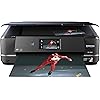
Epson Expression Photo XP-960 Wireless Color Photo Printer with Scanner and Copier, Amazon Dash Replenishment Ready

  • Based on 0 reviews
Condition: New
Checking for the best price...
$540.64 Why this price?
Holiday Deal · 43% off was $949.95

Buy Now, Pay Later


As low as / mo
  • – Up to 36-month term if approved
  • – No impact on credit
  • – Instant approval decision
  • – Secure and straightforward checkout

Ready to go? Add this product to your cart and select a plan during checkout.

Payment plans are offered through our trusted finance partners Klarna, Affirm, Afterpay, Apple Pay, and PayTomorrow. No-credit-needed leasing options through Acima may also be available at checkout.

Learn more about financing & leasing here.

Selected Option

Free shipping on this product

This item is eligible for return within 30 days of receipt

To qualify for a full refund, items must be returned in their original, unused condition. If an item is returned in a used, damaged, or materially different state, you may be granted a partial refund.

To initiate a return, please visit our Returns Center.

View our full returns policy here.


Availability: Only 1 left in stock, order soon!
Fulfilled by Office Tech Supplies (S/N Recorded)

Arrives Sunday, Jan 4
Order within 23 hours and 53 minutes
Available payment plans shown during checkout

Protection Plan Protect Your Purchase
Checking for protection plans...

Style: Printer Only


Features

  • Epson strongly recommends the use of Genuine Epson inks for a quality printing experience. Non Epson inks and inks not formulated for your specific printer may cause damage that is not covered by the Epson warranty.
  • Professional photo quality stunning borderless photos up to 11" x 17" and sharp text, with brilliant six-color Claria Photo HD Inks
  • Fast 4" x 6" photos in as fast as 11 seconds(1)
  • Ultimate wireless designed for easy printing from your iPhone, iPad, Android mobile devices and many more(2); includes Wi-Fi Direct(4) for router-free printing
  • Innovative fold-over scan lid holds originals in place
  • Note: This printer is designed for use with Epson cartridges only, not third-party cartridges or ink. See Product Description for more details
  • One-of-a-kind creative projects rear paper feed accommodates specialty paper(3); plus, print directly onto DVDs
  • Creative Print mobile app easily print Facebook photos and create custom cards, stationery and more
  • Easy 4.3 intuitive touchscreen with gesture navigation

Description

The expression photo XP-960 wireless, wide-format Small-in-One printer puts professional-quality photo printing at your fingertips. Featuring six-color Ultra HD inks, This compact all-in-one is also powerful, printing 4" X 6" Photos in as fast as 11 seconds1. Easily print from your iPad, iPhone, tablet or smartphone2 - with or without a router - at home or on the go. Quickly produce stunning borderless photos up to 11" X 17" - or print on specialty paper3 and dads. The innovative, Fold-Over scan lid holds originals in place. An intuitive 4.3" Touchscreen makes tasks easy. Plus, you can easily Print Facebook photos and more with Epson creative Print app. this Epson printer is designed for use with only genuine Epson-brand cartridges. Other brands of ink cartridges and ink supplies are not compatible and, even if described as Compatible, may not function properly or at all. Epson provides information about the design of the printer on the box and in many other locations and materials Included with the printer and on the website. epson periodically provides firmware updates to address issues of security, performance, minor bug fixes and ensure the printer functions as designed. This printer was designed to work only with genuine Epson ink cartridges and some updates may affect the functionality of third party ink. Non-epson branded or Altered Epson cartridges that functioned prior to a firmware update may not continue to function. 1 color photo in draft mode on premium photo paper glossy measured from start of paper feed. Actual print times will vary based on system configuration, software and page complexity.see for details.2 most features require an Internet connection to the printer, as well as an Internet- and/or email-enabled device. See for a list of Epson Connect enabled printers and compatible devices and apps.3 specialty paper support accommodated through rear paper feed, maximum 23 Mil paper thickness, manual 2-sided printing only.4 Wi-Fi certified; level of performance subject to the range of the router being used. Wi-fi Direct may require printer software.5 requires easy photo scan software (included). Mac version may require software download.6 adapter may be required.7 display permanence based on accelerated testing of prints displayed under glass in indoor display conditions; album permanence based on accelerated testing of prints in dark storage conditions. Actual print stability will vary according to media, printed image, display conditions, light intensity, temperature, humidity and atmospheric conditions. Epson does not guarantee the longevity of prints. For maximum print life, display all prints under glass or UV filter or properly store them.8 compared to single color cartridges; retail prices may vary.9 smudge, scratch, water and fade resistant on Epson photo papers. For CDs/DVDs, resistant only on specially-treated discs.10 for convenient and reasonable recycling options, visit 11 smart way is an innovative partnership of the U.S. Environmental Protection Agency that reduces greenhouse gases and other air pollutants and improves fuel efficiency.

Brand: Epson


Connectivity Technology: Ethernet, USB, Wi-Fi


Printing Technology: Inkjet


Special Feature: Auto Document Feeder


Model Name: XP-960


Printer Output: Color


Maximum Print Speed (Color): 9


Max Printspeed Monochrome: 28 ppm


Item Weight: 21.5 Pounds


Product Dimensions: 23.6"D x 18.9"W x 11.6"H


Controller Type: Android, Vera, iOS


Maximum Media Size: 8.5 x 14 inch


Power Consumption: 21 Watts


Included Components: Cartridge - black, Cartridge - cyan, Cartridge - light cyan, Cartridge - light magenta, Cartridge - magenta, Cartridge - yellow, Printer / copier / scanner


Print media: Envelopes, Paper (plain)


Scanner Type: document


Max Input Sheet Capacity: 50


Max Copy Speed (Black & White): 28 ppm


Compatible Devices: Laptops, PC, Smartphones


Maximum Color Print Resolution: 4800 dpi


Sheet Size: 11 inch x 17 Inches, 4 inch x 6 Inches


Maximum Black and White Print Resolution: 9600 dpi


Warranty Type: warranty


Color Depth: 48 bpp


Dual-sided printing: Yes


Maximum copies per run: 99


Wattage: 21 watts


Max copy resolution color: 4800 dpi


Max copy resolution black-white: 4800 dpi


Duplex: Automatic


Hardware Interface: USB


Ink Color: Cyan, Magenta, Yellow, Black, Light Cyan, Light Magenta


Additional Printer functions: Copy


Control Method: Voice


Number of Trays: 1


Total USB Ports: 1


Model Series: XP-960


UPC: 010343920231


Printer Ink Type: Six-color inks


Supported Media Sizes: 4 x 6 inches


Global Trade Identification Number: 31


Memory Storage Capacity: 64 MB


Product Dimensions: 10.4 x 19.1 x 16.8 inches


Item Weight: 21.5 pounds


Item model number: C11CE82201


Is Discontinued By Manufacturer: No


Date First Available: August 27, 2015


Manufacturer: Epson


Frequently asked questions

If you place your order now, the estimated arrival date for this product is: Sunday, Jan 4

Yes, absolutely! You may return this product for a full refund within 30 days of receiving it.

To initiate a return, please visit our Returns Center.

View our full returns policy here.

  • Klarna Financing
  • Affirm Pay in 4
  • Affirm Financing
  • Afterpay Financing
  • PayTomorrow Financing
  • Financing through Apple Pay
Leasing options through Acima may also be available during checkout.

Learn more about financing & leasing here.

Top Amazon Reviews


  • Easy to use, excellent overall
Style: Printer Only
This is my first Epson printer, previously owned Canon photo printers which were good but the ink head clogged constantly. This is a mid-sized printer, can copy and scan also. 1. Photo printing - superb, BUT you need to fiddle with it to find the correct settings and you need to use quality paper. A cheap photo paper from Costco didn't work for me. I use Ilford Gallerie with great results. 2. BW printing (documents, texts) is very good, too, on par with my laser printer. It has double sided printing which is super easy to use 3. Scanning - Excellent, easy to use, great quality and with multiple options regarding resolution. Outperforemed a Brother laser printer I had 4. Copying - also good, it's manual feed only 5. Setup - Easy, no problems CONS Only one: cost of ink. This is a very expensive printer to use as your primary printer, if you need to print documents constantly (especially if working from home) it will cost you quite a bit. Consider a dedicated printer for BW documents - I recently got a laser for that and I'm happy with it. My opinion is that if you want to print color photographs and scan documents this printer is excellent. For daily use find a cheaper alternative. ... show more
Reviewed in the United States on August 9, 2020 by MarcNY

  • Epson 960 printer
Style: Printer with Scanner and Copier - XP-970
Excellent product easy to setup
Reviewed in the United States on October 15, 2025 by James Evans

  • Bad Out of the Box
Style: Printer Only
Did not print properly right out of the box. I ran alignment after alignment and each subsequent page just got worse. I finally got to a point where I thought it would be acceptable if I slowed the printing speed down with high quality settings. Then, I tried to print a photo and the black ink just blotched all over the photo, and this was after a dozen alignment pages a few nozzle checks and a couple of head cleanings. I waited until the next day to call Epson about it, the tech did not listen to my observations, he just kept following his stupid script. He made me do nozzle check and head cleaning two times each, with no change in performance. It shouldn't be this hard to get this up and running properly. Also, quiet mode does nothing to improve the clunky sounds this thing makes. For what I paid for this printer, I would have expected better and quieter performance right out of the box. I've had an Epson RX-560 and RX-580 over past years, and they both worked pretty well, probably my RX-560 was the best photo printer I've ever had. I guess it's time to give up on Epson. I didn't want to buy Canon, but every time I set them up for the guys at work, the Canons always produce great photos. I wanted the XP-960 for the large format and CD printing ability, I always have liked Epson's CD print utility, it reminds me a lot of the old EZ CD Creator utility back in the early 2000's., It's very easy to use compared to Canon's "garden" software, which is a nightmare to use. Anyway, back the support guy on the phone, he told me to let it rest for a day, and then run the alignments again and then call them again if it doesn't improve! That was the most ridiculous thing I've heard as of late! How is letting it sit for 24 hours and running the same re-alignments over again going to help when I just did it? I ran all the same tests myself the day before I called Epson. I'm not a dummy when it comes to printer setup, I've done dozens of them over the years for both work, home, friends and acquaintances As an engineer, I think I know a few things about printers, I've set up everything from photocopiers for business to laser jet printers for the office environment and quite a few bubble jet and inkjet printers over the last 20 years and other than a frustrating HP one time, this has got to be one of the more frustrating printers I've dealt with, not to mention that the stupid HUGE automated door on the front gets in the way of the dinky, flimsy paper trays you can't get any paper in. I told the guy, if this is what the Epson product is going to be right out of the box, then I don't want it, I'm sending it back. I figure, if it's going to give me this kind of trouble brand new, then what surprises is it going to have for me down the road? Guess I'm still on the hunt for an affordable large format printer that can print on CDs. If they would have spent more time designing the printing section of this printer properly and less time on the stupid automated doors and whirring gizmos on this thing, I think they might have a better product, but it sucks. I will reconnect my old RX-580, it prints badly, but at least I understand why, it's several years old and is done. But, there's no excuse for a new printer to act like an old one! By the way, there are no sample papers with this printer like Epson product in the past. The support guy asked me if I had Epson paper, and I told him, how could I if they don't see fit to include anything in the box any more? Besides, a printer should be able to print on whatever you stick in it. By the way, I almost forgot, when I went to put paper in the rear paper feeder, it sucked the whole lot into the printer! None of my older Epsons ever did that! What a mess this thing is! ... show more
Reviewed in the United States on March 26, 2018 by Marvin W.

  • A great value if you need 11x17 in a small space
Style: Printer Only
This is a great printer so far. I love that it has a footprint that is barely bigger than your average entry level inkjet but it will do 11x17. I am excited to do some large photo prints on this bad boy. I had no idea that the screen and the paper tray were motorized.I geeked out a bit when the screen pivoted up and the tray extended. Setup was easy and I have had no issues with wireless printing or scanning from windows or android. Do yourself a favor and spend the $10-15 for a ream of premium bright white inkjet paper. I did my first couple prints on $3 multipurpose copy paper and the ink absorbed in and was faded and blah. On the premium paper it's bright and laser sharp. I can't wait to see what it will do on proper matte or gloss photo paper, especially once I get the profiles dialed in. The feed tray is a little small and the per page speed isn't anything to brag about but this isn't intended to be a volume printer so I don't feel like that's a minus. The ink is dye and not pigment like on the high end HP printers but on Epson photo paper they say it is fast-drying, moisture resistant and 70 years color-fast. I remember old photo prints would get sticky against glass in a frame or fade quickly but this seems like it should have lasting quality up to the level of my needs.Very pleased so far. Update for 2021: I still love this printer. The scanner works very well. I haven't had any real issues with connectivity or jamming or anything. Photo prints look excellent if you use Epson photo paper. I tried some leftover glossy photo paper from 2 other brands and the results were poor. The Epson papers work flawlessly, though. My only complaint is that the cartridges are a bit spendy and don't seem to last very long. ... show more
Reviewed in the United States on May 4, 2018 by Negative459

Can't find a product?

Find it on Amazon first, then paste the link below.
Checking for best price...