



Search  for anything...

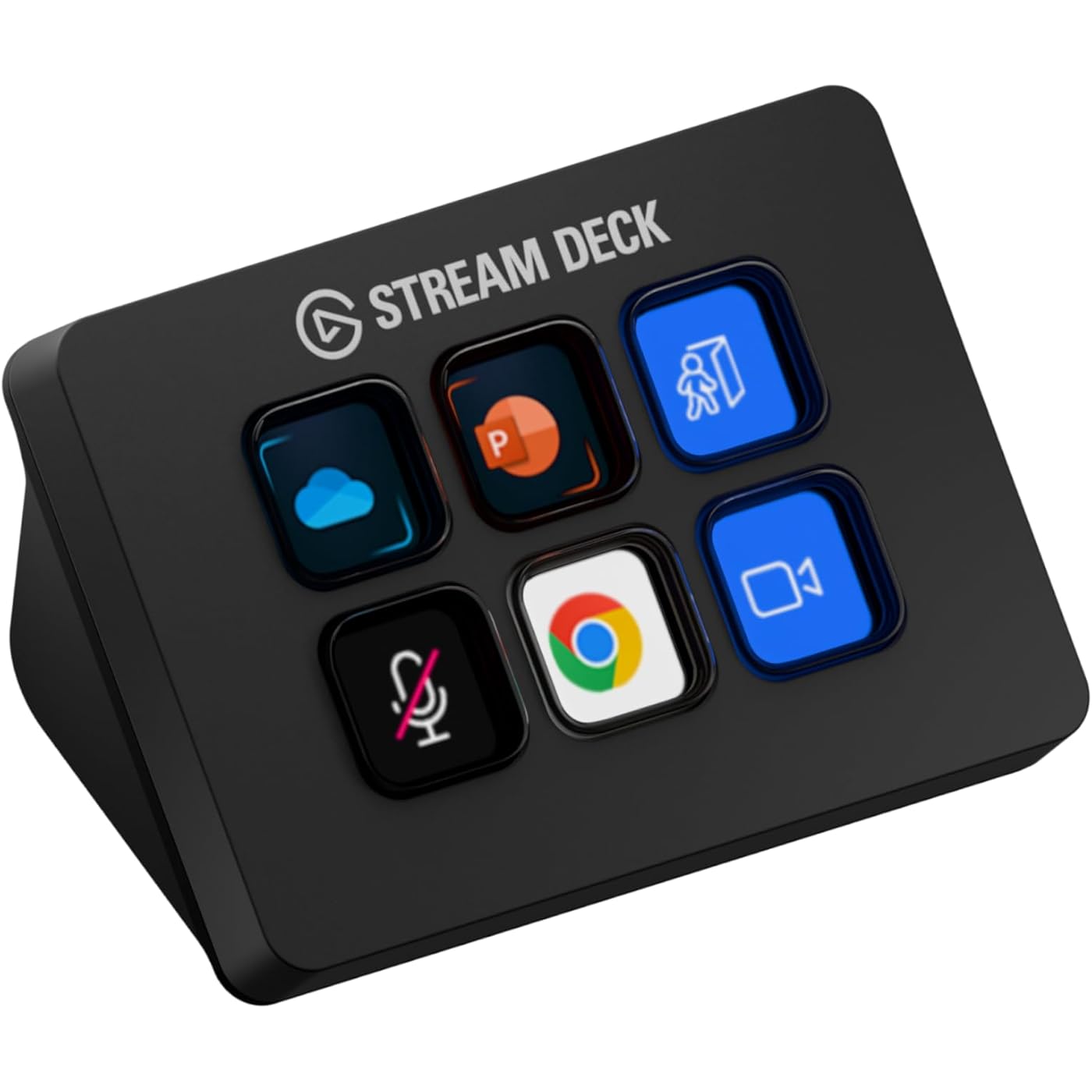
Elgato Stream Deck Mini – Control Zoom, Teams, PowerPoint, MS Office and Boost Productivity with Seamless Integration for Daily Apps, Set Up Shortcuts Easily, USB, Compatible with Mac and PC

  • Based on 7,390 reviews
Condition: New
Product info up-to-date
$59.99 Why this price?
Save $30.00 was $89.99

Buy Now, Pay Later


As low as $10.00 / mo
  • – 6-month term
  • – No impact on credit to apply
  • – Instant approval decision
  • – Secure and straightforward checkout

Ready to go? Add this product to your cart and select a plan during checkout.

Payment plans are offered through our trusted finance partners Klarna, Affirm, Afterpay, Apple Pay, and PayTomorrow. No-credit-needed leasing options through Acima may also be available at checkout.

Learn more about financing & leasing here.

Free shipping on this product

FREE 30-day refund/replacement

To qualify for a full refund, items must be returned in their original, unused condition. If an item is returned in a used, damaged, or materially different state, you may be granted a partial refund.

To initiate a return, please visit our Returns Center.

View our full returns policy here.


Availability: Only 10 left in stock, order soon!
Fulfilled by Amazon

Arrives Saturday, May 2
Order within 14 hours and 41 minutes
Available payment plans shown during checkout

Protection Plan Protect Your Purchase
Checking for protection plans...

Features

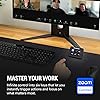
  • Work smarter not harder: forget keyboard shortcuts. Stream Deck Mini lets you assign tedious, hard to memorise shortcuts to a single key. Instantly identify and activate them without error.
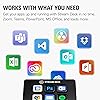
  • Compatible with your apps: Seamlessly integrate with essential software including Zoom, Teams, PowerPoint, Excel, Word, GoogleSuite, MS Office, Photoshop, Adobe Creative Apps, Spotify, Music, and many more.
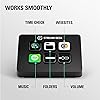
  • Customizable LCD keys: Instantly activate commands and functions with a single tap.
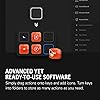
  • Easy Set Up: User-Friendly Software. Drag actions onto keys. Then personalize settings with ease.
  • Multi-action efficiency: Execute multiple actions at once or in a sequence, precisely timed.

Description

Stream Deck Mini features six customizable LCD keys that let you instantly trigger unlimited actions in popular apps like OBS Studio, XSplit, Streamlabs, Twitch, YouTube and many more — the list keeps growing and the possibilities are endless thanks to Stream Deck SDK. Technical Specifications Dimensions: 84 x 60 x 58 mm / 3.3 x 2.4 x 2.3 in. Weight: 160 g Keys: 6 customizable LCD keys Interface: integrated USB 2.0 cable (150 cm / 59.1 in.) System Requirements macOS 10.15 or newer Windows 10 (64-bit)

Brand: Elgato


Connectivity Technology: USB


Connector Type: Micro USB


Special Feature: Compact


Resolution: 1080p


Supported Internet Services: YouTube


Controller Type: App Control


Form Factor: TV Box


Color: Black


Model Name: stream deck mini


Connectivity Technology: USB


Connector Type: Micro USB


Other Special Features of the Product: Compact


Resolution: 1080p


Supported Internet Services: YouTube


Controller Type: App Control


Form Factor: TV Box


RAM Memory Installed: 3 GB


Compatible Devices: Personal Computer


Memory Storage Capacity: 12 GB


Video Output Resolution: 1920 Pixels


Video Codec: H.264, H.265/HEVC


Smart Home Compatibility: Not Smart Home Compatible


Color: Black


Item Weight: 6.17 Ounces


Item Dimensions L x W x H: 2.4"L x 2.3"W x 3.3"H


Brand: Elgato


Model Number: 10GAI9901


Model Name: stream deck mini


UPC: 813180020658


Global Trade Identification Number: 58


Mfr Part Number: 10GAI9901


Manufacturer: Elgato


Unit Count: 1.0 Count


Item Type Name: Elgato Mini Stream Deck Live Content Creation Controller with 6 customizable LCD keys, for Windows 10 and macOS 10.11 or later, Black (10GAI9901)


External Testing Certification: Não Aplicável


Built-In Media: Stream Deck Mini, Quick Start Guide


Warranty Description: 12 months


Frequently asked questions

If you place your order now, the estimated arrival date for this product is: Saturday, May 2

Yes, absolutely! You may return this product for a full refund within 30 days of receiving it.

To initiate a return, please visit our Returns Center.

View our full returns policy here.

  • Klarna Financing
  • Affirm Pay in 4
  • Affirm Financing
  • Afterpay Financing
  • PayTomorrow Financing
  • Financing through Apple Pay
Leasing options through Acima may also be available during checkout.

Learn more about financing & leasing here.

Top Amazon Reviews


  • Perfect for my use.
I've already own a couple of 32-button Stream Deck XL's for several years and really like them. That said, I have a situation on one of my pc's where I wanted the macro functionality on only a few buttons and an XL was overkill with its 32 buttons as well as taking up more desk space that I wanted to give up. The question for me was, would this mini support the functionality I wanted like its big brother? The answer was a resounding YES. As soon as I plugged the mini in, the Elgato Stream Deck software recognized it and all the familiar programming options showed as usual. In short order I had the macro I needed programmed and the button graphics set the way I wanted. The only real differences I've seen so far between the 32-button XL and this 6-button mini are the number of buttons and the price tag. Build quality is exactly the same - excellent. Functionality is as good as the XL. Its compatible with the software. What's not to love? As far as other comments about it sliding around on the desk, there was a clear plastic sticker covering its rubber base. Peeled that off and no sliding. Not even on my glass mouse pad. As long as you don't pound on it like a gaming keyboard, it's not going anywhere. It's NOT a keyboard. It has buttons. Those buttons don't take much effort to push down. They are slower than keys on a gaming keyboard, which should be fine since they were never intended for typing. They are all individual little displays that you can make look like pretty much anything you want within the limitations of how many pixels are available. No more stick on labels or swapping key caps. There is nothing entry level about this mini. It just has fewer buttons than its bigger brothers and cost less. For me it fits a particular niche I had and does so perfectly. ... show more
Reviewed in the United States on August 27, 2025 by JimW

  • Great Little MIni
I am not a streamer. I am a gamer, but this is mostly used for Photoshop and basic PC functions. Overall, it was awesome. It did exactly what it claims to do. And, it did a lot more. At first, I was bummed because if you add pages, a button for Next Page and Previous are needed to navigate. I thought it was going to take up two buttons on the Mini. Thankfully, you can set up a Key Logic button. Key Logic buttons add the ability to single, double tap, or hold to activate different functions. So, I was able to use the single tap to change page, double tap to launch a program, or hold to change a profile. No button seems wasted. As a digital artist, I love to customize any thing that has some kind of screen and can display images. Stream Decks support both still images and GIFs. I have had so much fun creating my own icons and GIFs to use on the buttons. One major star of the whole Stream Deck experience is the software. The software is easy to understand and use. Everything is mostly drag and drop onto the preview layout and then selecting a few options. Changing icons is as easy as dropping a file on the preview icon, and it will update instantly on your Stream Deck. I ended up returning it and getting the 15-Key version because using the Mini showed me what a Stream Deck can really do. I ended up realizing that I wanted more face keys. This is the only caution I have for the Mini. ... show more
Reviewed in the United States on November 19, 2025 by R. Hernandez

  • This is a great "nice to have" solution for working from home
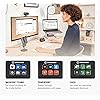
I did not buy this for streaming, and instead use this for working from home at my desk. Reasons why I enjoy it * Zoom - I was able to program shortcuts and just have a nice little gadget to mute, raise hand, camera on/off, and leave calls. I felt more engaged in the meeting vs using my mouse to move all over the screen and getting distracted by other things going on * Elgato Key Light - I received this as part of a work from home package and at first I wasn't sure if I cared but it ended up being a very useful and needed light source for my needs. Having a simple button at my fingertips made this a nice add. * Pomodoro Timer - I was able to use this to trigger multi-actions. So I had a pomodoro timer turn on and also a white noise track from spotify play at the same time. This allowed me to get my focus work done. * Calendar - I had set up separate buttons specifically to pull up my calendar on a specific area of my screen (used with moom) to have a good glance at my day. I use this feature often since my day is filled with zoom meetings. * World clock - I was able to display a world clock which is useful since I have teams across the world I work with * Spotify - nice to have controls at my finger tips. * App Launcher - it works just like cmd-tab, but I could toggle thru my apps by using a button. So... to be fair, none of this *required* a stream deck, but it definitely did make things a lot more simple, and I really liked this experience that I didn't realize I would benefit from, especially working from home. However, I have decided to return the mini. I was going to buy the 15key one because while the mini does allow for folders and menus, I find that I would be willing to pay a little extra to not have to dig thru menu items. However, before I buy the 15key, I am going to try the mobile app version on a stand first. One day with the mobile version definitely means it is not as tactile (the buttons on the stream deck feel great) but it does provide the same functionality as the 15key at a fraction of the cost. I think this is a great product for those working from home and taking video calls with teams often. This can be programmed to do a lot of things and I feel like I haven't scratched the surface. The mini definitely did everything I mentioned above, but I have the desk space and disposable income to maybe take it a step further. Highly recommend, but not needed. It's like wired vs wireless headphones. Wired was fine, wireless is better. ... show more
Reviewed in the United States on May 8, 2022 by southenduser

  • Good device
Easy to use. Buttons are a good size. Decent price. Controls are easy to use. Compatible with my Windows computer.
Reviewed in the United States on March 1, 2026 by Amazon Customer

  • can cut out at time but still very function able
this was a good product i love using it for streaming it has a few problems here and there like moving around when i press the buttons but the sound of the buttons make up for that with a very satisfying deep click sound it looks really good especially the little screens it can easy connect to my pc had it running in like 5 minutes the buttons are responsive but u have to press down a little hard and that can be a little frustrating the as i said it can coonect to my pc easy but sometimes the keyboard will cut out and not be responsive at all but that's all i have to really say about the elgateo stream deck mini ... show more
Reviewed in the United States on January 4, 2026 by Idk

Can't find a product?

Find it on Amazon first, then paste the link below.