Search  for anything...

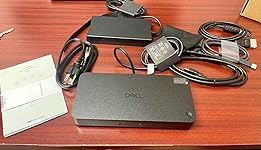
Dell Pro Dock WD25 - USB-C Docking Station 3 Year Warranty with 100W Power Delivery, Dual Display Support, and 2.5GbE Ethernet with Adapter + HDMI + DisplayPort Cable + C to C Cable + Cloth

  • Based on 28 reviews
Condition: New
Checking for the best price...
$169.95 Why this price?
Save $30.00 was $199.95

Buy Now, Pay Later


As low as $28.33 / mo
  • – 6-month term
  • – No impact on credit
  • – Instant approval decision
  • – Secure and straightforward checkout

Ready to go? Add this product to your cart and select a plan during checkout.

Payment plans are offered through our trusted finance partners Klarna, Affirm, Afterpay, Apple Pay, and PayTomorrow. No-credit-needed leasing options through Acima may also be available at checkout.

Learn more about financing & leasing here.

Free shipping on this product

30-day refund / replacement

To qualify for a full refund, items must be returned in their original, unused condition. If an item is returned in a used, damaged, or materially different state, you may be granted a partial refund.

To initiate a return, please visit our Returns Center.

View our full returns policy here.


Availability: In Stock.
Fulfilled by Amazon

Arrives Thursday, Mar 12
Order within 22 hours and 9 minutes
Available payment plans shown during checkout

Protection Plan Protect Your Purchase
Checking for protection plans...

Features

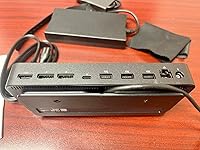
  • Comprehensive Connectivity: Expand your workspace with 1 x HDMI 2.1, 2 x DisplayPort 1.4, and 1 x USB-C multi-function display port for multiple display setups.
  • High Power Delivery: Delivers up to 100W of power to Dell laptops and 96W to non-Dell devices, ensuring your system stays charged while connected.
  • Multi-Port USB Hub: Includes 4 x USB-A 3.2 Gen 2 ports and 1 x USB-C 3.2 Gen 2 for fast data transfer and powering peripherals.
  • Faster Networking: Experience high-speed internet with the 2.5GbE Ethernet port, providing stable and quick network connectivity.

Brand: ANYHDD


Color: Black


Hardware Interface: USB Type C


Compatible Devices: DELL


Total USB Ports: 6


Number of Ports: 11


Item Weight: 1.52 Kilograms


Total HDMI Ports: 1


Wattage: 100


Global Trade Identification Number: 86


Package Dimensions: 11.5 x 9.57 x 2.91 inches


Item Weight: 3.34 pounds


Item model number: Dell Pro Dock WD25


Date First Available: April 25, 2025


Manufacturer: ANYHDD


Frequently asked questions

If you place your order now, the estimated arrival date for this product is: Thursday, Mar 12

Yes, absolutely! You may return this product for a full refund within 30 days of receiving it.

To initiate a return, please visit our Returns Center.

View our full returns policy here.

  • Klarna Financing
  • Affirm Pay in 4
  • Affirm Financing
  • Afterpay Financing
  • PayTomorrow Financing
  • Financing through Apple Pay
Leasing options through Acima may also be available during checkout.

Learn more about financing & leasing here.

Top Amazon Reviews


  • Name brand and quality
Just what I needed
Reviewed in the United States on September 29, 2025 by RHONDA THOMPSON

  • One Cable to Rule Them All – The Dock That Actually Does Its Job
Since 1975, I’ve been around more computers, terminals, and operating systems than I care to count. My first “portable” machine—a Kaypro—was about as portable as a cinder block and weighed more than a small dog. I’ve worked on HP 3000 minis that stored data on paper tape (and yes, used it to boot up), hammered away on 10CPS teletypes, and typed on keyboards that sounded like typewriters in a concrete bunker. I’ve managed server stacks that filled multiple rooms, dealt with air-gapped systems, and I still own an original IBM PC—complete with the pre-hard drive BIOS and the later “fancy” one that actually supports HDDs. Over the decades, I’ve rotated through Dell, HP, Lenovo, SuperMicro, Packard Bell, and a few long-departed brands now relegated to tech history (RIP, Compaq—you ran 24/7 for nearly 10 years before finally giving up the ghost). Through it all, Dell has consistently landed in my “middle of the road but always reliable” category—never the flashiest, but rarely the one that has me cursing at 2 A.M. Dell has never left me flat. The years of consistency and reliability have kept them near the top of my list. This WD25 docking station is no different. Everything works exactly like it should. Plug in and—POOF!—I’m working. None of that “reboot three times, update firmware, sacrifice a goat” nonsense I’ve run into with certain no-name docks. Even my MacBook behaves when I connect it here, which is saying something. The layout is pure Dell—practical, logical, and clearly designed by someone who’s actually used one. It’s not a showpiece you’d put in a display case, but I’ll take function over beauty any day. A clean desk is nice; a desk that works every single time is glorious. Right now, this dock lives at one of my construction sites. I’ve got other Dell docks scattered across different job sites because, frankly, I hate hauling gear around like a pack mule. Now I just walk in, plug in one cable, and I’m up and running in seconds. No adapter roulette, no cable spaghetti—just in, connected, and working. That’s my kind of efficiency. What it does well: Powers my laptop without slow trickle charging. Runs dual displays without breaking a sweat. Provides a rock-solid 2.5 GbE Ethernet connection—no lag when moving huge project files. Has enough ports to keep everything connected without a USB octopus hanging off the side. Comes with the cables you actually need (bonus points for that). Bottom line: This is the kind of dock you set up and then forget about, which is the highest compliment I can give any piece of tech. If it works so well that I stop thinking about it, it’s doing its job right. ... show more
Reviewed in the United States on August 10, 2025 by KittyCatSeniors

  • Solid / High Quality Docking Station
I picked up this docking station because I’ve had a multiple laptops around the mac that I’d like to set up in a more efficient, docked configuration. It seemed like a solid choice, and most of what I needed it covered. The first thing that caught my eye was the lack of dual‑monitor support on Macs. If you plug a Mac into the dock, the displays just mirror each other, which isn’t a deal‑breaker for me since I never intended to use a Mac with external screens. For a single‑monitor setup a Mac works fine, but if you want two monitors you’ll need a Windows or Dell machine. I’ve been using it with a Dell laptop and everything synced up perfectly. The power block is a bit awkward. The plug‑in design feels like the two pieces don’t sit quite right together, so you end up putting the power supply off to the side and positioning the dock wherever you need it. There’s a tether or wrap that comes with it, but it’s unclear whether it’s meant to loop around the dock or just hold the cables. It doesn’t really affect performance, but it feels non‑intuitive. Port-wise, it’s generous. Two DisplayPort outputs and a single HDMI are useful, but I’d have preferred two HDMI ports if I wanted to avoid juggling a DisplayPort and an HDMI cable. Still, the dock has enough ports for most peripherals—USB, Ethernet, audio, etc.—and the overall size is enough to keep everything connected without cramping. I scanned the QR code for the Dell support page, but the site demands a login for any substantial information. That was a bit frustrating, and I didn’t find the documentation useful. All in all, I’m satisfied with the dock. It’s a bit on the pricier side, but if you’re looking for a high‑quality docking solution and you’re using a compatible laptop, it’s worth a look. Pros - Works flawlessly with Dell/Windows laptops - Lots of ports for peripherals - Solid build quality - Good for single‑monitor Mac setups Cons - No dual‑monitor support on Macs (mirror only) - Power block design feels clunky - Only one HDMI port - Limited online support resources without login ... show more
Reviewed in the United States on August 18, 2025 by Biggins48 Biggins48

  • Essential for My City Apartment Workspace
Working from my city apartment, I needed a reliable way to connect my laptop to my dual monitors, wired internet, and all my peripherals without a bunch of separate cables. This Dell Pro Dock WD25 does exactly that, handling everything through one USB-C connection, even powering my laptop with 100W. The 2.5GbE ethernet is a huge plus for faster file transfers and more stable video calls. Build quality feels solid and durable, typical of Dell, and it sits unobtrusively on my desk. While it’s definitely an investment, the features and 3-year warranty make it worth the price for a clean and efficient workspace. My only minor complaint is that it's a bit larger than I initially expected, taking up a fair amount of desk space, but that's a small trade-off for its performance. ... show more
Reviewed in the United States on September 12, 2025 by Destrey

  • Excellent laptop dock
What it is: Dell USB C docking station. Features 1x HDMI 2.1, 2x DisplayPort 1.4, and 1x USB-C multi-function display ports; Delivers up to 100W of power to Dell laptops and 96W to non-Dell laptops; 4x USB-A 3.2 Gen 2 ports, 1x USB-C 3.2 Gen 2 ports; 1x 2.5GbE Ethernet port. Includes instructions, 1 usb c to usb c cable, 1 DisplayPort cable, 1 hdmi cable. Why I like it: This universal dock provides outstanding power delivery, very fast Ethernet connectivity, and flexibility in connecting multiple monitors (at different resolutions) and usb devices. Connections are fast and stable, and it works well with both my Dell and Lenovo laptops. For the price, this is one of the more powerful docking stations available in terms of power delivery, speed, and display resolution. ... show more
Reviewed in the United States on October 3, 2025 by Vince of the Midwest Vince of the Midwest

Can't find a product?

Find it on Amazon first, then paste the link below.
Checking for best price...