


Search  for anything...

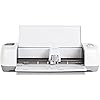
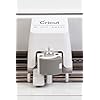
Cricut Explore One Cutting Machine

  • Based on 0 reviews
Condition: Used - Very Good
Checking for the best price...
$162.89 Why this price?
Save $249.00 was $411.89

Buy Now, Pay Later


As low as $27.15 / mo
  • – 6-month term
  • – No impact on credit to apply
  • – Instant approval decision
  • – Secure and straightforward checkout

Ready to go? Add this product to your cart and select a plan during checkout.

Payment plans are offered through our trusted finance partners Klarna, Affirm, Afterpay, Apple Pay, and PayTomorrow. No-credit-needed leasing options through Acima may also be available at checkout.

Learn more about financing & leasing here.

Free shipping on this product

This item is eligible for return within 30 days of receipt

To qualify for a full refund, items must be returned in their original, unused condition. If an item is returned in a used, damaged, or materially different state, you may be granted a partial refund.

To initiate a return, please visit our Returns Center.

View our full returns policy here.


Availability: Only 1 left in stock, order soon!
Fulfilled by Kansas City Typewriter

Arrives May 18 – May 20
Order within 17 hours and 12 minutes
Available payment plans shown during checkout

Protection Plan Protect Your Purchase
Checking for protection plans...

Features

  • Provo Craft-Cricut Explore One Machine
  • You'll get the perfect cut when you select the material with a turn of the Smart Set dial and Cut Smart technology delivers the most precise cuts
  • Design on your computer or iPad using free cloud- based software

Description

Provo Craft-Cricut Explore One Machine. Explore One will cut paper vinyl iron- on even thick materials like leather and felt. Design on your computer or iPad using free cloud- based software. You'll get the perfect cut when you select the material with a turn of the Smart Set dial and Cut Smart technology delivers the most precise cuts. Explore One will accept Cricut cartridges. This 9-1/2x9- 3/8x24 inch package includes one Cricut Explore One machine Cricut Design Space online design software and iPad app German carbide premium blade USB and power cords one 12x12 inch cutting mat 50+ free images 25+ free project ideas one vinyl sample and an instruction guide. Imported.

Brand: Cricut


Material: Vinyl,Leather


Color: silver


Active Surface Area: 89.375 square inches


Operation Mode: Automatic


Brand Name: Cricut


Manufacturer: Provo Craft & Novelty


Global Trade Identification Number: 56


UPC: 093573039256


Part Number: 2002832


Model: 2002832


Unit Count: 1.0 Count


Operation Mode: Automatic


Print media: Paper (plain)


Active Surface Area: 89.375 square inches


Item Weight: 13.8 Pounds


Material Type: Vinyl,Leather


Color: silver


Frequently asked questions

If you place your order now, the estimated arrival date for this product is: May 18 – May 20

Yes, absolutely! You may return this product for a full refund within 30 days of receiving it.

To initiate a return, please visit our Returns Center.

View our full returns policy here.

  • Klarna Financing
  • Affirm Pay in 4
  • Affirm Financing
  • Afterpay Financing
  • PayTomorrow Financing
  • Financing through Apple Pay
Leasing options through Acima may also be available during checkout.

Learn more about financing & leasing here.

Top Amazon Reviews

  • Love my Cricut!
I was actually looking for a sillhouette cameo when I bought this but was impatient for a vinyl cutter so I just bought it. Totally pleased with its cutting ability and the design software it comes with to create my artwork. This package was particularly helpful, because although I did not know it when I ordered, having a few extra cutting mats really comes in handy and they can be $15 each at the local craft store, so I was pleased to have the extra mats and tools. It works well, and is a pretty and sleek machine, I have no complaints and I've had it now for 5 months. Shipped quickly to my front door without any box damage or issues. ... show more
Reviewed in the United States on January 23, 2017 by Lauren

  • GOTA HAVE IT!
Style: Explore One
Just arrived and we are VERY impressed. This is our second one and they've come a LONG way since the beginning. The new software is easy to use (web based) and the machine is incredible. First project was a stencil cut out of card stock. The machine did it perfectly and was even able to cut some very small details. Next we cut some vinyl for some decals and again, perfection. It has settings for other materials as well that we havent tried yet but I have no doubt we'll be equally impressed when we do. If you do any sort of craft work where you need detailed designs, this is a MUST HAVE. ... show more
Reviewed in the United States on August 24, 2016 by phalcon45

  • Having so much fun with this machine
Style: Explore One
I have an original Cricut cutter that only handled 6" wide paper. I'm so excited to upgrade to the 12" size. This machine works nice. I've had to refer to YouTube tutorials a LOT since the software is hard to figure out on your own. This machine requires internet connection and needs to be hard wired to your computer (cord included). Wireless is achieved via another accessory you must buy. If you buy this machine, strongly suggest you also buy the scoring stylus and pen. The Explore and Explore Air have the ability to cut and use the scoring stylus or pen as it has 2 "slots". This machine only has one slot so you must switch between the blade and the scorer/pen, but it stops cutting to allow you to change out the blade for the scorer or pen when the scorer/pen is needed. PS I just love this machine. I wrote the above review 2 days after I got it. It's been a month or so and I'm having so much fun with it. I subscribe to Cricut Design Space and am getting pretty good at custom designing cards. Definitely hooked, ... show more
Reviewed in the United States on May 4, 2016 by MorningGlory

  • Can finally use my own images without using a separate program
Style: Explore One
I just started using this, and I must say, it cuts beautifully. It's quieter than the original Cricut and the materials knob takes away the guessing that came along with older machines. Set-up was fairly simple. The one negative that I have isn't so much with the machine but rather, with the program Cricut Design Space that you use for all of the cutting. This machine allows you to use your own jpeg and svg files. SVG files load rather easily and automatically trigger the "cut" option when you are printing. However, when trying to use my own jpeg file that I had uploaded, I was only given the option to print (on a printer) and then cut. I searched the help section for how to change this, and I could not find any information on how to change this. Thankfully, after a number of Google searches, I came across a very helpful blog that showed me how to prepare and then print the jpeg files. Once I followed the blog instructions, the machine cut the image beautifully. Update- after the initial hiccup, the machine has worked beautifully. The program, Design Space, does currently rely on Flash, so if your computer does not meet the minimum requirements, or if your internet or wifi don't meet the requirements, you may run into issues. ... show more
Reviewed in the United States on August 13, 2015 by Mandy

  • Love my Cricut!
LOVE LOVE LOVE MY CRICUT! Learning new things every day that I can make with it. If you're crafty like me but can't quite figure out how to make your crafts come to life, this might be the tool for you! It doesn't connect to your computer without a cord, but you can buy an adapter for that. I recommend getting another 12x12 mat with the light adhesive as well as the ones with the normal that come with it, I would not recommend using the normal adhesive cutting mat with cardstock or paper, it tears too easily and it's hard to get off the mat. ... show more
Reviewed in the United States on May 23, 2016 by Lyssabby

  • LOVE my Cricut
Style: Explore One
LOVE my Cricut! I found it for a much better price on Amazon than I have yet to find in stores. I opted to not get the bluetooth version and I don't think I am missing out one bit. The machine still has to be plugged into an outlet on my working desk and my computer is always right there with me on my working desk so it's no biggie to not have it wirelessly enabled. The Explore One does NOT allow you to cut and write at the SAME time but you can still cut and write separately. There is only one slot for the blade or the pen. I really don't even use the writing feature as you have to pay for almost very single font, however, you can use your own fonts but I noticed a lot of my fonts are not in 'writing style' format so they all come out blocked lettered which I do not like. Overall I would say this was a great investment. I can do so many crafts with this one machine! ... show more
Reviewed in the United States on October 26, 2015 by Flair and Festive

  • Favorite Thing Ever
Style: Explore One
Best crafters machine ever! I'm in love with this machine so much that I got one in December for Christmas then just bought another for my mother in law who loves to craft as well. Everything about this machine is easy to use, and the results are epic! I've been able to cut everything from vinyl to cardstock to felt when used right. I'm posting some pics of mine I used to cut labels for some essential roller bottles I made! ... show more
Reviewed in the United States on May 18, 2016 by Cricket Sosa

  • So many possibilities; cuts out details that are impossible by hand.
Style: Explore One
The Cricut Explore has so much potential for all sorts of crafts. Also unlike past versions, you can import and use your own designs and not have to buy cartridges as many people mistakenly believe. The detail that is possible with this cutter is amazing and I wish I had this sooner for some other projects that required so much time cutting things out by hand with a pair of scissors. I didn't know there was a better way until I got the Cricut Explore. ... show more
Reviewed in the United States on July 9, 2016 by MC

Can't find a product?

Find it on Amazon first, then paste the link below.
Checking for best price...