Search  for anything...

CREALITY FALCON A1 10W Laser Engraver, 80W Enclosed Laser Cutter and Engraver Machine with Air Assist, Smart Camera Positioning, 600mm/s Speed, Smart Material Recognition, Ideal for Wood & Metal

  • Based on 136 reviews
Condition: New
Checking for the best price...
$499.00 Why this price?
Save $50.00 was $549.00

Buy Now, Pay Later


As low as / mo
  • – Up to 36-month term if approved
  • – No impact on credit to apply
  • – Instant approval decision
  • – Secure and straightforward checkout

Ready to go? Add this product to your cart and select a plan during checkout.

Payment plans are offered through our trusted finance partners Klarna, Affirm, Afterpay, Zip, Apple Pay, and Google Pay. No-credit-needed leasing options through Acima may also be available at checkout.

Learn more about financing & leasing here.

Selected Option

Free shipping on this product

FREE 30-day refund/replacement

To qualify for a full refund, items must be returned in their original, unused condition. If an item is returned in a used, damaged, or materially different state, you may be granted a partial refund.

To initiate a return, please visit our Returns Center.

View our full returns policy here.


Availability: Only 3 left in stock, order soon!
Fulfilled by Amazon

Arrives within 30 days
Order within 12 hours and 55 minutes
Available payment plans shown during checkout

Protection Plan Protect Your Purchase
Checking for protection plans...

Color: A1 10W


Features

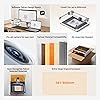
  • Ready to Use, Craft EasierReady to use straight out of the box. Falcon A1 10w laser engraver has pre-set different optimal parameter settings for your engraving, you can skip the trials and jump straight to success. The Falcon Design Space Software integrate creative browsing, vector design, device control and other functions for you to start their creative journey effortlessly.
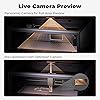
  • Smart CameraThe laser engraver machine, equipped with a pre-calibrated HD camera, offers you a full-frame view of the engraving area, allowing you to effortlessly lock onto the object you wish to engrave. Cuts out all the headache of manual tweaking and makes the whole setup smooth as butter.
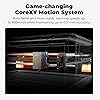
  • 3 Times FasterFalcon A1 adopts the latest CoreXY Motion System Technology and Dual Motor Power System, which enables the machine's engraving and cutting speed to reach 600mm/s, making the efficiency three times that of traditional models.
  • Graphic Outline ExtractionUnlock your creative potential with the graphic outline extraction feature. This functionality effortlessly captures and converts your design patterns into detailed engraving paths, enabling you to transform artistic ideas into unique, personalized engravings.
  • Class 1 SafetyThis engraving machine utilizes a dual-door enclosed design. Its transparent cover not only filters out 99% of laser radiation but also effectively blocks noise and smoke, ensuring a comfortable and safe environment for you. It also comes with auto-lock, emergency stop, and smoke control features.
  • Self-developed Engraving SoftwareThe Falcon software offering various editing functions to make your projects truly unique, versatile editing for all design levels. Its free, smart and easy for anyone to start their creative journey effortlessly. And our machine also supports popular software like LightBurn, LaserGRBL, and Cutlabx.
  • ***IMPORTANT NOTE: DO NOT compatible with the 500 500mm honeycomb panel, its working area's 381 305mm. Laser Class 1 and Power Output Level 10000mW.

Description

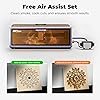
Visit the Store Visit the Store Visit the Store Visit the Store Carving different materials produces varying degrees of smoke effects, products compatible with air purifiers. You can directly see the entire working area through the camera, just drag & drop designs exactly where you want them. The smart camera can achieve auto positioning and auto batch filling, less time for higher productivity. Falcon A1 traces the contours of your designs, capturing creative patterns with the help of an HD camera, making every piece uniquely yours. The X and Y-axes of Falcon A1 are rigged together, with two powerful motors for fast and stable working. The speed is 3X faster than others. The camera digitally encodes to recognize and instantly load the ideal engraving and cutting settings. No more testing is needed, designed to work perfectly with Falcon machines!

Package Dimensions: 25 x 22 x 10.5 inches


Item model number: Creality Falcon A1


Item Weight: 43.6 pounds


Manufacturer: CREALITY FALCON


Date First Available: December 30, 2024


Frequently asked questions

If you place your order now, the estimated arrival date for this product is: within 30 days

Yes, absolutely! You may return this product for a full refund within 30 days of receiving it.

To initiate a return, please visit our Returns Center.

View our full returns policy here.

  • Klarna Financing
  • Affirm Pay in 4
  • Affirm Financing
  • Afterpay Financing
  • Zip Pay in 4
  • Financing through Apple Pay
  • Financing through Google Pay
Leasing options through Acima may also be available during checkout.

Learn more about financing & leasing here.

Top Amazon Reviews


  • It is well worth the money especially if you’re just starting out.
Color: Creality Falcon A1 10W
Being new to laser engraving, this machine is amazing. It’s all self-contained. It does have an exhaust and it’s really easy to set up. I’ve been using the software that comes with it and it works really well, let your imagination run wild. Do not hesitate to purchase this item
Reviewed in the United States on June 13, 2026 by Justin

  • Solid, Pre-Assembled Engraver That’s Great for Beginners
Color: Creality Falcon A1 10W
Solid Build and Easy to Use — Love That It Comes Fully Assembled The Creality Falcon A1 came completely assembled right out of the box, which was a big plus. Setup was quick and easy — we were able to start engraving within minutes. The build quality feels sturdy and well-made, with a solid metal frame and smooth operation that gives it a professional feel. It’s also fairly easy to use once you get the hang of the software, and it’s much more beginner-friendly than some other engravers. You can tell some thought went into the design and layout. Overall, a great machine in terms of build and ease of use. Having it arrive pre-assembled really makes a difference, and it feels like a high-quality product that’s built to last. ... show more
Reviewed in the United States on November 10, 2025 by Brandon Emery-Martin

  • Perfect! Perfect!
Color: Creality Falcon A1 10W
Great engraver! I originally bought it to make acrylic flight sim panels but have found myself engraving cups, metal zyn tins and much more! Ready to use right out of the box with no setup. Plug and play. Works great and the Falcon software is very easy to learn. Fits perfectly on my desk and not too big. Laser works fast and is plenty powerful enough for my needs. Great value! ... show more
Reviewed in the United States on January 18, 2026 Reviewed in the United States on January 18, 2026 by Seth Lee

  • Waste of time and money
Color: Creality Falcon A1 10W-White
Apparently, I’m not the only one that has found that this is true. This machine does not set up easily. The problem is that it doesn’t like Apple or Apple products such as MacBook or MacBook Air. I would actually give it half a star because I tried two machines neither one would accept my new MacBook Air. Evidently they have a problem with this particular laser company because I’m not the only one that this has happened to. I have read reviews and so many have said “junk”. Sending it back. Can’t get it going….so if I were you, I’d be very careful about buying this machine. It is not user-friendly by far. It is user hating. The manual that comes with it is terrible. It doesn’t really lead you into starting the machine as a matter of fact it tells you to scan the QR code on the machine and the QR code on the machine is an advertisement for their products. Pay attention to what you buy because this is not worth the money nothing is if you can’t get it to work. ... show more
Reviewed in the United States on January 19, 2026 by Mitch M.

  • Good start, very little helpful information
Color: Creality Falcon A1 10W
New to laser engraving, and had been watching and reading a lot of posts about engraving. This went on sale, so I grabbed it. The good: - Easy to setup if you've watched some video's beforehand and have an idea of what you're doing. - Software is easy to use and get engraving quickly, well for basic engravings. - There appears to be loads of free templates/projects you can download and use. The Creality website has many, once you figure out how to register, and you can download right from the burning software. Some notes: - This only comes with one sheet of wood and that's used during setup. Have supplies on hand , or just keep burning over what you've already done and learn how things work. I did go out to a local shop and grab some wood shapes, a small packet of painting canvas boards and even a square of felt to play with. All did very well! - If you're going to work on metal, it's going to take awhile to learn the settings and many burn repeats (like 10 for each item). REMEMBER TO START WITH LOW POWER AND FASTER BURN AND ADJUST AS NEEDED! (you'll learn that 😉) - If you're going to burn photo's (B&W) on wood, it's going to take 'hours' for a 5"x6" (ish) photo. If you started low power and fast, you'll probably reburn once or twice over your project. - DO NOT MOVE YOUR ITEM UNTIL IT'S THE WAY YOU WANT. You can keep burning over to make lines darker/deeper, but once you've moved your item, good luck getting it back to exactly where it was. The bad (or 'needs improvement'): - The thick instruction manual is multiple languages, there's only like 25ish pages in English and they aren't really helpful. - The manual also points out several areas which need 'regular maintenance' but doesn't say anything about how to do it. I haven't found what really needs to be done for some items such as the laser unit. - Nowhere does it tell you how to get the software to run on your computer to allow burning. Hint, go to the Creality Wiki page, select 'Falcon A1', 'Software Operation Tutorial', and 'Craftseek - Free Laser CNC Files, Graphic Designs, Craft Maker Hub'. From there you can download the Falcon Design Space, install it and get fully setup. - This item doesn't include a 'honeycomb', to protect your base. You'll engrave random lines on the base without it, trust me 😒. If you don't have a honeycomb, use the board they included as a base for your projects. - I wasn't really able to find how high project items can be, but it's somewhere around 1/4" tall or less max by default. You can remove the bottom plate with 4 VERY SMALL screws (another gripe, couldn't they be bigger so you can grab them?) and raise the whole device. They sell legs for this, or use something that holds the device higher. - They are proud of the camera, however it's 'still image' only (at least as far as I've been able to find). You have to click a button and it takes a photo. Not very practical to use for project alignment, move, snap, move, snap... Overall, it's cheap enough to allow you to get into laser engraving and play around. If you're going to get serious into engraving, you'll probably want to upgrade at some point. ... show more
Reviewed in the United States on July 14, 2025 by Mike

  • Falcon A1 20w
Color: Creality Falcon A1 20W&Assist
I bought this laser about a week ago after a disastrous experience with a much cheaper named brand laser. This laser came fully assembled except for a few small things(which was a blessing).It took about 20 min to get it fully set up and ready to go. I ran the pre set up things to adjust the focus, a quick sample engraving and it was smooth as butter. I had one or two questions and customer service got back to me within 12 hours and helped me quickly. So far, everything is working perfectly. I'll update this after I've engraved and cut several more projects. ... show more
Reviewed in the United States on February 27, 2026 by Rob

  • Great machine for starters. Easy to set up. Great machine for starters. Easy to set up.
Color: Creality Falcon A1 10W
Great machine for beginners. I found this machine very easy to set up and use immediately. Highly recommend
Reviewed in the United States on April 29, 2026 Reviewed in the United States on April 29, 2026 by Linda Halbe

  • Problems with machine
Color: Creality Falcon A1 10W
It’s an ok starter machine if it didn’t have issues. I do have problems. Wire on top is in a position that leads me to believe it will eventually break. I have to dismantle the laser often because this wire keeps getting into a bind. I also have to calibrate the machine everytime I use it. Time consuming to get started every time use it. I would have returned but thought problems were from me being new to the machine and thought it was just learning process. So wrong! ... show more
Reviewed in the United States on March 8, 2026 by Sherry Sexton

Can't find a product?

Find it on Amazon first, then paste the link below.
Checking for best price...