Search  for anything...

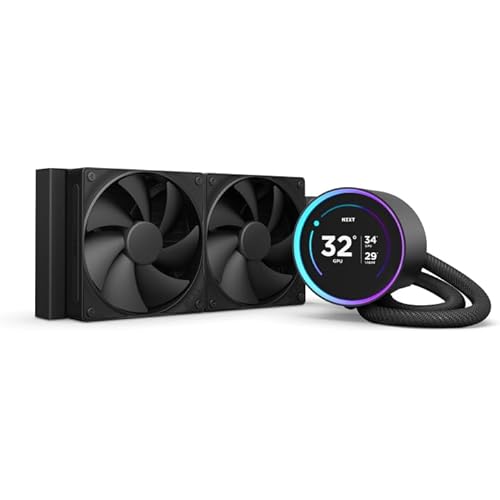
CORSAIR iCUE H170i ELITE LCD Display Liquid CPU Cooler-Custom IPS LCD Screen-48 Dynamic RGB LEDs-140mm Fans -420mm Radiator-COMMANDER CORE Smart Lighting Controller

  • Based on 3,280 reviews
Condition: New
Checking for inventory...

Notify me when this product is back in stock

$295.00 Why this price?

Buy Now, Pay Later


As low as $49.17 / mo
  • – 6-month term
  • – No impact on credit
  • – Instant approval decision
  • – Secure and straightforward checkout

Payment plans are offered through our trusted finance partners Klarna, Affirm, Afterpay, Apple Pay, and PayTomorrow. No-credit-needed leasing options through Acima may also be available at checkout.

Learn more about financing & leasing here.

Selected Option

Free shipping on this product

Returnable until Jan 31, 2025

To qualify for a full refund, items must be returned in their original, unused condition. If an item is returned in a used, damaged, or materially different state, you may be granted a partial refund.

To initiate a return, please visit our Returns Center.

View our full returns policy here.


Availability: Unavailable
Fulfilled by NewGen Tronz
Available payment plans shown during checkout

Style: ELITE LCD


Color: Black


Size: 420mm AIO


Features

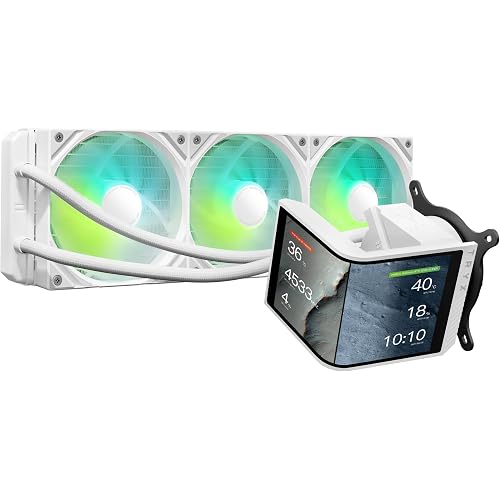
  • A premium all-in-one CPU cooler that combines powerful, low-noise cooling and vibrant RGB lighting with a personalized LCD display, offering custom graphics to accent your systems aesthetics and track its real-time performance at a glance.
  • Showcase your live CPU temperature, favorite animated GIF, funniest meme, your teams logo, or anything you like on a custom 2.1 IPS LCD screen with 480x480 resolution, ultra-bright 600cd/m2 backlight, 24-bit true color depth, and over 16.7 million colors.
  • A diverse library of colorful themes let you view vital system information in bold graphic display styles that suit your system and setup.
  • A high-performance pump head provides powerful, low-noise cooling for your CPU, with a ring of 24 individually addressable RGB LEDs encircling the screen for even more vibrant lighting effects.
  • Includes a CORSAIR iCUE COMMANDER CORE Smart RGB Lighting and Fan Speed Controller, for precise speed and lighting control over up to six RGB fans.
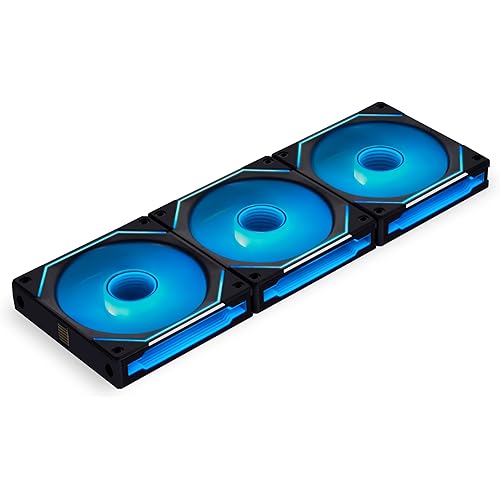
  • Three all-new 140mm CORSAIR ML RGB ELITE magnetic levitation fans with eight RGB LEDs per fan and AirGuide technology channel airflow for extreme CPU cooling performance.
  • Accurately control your cooling via PWM, adjusting fan speeds from 400 RPM - 1,600 RPM.
  • CORSAIR iCUE software enables you to switch between a variety of display options such as fan speeds, CPU temps, images and GIFs, and more, adjust fan and pump speeds, and control and synchronize RGB lighting with all iCUE-compatible devices.
  • Zero RPM fan mode and Variable Pump Speed specialized cooling modes in iCUE keep noise to a minimum when your system is idle or under light loads.
  • A split-flow copper cold plate with pre-applied thermal compound and high-density stack of 128 micro-skived fins-per-inch provide highly efficient cooling at all loads. Cooling Socket Support Intel 1700, 1200, 1150, 1151, 1155, 1156, 1366, 2011, 2066 AMD AM5, AM4, sTRX4, sTR4

Description

The CORSAIR iCUE H170i ELITE LCD Display Liquid CPU Cooler delivers powerful, customized cooling for your high-end PC, with a personalized LCD screen that displays GIFs, images, and system information. Three cutting-edge CORSAIR ML140 RGB ELITE PWM fans controllable between 400 - 1,600 RPM and 48 total vibrant RGB LEDs add extreme low-noise cooling performance and vibrant lighting effects to the most ambitious PC builds.

Product Dimensions: 17.72"L x 5.51"W x 1.06"H


Brand: Corsair


Power Connector Type: 4-Pin


Voltage: 12 Volts


Wattage: 500 kWh


Cooling Method: Water


Compatible Devices: Desktop


Noise Level: 10 dB


Material: Plastic Metal


Maximum Rotational Speed: 1600 RPM


Language ‏ : ‎ English


Product Dimensions ‏ : ‎ 17.72 x 5.51 x 1.06 inches; 3.06 Pounds


Item model number ‏ : ‎ CW-9060063-WW


Date First Available ‏ : ‎ March 24, 2022


Manufacturer ‏ : ‎ Corsair


Best Sellers Rank: #1,227 in Water Cooling Systems


Customer Reviews: 4.1 4.1 out of 5 stars 3,280 ratings


Frequently asked questions

This product is currently out of stock. Please check back later for shipping info.

Yes, absolutely! You may return this product for a full refund within 30 days of receiving it.

To initiate a return, please visit our Returns Center.

View our full returns policy here.

  • Klarna Financing
  • Affirm Pay in 4
  • Affirm Financing
  • Afterpay Financing
  • PayTomorrow Financing
  • Financing through Apple Pay
Leasing options through Acima may also be available during checkout.

Learn more about financing & leasing here.

Top Amazon Reviews


  • Nice AIO but look into replacing fans later on
Style: ELITE LCD XT Color: Black Size: 420mm AIO
I love this 420mm AIO! It can cool my 13700K without any issues even if I'm playing a hard game.Case hasn't came on yet so temps will be a LITTLE warmer but not by much. The fans aren't that noisy and same goes for the pump. I wear headphones and I don't hear it at all while I game. The LCD on the pump is pretty cool. You can have it display a bunch of different stuff. I have it to my GPU temp currently. It's also pretty bright too and it shouldn't be hard to see whats on it, even in a bright room. The Corsair AF RGB Elite fans are not bad when it comes to cooling and their RGB works really well, but I suggest upgrading to Corsair's new LX ARGB fans. Buy a 2 pack of 140ml, then a single fan and you can combine the 3 with the special fan hub that comes with it. You should get better cooling performance out of it, and with the 2 pack fan hub, you can get a iCUE link box with it too. ... show more
Reviewed in the United States on December 6, 2024 by Christian Rosas

  • You get what you pay for.
Style: ELITE LCD XT Color: Black Size: 360mm AIO
This got the full five stars save installation. That depends on your computer case, space, orientation, processor and experience. Existing systems, you're more than likely pulling out your motherboard. That said, Corsair provides you more than enough hardware for installation. Intel LGA 1700 hardware comes standard, as does older Intel, AMD and Thread Ripper. Corsair even includes the hardware in the box do do a push/pull radiator setup (which I did). So no trips to the hardware store looking for extra screws etc. Required connections: One pin (either pump or cpu fan) on motherboard used as a 'tach' wire to show the motherboard there is a cooler installed. On the motherboard USB connection (requires two but cooler comes with a USB splitter cable meaning you need only occupy one USB motherboard connection. Finally a SATA power connector, all three of which connections are present in most all even semi-modern computers. The Pump and three fans are run by an included commander module which can operate RGB and RPMs of up to six fans. Three fans are included with the kit for the radiator. These are magnetic levitation fans, meaning no bearings. This means no bearings, less noise, better RPM slew and quieter. IE the fan is 100 percent indepenant from the fan chassis. Corsair's free software ICUE is a must to control the RGB and the screen on the waterblock. The screen is very clear, supports .gif(s) and .jpeg(s). I have mine set to monitor CPU and GPU temp but all of this is easily changed should you like to set up lighting/performance profiles in the software. NOTE: The software seems a bit resource heavy and is a little tricky for beginners, but you're not going to blow anything up. Running the ICUE software is not required for this pump and fans to throttle/operate (as the motherboard can control them) but HIGLY recommended. I'd call it a MUST. If not, you're just wasting money. I include that because in the event the software fails, or something else goes wrong, the cooler will still function properly. NOTE: I found cable length for all connections to be more than long enough for a nice clean look in what I'd call a large mid-tower case (Corsair 5000D). Thermal paste is included pre-applied on the water block, and my previous experiences with Corsair's factory paste are good. This stuff I rubbed off and used Thermal Grizzly instead. Not a required step, but some of the best compound out there. So to the primary point, HOW WELL DOES IT COOL? Well it's not the best out there, but HARDLY the worst. It's in the bounds of a top tier cooler with only a few being better, and those that are, are not by much (a degree or 2) and around the same price with far less features. Results may vary (everyone's case cooling is different), but with an overclocked Intel I7, 13700k I am running near ambient room temperature at idle (27-30C) and under Prime 95 (pretty much the hardest stress test you can give a CPU around 86C after 15-20 minutes. Those temperatures, to keep it simple, are VERY good temperatures to see on a chip that is know to run on the hotter side of things even without an overclock. It's a quiet cooler with a lot of features, and easy to install, again depending on your case and experience. If you do not have experience building computers I would NOT recommend trying to install this yourself, but then, I'd say the same for any other cooler. Have someone that knows what they're doing help you, better yet help and teach you. ... show more
Reviewed in the United States on May 17, 2023 by Mark Jackson Mark Jackson

  • DO NOT EXPECT IT TO WORK PROPERLY FOR MORE THAN A WEEK
I'll begin by sayin the cooler and pump WORK as designed. I have no issues with cooling or temperature control. I actually am very please with that aspect of it. My issue, the main TWO reasons why someone buys the LCD version of a CPU cooler is 1) for visual monitoring. 2) for the aesthetics. I like to look over to my side and see the CPU and GPU temps on the screen. It also adds a nice visual in a glass panel case. Guess what? within a week, you'll more than likely have neither. Within a week I started getting a red triangle with an exclamation point on the screen. After doing a quick google search, it turns out that this is an all to common thing. The "Red Triangle Of Death" or as labeled on forums and reddit have deemed it, the "Red Dorito Of Doom". (that ones my favorite) And apparently there is ZERO actual fix for this. Just suggestions from Corsair employees to "do X-Y-Z" from complete removal and reinstall of the physical unit and connections, to complete uninstall and reinstall of software, to removing the PSU cable from the wall and letting it drain the motherboard of all power, letting it force the firmware to apply again. That all MIGHT help you. For a day, for an hour, or hey could get lucky and it fixes it for you. None of them worked for me. If anything, each one made it more red triangle than actual working LCD screen. I am sitting here typing this review and watching it switch from my CPU/GPU temps to the Dorito, almost taunting me. I dont have the money to buy another CPU cooler at this point so I PRAY corsair gets an actual fix for this because the red triangle really kills my PC's vibe. They'll hit you with the typical "its a you not us issue." But when you google H150i red triangle, its just pages of the same issue and all starting within a few weeks of ownership. So be prepared for 2-3 days between customer service responses and do this, do that non fixes. CORSAIR FIX YOUR PRODUCT AND SOFTWARE ... show more
Reviewed in the United States on August 13, 2022 by Mike P Mike P

Can't find a product?

Find it on Amazon first, then paste the link below.
Checking for inventory...