Search  for anything...

Corsair 8 GB DDR3 1333 (PC3 10600) RAM CMSA8GX3M1A1333C9 1.5V

  • Based on 4,595 reviews
Condition: New
Checking for the best price...

Buy Now, Pay Later


As low as $9.83 / mo
  • – 6-month term
  • – No impact on credit
  • – Instant approval decision
  • – Secure and straightforward checkout

Ready to go? Add this product to your cart and select a plan during checkout.

Payment plans are offered through our trusted finance partners Klarna, Affirm, Afterpay, Apple Pay, and PayTomorrow. No-credit-needed leasing options through Acima may also be available at checkout.

Learn more about financing & leasing here.

Selected Option

Free shipping on this product

This item is eligible for return within 30 days of receipt

To qualify for a full refund, items must be returned in their original, unused condition. If an item is returned in a used, damaged, or materially different state, you may be granted a partial refund.

To initiate a return, please visit our Returns Center.

View our full returns policy here.


Availability: 18 left in stock
Fulfilled by Amazon

Arrives Sunday, Feb 1
Order within 22 hours and 18 minutes
Available payment plans shown during checkout

Protection Plan Protect Your Purchase
Checking for protection plans...

Color: 1333Mhz


Size: 8GB (1x8GB)


Features

  • Tested at Apple Developer Compatibility Labs for Guaranteed Performance
  • Works with most MacBook Pro, iMac, and Mac mini systems shipped in 2011
  • Limited lifetime warranty, support and service

Description

Mac Pro users demand the highest performance from their systems, especially when working with digital media applications. Corsair's Mac Memory is specifically designed for rock-solid stability in demanding digital media rich environments. Corsair Mac Memory allows users to maximize memory capacity and throughput to increase their systems performance. Mac Memory modules are Fully-Buffered DIMMs, or FB-DIMMs, which are different than the typical memory running in standard PCs. In an FB-DIMM module, the memory controller does not write directly to the memory module, but to a buffer, which then writes to the module. This buffer, the Advanced Memory Buffer (AMB) can also provide built- in error checking and correction. Built to Corsair's legendary quality and reliability standards, Mac Memory FB-DIMM modules are fully tested to ensure maximum compatibility and performance in Apple Mac Pro products. Adding system memory is one of the most effective ways to improve overall performance and Corsair's Mac Memory offers a full line of choices for upgrading your specific Mac Pro platform. FB-DIMMs require two identical modules to be installed at once for proper operation.


RAM: ‎8 GB DDR3 1333


Memory Speed: ‎1333 MHz


Brand: ‎Corsair


Item model number: ‎CMSA8GX3M1A1333C9


Item Weight: ‎0.6 ounces


Product Dimensions: ‎1 x 1 x 1 inches


Item Dimensions LxWxH: ‎1 x 1 x 1 inches


Color: ‎1333Mhz


Processor Count: ‎1


Computer Memory Type: ‎DDR3 SDRAM


Voltage: ‎1.5 Volts


Batteries: ‎1 Unknown batteries required.


Manufacturer: ‎Corsair


Is Discontinued By Manufacturer: ‎No


Date First Available: ‎January 5, 2012


Frequently asked questions

If you place your order now, the estimated arrival date for this product is: Sunday, Feb 1

Yes, absolutely! You may return this product for a full refund within 30 days of receiving it.

To initiate a return, please visit our Returns Center.

View our full returns policy here.

  • Klarna Financing
  • Affirm Pay in 4
  • Affirm Financing
  • Afterpay Financing
  • PayTomorrow Financing
  • Financing through Apple Pay
Leasing options through Acima may also be available during checkout.

Learn more about financing & leasing here.

Top Amazon Reviews

  • Great Vale, Quick Install, Excellent Performance Gain.
Color: 1600Mhz Size: 16 Gb
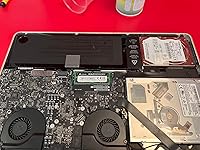
As a computer technician and ex Apple Care rep i really appreciate this memory. The installation was very easy, just remove 10 screws from the bottom of your MacBook, remove old ram, install new ram, replace case bottom and you are ready to go. Remember to turn off MacBook before doing this install. Do not just close the screen. My clients MacBook boots up 2 minutes faster than before. Google chrome runs great with multipe tabs now. Before it would just sit there with the spinning beach ball and never open a second tab. The value of this memory is excellent. Apple charges a very high preimium for memory and this is atleast half the price for the same quality of. I only gave this product 3 stars on the good for gaming question because i couldnt really test it for gaming on a Mac since Mac games are not really memory intensive. But what games and apps i did run ran great and any app or game from the app store should run great. I would recommend this Memory 100% ... show more
Reviewed in the United States on September 15, 2022 by JC

  • Saved money!
Color: 1600Mhz Size: 16 Gb
Changed the ram on my old mac book pro. It works like new!! Saved me 1k on buying a new computer
Reviewed in the United States on November 21, 2022 by Kari

  • Works great, but we DID have to troubleshoot it first!
Color: 1600Mhz Size: 16 Gb
These RAM sticks are for my husband's iMac [Late 2013, 27" screen] and he just wanted to upgrade the RAM. NOTE: The product description on this [CMSA16GX3M2A1600C11] says it's specifically for MacBooks [quoted from this product description: Compatible with MacBook Pro (13-inch, Mid 2012), MacBook Pro (15-inch, Mid 2012)] however it IS working in my husband's iMac, the user-accessible RAM slots on the back are sized specifically for this type of RAM, and on Corsair's site, their compatibility description says it's tested in their labs to work with virtually every MacBook, iMac and Mac Mini made after 2011. The back of this package lists a few specific model numbers, which are specifically MacBooks. Long story short, it doesn't explicitly say that the model of iMac my husband has will be compatible with this RAM, but it DOES WORK! So here's the low-down of how it went. Husband had the stock RAM (2 sticks of 4GB RAM = 8GB, two open slots) and he ordered two extra 4GB RAM sticks from SimplyMac to fill the two open slots. It worked just fine, but he decided he wanted more power. So he ordered this RAM, 32GB of it. Took out the power cable, inserted his house key in the slot to pop off the RAM cover, inserted the 4 sticks of RAM into each slot, popped the RAM housing back in so the cover would close all the way, put on the cover, plugged it in, and pressed the power button. Nothing. ....weird. Pressed the power button again. Nothing. So he shut it down, pulled the plug out, used his key to open the RAM housing, took them out, and re-seated them thinking maybe they weren't put in correctly. They were all the way in, not upside-down or anything, so he put them back in again, closed everything up, plugged it back in, tried to power it on... Nothing. So he did the same thing again to get the RAM out, and just to make sure his computer wasn't somehow broken, he put the old RAM back in. It turned on. Phew, okay, we didn't f*** it up. Lol. Turn it around, open the housing, take out the old RAM, and this time try putting in half new and half old. It booted up, though it took longer than expected, and when he booted it up he went to the Apple menu > About This Mac and confirmed it was saying it had 24GB of ram (8+8+4+4) so all the RAM cards were indeed hooked up and the computer WAS recognizing them. Okay. So they're working. This means the computer is probably being stubborn and after more trial and error it should work. Shut down, turn it around, unplug, open the RAM housing, take out the 2 default sticks of RAM, put in the other two new ones, close it all up, plug it back in, turn it back around, press the power button... anddddd this time it beeped, when it didn't before. So it was saying something's wrong, but still not booting. If my memory serves me correctly, he tried putting back in a stock RAM stick one more time and it booted, then he put all Corsair RAM in it, and then it FINALLY WORKED! He was doing NOTHING differently. Same exact thing, every single time, and it just took several tries to finally get it to work. It has successfully powered down and restarted multiple times. There's not much of a difference in boot-up time between when he had 16 gigs (stock+aftermarket) and 32 gigs (all Corsair), however, some processing does seem to be having noticeable improvement. We watch lots of anime shows that download in .mkv format and have separate subtitle/audio/video titles and he converts those to a different file format before we watch them, and he was able to convert a full episode (HD, with subtitles, into a significantly smaller file) in about 2-3 minutes. Not exactly sure how long it took before, but he estimates it's about 30% faster than it used to be. So far, are we happy with the investment? Husband says "Yeah, definitely." :) I figured I should post this in case it's a common occurrence for other people like the guy in the reviews who said he put it in his Mac Mini and it beeped. It's entirely possible that if that guy tried taking it out and putting it back in a couple of times that it would have worked. I honestly don't think he was doing it wrong. My husband was doing it right and didn't change anything at all in the way he was installing the RAM between when it wasn't and when it was working. So, if it happens to you, don't give up on the first try! ... show more
Reviewed in the United States on March 20, 2014 by JLT

  • Thank God about this! It’s super fast!
Color: 1600Mhz Size: 16 Gb
Strongly recommend you to watch the instructions on iFixit.com first before you do anything with your computer. This was a rather easy installation for me although I did change the hard drive as well which cost me almost 6 hours altogether. I made some mistakes that cost me long hours. Below was my review for the hard drive I bought, hopefully it can provide you some useful information so you don’t have to waste time on steps that were not necessary. This is only for if you change your hard drive as well- This was not easy, and the instruction is useless, because the actual installation is not the problem as it was POC, the problem is afterwards. It took me a few hours to roboot my MB pro 2011 early 13”. I follow the instruction on iFixit.com, but trying to make a bootable flash drive is pain in the ass! The program code they provided is not current with a new installer, if you follow that it will error it out. I suggest/must you to watch the comments in the instruction article on iFixit.com. It will help you with the most updated information. Anyway I wasted all the time to create the Portable flash drive but I really didn’t use it. If you use the command option and P option to start your computer with the new hard drive, it will take you to the recovery menu. You have to reformat your hard drive just erase everything and use the firstaid, then you can reinstall your Mac OS system from the drop-down menu. And bam! It’s so fast, I can’t believe it’s almost 10 years old! Btw, I also bought the Corsair 16GB, it’s a MUST HAVE, if you want your computer to be super fast. ... show more
Reviewed in the United States on December 15, 2020 by M&M

  • Good but don't expect a performance transformation from 8gb to 16gb, 2012 mac mini
Color: 1600Mhz Size: 16 Gb
No compatibility issues with a 2012 mac mini. Works very well. Corsair is well known in the pc enthusiast community. I've used Corsair products for years and never had an issue. Great company, great products. I went from 8Gb of oem memory to this. Very subjectively, boot time has been reduced a bit. It also seems to help with an audio player that uses ram to buffer heavily. Going from 8Gb to 16Gb didn't result in a performance transformation but it seems to help - a little. I think. 8Gb to 16Gb probably won't be worth the purchase for most. Going from 4Gb to 16 will almost certainly be more noticeable. If you have an older mac and would like to continue using it, upgrading to a solid state hard drive will result in a much more noticeable performance improvement vs upgrading the ram. Much faster boot time, program starts, file transfers, everything that depends heavily on hard drive read/write performance. Hard drive kits for this mac are available from a number of suppliers. With a little patience, a YouTube video or two, an ssd will be transformative. Sadly, not the kind of transformative a current gen mac will be with a more capable CPU and architecture but enough so to take the edge off until replacing the mac with a newer model. ... show more
Reviewed in the United States on March 3, 2020 by Dallas Electronics Fan

Can't find a product?

Find it on Amazon first, then paste the link below.
Checking for best price...