Search  for anything...

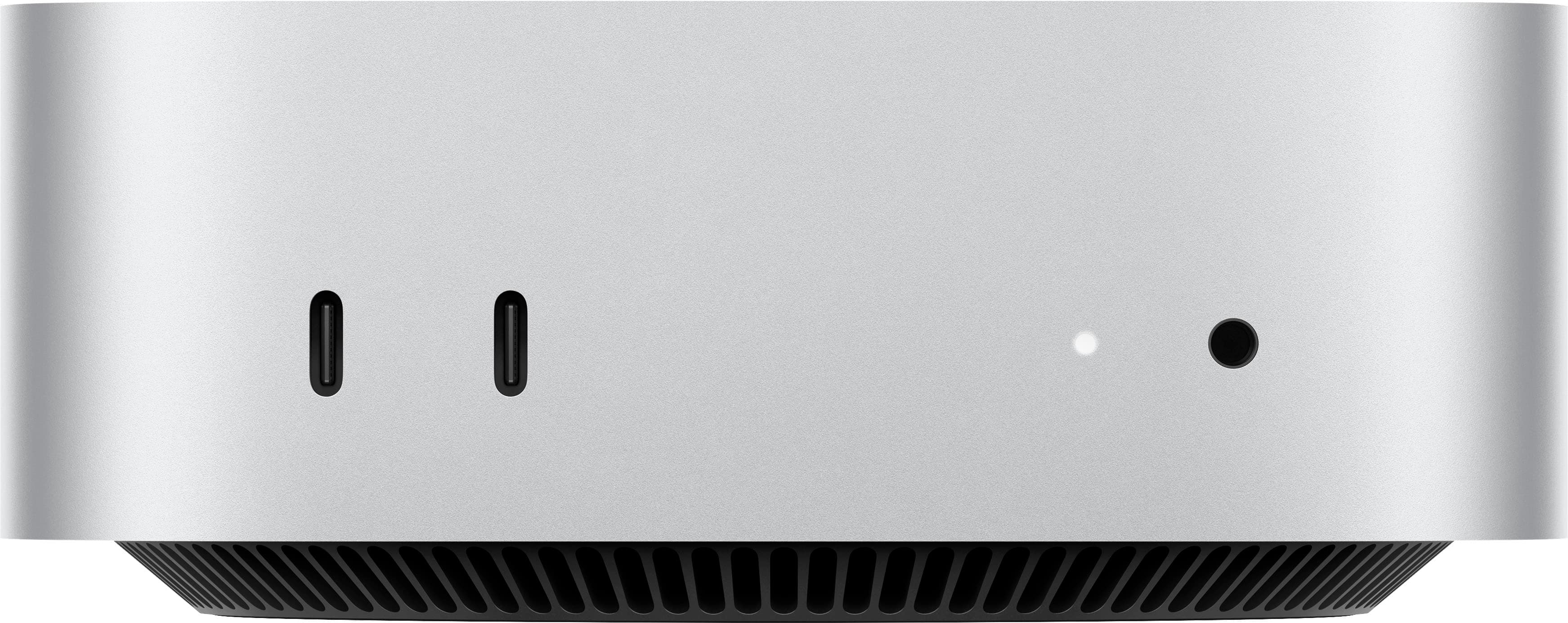
BOSGAME Mini PC AMD Ryzen 5 3501U, 8GB DDR4 RAM, 256GB SSD

Based on 302 reviews
Condition: New
Checking for the best price...
$199.99
Holiday Deal · 39% off was $329.99

Buy Now, Pay Later


As low as $33.33 / mo
  • – 6-month term
  • – No impact on credit to apply
  • – Instant approval decision
  • – Secure and straightforward checkout

Ready to go? Add this product to your cart and select a plan during checkout.

Payment plans are offered through our trusted finance partners Klarna, Affirm, Afterpay, Zip, Apple Pay, and Google Pay. No-credit-needed leasing options through Acima may also be available at checkout.

Learn more about financing & leasing here.

Selected Option

Free shipping on this product
This item's return window has been extended for the holiday season: FREE refund/replacement until Jan 31, 2027

To qualify for a full refund, items must be returned in their original, unused condition. If an item is returned in a used, damaged, or materially different state, you may be granted a partial refund.

To initiate a return, please visit our Returns Center.

View our full returns policy here.


Availability: In Stock.
Fulfilled by Amazon

Arrives Saturday, Nov 28
Order within 32 minutes

Available payment plans shown during checkout

Protect Your Purchase

Easy claims online, fast replacements, no fees

Checking for protection plans...

At a glance

Condition
New
Color
Cyan
Model
E2
Storage
512 GB
Memory
8 GB
Dimensions
5 x 4.45 x 1.61 in
Weight
0.9 kg
Warranty
1 Year Manufacturer
Works with
Headphone, Printer, Smartphone, Speaker, Television

Features 5

  • AMD Ryzen 5 Mini PC for Work and Home Powered by AMD Ryzen 5 3501U processor with 4 cores and 8 threads up to 3.7GHz. BOSGAME E2 Air Mini PC handles office work, web browsing, Microsoft Office, Excel, QuickBooks, Zoom meetings, online classes, streaming, and multitasking. Integrated Radeon Vega 8 Graphics delivers smooth everyday performance for home office, business, and entertainment.
  • Upgrade-Friendly Memory and Fast SSD Storage The E2 Air comes equipped with 8GB DDR4 memory and a 256GB SSD for fast startup and smooth daily computing. Dual SODIMM slots support memory expansion up to 32GB, providing flexibility for future upgrades and heavier workloads. Ideal for students, home users, and small business environments.
  • Triple Display Support for Better Productivity Dual HDMI 2.0 ports support 4K UHD output at 60Hz, while the USB-C display port supports an additional monitor. Connect up to three displays simultaneously for spreadsheets, accounting, remote meetings, content management, stock monitoring, and multitasking workflows.
  • Reliable Connectivity for Home and Business Built-in WiFi 5, Bluetooth 5.0, and Gigabit Ethernet provide stable networking for work and entertainment. Multiple USB ports make it easy to connect monitors, printers, storage devices, keyboards, speakers, projectors, and other peripherals.

Description

The Vanguard of Innovation in Mini PC technology. BOSGAME brand was born in March,2021.So far, BOSGAME has 300 R&D technicians and continues to export a number of innovative technologies for the microcomputer industry every year. We believe that everyone deserves a cost-effective, high-performance, level of appearance mini computer that you can use anytime, anywhere. BOSGAME is a growing mini PC brand and ais dedicated to making the right mini computer available to everyone. In BOSGAME you will find the best mini pc in here for yourself. At present, BOSGAME has established official media accounts on Instagram, Youtube, Twitter and Facebook, and will release product consultation and promo tional activities from time to time, providing convenience for users who follow BOSGAME through multiple channels. ASIN B0H94TVN8G Asin B0DHGQ733L Asin B0D295GZND ASIN B0CKMX44HZ Asin B0DFWNT1NK Who is the BOSGAME E2 AIR designed for? BOSGAME E2 AIR is designed for home users, students, remote workers and small offices looking for a compact and affordable desktop computer for everyday tasks, online learning, web browsing, office work and media streaming. Can the E2 AIR handle Microsoft Office and daily work tasks? Yes. The AMD Ryzen 5 3501U processor and 8GB DDR4 memory provide smooth performance for Word, Excel, PowerPoint, email management, video meetings and multitasking during daily office work. Is the E2 AIR suitable for online classes and remote learning? Absolutely. The E2 AIR supports video conferencing platforms, online learning applications, web research and document editing, making it a practical desktop solution for students and remote learners. Can I browse the web while using multiple applications? Yes. The Ryzen 5 processor and SSD storage allow you to run multiple browser tabs, office applications and media content simultaneously with responsive performance. Is the E2 AIR good for family use? Yes. The E2 AIR is ideal for everyday household computing, including online shopping, bill payments, video streaming, homework, social media and casual productivity tasks. Does the E2 AIR support multiple monitors? Yes. The E2 AIR supports up to three displays through dual HDMI ports and USB-C video output, helping users expand their workspace for multitasking and productivity. Can the memory and storage be upgraded? Yes. The E2 AIR features dual DDR4 memory slots supporting up to 32GB RAM and allows SSD upgrades, providing flexibility as your storage and performance needs grow. Does the E2 AIR support 4K display output? Yes. The dual HDMI ports support 4K@60Hz output, delivering sharp image quality for office work, video playback and everyday entertainment. What wireless connectivity does the E2 AIR offer? The E2 AIR includes dual-band Wi-Fi 5 and Bluetooth 5.0 for reliable wireless networking and convenient connections to keyboards, mice, printers, speakers and other devices. Why choose the BOSGAME E2 AIR instead of an entry-level Intel mini PC? The AMD Ryzen 5 processor offers strong multitasking performance, integrated Radeon graphics and smooth everyday computing capabilities, making the E2 AIR an excellent choice for office work, home use, online learning and media entertainment.

Specs 68

Brand BOSGAME
Operating System Win11 Pro, Support Windows/Ubuntu/Linux Update
CPU Model Ryzen 5
CPU Speed 2.1 GHz
Cache Size 4 MB
Graphics Card Description Integrated
Graphics Coprocessor Radeon Vega 8 Graphics
Memory Storage Capacity 512 GB

Frequently asked questions

If you place your order now, the estimated arrival date for this product is: Saturday, Nov 28

Yes, absolutely! This item's return window has been extended for the holiday season: FREE refund/replacement until Jan 31, 2027.

To initiate a return, please visit our Returns Center.

View our full returns policy here.

  • Klarna Financing
  • Affirm Pay in 4
  • Affirm Financing
  • Afterpay Financing
  • Zip Pay in 4
  • Financing through Apple Pay
  • Financing through Google Pay
Leasing options through Acima may also be available during checkout.

Learn more about financing & leasing here.

Top Amazon Reviews


Astronomers - Works Wonderfully With 12V
Color: Cyan
I bought this to replace an aging (and venerable) NUC 7 to run my observatory which requires telescope control, dome rotation, basic/initial data stacking and plate solving. IYKYK. I required this to run on 12V. At least when I bought this, this was not specified to run on 12V on Amazon, though Bosgame's website indicates it runs on 12-20V. For my fellow astronomers out there, this is true. Background: I replaced the 512GB SSD with a 2TB SSD (Silicon Power 2TB NVMe M.2), upgraded to 32GB RAM (Timetec 32GB KIT(2x16GB) DDR4 2400MHz), and replaced the WiFi card with an Intel AX210. None of this was necessary, and this unit was still cheaper than any alternative I found with a processor at this performance level. The Wifi module upgrade was $26 and installed in 4 minutes. The RAM and SSD upgrades were easy for someone who can barely use a screwdriver and knows little about computers. Note: there is only one slot for the SSD. Opening this up showed decent quality control and an easy layout to work with. Power consumption: A stress test with N.I.N.A image capture, PHD2 guiding, Cartes du Ciel, Gemini mount control, ASCOM Hub (for dome control), and, just to make it interesting, SIRIL (astronomy image processing program) stacking 450 subexposures peaked at 37 watts before settling down to 25-26 watts with BIOS settings unchanged from factory settings ("Balanced performance"). Under "normal" conditions, meaning capturing images; controling the dome and mount and cameras; and PHD2 guiding running, this hummed along between 15-21 watts, so less than 2 amps. This is slightly less than my NUC7 with an i5-7260U processor, but this AMD 3550H processor has twice as many cores and threads. The speed improvement over my old processor was significant and immediately noticeable. This will also run laps around Intel N100-N300 processors while allowing for dual-channel RAM. WiFi - Astronomers will know why I automatically upgraded the WiFi module before even turning the computer on. For most users, the standard WiFi module will be more than good enough, but I'm running this 65 feet from my house. The computer is inside a fiberglass observatory. With the upgraded module, download speeds were around 240-260 Mbps in perfect conditions in the observatory with the computer away from the metal telescope pier and without an USB Wifi antenna. With the computer attached to a steel pier, the signal dropped (very expectedly) down to a respectable 35-70 Mbps download (enough for Windows Remote Desktop). As planned, I use this with a relatively cheap TP-Link USB wifi antenna away from the telescope pier. Wifi speeds in this configuration range between 150 to 220 Mbps download. The connection is quite stable and still plenty fast over Windows Remote Desktop. For comparison, inside my house, download speeds were over 600 Mbps, so the physics of walls and distance still apply. In my use so far, I have not had any latency issues controlling this from inside my home (with the computer outside in the observatory) using Windows Remote Desktop in a suburban neighborhood with quite a number of Wifi networks visibile (houses are close together). The connection does not drop. I ran a CrystalDiskMark Read/Write Test with the somewhat generic SSD I bought to replace this was a respectable ~2800MB/s write and a RNK4K speed of ~280MB/s. It is no speed demon, but this was both better than I expected and more than good enough for astronomy. In indoor and outdoor testing, I've only ever heard the fan turn on at initial startup. Even while "stress testing," I never heard the fan turn on during normal use. This thing was cool to the touch indoors and outdoors. I did check temps via HWmonitor a couple of times and never saw temperatures approach 50C. Heavy gamers might have a different experience here. It should be noted that astronomy programs intended to run telescopes and observatories do not tax processors and memory like modern games do, so gamers' mileage may vary. However, image stacking and processing programs can tax processors and memory a little and the fan never turned on and power consumption remained below 40 watts in my limited use. Cons: 1. The plastic quality is somewhat to be desired. I'm nitpicking hard here as that same plastic allows for more effective WiFi range than my NUC had, which was a metal Faraday cage of otherwise beautiful build quality. I'd rate the build quality as good enough, particularly at this price. 2. No SATA expansion slot: Hence the reason why I got a 2TB SSD. I knew this going in, and now you do. I will not take a star off of my rating for this because they do not advertise this as having the capability to add a second SSD/SATA drive. 3. This is advertised as only being able to use 2400Mhz DDR4 memory, but the module inside the unit was 2666Mhz DDR4. I don't know whether this was faster memory operating at 2400Mhz or whether the motherboard/processor can handle faster memory, but I had bought new memory sticks for this computer before I knew I could potentially squeeze out a little more speed with 2666Mhz DDR4. It is difficult to call this a con because I don't know the actual limitations of the computer. For most users, this underpromise and overdelivery might be a good thing. If expecting to upgrade from 16GB RAM immediately, check with BOSGAME first to ensure it can only operate with 2400Mhz. Overall, in the two weeks I've had this, I've been happy with its performance for astronomy. It has significantly better performance than an ASIAir and uses marginally more power than otherwise lower-performing N97, N100-N305 Intel processors. 1-1.5A under normal loads is extremely reasonable either in the field or in an observatory. This thing is a steal thus far. ... show more
Reviewed in the United States on February 24, 2025 by George S

Great Mini PC and would recommend to anyone that wants a small capable machine
Color: Cyan
System is pretty decent for the purpose purchased - looking for a small mini-PC that takes up very little space, inexpensive, and allows retro gaming w/ RetroArch/Duckstation via running a Linux. I installed Bazzite OS on it in a decent amount of time (20 minutes), and all the hardware works as is - network, graphics, usb, etc. No issues. The Vega 8 graphics card is decent for what is needed here - not going to run AAA games on it via Steam, but can run a lot on lower settings. It came w/ Windows 11 24H2, but I don't need that and opted to put the Bazzite on it. Pros: Runs Linux w/o issue (Bazzite anyway) Has 16 Gigs of RAM - plenty for retro gaming and for most things 512 Gig SSD allows storing lots of retro games, and a few Steam games Easy to open the computer (4 screws) and can upgrade memory and/or SSD Came with cable to add a 2.5" SATA drive if desired Came with VESA mount if you want to mount to back of monitor/TV Drives a 1920x1080 display easily via HDMI (has 2 ports, but not sure if I'd drive 2 with it) Cons: Plastic case and is very light - doesn't feel as quality as my others from Geekom or GMKTec RAM was a single stick in single channel (16 Gig) but other slot is empty so could upgrade - this just means that the system won't be the fastest; I would have preferred 2 8GB sticks for dual channel Recommendations: If you get this, I'd recommend changing RAM out for 2 8GB sticks or adding an additional 16GB stick if you need it - and maybe changing the NVME SSD out for a 1 or 2 TB version if you are going to install a lot. Alternatively, spend $200-$300 more and get one that comes with 32 GB RAM and a 1+TB SSD Ultimately it depends on your needs... if you want a machine to do basic apps like Office, browse the internet, etc, or play Retro games, this will work as it is. ... show more
Reviewed in the United States on April 24, 2026 by Dawn

DOA wont even boot.
Color: Carbon Black
Received 7/14/2026. Other than the power button lighting up was D.O.A. right out of the box……
Reviewed in the United States on July 14, 2026 by Kizmatti

A bizarrely powerful, capable, workstation PC/NUC
Dev: Excellent for GameDev. Runs Unity 3D scenes well enough to make games, but I wouldn't build the final executable with this. I would offload that to Unity services etc. It runs Godot / Redot nicely in a scene with lots of objects. Handles Rider nicely. Vivaldi and Discord on a second screen while sharing desktop, all worked nicely. 3D Modeling I was able to cook up to 1 million poly (tris) in Blender and yes, it WILL run Cycles, but denoising will be slow, and cycles iterations will be slow. So, great for modeling, sculpting etc, not great for rendering. Maybe see if it supports an eGPU? Theoretically it does with the USB 4.0 / USB-C support. Gaming It runs 2 screens 4K@60hz nicely, but you'll get a lot more bang for your buck gaming if you're at 1080p. I was able to run Fortnite with 1080p @ 60hz solid with 60% 3D resolution and everything on low. Satisfactory with low-med settings ran nicely. Don't expect to be frying people on Fortnite and your Satisfactory builds shouldn't be super congested in one area. Break it up on the map for better perf. Other games like Frostpunk or IDUN will run, but you might encounter jumps/stuttering in some scenes / UI. Pros: -> It's amazingly quiet for how powerful it is. -> The ports, size, and overall capabilities are better than expected. -> It's a solid media center, workstation, technical bench, surveillance station etc. -> Throws some heat, but nothing crazy. -> Preloaded with Windows -> Boots fast, like bizarre fast. -> Impressive wifi speeds, seriously. This thing bucks. I have an ASUS ROG Ally X (2TB) and this NUC's wifi outpaces it. -> Comes with a convenient bracket for wall/desk/monitor mounting. You can stash this thing out of sight or just put it somewhere out of the way at your workstation. -> It's a solid piece. Does not feel cheap to handle, and care was taken with presentation and assembly. -> Comes with a 4K capable HDMI cable. Cons: <- It's not as capable for gaming as I'd like, but that may be a non-concern with an eGPU setup. <- I wish the specs were more clear, does it support more than 1 M.2/NVME? Does it have additional space for RAM modules? I'll have to open it up and see I suppose. <- It comes with the bloatware version of0 windows (may disregard your selections for prompts like skydrive etc). <- Bulky power supply and prongs can't be pivoted so you'll either need a short extension cable to make it fit on a congested surge protector. Honestly though, the cons seem trivial. This is a solid unit for anyone who needs a relatively inexpensive but oddly capable workstation, which is exactly what we needed. Cons aside, this unit deserves 5 stars. ... show more
Reviewed in the United States on March 6, 2025 by David Bixler

Fast, good value. But there was a loose screw
This is review is for model H66 (6600H 32GB RAM). When I took it out of the box, I heard a rattling noise. I opened up the case to inspect and found one of the screws that hold down the motherboard had fallen loose, and another MB screw was loose and about to fall out. It appears they come loose in transit. I tightened them down and feel confident they won't come loose again since this computer will be stationary. If you intend to carry yours around, I suggest using Locktite on the motherboard screws. While the case was open, I noticed it used two Crucial 16GB SO-DIMMs and a Kingston 512GB M.2 SSD. So basically, these use lower-end components. As for the computer's performance, it's being used for web browsing, watching videos, and playing simple games. The computer has ample power for that. It is physically very small and takes up little desktop space, which is a big plus. I don't like huge ATX towers. It was cheaper than building a desktop computer with comparable horsepower. Unless you're a serious gamer, these mini PCs will do most normal tasks just fine. Highly recommended -- but beware of the loose screw problem ... show more
Reviewed in the United States on June 22, 2023 by Roof

SteamOS install review
Color: Carbon Black
First off this is not a sponsored review, I bought this unit with my own money. For $500, it works surprisingly well. I bought mine configured as “161” and now it’s changed again. But my specs are confirmed from opening the unit, 7840HS, x1 stick of 16GB DDR5 5600MTs, 1TB Gen4 M.2 SSD. Right away, I made a bootable usb of SteamOS 3.8 on my Mac and plugged into this. I booted into bios and then booted up the usb and install was a breeze! SteamOS works amazing on this device! 16GB is enough for older games and lighter titles but I would try to get two sticks as this will unlock the full potential of the 780m by doubling the memory bandwidth with dual channel instead of single channel (using both ram slots). With 16GB RAM in single channel config, Fallout 4 low settings preset at 1080p will run around 30-40 fps, latest ratchet and clank game will run around 30-40 fps low settings at 1080p with FSR set to “balanced.” Would be nice to pay around $400 for something like this, but considering the current market, $500 isn’t that bad right now. If one were to part this out with an 8700g build in itx, I feel the price holds up well even for 2025 prices. I did buy a 32GB ram kit and will post results soon in this review. *update* Performance pretty much doubled going to dual channel. If you’re playing newer stuff like spider-man, Jedi survivor, Indiana Jones, you’ll want a 32GB ram kit (x16 sticks @5600mts). Otherwise, for older stuff, you could just stick to a 16GB kit (x8GB @5600mts) and sell the one stick that comes with it or buy another 16GB stick and have 32GB but I like to buy a kit all at once so timings match up. That’s a lot, but if you know, then you know :) all together I’m in for about $650 and I’m super pleased. ... show more
Reviewed in the United States on July 22, 2026 by MrU

Peak machine
Color: Carbon Black
For this price, this is a beast machine and almost 100% worth it. Perfect size, 1tb storage is pretty nice, and the perfomance is amazing for this tiny thing. Borderlands 3 goes pretty fluid on endgame with high quality graphics, and Genshin Impact too and still looks amazing. I thought the fan and ventilation could be a problem, but for now works excellent and remains in good temperature ... show more
Reviewed in the United States on July 14, 2026 by Rub

Its usable
Color: Carbon Black
Not the worst little PC. Although the previous mini i had, had some better features and was cheaper. This one doesn't seem to perform quite as good. But its great for light gaming. It seems like a newer model which hasn't gotten a real discounted price yet, like the previous one i had.
Reviewed in the United States on July 7, 2026 by Babs G
Checking for best price...