









$1,149.00
Save $490.00
was $1,639.00
Buy Now, Pay Later
As low as
/ mo
Learn more
- – Up to 36-month term if approved
- – No impact on credit to apply
- – Instant approval decision
- – Secure and straightforward checkout
Ready to go? Add this product to your cart and select a plan during checkout.
Payment plans are offered through our trusted finance partners Klarna, Affirm, Afterpay, Zip, Apple Pay, and Google Pay. No-credit-needed leasing options through Acima may also be available at checkout.
Learn more about financing & leasing here.
Selected Option
Free shipping on this product
30-day returns
Learn more
FREE 30-day refund/replacement
To qualify for a full refund, items must be returned in their original, unused condition. If an item is returned in a used, damaged, or materially different state, you may be granted a partial refund.
To initiate a return, please visit our Returns Center.
View our full returns policy here.
Availability:
Only 8 left in stock, order soon!
Arrives
Nov 8 – Nov 14
Recently Viewed


At a glance
- Condition
- New
- Set
- SER9 MAX-H255-64G-1TB
- Storage
- 1 TB
- Memory
- 64 GB
- Screen size
- 1 in
- Operating System
- OS
- CPU Model
- AMD R Series
Features 5
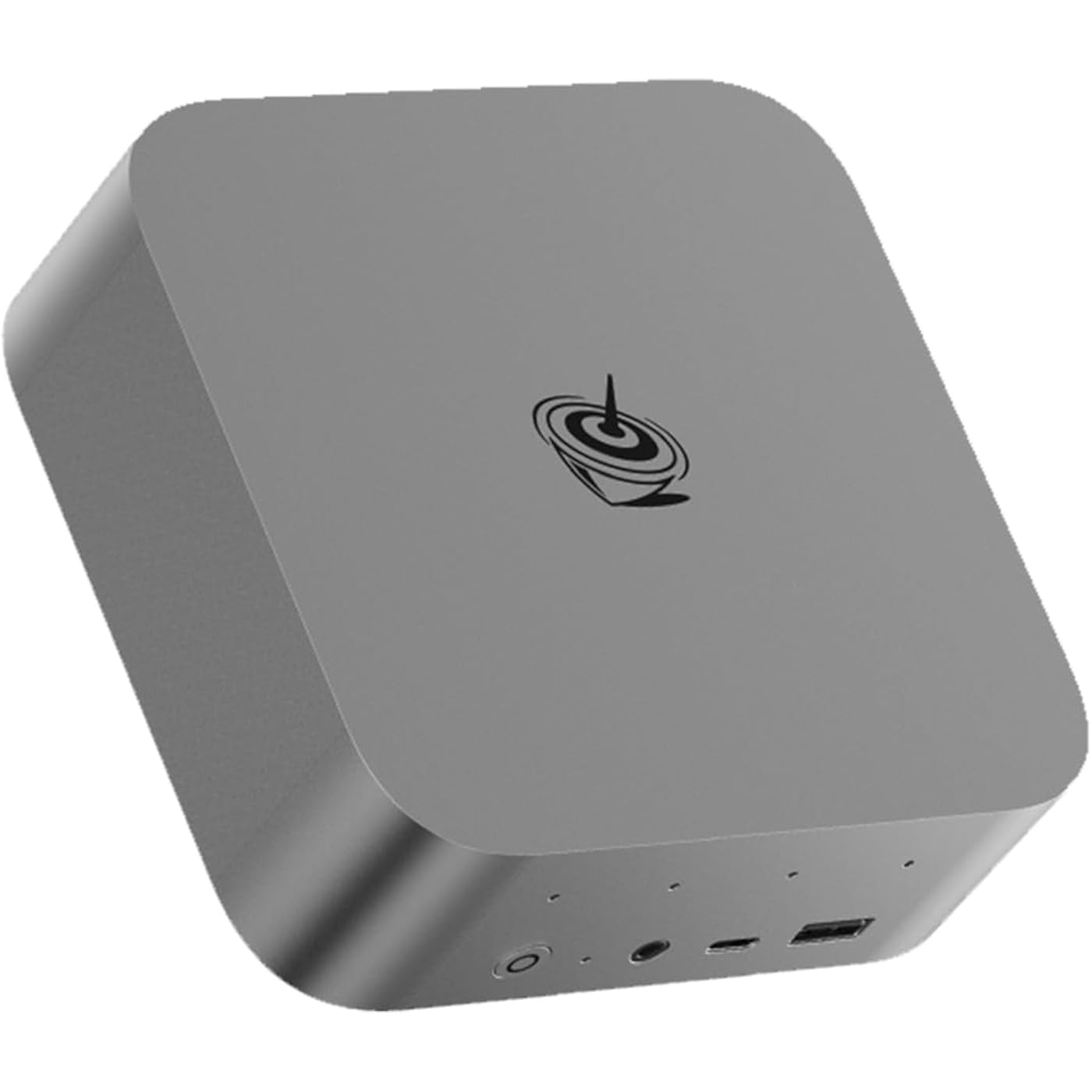
- Tower Performance & Powerful ProcessorModel Number: SER; Brand: Beelink; Manufacturer: Shenzhen AZW Technology Co., Ltd. Beelink ser9 max mini pc W11 pro comes with Ryzen 7 H 255 is with 8 cores, 16 threads, up to 4.9 GHz. SER9 MAX mini pc can turns your desk into a powerful workstation. The Beelink SER9 mini pc can be used for video and photo editing, Office tasks, 4K video viewing, and virtualization work, and others heavy applications
- Large storage capacity Beelink Ser9 max ryzen7 H 255 mini desktop computer comes with 64GB DDR5 RAM and 1TB PCle 4.0x4 SSD. M.2 PCIe4.0 2280 SSD*2 slots (upgradeable to max 4TB for each M.2 PCIe4.0 slot, which will have powerful loading and processing capabilities for heavy loading work
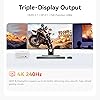
- Triple Display Output & AMD Radeon 780M 12core 2600 MHzBeelink SER9 MAX support Triple Display display output via HDMI 2.1(Max 4K 240Hz), DP2.1(MAX 4K 240Hz), USB4, which enables you to multi-task easily. Fully capable of browsing the internet, use Microsoft Office, watch UHD vidoes
- Rich Interface Easy to setup and small in size. Beelink SER9 max mini computer is equipped with DC*1+USB2.0 480Mbps*2+USB3.2 10Gbps*2+LAN 10Gbps*1+3.5mm Audio Jack*2+Type-C 10Gbps(Data)*1+DP2.1 4K 240Hz*1+HDMI2.1 4K 240Hz*1+USB4(40Gbps/PD/DP1.4)*1. Beelink mini pc supports WiFi 6 (802.11ax) , bluetooth 5.2
- Accessories & Excellent After-Sales ServiceUnbox the Beelink Mini PC, and you'll find 1* SER9 MAX mini PC, 1M HDMI Cable, User Manual, Power Cable. We offer lifetime technical support, a 3-year warranty, and 7 day after-sales service. All our products are FCC, RoHS, and CE certified
Specs 45
| Brand | Beelink |
|---|---|
| Operating System | OS |
| CPU Model | AMD R Series |
| CPU Speed | 3.8 GHz |
| Graphics Card Description | Dedicated |
| Graphics Coprocessor | AMD Radeon 780M |
| Memory Storage Capacity | 1 TB |
| Specific Uses For Product | Personal |
| Personal computer design type | Mini PC |
| Screen Size | 1 inches |
| Hard Disk Description | SSD |
| Hardware Interface | HDMI, USB |
| Video Output Interface | HDMI, DisplayPort |
| Hard Disk Interface | ATA-4 |
| Video Output | HDMI 2.1, DP2.1, USB4 |
| RAM Memory Installed | 64 GB |
| RAM Memory Technology | DDR5 |
| Ram Memory Maximum Size | 128 GB |
| Memory Speed | 5600 MT/s |
| RAM Type | DDR5 RAM |
| Processor Series | AMD R Series |
| Processor Speed | 3.8 GHz |
| Processor Socket | BGA 413 |
| Processor Count | 8 |
| CPU Model Speed Maximum | 4.9 GHz |
| Total Number of HDMI Ports | 1 |
| Number of Component Outputs | 3 |
| Human-Interface Input | Keyboard |
| Keyboard Description | Standard Wired Keyboard |
| Keyboard Layout | QWERTY |
| Model Number | SER |
| Model Name | SER |
| Built-In Media | 1*mini pc |
| Processor Brand | AMD |
| CPU Model Number | H255 |
| Unit Count | 1 Count |
| Manufacturer | Shenzhen AZW Technology Co.,Ltd. |
| Graphics Description | Dedicated |
| Graphics Card Interface | Integrated |
| Display Resolution Maximum | 3840x2160 |
| Display Type | External 4K Display |
| Aspect Ratio | 1610, 169 |
| Resolution | 3840 x 2160 |
| Native Resolution | 3840 x 2160 |
| Connectivity Technology | Bluetooth, Ethernet, Wi-Fi |
No specs match.
Frequently asked questions
If you place your order now, the estimated arrival date for this product is:
Nov 8 – Nov 14
Yes, absolutely! You may return this product for a full refund within 30 days of receiving it.
To initiate a return, please visit our Returns Center.
View our full returns policy here.
To initiate a return, please visit our Returns Center.
View our full returns policy here.
- Klarna Financing
- Affirm Pay in 4
- Affirm Financing
- Afterpay Financing
- Zip Pay in 4
- Financing through Apple Pay
- Financing through Google Pay
Learn more about financing & leasing here.
Similar Products


Top Amazon Reviews
Fast and powerful mini-PC, for little cost.
I have been a Mac person for 25 years, but when my last one died, I couldn't see spending the typical cost for anything Apple. At the university where I work, the IT department has decided any machine over 3 years old will no longer be allowed on the network so computer turnover will be high. A friend, also a IT specialist, told me about Beelink. He was very happy with his Beelink so I bought one. It is very fast, works great, and supports all programs I used for molecular biology and personal stuff. I'm not a gamer so I can't say anything about that. You need powered Hubs for peripherals, and all is good. Plus you get to use your entire desk area, since the mini-PC is a tiny bit bigger than an external HD.
...
show more
Reviewed in the United States on February 11, 2024 by Tank
Value mini PC

It's been a couple of months, my first mini PC and it has been functioning very well. I'm satisfied with 8 CPU cores and 32 GB RAM. Wifi 6 helps as well with extra speed. It's whisper-quiet and 5x5 in. in size it's great. I've built my own PCs for the past 17+ years. and decided to try one of these, and I'm glad I did.
...
show more
Reviewed in the United States on February 13, 2024 by Al Cord
Nice NUC replacement. Issues: There is No Video from USB-C Port. There's a Wi-Fi Issue with Linux.
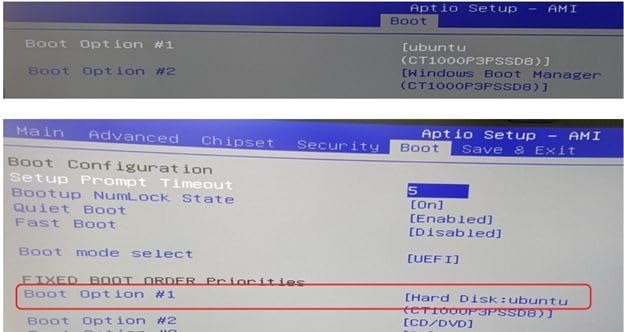
Nice that it comes with Windows 11 Pro and no bloatware. Two issues to be aware of. Things to be aware of. 1. Unlike most newer PCs, there is no video out via the USB-C port. EDIT: Actually this does work, I now get HDMI video out via a USB-C dock's HDMI connector. I don't know why it didn't work initially. 2. If you’re installing Ubuntu Linux, do not remove Windows 11 Pro, just shrink the Windows partition to the minimum possible. This is because Wi-Fi will not work on Ubuntu unless you first boot Windows to turn on the Wi-Fi, then you can boot Linux (after restarting, not powering off) and Wi-Fi will work. This issue has been mentioned on the Bee forum, search for “wifi linux.” This is likely an issue with the BIOS. In the Bee forums there have been various suggested Linux scripts to add to address the issue, but I have not tried any of those. 3. Some weirdness with my HDMI monitor. I have to have the Bee connected and then turn on the monitor. If I plug in the monitor before I turn on the Bee then I get a blank screen. 4. Getting Linux GRUB to be the first boot option was a chore requiring messing with the boot options in the BIOS setup. You have to set the Boot Option #1 in two different places. See photo.
...
show more
Reviewed in the United States on November 20, 2023 by Martin
A Nice Mini PC
This is my everyday web surfing pc. Nothing too major happen on this one but I must say, it works great! It's fast, will run several windows at a time and really does everything that I need it to do. I'm happy with this purchase.
Reviewed in the United States on April 6, 2026 by John Vawter
BEST purchase ever

THIS LITTLE THING IS POWERFUL. i wanted to save some money and i was extremely nervous when purchasing this. i’m a gamer and these are some of the games i can run flawlessly with no issues: GTA 5 online & roleplay sims 4, with all additional content chained together roblox minecraft counter strike gary’s mod phasmophobia valorant the only issue i have noticed is that sometimes applications won’t open. so i just go to task manager and open them that way, easy fix. might just be something on my end. it fits perfectly on this monitor stand that i got, and it makes it easier for it to stay cool. if you have a wired headset, just keep in mind that it’s quite complicated, not sure how to explain, but it’s extremely tricky to figure out lol, but i also have no idea what i’m doing so maybe it’s just a “me problem”
...
show more
Reviewed in the United States on July 29, 2024 by Hayleigh Carter
Amazing Tiny full-featured computer
Amazing unit tho no longer available and others are more expensive. Tiny but flawless and came with Win11 pro (also no longer standard on most minis). A few more ports would have been nice but , hey, it's tiny, only so much space.
Reviewed in the United States on January 5, 2026 by Em
Edge and chrome won't connect
I've had this computer for I think about a year less and sporadically when I take it out of sleep or turn it back on edge or chrome will not connect. Giving me all kinds of problems. No error messages I could through all the troubleshooting via the software via my experience as a technician. I just don't know why it's doing it. I've even on installed reinstall edge several times. Of course it being a Microsoft platform I cannot uninstall edge for some reason. So I'm needing some help here for anybody or anyway. But my review is great PC. But if you can't use it on the internet when you want it without having to restart it, it's a no-go
...
show more
Reviewed in the United States on October 25, 2023 by Raul heredia
Excellent
I purchased this computer for a home desktop to run Windows 11 and multiple Linux operating systems on. I use the Windows side to rip my DVD collection to my media server. It has worked flawlessly for this. It has room to add a 2.5 inch SSD. I did that and added a 2 TB SSD. So far, I have Elementary OS, Fedora 38, and Pop OS running in addition to Windows 11. Again, no issues. I wouldn’t consider this a gaming computer, but for my needs, it has been snappy and met all my expectations. I would buy it again.
...
show more
Reviewed in the United States on November 5, 2023 by The Kings