Search  for anything...

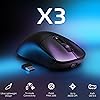
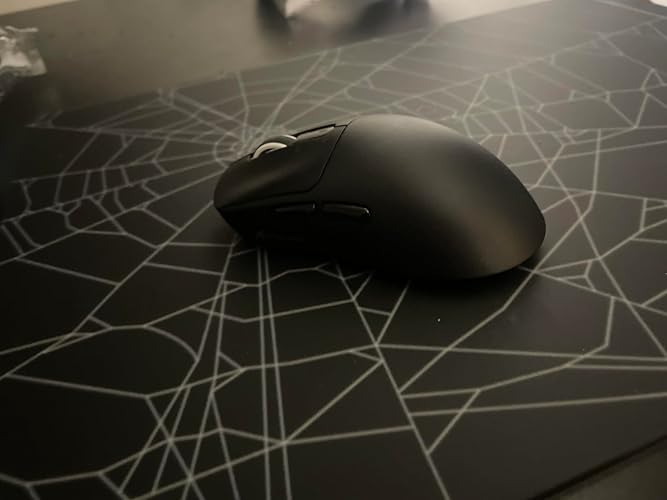
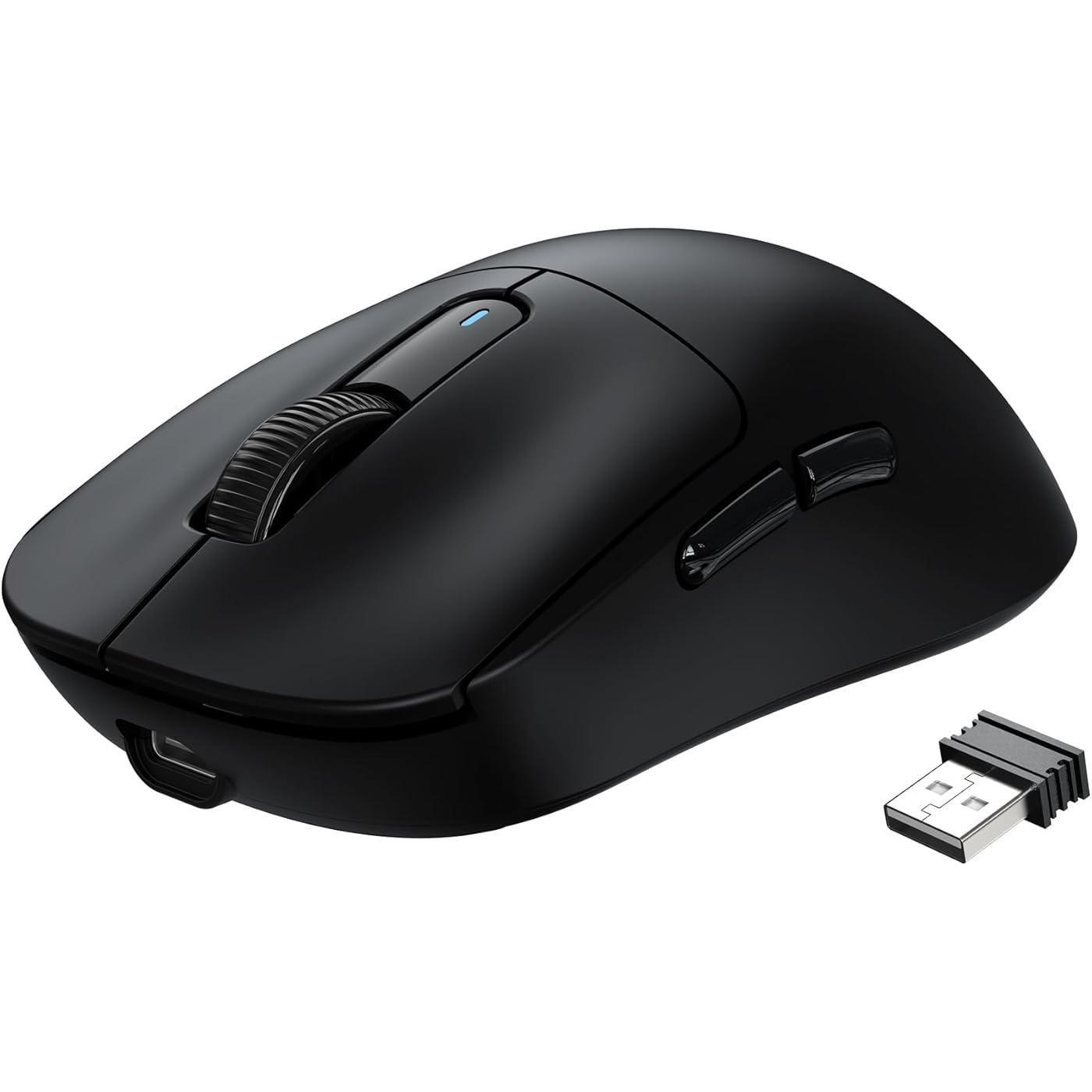
ATTACK SHARK X3 Wireless Gaming Mouse, 49g Ergonomic Computer Mouse, Triple Modes PAW3395 26K DPI Optical Sensor, 200h Battery Life, Programmable Buttons, Gaming Accessories for PC/Laptop/Mac (Black)
  • Based on 893 reviews
Condition: New
Checking for the best price...
$37.79 Why this price?
Save $4.20 was $41.99

Buy Now, Pay Later


As low as $9 / mo
  • – 4-month term
  • – No impact on credit
  • – Instant approval decision
  • – Secure and straightforward checkout

Ready to go? Add this product to your cart and select a plan during checkout.

Payment plans are offered through our trusted finance partners Klarna, Affirm, Afterpay, Apple Pay, and PayTomorrow. No-credit-needed leasing options through Acima may also be available at checkout.

Learn more about financing & leasing here.

Selected Option

Free shipping on this product

FREE 30-day refund/replacement

To qualify for a full refund, items must be returned in their original, unused condition. If an item is returned in a used, damaged, or materially different state, you may be granted a partial refund.

To initiate a return, please visit our Returns Center.

View our full returns policy here.


Availability: In Stock.
Fulfilled by Amazon

Arrives Sunday, Feb 22
Order within 12 hours and 31 minutes
Available payment plans shown during checkout

Protection Plan Protect Your Purchase
Checking for protection plans...

Color: Black


Features

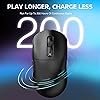
  • MANBASNAKE x ATTACK SHARK WIRELESS ULTRA LIGHTWEIGHT MOUSE 49g - Bluetooth 5.2 + 2.4Ghz Wireless + Wired using. Experience ultra-low-latency, lightning-fast gaming speed, featuring multi-device support. Features 200h Max Battery Life, you can game for weeks on end without interruption.
  • ADVANCED 26K OPTICAL SENSOR - This bluetooth mouse equipped with the PixArts latest flagship PAW3395 sensor capable of 26,000 programmable DPI, 650 IPS speed, 50g acceleration and 1000hz / 1ms polling rate.
  • FULLY CUSTOMIZABLE - Configure your wireless mouse in our software to program your buttons, DPI/IPS settings, lift-off distance, polling rate, key Remaps, powerful macro settings, etc. SIZE: 4.67*2.4*1.56in / 11.85*6.1*3.97cm.
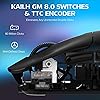
  • KAILH GM 8.0 SWITCHES & TTC ENCODER - Features ultra-crispy clicks and Over 80 million cycles by using the top-end Kailh GM 8.0 switches. It is also equipped with a TTC scroll wheel encoder which gives precise stepping. All of this ensures you get excellent tactility in your favorite games.
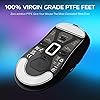
  • UPGRADED FEET DESIGN & CUTTING-EDGE COMFORT - Feets are made by 100% pure PTFE. Bigger, rounder and wider feet design offers more stable surface contact, flawless tracking performance and better stopping power. The symmetrical X3 is anti-sweat and easy to grip. Durability and performance with an extremely comfort ergonomic design, which can significantly reduce the wrist fatigue on your palm, wrist, arm caused by prolonged use.

Brand: MANBASNAKE


Color: Black


Connectivity Technology: Bluetooth


Special Feature: Lightweight, Programmable Buttons, Rechargeable, Wireless


Movement Detection Technology: Optical


Product Dimensions: 4.67 x 2.4 x 0.04 inches


Item Weight: 1.73 ounces


Item model number: X3


Date First Available: July 21, 2023


Manufacturer: MANBASNAKE


Frequently asked questions

If you place your order now, the estimated arrival date for this product is: Sunday, Feb 22

Yes, absolutely! You may return this product for a full refund within 30 days of receiving it.

To initiate a return, please visit our Returns Center.

View our full returns policy here.

  • Klarna Financing
  • Affirm Pay in 4
  • Affirm Financing
  • Afterpay Financing
  • PayTomorrow Financing
  • Financing through Apple Pay
Leasing options through Acima may also be available during checkout.

Learn more about financing & leasing here.

Top Amazon Reviews


  • Manba(!) Snake (odd name but great deal)
Color: Black
I wanted a wireless mouse with BT, min. 5 programmable buttons (6 preferable), light weight, long battery, PixArt PAW3395 sensor and LED lights (nice to have) and low cost. After couple weeks of investigation on the matter I have decided for this. Manbasnake X3 crossed all my requirements on paper, except for RGB lights and only 5 buttons, granted from the pictures I thought there is a DPI cycle button in the middle, but that is only a shape and a small LED that will indicate battery/charging status. Please NOTE: I paid for this item, I did not receive any personal discounts or future promises. I will update this review as time passes. 1. Presentation: a simple decent box containing mouse with dongle, USB type-C cable and instructions. Instructions are short, they do not say how to charge the mouse (sic), the obvious “do not immerse the mouse in liquid”, but most important in my view, and I quote here: "Violence against pressing the mouse is prohibited". You have been warned! Save the instructions in case you ever need to pair the mouse with dongle, or better download PDF instructions from MFG (manba-snake com) website. There is a small rattle noise when shaking the mouse, but usually I glide and not shake. First thing I did was to connect the mouse to the cable, plug it in to charge, remove the plastic from the feet, go to MFG to download and install the software for X3. When plugged in the software does not show battery percentage. 2. Sensor: PAW3395 it is a new gaming sensor 26K dpi, 650 ips, 50g, 1k Hz/1ms and programmable lift cutoff that is suitable for wireless due to its low power requirements, about 2V with 1.7mA in High Performance mode and 1.3mA in Low Performance mode. 3. Connection: Once fully charged, I unplugged the cable and switch to BT and right away it connected with my Intel AX210 BT 5.3 card. The switch button can be set to OFF, BT or 2.4GHz dongle but if USB cable is connected, the position does not matter. Also, there is BT switch on the back for 5.2 or 5.4, that’s two channels so you can connect the mouse with two BT devices – nice! The 2.4GHz dongle that stored inside the mouse can be used as well but I used this mode very short time since I favor BT connection. I did not notice any input lag or issues with BT. 4. Battery: the battery is supposed to last 200h. Cannot confirm that yet, but after 5 days of use (about 50h) the battery shows 80% when connected to dongle and 80% when connected to BT (via windows BT devices). To conserve the battery, mouse will go into light/deep sleep and can be woken up move/click. I emailed MFG to inquire about battery and warranty, but I received no response. I emailed the seller (Magic-Refiner) and I received a prompt response in less than one working day: battery is LiPo and capacity is 500mAh. After 11 days and a rough estimate of 90-100 hours of use, mostly on BT, mouse battery shows at 50%. 5. Weight: I used a kitchen scale and found the mouse weight without dongle at 54g. This is the lightest mouse I ever had. 6. Shape: mouse is for a right-handed, I have an average hand and usually a fingertip grip and the size and shape feels nice for me. 7. Buttons: I wished there was an extra button after scroll wheel. There are 5 programmable buttons. Side buttons are well placed, if I lift my thumb and press, I hit button #4 (forward), but move just a bit back and I can hit #5 (back), in other words easy fast access. While working, from time to time I had the impression that left click was a miss, though I heard the click, but while gaming I never missed a beat, maybe I’m pressing harder? I will continue watching this possible issue and will update. There is also a DPI cycle on the back and an LED indicator for that purpose. In the next hardware version, please move that button behind scroll wheel. 8. Switches: mouse has Kailh GM 8 switches (available here on amazon) and they are like a mechanical keyboard switch, in other words loud. I do think that sometimes I put less pressure on my left click and I hear the sound, but the action is not going through, still investigating this possible issue… 9. Scroll wheel: does not have side tilt, no infinite scroll/free spin, scrolling is smooth, easy and I like the feedback of the wheel. Middle click is a bit on stiffer side compared with other buttons, but that’s ok for me. Wheel’s edges are smooth and nice to the touch. 10. Feet: mouse feet are PTFE and they come covered with a thin transparent plastic for protection so do not forget to remove the plastic when setting up. Feet are white and this is a sign that they are 100% pure virgin grade PTFE and will offer lowest friction. 11. Software: after installation mouse was plugged and software is showing “charging” but no percentage indicator so at this moment I assume I keep it plugged until top LED turns to GREEN. Ther are several sections: Button settings (each click what to do), Macro Manager (this part can be improved), Profile (useful to have work/gaming profile), Battery (Percentage visible only with dongle, status only with cable) DPI Settings (6 DPI settings between 50 and 26k in 50 increments, tip use the wheel to fine adjust your desired DPI), Polling Rate Settings (125Hz, 250Hz, 500Hz, 1000Hz options only available for dongle/wired connection), Mouse attribute (opens old OS mouse properties), Lift of Distance (1mm or 2mm). Ther is no Apply/Save button for when you make changes, they are applied instantly, and it takes a couple seconds to do so. Software is 32-bit only, and it does not tell you, but you will have to reboot after installation. I had a froze once when I switched from BT to dongle and changed profile almost at the same time, I had to kill the app and launch again. 12. Warranty: Seller specified that warranty is 1 year. Overall: first keep in mind this is an on-going review, but so far, despite some minor things (software, no clear battery percentage, light rattle) I like the shape, the sensor, battery endurance, BT connection and response. In over 10 days of use, my BT connection was smooth and never dropped. For gaming, please keep in mind that if you are going to use BT, polling rate is limited to 133Hz, in other words, if you click the mouse more than twice in about 8 milliseconds, then BT is not for you and you will need dongle or wired connection, and this is not my case ☹. For the price, right now, I consider this hard to beat! ... show more
Reviewed in the United States on August 22, 2023 by GeorgeFromRo GeorgeFromRo

  • An excellent mouse. Don't get fooled by the price or the brand, it is quality
Color: White
A very very very good mouse. Shape is similar to a GPX but has more indentations, so it is very suited towards a fingertip grip. It is a quite a bit smaller than a GPX so your palm doesn't get as much contact. The coating is excellent, a 9/10 if the XM1/XM2WE is a 10/10, better than a GPX which for me is an 8.5. Unfortunately the wireless tech isn't that great, I do feel a loss of performance. The key here is to just use it wired with a paracord mouse. I really don't mind it since it's a <50g mouse and I can deal with whatever it takes to achieve that weight. I wish it was just a tad lighter, then it would be a perfect wired mouse for me. It feels a bit heavier than 49g and I have a 47g M4 Air to compare it to. The clicks are great, it is medium weight so harder than a GPX but not as hard as others. The mouse click and wheel feel just like a GPX but like it's little brother, if you will. A great mice! Love to see cheap options these days. Also if you are just looking for a multimedia mouse for your TV or for your office setup, this is such a comfortable mouse and you won't need the gaming performance wireless, it will work just fine in these areas. EDIT: Wireless performance has been perfectly adequate since the last review. Not sure what was happening, may have been interference. An excellent mouse and is without a doubt my main. Using it on a Skypad and the skates are smoother than 95% of the skates you can buy. EDIT #2: Been using the M600 software and it lets me customize the DPS switch values. Also upgraded the already smooth feet to some universal 6mm skates and it is 99.99% perfect. The only thing I would change is to make the main switches lighter and/or quieter. Either way I still love this mouse. ... show more
Reviewed in the United States on September 21, 2023 by xsbs

  • mouse is very good
Color: White
My first impression is that the mouse is very good, lightweight, glides well, and the sensor doesn't malfunction. We'll see how it performs in the future, but this is the only mouse that arrived new and unused. I ordered several mice, and those from more expensive and well-known brands are also good, but they all arrived used. This mouse, however, had not been opened or used by anyone. ... show more
Reviewed in the United States on January 26, 2026 by Maksim

  • Comfy and Affordable
Color: Black
Very very light weight and is very affordable and it’s very very good especially for competitive Fortnite like I do it’s amazing and comfy!
Reviewed in the United States on January 9, 2026 by chimichonga

  • Really good budget mouse IMO
Color: Black &amp; Griptape
Lowkey get this mouse bruh its like the budget g-pro. This mouse performs well and is a bit smaller than the normal g-pro but I mean its lighter too and other than the mouse disconnecting sometimes, there isn't any connectivity issues at all. The disconnecting was probably battery being low and something about the settings idk I had to look smth up at some point. ... show more
Reviewed in the United States on December 2, 2025 by J-user

  • Good pick
Color: Black
Got this for my teenage son. Heavy gamer. This is a good mouse that he wanted. I’m not spending a ton on a mouse. Is light weight, I guess that’s a must for gaming. It’s held up well been using for 6 months. No issues that I know about. He says it’s been good and comfortable in his hand.
Reviewed in the United States on January 5, 2026 by Jeff

  • Better than I thought !
Color: Red
Great mouse for the price build quality is solid. I enjoy the clicks more on this than on my g pro super light. And the side buttons feel better to me.
Reviewed in the United States on February 3, 2026 by Rayanne hartwell

  • very good mouse
Color: Red
very happy with the look of the mouse and it’s very light the scroll wheel is good and it’s smooth in my mouse pad, i used it to play cs2 and re4 and i love it so far
Reviewed in the United States on January 9, 2026 by joseph rawles joseph rawles

Can't find a product?

Find it on Amazon first, then paste the link below.
Checking for best price...