Search  for anything...

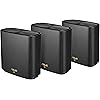
ASUS ZenWiFi AX6600 Tri-Band Mesh WiFi 6 System (XT8 3PK) - Whole Home Coverage up to 7500 sq.ft & 8+ rooms, AiMesh, Included Lifetime Internet Security, Easy Setup, 3 SSID, Parental Control, Charcoal

  • Based on 2,325 reviews
Condition: New
Checking for the best price...
$439.98 Why this price?
Save $70.00 was $509.98

Buy Now, Pay Later


As low as / mo
  • – Up to 36-month term if approved
  • – No impact on credit to apply
  • – Instant approval decision
  • – Secure and straightforward checkout

Ready to go? Add this product to your cart and select a plan during checkout.

Payment plans are offered through our trusted finance partners Klarna, Affirm, Afterpay, Apple Pay, and PayTomorrow. No-credit-needed leasing options through Acima may also be available at checkout.

Learn more about financing & leasing here.

Selected Option

Free shipping on this product

30-day refund/replacement

To qualify for a full refund, items must be returned in their original, unused condition. If an item is returned in a used, damaged, or materially different state, you may be granted a partial refund.

To initiate a return, please visit our Returns Center.

View our full returns policy here.


Availability: In Stock.
Fulfilled by Amazon

Arrives Tuesday, May 12
Order within 14 hours and 13 minutes
Available payment plans shown during checkout

Protection Plan Protect Your Purchase
Checking for protection plans...

Style: AX6600 | Tri-Band | 3PKs


Features

  • Banish WiFi Dead ZoneTri-band mesh WiFi system with unique antenna placement delivers strong WiFi to every corner of your home, providing total wireless speed of 6600Mbps.
  • Next-Gen Wi-Fi 6 Technology With OFDMA and MU-MIMO, ZenWiFi AX enables more efficient, stable, and faster transmission even when multiple devices are transmitting data at the same time.
  • Hassle Free Control 3 steps setup and easy management with ASUS Router App
  • Banish WiFi Dead ZoneTri-band mesh WiFi system with unique antenna placement delivers strong WiFi to every corner of your home, providing total wireless speed of 6600Mbps.
  • Next-Gen Wi-Fi 6 Technology With OFDMA and MU-MIMO, ZenWiFi AX enables more efficient, stable, and faster transmission even when multiple devices are transmitting data at the same time.
  • Hassle Free Control 3 steps setup and easy management with ASUS Router App

Brand: ASUS


Special Feature: WPS, Internet Security


Frequency Band Class: Tri-Band


Wireless Communication Standard: 802.11ax


Compatible Devices: Personal Computer


Frequency: 5 GHz


Recommended Uses For Product: Security


Included Components: Lifetime Internet Security


Connectivity Technology: Wi Fi


Color: Black


Wireless Type: ‎802.11ax


Brand: ‎ASUS


Item model number: ‎AX6600


Color: ‎Black


Manufacturer: ‎ASUS


Date First Available: ‎October 22, 2020


Frequently asked questions

If you place your order now, the estimated arrival date for this product is: Tuesday, May 12

Yes, absolutely! You may return this product for a full refund within 30 days of receiving it.

To initiate a return, please visit our Returns Center.

View our full returns policy here.

  • Klarna Financing
  • Affirm Pay in 4
  • Affirm Financing
  • Afterpay Financing
  • PayTomorrow Financing
  • Financing through Apple Pay
Leasing options through Acima may also be available during checkout.

Learn more about financing & leasing here.

Top Amazon Reviews


  • Not Perfect, but As Close As It Gets.
Style: AX6600 | Tri-Band | 1PK
Got this to replace a 5 year old d-link wifi5 (wireless ac) triband 3600 router with an awful Netgear extender (never found a single Netgear networking item that works after 20+ years of giving them chances, so even if you don't go with Asus, do NOT go with Netgear. They truly make some of the worst wireless solutions out there). The D-link router was great (and on its own had a noticeably better range than one of these), but I needed a better whole-house solution, so I went with this. Overall, I am happy with it. It provides solid speeds throughout the areas it covers, remains stable without requiring frequent reboots (the Netgear extender required reboots every few days, so this is a huge plus), has a really nice interface in the android app to easily control everything you would need to control, and supports a very robust smart home network (I have 40+ devices connected, so the older wireless ac router + extender would start dropping devices over 20 or so then crash and require reboots, another huge plus to this upgrade). The only things I have to complain about are two things that are specifically advertised as perks of a mesh network, and this device in particular, that don't really come through, even with latest firmware updates: 1. Devices in a mesh network are supposed to seamlessly move from node to node. I always hated having to manually switch my phone from the router to the extender and back as I moved through the house. Unfortunately, that has not changed. This network does NOT move my phone from one node to another automatically. I get "no internet" errors (even though it shows a strong wifi connection tray icon, yet the app shows an awful signal strength but still doesn't switch to a closer node), and have to disable and re-enable wifi on the phone to get it to switch nodes (the asus app has a reconnect option, but this just causes it to reconnect to the same crappy signal node). My phone is a fully wifi6 compatible galaxy s10+, so I am inclined to think it is the network, and not the phone, but I cannot say for sure without other test devices. 2. The advertised coverage of 5000 sq feet for 2 units is laugable. Its a lie. I know companies use wordage like "up to" or "under ideal conditions" but it is still a flat out lie unless maybe you are using this outside in an open field, and not inside of your home. I had to get 3 units to cover 4300 sq feet and still have a spot at the edge of the house where I lose signal. I live in the woods with no neighbors or interference whatsoever in a regular modern wood construction home, so I should be getting close to maximum advertised coverage, but it doesn't even come close. I do have 3 floors, so maybe that's it. I needed one unit per floor centrally located to cover almost the whole house and a little bit of the yard outside. The bright side is that you can add however many nodes you need to expand your coverage, but I just don't like such horribly overexaggerated numbers to get you to buy the product then sink more money into expanding it. It is, however, excellent for anything that is within range, and worth the cost of expansion, so that is what you will likely find yourself doing instead of returning it if your coverage is underwhelming. I just get irked by inaccurate or misleading advertising is all, and I know many others do as well, which is why I am making a note of it here. So in the end, I DO fully recommend this system, as it performs extremely well in most ways, and honestly the competition probably has even more small issues (its just the nature of ALL wireless tech). I get my full 300 mbps internet speed, and far higher internal network speeds that are often only limited by the speeds of my hard drives (well, except the m2 nvme, but I do have 2 of the nodes and 2 media/file storing/sharing PCs hardwired to allow full speeds to the wireless devices accessing them). It is excellent for a smart home full of echo devices (or your ecosystem of choice), smart switches, smart outlets, multiple phones, desktops, laptops, smart bulbs, etc. Again, 40+ devices without a hiccup and never having to reboot with full speeds everywhere is about as good as it gets with wireless tech even if there are those couple of small gripes above. Also worth noting is that all of my Asus products have lasted forever in the sense that I only ever have to retire them for new tech. I have never had a single asus product fail in 20+ years of building computers and playing with tech (which is more than I can say about some other companies - looking at you Netgear, Seagate, Western Digital, Epson, Lexmark, HTC, and Optima) so that is also a huge selling point for me as a loyal Asus customer year after year. December 2023 UPDATE - This mesh system is still going strong. I am now up to 120 devices on the network without a hitch and my newer upgraded Verizon gigabit internet that has been solid (Verizon plugs right into this from the box in the basement without a need for one of their routers for internet-only service). I still have issues with my phone properly jumping from node to node causing me to miss WiFi calls sometimes, but other than that, it remains excellent. I have only had to reboot the main router twice in the past 2 years to restore functionality to a couple of dropped devices that couldn't re-negotiate a connection to the network. This is by far the single most stable wireless network I have ever experienced since WiFi began oh so many years ago and I highly recommend it to anyone looking for a headache-free wireless networking solution. ... show more
Reviewed in the United States on May 31, 2021 by M. Esposito

  • Excellent Wi-Fi coverage, no problems
Style: AX6600 | Tri-Band | 2PKs
I bought the ASUS Zen mesh Wi-Fi system to replace a Linksys Velop mesh system that is three years old and had been giving us problems. We started losing WiFi frequently. I checked the Linksys app and found that the node router had weak signal and no devices were connected to it. I checked the node and unplugged it and restarted it several times but it’s light kept slowly fading and coming back on. I never really liked the Velop system. I didn’t like that in order to use the app you had to be connected to the internet and have a Linksys account. Supposedly you could log on with the router password but that never worked. When I first set the Velop system up I had to get a lot of tech support to figure out I needed to set up separate 2.4g and 5g networks in order to use our Sonos home theater system. I only bought it because Apple discontinued the Airport routers and sold Linksys. The automated message on the Velop support line said that a recent firmware update may be causing problems and you may need to restore the routers to factory and set up again. Two things I really don’t want to do are frequently restart the WiFi and go through the setup again. So I’m not sure if there is anything wrong with the routers or if it is a firmware problem but I did not want to deal with it. Of course it was about one week past the 3 year warranty period. So I did some online research and decided to try ASUS. The setup was easy using the app on my iPad. The choice to separate 2.4g and 5g was part of the setup. Also I did not have to create an online account in order to use the ASUS app for set up or to check the system. The app is pretty easy to use. It is easy to see lists of devices that are connected to the main router and the node. One odd thing is that the app displayed the names of our desktop computers, but the mobile devices are identified by numbers. Had to figure out which number went with which device and then rename them. It’s important to recognize our devices to make sure no one has joined our network without permission. We have been using it for more than a week now and everything is fine. No more dropped WiFi, good signal throughout the house including the basement (routers are upstairs) and in the yard. We stream a lot of movies and tv, no gaming. I concur with one of the reviewers who said that the 2.4g doesn’t have blazing speed. We have 500mbps service. I used our ISP’s speed test and found that we got about 150mbps on the 2.4g network and 500mbps on the 5g. I can’t comment on their tech support because fortunately I haven’t had to use it! Very pleased with the ASUS Zen system that seems to work consistently and we don’t have to think about it. ... show more
Reviewed in the United States on January 31, 2023 by SFloyd

Can't find a product?

Find it on Amazon first, then paste the link below.
Checking for best price...