Search  for anything...

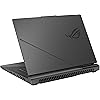
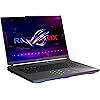
ASUS ROG Strix G16 (2025) Gaming Laptop, 16” ROG Nebula 16:10 2.5K 240Hz/3ms, NVIDIA® GeForce RTX™ 5070 Ti, AMD Ryzen™ 9 9955HX3D Processor, 32GB DDR5-5600, 1TB PCIe Gen 4 SSD, Wi-Fi 6E, Win 11 Home

  • Based on 39 reviews
Condition: New
Checking for the best price...
$2,499.98 Why this price?

Buy Now, Pay Later


As low as / mo
  • – Up to 36-month term if approved
  • – No impact on credit to apply
  • – Instant approval decision
  • – Secure and straightforward checkout

Ready to go? Add this product to your cart and select a plan during checkout.

Payment plans are offered through our trusted finance partners Klarna, Affirm, Afterpay, Zip, Apple Pay, and Google Pay. No-credit-needed leasing options through Acima may also be available at checkout.

Learn more about financing & leasing here.

Selected Option

Free shipping on this product

FREE 30-day refund/replacement

To qualify for a full refund, items must be returned in their original, unused condition. If an item is returned in a used, damaged, or materially different state, you may be granted a partial refund.

To initiate a return, please visit our Returns Center.

View our full returns policy here.


Availability: Only 2 left in stock, order soon!
Fulfilled by Amazon

Arrives Saturday, Aug 1
Order within 4 hours and 5 minutes
Available payment plans shown during checkout

Protection Plan Protect Your Purchase
Checking for protection plans...

Style: R9 X3D | RTX5070 Ti


Features

  • CUTTING-EDGE PERFORMANCE Experience next-level performance with Windows 11 Home, an AMD Ryzen 9 9955HX3D Processor, and an NVIDIA GeForce RTX 5070 Ti Laptop GPU powered by the NVIDIA Blackwell architecture and featuring DLSS 4 and Max-Q technologies.
  • HIGH-PERFORMANCE MEMORY AND STORAGE Multitask seamlessly with 32GB of DDR5-5600MHz memory and store your game library on 1TB of PCIe Gen 4 SSD.
  • PREMIUM ROG NEBULA DISPLAY Immerse yourself in stunning visuals with the ROG Nebula Display, the ultra-fast 240Hz/3ms display for gaming, content creation, and entertainment. Featuring a new ACR film that enhances contrast and reduces glare.
  • STATE-OF-THE-ART ROG INTELLIGENT COOLING ROGs advanced thermals keep your system cool, quiet and comfortable. State of the art cooling equals best in class performance. Featuring tri-fan technology and Conductonaut extreme liquid metal, it delivers fast gameplay.
  • CUSTOMIZABLE RGB LIGHTBAR Showcase your style with a customizable RGB light bar that syncs with your keyboard and ROG peripherals. In professional settings, Stealth Mode turns off all lighting for a sleek, refined look.
  • MUX SWITCH WITH ADVANCED OPTIMUS A MUX Switch boosts gaming performance by 5-10% by routing frames directly from the dGPU. Advanced Optimus improves battery life by automatically switching between the iGPU and dGPU based on the task, without restarting.
  • 3-MONTH PC GAME PASS INCLUDED Enjoy a free 3-month pass and access over 100 high-quality games. With new games added regularly, theres always something new to play.

Description

Unlock a next-level gaming experience with the ROG Strix G16. Featuring an ROG Nebula Display with 240Hz refresh rate, the ROG Strix delivers stunning visuals. Powered by an AMD Ryzen™ 9 9955HX3D Processor and NVIDIA GeForce® RTX™ 5070 Ti Laptop GPU, enjoy seamless gaming and creative performance. With 32GB DDR5 RAM, a 1TB PCIe 4.0 SSD, and advanced ROG Intelligent Cooling, stay at the top of your game. The esports-ready keyboard, Dolby Atmos audio, and customizable RGB Aura Light Bar elevate every moment. Plus, enjoy easy upgrades and 3 months of PC Game Pass for the ultimate gaming experience.

Brand: ASUS


Model Name: G614FR-DS96


Screen Size: 16 inches


Color: Eclipse Gray


Hard Disk Size: 1 TB


CPU Model: Ryzen 9


Ram Memory Installed Size: 32 GB


Operating System: Windows 11 Home


Special Feature: Backlit Keyboard


Graphics Card Description: Dedicated


Color: Eclipse Gray


Hard-Drive Size: 1 TB


Operating System: Windows 11 Home


Other Special Features of the Product: Backlit Keyboard


Graphics Description: Dedicated


Graphics Coprocessor: GeForce RTX 5070 Ti


Hard Disk Description: SSD


Item Weight: 5.5 pounds


Video Processor: NVIDIA


Specific Uses For Product: Gaming


Graphics Card Ram: 12 GB


Form Factor: Gaming Notebook


Graphics Ram Type: DDR5 SDRAM


Compatible Devices: External keyboard, mouse, display, storage devices, headsets, etc.


Item Dimensions L x W x Thickness: 13.94"L x 0.89"W x 10.39"Th


Chipset Type: 9955HX3D


Video Output: HDMI, DisplayPort


Screen Size: 16 inches


Resolution: 2560 x 1600


Native Resolution: 2560 x 1600 pixels


Display Type: LED


Display Resolution Maximum: 2560x1600 pixels


Display Technology: Nebula, In-plane Switching (IPS) Technology


Maximum Display Brightness: 500 nit


Connectivity Technology: Wi-Fi, Bluetooth, HDMI, USB, Thunderbolt, Ethernet


Wireless Technology: Bluetooth, Wi-Fi


Wireless Compability: 802.11ax


Total Usb Ports: 3


Number of Ports: 5


Total Thunderbolt Ports: 1


Total Number of HDMI Ports: 1


Processor Series: Ryzen 9


Processor Speed: 5.4 GHz


Processor Count: 16


Processor Brand: AMD


CPU Model Number: R9-9955HX3D


CPU Model Generation: 5th Gen


CPU Model Speed Maximum: 5.4 GHz


Brand: ASUS


Model Name: G614FR-DS96


Model Year: 2025


Model Number: G614FR-DS96


Built-In Media: G614FR-DS96, Powercord and Adapter, User Guide


Manufacturer: ASUS


Unit Count: 1 Count


UPC: 197105919839


Warranty Description: 1 Year


RAM Memory Installed: 32 GB


RAM Memory Technology: DDR5


Ram Memory Maximum Size: 32 GB


Memory Speed: 5600 MHz


RAM Type: DDR5 SDRAM


RAM Memory Slot Total Count: 2


Battery Cell Type: Lithium Ion


Lithium-Battery Energy Content: 90 watt-hours


Human-Interface Input: Touch Pad


Keyboard Description: Gaming, Backlit


Keyboard Layout: QWERTY


Frequently asked questions

If you place your order now, the estimated arrival date for this product is: Saturday, Aug 1

Yes, absolutely! You may return this product for a full refund within 30 days of receiving it.

To initiate a return, please visit our Returns Center.

View our full returns policy here.

  • Klarna Financing
  • Affirm Pay in 4
  • Affirm Financing
  • Afterpay Financing
  • Zip Pay in 4
  • Financing through Apple Pay
  • Financing through Google Pay
Leasing options through Acima may also be available during checkout.

Learn more about financing & leasing here.

Top Amazon Reviews


  • Have power, will travel (anywhere I can plug this in)
Style: R9 X3D | RTX5070 Ti
THE SHORT VERSION This thing is an absolute beast. It's crushed everything I've thrown at it, to the point where I'm not getting much gaming done because I just keep thinking of other things to try that I was having problems with on my old desktop. You aren't going to get better value for money for a computer for gaming right now. Desktops are so insanely overpriced that a laptop is your only option if you're familiar with the word "budget," and you aren't going to find a better price-to-performance ratio in a laptop. Buying this thing when I did really feels like catching the last chopper out of 'Nam, given the state of the industry right now. PERFORMANCE & GAMING I got this to replace my aging desktop (3950X / RTX 3080). This laptop runs laps around it. It's so good it actually makes me mad how much it outperforms a full ATX system I spent 5 grand building 6 years ago. The Screen: I’d originally intended to hook this up to my TV when playing with a controller, but the quality of this screen made me abandon that altogether. 16:10 with 240Hz in G-Sync looks fantastic, and the color gamut on this display is not a joke. The first time I was flipping through the display modes and landed on DCI-P3, my eyes went wide and I haven't touched that again since. Forza Horizon 6: Absolutely no problems playing at higher settings than I was used to, looking significantly better than it does on my Xbox Series X. Seriously, I was shocked how good everything looked the first time I launched it on this because it was so much better than the XSX or my outgoing desktop. It's going to take a little bit for that to stop being distracting so I can focus on racing, lmao Cyberpunk 2077: I could never get this running at all on my old desktop, but it runs flawlessly at high to max settings on this with dozens of mods loaded. I've lost count of how many times I've played through this game on my XSX, and am really looking forward to dozens more now that I can mess around with mods! (Note: I disable ray tracing, motion blur, bloom, chromatic aberration, and lower shadow/reflection qualities immediately in every game that has said options, just as personal preference, not that any of those but the RT would have a meaningful performance impact on this. I also just flatly don't believe in framegen like DLSS, so I don't use it). (I also play Fallout 76 and Pragmata, but neither of those is as much of a challenge to run as the above, so it doesn't bear wasting your time going into detail on them. Suffice it to say, 👍👍) CONS, GRIPES, & THINGS YOU SHOULD KNOW LEST YOU THINK I'M A SHILL ARMOURY CRATE: A PLAGUE ON ASUS'S HOUSE The very first thing I recommend doing upon getting past the initial setup and logging into a Windows is nuking Armoury Crate from orbit and going to GitHub to download G-Helper. I could not, for the life of me, get Armoury Crate to stop changing the color of my keyboard lights, or stop animating it at random, until I got rid of Armoury Crate and set the lighting settings through G-Helper. You'll get important driver updates through the MyAsus app anyway (and G-Helper can point out drivers that are out of date and give you direct links to downloading updates, regardless), so for the sake of your sanity, don't waste any time trying to bargain with the bloat, just get rid of it and get G-Helper. HEAT: THIS THING PRODUCES IT Block the intakes or exhausts on this thing at your own peril. It has the most impressive bottom case design I've ever seen on a laptop, with feet raising it significantly and air channels cut every which way to draw in air from as many angles as possible, but the CPU sits between 95°C and 98°C while running Cyberpunk. You can absolutely feel it blasting out the exhaust vents, which are located near the back on either side, as if they wanted to make sure that if you're using an external mouse, they keep your mouse hand warm, whether you're a righty or a lefty! Credit to the thermal design, though, I've never once felt the keyboard get noticeably warm. I've been using a laptop stand/tray thing while gaming with this in bed or on the couch, and for your safety and the machine's, I highly recommend you do the same. I’m waiting on an IETS cooling pad to arrive before I try using it at my desk with my Odyssey so it doesn't melt into slag and damage my desk, or (more likely) throttle itself like crazy to prevent that from happening. (The community likes IETS and llano about equally from what I've seen, it just so happened there was a better deal available on the IETS when I went looking to buy one.) NOISE: REAL COMPUTERS MAKE IT This doesn't bother me at all, but if I've learned anything from working 15 years in IT, it's that the average end user expects computers to be silent at all times, likely because they've never been anywhere near a datacenter. When you fire up a AAA game on this thing, it's going to get loud, because it has 3 small fans trying to dissipate the heat from an immense amount of TDP, and the smaller a fan is, the faster it has to spin to move more air, and the louder and higher pitch that's going to be. This is basic physics. Laws of the universe. Again, I have no problem at all with this, I expected this, I own both over-ear headphones and earbuds with active noise cancellation...I'm all set, but it bears mentioning that this monster is gunna make it known when it's working hard to make those frames for ya. BATTERY I mean, look at the specs. You're not going to want to stray far from an outlet, and you certainly don't want to ever leave home without the massive 280W charging brick. While one of its USB-C ports does allow for 100W PD, you aren't going to be gaming on that for long. I tested it, and the battery gains on a 100W charger hilariously quickly if you're running a "serious" game with settings cranked up. I got about an hour into Cyberpunk before it dropped into power saving mode, begging for a real charge. (Yes, you can set it to Eco mode and completely disable the 5070Ti to squeeze a few extra minutes out of a charge, but that's not what you're buying this for. I forgot I was testing Eco mode once and launched Cyberpunk, then laughed for the full 5 minutes it took to force quit it so I could turn the GPU back on, which took a couple clicks and then the game loaded in seconds.) KEYBOARD & THE TRACKPAD NUMPAD GIMMICK I don't like that it doesn't have a real numpad, it seems ridiculous that they couldn't fit one in given the size of this thing, and the mode-switching trackpad is a gimmick. Nobody who wants to use a numpad is ever going to say "oh, that works just as well." If you're right-handed and lazily scrolling through websites, prepare yourself to occasionally trigger it by accident. Amusing sidenote: If you connect an external keyboard and hit numlock, it lights up the numpad mode on the trackpad, making it the dramatic, overwhelming winner for "biggest numlock light I've ever seen." Speaking of indicator lights... THE BLINKING INDICATOR LIGHTS The little status indicator lights that computers often have are not so little on this, are directly under the display, facing directly at you, are bright, and at least one is blinking at all times. Asus removed the functionality that allowed you to turn them off in software that existed on prior models, and no, even G-Helper can't save you here. The community response has been "cut some tape to fit over them." For now, I've covered all but a little dot on each one, but I might cover the disk indicator light entirely because really....it just blinks constantly, and the information conveyed by that wildly outweighs the annoyance, in practice, in my opinion. (Your mileage may vary based on how susceptible to annoyance you are and how well you can tune things out.) HDMI PORT VS. USB-C The HDMI port wasn't as useful as I'd hoped. I tried hooking it up to my Odyssey 32:9 at my desk, and while it would push a full 5120x1440, it couldn't do HDR or G-Sync, and it was locked at 60Hz. For productivity, this is absolutely fine. Great, even. For gaming? I wasn't thrilled. The Fix: Get a USB-C to DisplayPort cable. The USB-C ports on this thing are wired DIRECTLY to the GPU. The instant I plugged that cable in, I was back to full functionality for my wildly unreasonable monitor, with 49-120Hz VRR, HDR, and full G-Sync compatibility showing in the Nvidia app. IN CONCLUSION The day I pulled the trigger on buying this was immediately after its replacement was announced, with no AMD CPU option and costing nearly twice as much because it's targeted exclusively at generating slop, not gaming. I spent weeks looking, and couldn't find a better price-to-performance ratio. For all the aforementioned faults, I love it. It's not perfect, but neither is the world we're living in. Happy gaming, folks. ... show more
Reviewed in the United States on July 1, 2026 by Ginsu

  • Powerful and Fast
Style: R9 X3D | RTX5070 Ti
I’m very impressed with this laptop so far. It’s fast, runs smoothly, and handles everything without any issues. The display looks amazing, and I’m excited to keep using it.
Reviewed in the United States on July 10, 2026 by May

  • Ryzen 9 3D puts others to shame
Style: R9 X3D | RTX5070 Ti
Great bargain for cpu/gpu combo. Very satisfied with resolution and ram. I wish I could've afforded more storage, but I don't think it'll negatively affect much. Just gotta download one game at a time, but, as a 7 Days and Diablo IV gamer, this laptop does everything right. No overheating issues, the noise is minimal, and it's a very nice looking pc. ... show more
Reviewed in the United States on July 11, 2026 by JL

  • Worked amazing till it didn’t
Style: R9 X3D | RTX5070 Ti
Worked amazing for about 5 days then the screen quit working. It would still work on an external display and I tried all the trouble shooting steps and now it doesn’t work on either display. Got in touch with Asus and was able to send it in for repair and now they say it’s got a crack in the screen. This is my first and probably last Asus product. ... show more
Reviewed in the United States on July 17, 2026 by jacob

  • Good laptop with a few issues
Style: R9 X3D | RTX5070 Ti
I'm loving this laptop so far - but it has a few issues. First it had an issue and was refusing to boot into windows, and I had to search the web for a fix. Second, it heats up. A LOT. Make sure you have cooling fans or good ventilation. Third, the battery life is terrible. Not surprising with a gaming laptop. Also, the nvidia optimus feature often creates problems when gaming - it makes the screen flash and gives error messages. Otherwise, this laptop has been great. I use it for gaming, work, and personal things. It is fast and reacts quickly to mouse and keyboard. Love the multicolored keyboard and large display with light weight, so it's easy to carry. ... show more
Reviewed in the United States on June 29, 2026 by Cat Murphy

  • G16 2025 Review
Style: R9 X3D | RTX5070 Ti
Great price compared to 2026 models. Can easily replace my desktop.
Reviewed in the United States on July 13, 2026 by Purple Moon

  • 10/10
Style: R9 X3D | RTX5070 Ti
Underrated powerhouse! Can handle a lot!
Reviewed in the United States on July 11, 2026 by jaden

  • Great for Autocad Architecture
Style: R9 X3D | RTX5070 Ti
So far no complaints. I'm running autocad architecture 2026 on it with no issues. Rendering is almost as fast as my desktop, which honestly says a lot. Battery life is maybe 5-6 hours while working which is decent i guess considering software i use
Reviewed in the United States on July 22, 2026 by Jeffrey H

Can't find a product?

Find it on Amazon first, then paste the link below.
Checking for best price...