Search  for anything...

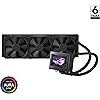
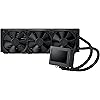
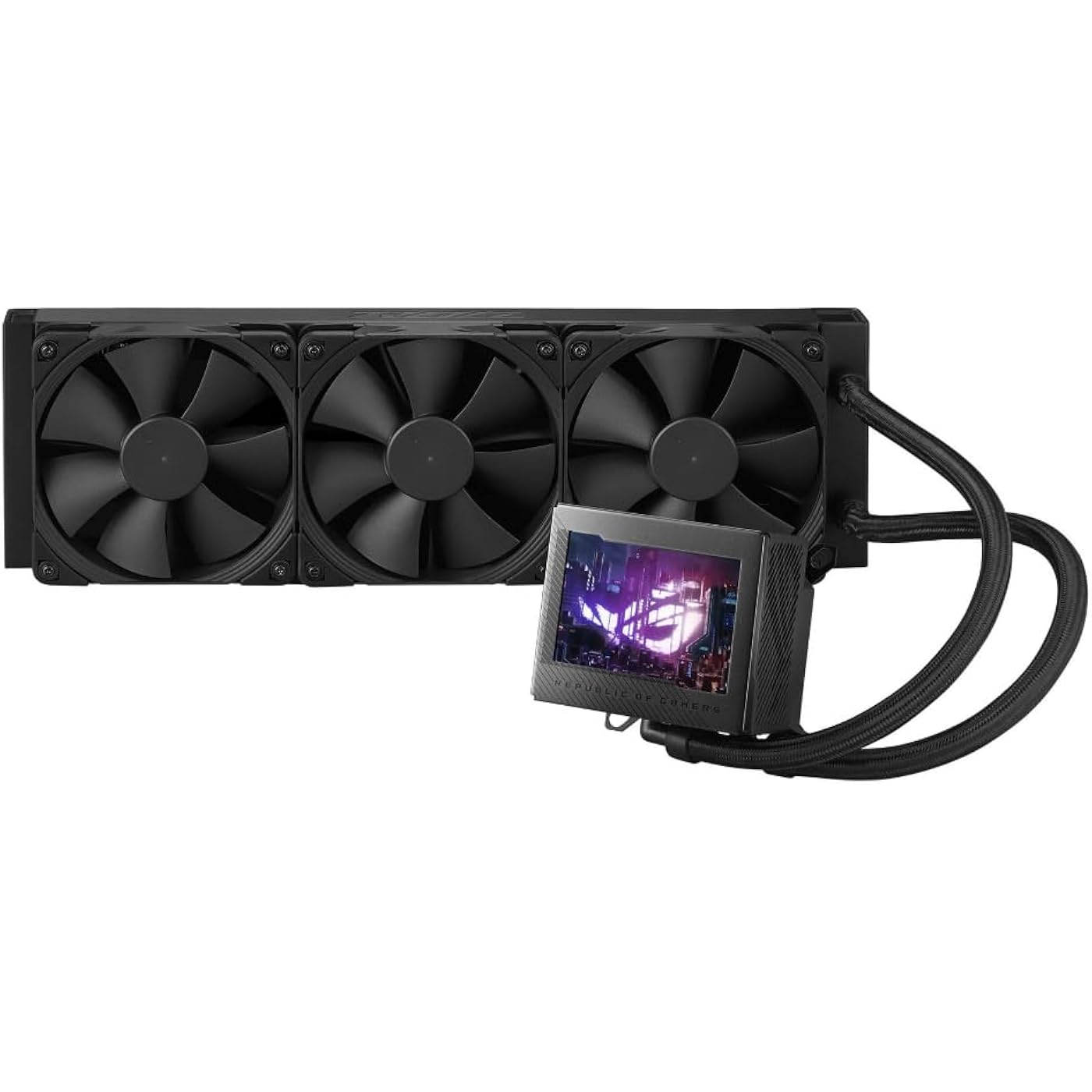
ASUS ROG Ryujin III 360 All-in-one Liquid CPU Cooler with 360mm Radiator. Asetek 8th gen Pump, 3X Noctua industrialPPC 120mm Fans, 3.5” Color LCD
  • Based on 663 reviews
Condition: New
Checking for the best price...
$508.84 Why this price?

Buy Now, Pay Later


As low as / mo
  • – Up to 36-month term if approved
  • – No impact on credit to apply
  • – Instant approval decision
  • – Secure and straightforward checkout

Ready to go? Add this product to your cart and select a plan during checkout.

Payment plans are offered through our trusted finance partners Klarna, Affirm, Afterpay, Zip, Apple Pay, and Google Pay. No-credit-needed leasing options through Acima may also be available at checkout.

Learn more about financing & leasing here.

Selected Option

Free shipping on this product

This item is eligible for return within 30 days of receipt

To qualify for a full refund, items must be returned in their original, unused condition. If an item is returned in a used, damaged, or materially different state, you may be granted a partial refund.

To initiate a return, please visit our Returns Center.

View our full returns policy here.


Availability: Only 1 left in stock, order soon!
Fulfilled by OneDealOutlet Online

Arrives Aug 6 – Aug 13
Order within 10 hours and 32 minutes
Available payment plans shown during checkout

Protection Plan Protect Your Purchase
Checking for protection plans...

Style: 360mm|Black


Size: Noctua Fans


Features

  • 3.5 LCD Display for instant monitoring hardware information and allows users to upload customized GIF animation with doubled file volumes
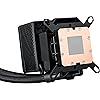
  • The latest 8th gen Asetek pump with a 3-phase motor delivers ultimate cooling performance, higher flow and lower impedance, as well as noise reduction
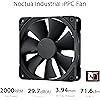
  • Industrial-grade Noctua iPPC-2000 PWM radiator fans that deliver high airflow and minimal noise
  • Embedded fan with a new ring-shaped frame design and advanced airflow channels improved to reduce heat around VRM area
  • Armoury Crate offers complete control of pump, embedded fan, and radiator fan speeds, and allows custom animations and system stats to be displayed on the LCD screen

Description

ASUS ROG Ryujin III 360 all-in-one liquid CPU cooler is powered by Asetek latest 8th Gen pump solution and 3x Noctua industrialPPC 120mm fans to provide high-performance cooling for gaming systems. The perfect AIO liquid CPU cooling solution for PC builder who is looking for high-performance CPU liquid cooling with clean and muted aesthetics.

Brand: ASUS


Power Connector Type: 4-Pin


Wattage: 7.5 watts


Cooling Method: Fan, Water


Compatible Devices: Desktop


Noise Level: 36.45 Decibels


Material: Acrylonitrile Butadiene Styrene, Aluminum, Plastic


Maximum Rotational Speed: 2000 RPM


UPC:


Number of Packs: 1


Power Connector Type: 4-Pin


Wattage: 7.5 watts


Cooling Method: Fan, Water


Compatible Devices: Desktop


Noise Level: 36.45 Decibels


Maximum Rotational Speed: 2000 RPM


Material Type: Acrylonitrile Butadiene Styrene, Aluminum, Plastic


Brand Name: ASUS


UPC: 197105050525


Warranty Description: 6 Year Warranty


Manufacturer: ASUS


Number of Items: 1


Model: ROG RYUJIN III 360


Part Number: ROG RYUJIN III 360


Item Weight: 3.9 Pounds


Unit Count: 1.0 Count


Frequently asked questions

If you place your order now, the estimated arrival date for this product is: Aug 6 – Aug 13

Yes, absolutely! You may return this product for a full refund within 30 days of receiving it.

To initiate a return, please visit our Returns Center.

View our full returns policy here.

  • Klarna Financing
  • Affirm Pay in 4
  • Affirm Financing
  • Afterpay Financing
  • Zip Pay in 4
  • Financing through Apple Pay
  • Financing through Google Pay
Leasing options through Acima may also be available during checkout.

Learn more about financing & leasing here.

Top Amazon Reviews

  • Expensive
Style: 360mm|Black Size: Noctua Fans
This cooler is expensive but it is high quality and beautiful . I love everything about it and it is so easy to install and connect everything . I tried quite a few coolers before this one and to be honest i like this one the most . Im going to keep it until it breaks or i build a new rig in few or what ever years . The reason i switched to this cooler is that i have everything else in my pc from ROG and want it to match it but it turned out i have the best temps with this cooler . 32C on idle and 45C when gaming . Also love that i cat monitor the temps of the cpu and gpu while using pc . I switched to this cooler from DeepCool Mistique 360mm and the temps are 5 to 10 Celsius lower with ASUS ROG Ryujin 360mm . Also the software is much easier to deal with than with any other cooler . The best thing about having the complete Asus ROG parts is that i dont need to connect any rgb wires and all works for some reason , not sure why ? I would guess it goes through the mobo . I mean the cooler is almost the twice the price than most others but im ok with it because is worth it . It is hard to decide what cooler to buy by looking the reviews because its not the same for everyone . In my case i would say it is perfect because i have all Asus ROG parts and there is no software conflict of any kind so it works perfect in my build . Btw , I have my 14700K oc to 5.6Ghz and the temps are just awesome . Also , ASUS - ROG MAXIMUS Z790 HERO (Socket LGA 1700) USB 3.2 Intel Motherboard ASUS - ROG Strix NVIDIA GeForce RTX 4080 SUPER Overclock 16GB ROG Thor 1200W Platinum II 1200 Watt Fully Modular Power Supply 80+ Platinum If the money is not the issue get it , if it is than you wont even look at it i guess . ... show more
Reviewed in the United States on April 25, 2024 by Hector

  • Powerful Cooling with a Premium Look!
Style: 360mm|Black Size: Noctua Fans
The ASUS ROG Ryujin III 360 is hands down one of the best AIO coolers I’ve used! The Noctua Industrial PPC fans deliver excellent airflow while staying surprisingly quiet, and the cooling performance is top-tier, keeping my high-end CPU at low temps even under heavy loads. The 3.5-inch OLED display is a standout feature—it looks incredible and lets me display system stats or custom animations. The added VRM cooling fan is a nice touch, keeping motherboard components cooler. Setup was straightforward, and the build quality is top-notch. My only minor gripe is that Armoury Crate software can be a bit buggy, but once set up, everything works great. If you want elite cooling with premium aesthetics, this is the AIO to get! Highly recommended for high-performance bu ... show more
Reviewed in the United States on April 3, 2025 by Sivakumar

  • Best cpu cooler
Style: 360mm|Black Size: Noctua Fans
Don’t get me wrong it’s a little pricey but totally worth the money. It keeps my intel i9 14th gen cool even well under a lot of stress so great performance it just barely fit in my NZXT H6 flow case but a little wiggle and it was good. The noise isn’t to bad but for the fans and the pump being on full speed it’s not to bad. The screen is a great plus I have all my temps and volts along with the speed of my fans. The noctua fan speed is perfect to exhaust all heat out of the case. ... show more
Reviewed in the United States on October 26, 2024 by jaime moreno

  • Amazing cooler worth the money
Style: 360mm|Black Size: Noctua Fans
I've owned 4 different aio coolers, 3 different ones in this pc case. I've used the 360mm corsair aio with the lcd screen, the evg 360mm with the lcd screen and now this Asus rog ryujin. This thing is a beast. It's keeping my 14900k between 45c to 55c while gaming. I set my own custom fan curve. The speed stay in the 60% range while gaming. The display is huge and looks amazing. The hoses are plenty long. I have one of the biggest cases you can buy. Cooler Master Haf 700 Evo and I have no issue mounting the radiator in the front side fan location. I bought the one with the noctua fans. At full speed they can be a little loud. I run mine sind 60%, I can't hear them and they still move a ton of air. I hope this review helps you make your decision. ... show more
Reviewed in the United States on July 7, 2024 by Revoracer3

  • Missing a manual and screws for 120mm fans
Style: 360mm|Black Size: Noctua Fans
First CPU cooler: I'm not so irritated about the missing manual, because anyone buying this has likely already built several computers. Still, the fact that the 120mm fans came without hardware was a little irritating. The second-most irritating part is that you can see in the pictures this has clearly been used. Components such as this usually offer a choice: buy this brand-new at full price or pay less for an item with some cosmetic damage. I paid for the former, got more than the latter and for the price of this thing, I expected better. The third, and worst thing of all, is that this "CPU cooler" had a micro-USB cord on it! The same cord that typically charges small devices like cellphones and headphones was attached to the cooler's display instead of a 4-pin! Confused, I looked up the manual online but it showed a 4-pin connector. I contacted ASUS and talked to the heavily-accented tech support. THEY were confused. After verifying the 9-pin USB connector was connected, we went back and forth several times to establish that no, I did NOT have a 4-pin but had a micro-USB instead. Once this difficult concept was established, they offered me top-notch support... by telling me they would create a ticket to escalate it and that I'd be contacted in 24-48 hours. #sarcasm So, as this was part of the Amazon Prime computer build, which I have yet to be able to put together and use, I contacted Amazon and will just be replacing it through them. For reference, I attached an additional picture showing the replacement (top) next the original (bottom.) Note the 4-pin connector vs the micro-USB. Also, note the chewed up 9-pin USB connector. In addition to that, further evidence (if any was needed) was shown that the original cooler was pre-used. The new radiator had ROG plastic that contoured the shape on both sides whereas the original did not. Finally, as you can see on the CPU mount was shiny and clean when it arrived. The new one had a square of generic thermal compound on it. Second CPU cooler: I had it replaced with an identical model and, this time, I did get a 4-pin connector instead of some ridiculous cable. However, I'm finding it's not doing a very good job of keeping my new system cool. First, I tried to use TPM7950 on my 13900k CPU. I had temperatures spike up to 100C. I looked it up, people sang nothing but praises for the TPM7950, and recommendations were to redo the mounting pressure by loosening and tightening the screws. Temps dropped about 15°C, but when I went to do something as simple as install a game, the temperatures shot up to unfeasible levels again. It was enough to make the display spazz out and continually display "Warning 95°!" even while the computer was off. I had to toggle the power switch on the PSU to get it to stop that. I took off the TPM, applied MX-4 silver compound (I ran out so I used some spare compound), and retried it. Temperatures were a lot better, resting in the low 40s, but when I tried to run that game I mentioned, temperatures again shot up to 100°C. Tomorrow, a much larger syringe of Arctic Silver MX-4 will arrive, and I'll redo the application on the CPU, but this cooler is NOT doing me any favors. I even removed the Noctua fans and added on Silent Wing Pro 4 120mm fans, because they move a lot more air, and yet this cooler is STRUGGLING to keep this CPU from burning itself to a crisp doing the simplest of things. So, that makes me wonder: if I redo the thermal application with high-quality compound, and it STILL wants to melt down like a nuclear power plant, when do I do then? Do I send a SECOND CPU cooler back to Amazon? Do I bark at Asus support to correct the problem? They seemed clueless the last time I talked to them about the first one, so I'm skeptical about how well they'll do with the second. I have what is supposed to be a top-of-the-line system with components that cost thousands of dollars, and it amounts to a very heavy paperweight as I try to figure out how to keep it cool. So far, from Asus and in this one computer build, I've come across these two CPU coolers (one having the wrong cord and the other under suspicion of cooling poorly) and a motherboard that would pop errors when any memory was used in the first two channels. Asus used to be a good brand to me. Now, I'm wondering how many circles they're making as they keep cutting corners. So far, they're 0/3 in this build. Not impressed Asus. Not impressed at all. ... show more
Reviewed in the United States on August 1, 2024 by Brent Trehern

Can't find a product?

Find it on Amazon first, then paste the link below.
Checking for best price...