Search  for anything...

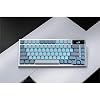
ASUS ROG Azoth Wireless Mechanical Gaming Keyboard – 75% TKL, Tri-Mode Connectivity, Hot Swappable Pre-lubed ROG NX Storm Clicky Switches, PBT Keycaps, RGB, OLED Display, PC/Mac Support - White

  • Based on 0 reviews
Condition: New
Checking for the best price...
$189.99 Why this price?
4th of July Sale · 24% off was $249.99

Buy Now, Pay Later


As low as $31.67 / mo
  • – 6-month term
  • – No impact on credit to apply
  • – Instant approval decision
  • – Secure and straightforward checkout

Ready to go? Add this product to your cart and select a plan during checkout.

Payment plans are offered through our trusted finance partners Klarna, Affirm, Afterpay, Apple Pay, and PayTomorrow. No-credit-needed leasing options through Acima may also be available at checkout.

Learn more about financing & leasing here.

Selected Option

Free shipping on this product

FREE 30-day refund/replacement

To qualify for a full refund, items must be returned in their original, unused condition. If an item is returned in a used, damaged, or materially different state, you may be granted a partial refund.

To initiate a return, please visit our Returns Center.

View our full returns policy here.


Availability: Only 3 left in stock, order soon!
Fulfilled by Amazon

Arrives Friday, Jul 10
Order within 14 hours and 2 minutes
Available payment plans shown during checkout

Protection Plan Protect Your Purchase
Checking for protection plans...

Color: White


Size: Storm Clicky


Style: Azoth


Features

  • Tri-mode connectvity: Seamlessly connect to three devices via Bluetooth. Experience ultra-low latency gameplay with ROG SpeedNova wireless technology in 2.4 GHz RF mode (2000+ hours battery life with OLED & RGB off), or utilize a standard wired USB connection.
  • Gasket Mount & Premium Sound Tuning: A silicone gasket mount and three layers of integrated dampening foam work in harmony to absorb vibrations and eliminate pinging noises, creating a uniquely satisfying sound signature and a consistent, flex-free typing feel.
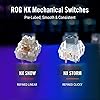
  • Hot Swappable, Pre-Lubricated Mechanical Switches: Customize your keystrokes with ROG NX Snow linear switches (buttery smooth and thocky out-of-the-box) or ROG NX Storm clicky switches (crisp, tactile feedback). Durable PBT doubleshot keycaps provide a premium feel.
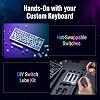
  • Complete Custom Keyboard / DIY Kit: Dive into keyboard customization with confidence. The hot-swap PCB allows for easy installation of your preferred 3-pin switches. The included professional kit provides everything you need: Krytox GPL-205-GD0 lubricant, switch opener, pullers, lube station, and brush. Perfect for beginners and experienced modders alike.
  • OLED Screen & Intuitive Controls: Monitor CPU/GPU stats, media playback, and keyboard settings in real-time on the integrated 2-inch OLED screen. A multi-function control knob provides tactile adjustment for volume, lighting, and more, offering unparalleled command.
  • Mac support: Easily toggle between Windows and MacOS modes
  • Included accessories: ROG switch opener, keycap and switch pullers, a lube station and brush, Krytox GPL-205-GD0 lubricant, 3 ROG NX switches, 8 stabilizer mats, a USB dongle and extender, a USB cable, a ROG sticker, a quick start guide, and a warranty booklet.

Description

Azoth Moonlight White is a 75% wireless custom gaming keyboard bristling with DIY features traditionally found on premium custom keyboards. A metal top cover with silicone gasket mount and three-layer dampening, hot-swappable, pre-lubed ROG NX Snow switches and keyboard stabilizer, ROG PBT doubleshot keycaps and bundled switch lube kit

Compatible Devices: PC


Connectivity Technology: Bluetooth, RF 2.4GHz, USB 2.0


Additional Features: Backlit


Keyboard Backlighting Color Support: RGB


Number of Batteries Required: 1


Power Source: USB Powered


Switch Type: Linear


Keyboard Layout: QWERTY


Hand Orientation: Ambidextrous


Button Quantity: 75


Mechanical Keyboard Switch Model: kailh_rgb_red


Minimum Required Operating System Version: Windows 10


Compatible Operating System Family: Windows


Compatible Tablet Computer Models: AAUB P30


Number of Keys: 82


Number of Sections: 3


Color: White


Style Name: Azoth


Theme: Gaming


Brand: ASUS


Keyboard Description: Gaming


Antenna Location: Gaming


Built-In Media: ROG Azoth Moonlight White keyboard, ROG keycap & Switch puller, ROG switch opener, lube Brush, lube station


Model Number: M701 ROG AZOTH/NXSM/CA/PBT/WHT


Model Name: M701 ROG AZOTH/NXSM/CA/PBT/WHT


Series Number: 701


Global Trade Identification Number: 10


Unit Count: 1.0 Count


Manufacturer: ASUS


UPC: 197105209510


Mfr Part Number: M701 ROG AZOTH/NXSM/CA/PBT/WHT


Item Weight: 4.03 Pounds


Warranty Description: 1 year


Item Dimensions L x W x H: 15.1"L x 8.6"W x 3.7"H


Enclosure Material: Metal, Polybutylene Terephthalate


Frequently asked questions

If you place your order now, the estimated arrival date for this product is: Friday, Jul 10

Yes, absolutely! You may return this product for a full refund within 30 days of receiving it.

To initiate a return, please visit our Returns Center.

View our full returns policy here.

  • Klarna Financing
  • Affirm Pay in 4
  • Affirm Financing
  • Afterpay Financing
  • PayTomorrow Financing
  • Financing through Apple Pay
Leasing options through Acima may also be available during checkout.

Learn more about financing & leasing here.

Top Amazon Reviews


  • Whoa! Premium Feel, and Superb Product.
I was hesitant on spending $200 on a keyboard at first. I read reviews, watched YouTube unboxings, and did research. I ultimately came to the conclusion: I didn't need this keyboard...then I bought it on a whim anyways. I do not regret it. I am not a keyboard expert by any means, honestly most of the research I did just confused me. So I cannot attest to anything in regards to "Actuation Point" or "Switches". I don't have any knowledge to base it on. What I can say is the keyboard FEELS amazing. I purchased the variant with Brown Switches, and it truly feels great. Pressing a key is nice and punchy, and it has a nice "creamy" sound. It's very satisfying to listen to, but isn't picked up by a camera very well. The keycaps feel very strong and have a bit of a grain to them. I suppose for friction or grip? I don't know. The LED behind the keys have multiple lighting ranges for battery saving, as does the OLED screen. The connection speed using the dongle is almost instant. I barely have time to get my hand away from the slider after turning it on before it pairs to my computer. I've seen no noticeable latency, connection, or power loss issues. The first day I got it, I carried it around the house just to listen to the creamy clicks from the keys. It is addicting! This keyboard replaced my previous Razer Blackwidow v3, as I wanted a smaller keyboard. I thought the Blackwidow has a premium feel, but the Asus Azoth truly exceeded all my expectations. There is ONE downside: Armory Crate. I know I know, but I came in to it unbiased! I have never used armory crate prior and had no attachments to any of my other softwares. I saw all the reviews attacking Armory Crate, and figured I would decide for myself if the criticism was valid. I mean it's really bad. It isn't user friendly, it's filled with advertisements, and it just doesn't work half the time. I spent 2 hours setting up the app and getting all my preferences together, and then when I closed the app it just reset. So after doing it again I kept the screen up. I've come to the conclusion that if you dare to minimize the armory crate screen, it just wanders off into the void of your computer. Every time I minimize the app the RGB in the keyboard cuts out, and I have to reopen it to get it back up. I do have a software update for the keyboard I've been too lazy to do, which could fix this problem so who knows. Even without this issue just the usability and ease of access of armory crate or lack thereof, makes me hate it. I am looking into alternatives to armory crate now, hopefully there are some. The keyboards feel, battery, and connection abilities surpass my disposition for armory crate. So I still give it 5 stars. If you like armory crate? You'll love this keyboard. If you hate armory crate? You'll love this keyboard and continue to hate armory crate. ... show more
Reviewed in the United States on September 23, 2024 by Taylor S

  • Pricey, but really solid and works well for me.
Color: Black Size: Snow Linear Style: Azoth
TLDR: Build quality is strong, it's also pretty heavy. Wireless connectivity has had no issues. Screen is clear, no lag or issues. Control wheel is solid. Keyboard size is good for its... size? Setting up was easy. Keys are smooth and the sound is still that of a mechanical keyboard (Snow) but not loud. I wish lighting was a bit brighter but it's decent. No issues with software. Experience: Coming from a full, low profile keyboard to a 75% took a bit getting used to. -The keys are SENSITIVE. Some claim you get double key registry, no. It's just that sensitive. -Not having a numpad was probably the most annoying thing to get used to, but now I don't even think about it. -Not having some keys was rough getting used to, but macros work well with this keyboard. -Yes, some hate Armoury Crate, but no issues with setup, keyboard or software. -It felt a bit too tall (some might need a wrist pad), but I was used to my slim keyboard (Corsair k100 AIR Wireless). Once you get used to it, it's a solid keyboard. While I do recommend it, I still think you should get it on sale. If you want to spend the full tag on it, by all means. Reason I went for a 75%? Because I kept hitting my mouse on my 100% when gaming. Annoyed me enough to pull the trigger on this lol. If you know you know. ... show more
Reviewed in the United States on January 16, 2026 by Valfar Valfar

  • Solid Keyboard
Color: Black Size: Snow Linear Style: Azoth
Just note, I'm a gamer, I don't do programming and all I do with my keyboard at home is chat with friends, play games or sometimes type up documents. I rarely use function keys like home/end/pgup/pgdn etc etc. I'm the type of guy that is ok as long as we have the F-keys and arrows keys available. I'm not a big backlit keyboard guy, nor do I really care of being fully customizable program or hardware wise. So I've been looking around keyboards, buying and returning, or keeping it and disliking it by the time the return window is closed for around a couple of years now. I've touched a few of the cheaper brands, the logitech wireless G915 low profile, Ducky Keyboards, and the Asus ROG Falchion. General review was logitech feeling sort of cheap, ducky keyboards were wired :'(( , Asus Falchion was way too compact for me (not an ASUS issue, just "it's not you it's me" issue) and the metal back plating reverbed with metallic sounds when typing. Ducky keyboards were honestly really good but they do not have any wireless options that I know of which, as a person who wants as minimal cords and wires visible on the desk, it was just a no-no. I couldn't settle myself to seeing the keyboard wire stretching all the way to the back of the desk, even with those aesthetic cords. I was hesitant on getting this Azoth keyboard as the Falchion wasn't that great of an experience. I preferred the cheap felt G915 over the Falchion, which I don't mean to disrespect either keyboards/manufacturers, but they both had their pros and cons. The G915 cons were more forgiving in comparison to the Falchion, but I just decided to give it another go for this keyboard and I definitely do not regret it the slightest. The Azoth keyboard is amazing on the physique, it feels really heavy and solid, the snow switch is quiet but has the most relaxing and satisfying tactile and audible feedback. They completely solved the issue of the backplate reverbing metallic sounds as they described and they really isolated the sound of the keys. The snow switches sound so soothing, I made my friend listen to the keyboard and she's the type to judge harshly, but even she was like, "Oh my god, that sounds so good." The keycaps feel pretty nice too, unlike the G915 I have. The G915 felt flimsy, as it was low profile, but there were reviews talking about the material and build for the keycaps. I did feel it was cheap but didn't think much about it. I used the keyboard for about 6 months and as I sweat a lot on my hands, it does give a toll on the keyboard. The w-key's black coating/paint was chipped and as much as it doesn't affect the performance of the keyboard, it was disappointing that the keycap coating chipped after not even a year. This Azoth keyboard definitely has a keycap that feels more solid and I definitely do not feel it'll be chipping anytime cause of my hands sweating so much. I'll update the review if it does go under my expectation but, I can already feel it's going to meet my expectation. The customization is really in-depth and there's a lot of lighting patterns you can customize to. The top right OLED display is pretty nice, kind of hard to see when you set your keyboard on the desk but that's whatever. You can put any picture you want on the top right display, which is pretty awesome. The control knob isn't bad, it's very easy to control but it'll probably take time for me to get used to. Yet, as earlier I explained, I haven't really checked in depth cause I don't really give a care for these but I'm pretty sure if you enjoy these details, you'll have quite a bit of fun. Battery life, I'll be honest, I fell in love with this keyboard the moment I started using it, I'm only on day 2 writing this review, so if I experience anything in the future, I'll come update but if there's no update, I'm probably still with this baby with no complaints for it being unreasonable. **update/1.5month - The battery life is long enough, I have the OLED screen on, dim backlighting on and I probably charged it maybe twice throughout this span. Definitely good battery life. They also have customizable keys, lubes and what not, so if you're interested in changing keys, lubing keys or doing customized keyboards, maybe this might be a good way to start since it lets you do some maintenance on your own? It seems to be a good introductory/starter kit for if your interested in the customizing the keyboard physically. Only a few cons I can think of right now, such as how the ArmoryCrate UI (the keyboard program on the PC) is pretty jumbled and hard to maneuver around in my opinion. The other one might be the connectivity switch being a small hassle because if you charge your keyboard while using it, the keyboard must be swapped to the wired setting from the wireless setting or it won't connect properly. Yes again, just have to get used to it and if the battery life is long, how many times will you be doing this procedure? Not much so depending the battery life, this QoL issue may be very miniscule. ***update/1.5month - It definitely is very miniscule, because of the good battery life and rather, it doesn't bother me that I have to change positions of the switch. There's three modes, wireless, wired, and bluetooth. I don't use bluetooth so I just had to remember two modes, the switch to the left is wireless, the switch centered is wired. *3months update: I found the one, is all I can say. I usually start looking around Amazon for different keyboards on the market because I feel there's something always better, but I've yet to browse the market. Which really says a lot because I feel I was always on the hunt for keyboards. It seems I found my one true keyboard before I found my one true love LOL. ... show more
Reviewed in the United States on February 12, 2024 by TofuTofuTofu

Can't find a product?

Find it on Amazon first, then paste the link below.
Checking for best price...