Search  for anything...

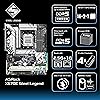
ASRock X670E Steel Legend Support AMD AM5 RYZEN 7000 Series Processors Motherboard

  • Based on 210 reviews
Condition: Used - Good
Checking for the best price...
$342.46 Why this price?
Save $406.54 was $749.00

Buy Now, Pay Later


As low as / mo
  • – Up to 36-month term if approved
  • – No impact on credit to apply
  • – Instant approval decision
  • – Secure and straightforward checkout

Ready to go? Add this product to your cart and select a plan during checkout.

Payment plans are offered through our trusted finance partners Klarna, Affirm, Afterpay, Apple Pay, and PayTomorrow. No-credit-needed leasing options through Acima may also be available at checkout.

Learn more about financing & leasing here.

Selected Option

Free shipping on this product

This item is eligible for return within 30 days of receipt

To qualify for a full refund, items must be returned in their original, unused condition. If an item is returned in a used, damaged, or materially different state, you may be granted a partial refund.

To initiate a return, please visit our Returns Center.

View our full returns policy here.


Availability: Only 2 left in stock, order soon!
Fulfilled by Zutto3650w

Arrives Jun 20 – Jun 22
Order within 13 hours and 51 minutes
Available payment plans shown during checkout

Protection Plan Protect Your Purchase
Checking for protection plans...

Style: X670E Steel Legend


Features

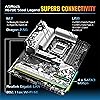
  • SUPPORT AMD AM5 RYZEN 7000 SERIES PROCESSORS
  • CHIPSET:AMD X670
  • MEMORY:DUAL CHANNEL;4*DDR5;MAX 128GB
  • SLOT:1*PCIE5.0X16;1*PCIE3.0X16;1*PCIE3.0X1;1*VERTICAL M.2
  • GRAPHICS:INTEGRATED AMD RDNATM2 GRAPHICS(ACTUAL SUPPORTY VARY BY CPU)

Description

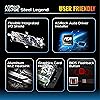
MFR-PART: X670E STEEL LEGEND CPU:SUPPORT AMD AM5 RYZEN 7000 SERIES PROCESSORS CHIPSET:AMD X670; MEMORY:DUAL CHANNEL;4DDR5;MAX 128GB; SLOT:1PCIE5.0X16;1PCIE3.0X16;1PCIE3.0X1;1VERTICAL M.2; GRAPHICS:INTEGRATED AMD RDNATM2 GRAPHICS(ACTUAL SUPPORTY VARY BY CPU) AUDIO:7.1-CH HD AUDIO(REALTEK ALC1200); LAN:12.5GIGABIT LAN (DRAGON RTL8125BG);1GIGABIT LAN(REALTEK RTL8111); WIFI6E STORAGE:4SATA3 W/R 0,1,10;3HYPER M.2; I/O:2ANTENNA PORTS;8USB3.2;1HDMI;1DP;2RJ45; FORM FACTOR:ATX;129.6INCH;30.524.4CM;

Brand: ASRock


CPU Socket: Socket AM5


Compatible Devices: AMD Ryzen 7000 series processors


RAM Memory Technology: DDR5


Compatible Processors: AMD Ryzen 7000 series


Chipset Type: AMD X670


Memory Clock Speed: 6600 MHz


Platform: Windows, Windows 10


Model Name: X670E STEEL LEGEND


CPU Model: AMD Ryzen 7


Processor Socket: Socket AM5


Compatible Devices: AMD Ryzen 7000 series processors


RAM Memory Technology: DDR5


Compatible Processors: AMD Ryzen 7000 series


Chipset Type: AMD X670


Memory Clock Speed: 6600 MHz


Platform: Windows, Windows 10


CPU Model: AMD Ryzen 7


Memory Storage Capacity: 128 GB


Ram Memory Maximum Size: 128 GB


Main Power Connector Type: 24-Pin


Graphics Card Interface: Integrated


Memory Slots Available: 4


Number of Ports: 12


S/PDIF Connector Type: Optical


System Bus Standard Supported: SATA 3


Total SATA Ports: 4


USB 2.0: 2


Total Usb Ports: 12


Number of Ethernet Ports: 2


Total Number of HDMI Ports: 1


Total PCIe Ports: 4


Brand: ASRock


Model Name: X670E STEEL LEGEND


Model Number: X670E_AM5_RYZEN_7000_SERIES


Manufacturer: ASRock


Global Trade Identification Number: 23


Mfr Part Number: X670E STEEL LEGEND


Item Weight: 1.2 Kilograms


Warranty Description: 3 Years


Item Dimensions L x W x H: 12.6"L x 3.7"W x 15.04"H


Frequently asked questions

If you place your order now, the estimated arrival date for this product is: Jun 20 – Jun 22

Yes, absolutely! You may return this product for a full refund within 30 days of receiving it.

To initiate a return, please visit our Returns Center.

View our full returns policy here.

  • Klarna Financing
  • Affirm Pay in 4
  • Affirm Financing
  • Afterpay Financing
  • PayTomorrow Financing
  • Financing through Apple Pay
Leasing options through Acima may also be available during checkout.

Learn more about financing & leasing here.

Top Amazon Reviews


  • Great motherboard with lots of options Great motherboard with lots of options
Built a system around a 7900X3D that I got for free (don't flame me for having a 7900X3D please... it's actually a good CPU!). So, I did my search for the perfect motherboard with the best options and settled on this one. First, it looks great. Second, there's a bunch (3) of ARGB ports vs the competition. There's lots of fan connections (see the picture here... there's 9 fans outside of the GPU... 2 in the back you can't see). Also, this cannot be underestimated... There's 2 M.2 sockets far away from the primary PCIe slot for your GPU, so it's not hampered by the excessive heat on top of it. (Just an FYI - For those of you using an AIO, do NOT plug it into the fan plug next to the CPU... it will not operate the heat pump and it will overheat. Use another fan port). My config... ASRock x670e Steel Legend AMD 7900X3D 32 GB of Kingston Beast memory ( have an additional 32 GB to install later for total of 64GB). Thermaltake Tower 500 Chassis (this thing is AWESOME) ASRock 7800XT Steel Legend GPU Two 2TB Solidigm P44 Pro M.2 SSDs (these are super fast!) Two 8 TB WD RED HDD's (mounted in the back of the chassis). Deep Cool LS720 White AIO and 6 DeepCool FS120 White fans (all can be daisy chained for less cable clutter and ARGB consolidation). GameMax 1250W White power supply (this had PLENTY of plugs for everything and looks great) Paired this all with an ASRock 34" wide screen monitor The board with 3 ARGB ports made it so that the PWM hub I bought was completely unnecessary. I linked 4 fans together for 1, 2 fans for another, and AIO for another. I ran into an overheating issue as mentioned above without realizing it's because of the fan port I plugged into, so figured it was maybe BIOS related. So I went to do a BIOS upgrade. Maybe i'm old and am not aware of BIOS updates anymore, but this was EASY!! Loaded the BIOS on a USB stick and did a flash update without even needing to turn the PC on. Just plug the USB drive with the updated BIOS, press the flash BIOS button and voila. The GPU I bought (can't find it on Amazon for some reason at the moment), worked flawlessly with the board and looks great too. The Polychrome SYNC software could be improved. It works well after fiddling with it for a while but is not really all that intuitive. More work on this could make this a major leader Last but not least, if installing Windows 11, make sure you go into the BIOS security settings and turn ON TPM 2.0. If you don't, Windows 11 install will not work. ... show more
Reviewed in the United States on September 24, 2023 Reviewed in the United States on September 24, 2023 by Dennis Levenson

  • Paired with AMD CPU 7900X, It's a Multi-Tasking Beast; Good Components Cooling; Many USB Ports
This review is updated to be more accurate to reflect more experience I now have with the motherboard. I'm very positive about the quality and performance of this motherboard. The build: Steel Legend X670E, AMD Ryzen 9 7900X, 2X32GB G.Skill Trident Z5 DDR5 6400 (F5-6400J3239G32GX2-TZ5RS), EVGA RTX 3080Ti, 3 NVME drives, and CPU cooler Thermalright 140 Frost Spirit. The system drives two Dell 27" Ultrasharp 4K monitors. My performance goal for this system was effortless heavy multi-tasking and editing of very high-resolution RAW photograph files. I am not disappointed. The system is a multi-tasking beast. The motherboard has a fairly rigid 8-layer PCB, which is sturdy and facilitates easy tinkering with components in the computer case. The board's heatsinks function well, keeping components at good temperatures, regardless of the load (but of course, good case ventilation is a must). Both BIOS fan settings and ASRock's A-Tuning fan curves settings work well with the system. With A-Tuning though, it took quite a few settings configurations to get the sound/cooling levels at the best compromise. I really appreciate the generous number of fan headers and USB ports, including two USB 3.2 Gen2, one of which is USB-C format. I have found both the 1 gigabit and 2.5 gigabit Ethernet ports to work well, although my home LAN will bottleneck speeds under either the 1Gb and 2.5Gb theoretical speeds. I have had two issues with the motherboard. The motherboard will detect XMP settings and drive the two DDR5 modules at their rated speed with BIOS 1.28. I reverted the board back to the shipping BIOS, 1.24, and the motherboard instantly recognized the XMP settings and has been stable at the G.Skill modules’ rated speed. I should note that ASRock did NOT list my RAM model in their compatible memory chart when I built this system. Another issue is that the system will not boot into Windows if the boot NVMe drive is installed in one of the lower M2 slots (M2_1 and M2_3), even though the manual lists those slots as supporting boot drives. The lower slots work perfectly and fast for data drives. One other matter, from date of purchase to product delivery was 15 days, and that was with Prime. Hmm ... show more
Reviewed in the United States on October 5, 2023 by Leonardo

  • Fantastic Mobo Fantastic Mobo
It's a Fantastic mobo, But very hard to get, it was delayed for 1 month and a half from ordering. And when I check on it, it is always sold out or out of stock. Everything works fine, everything was easy to install. Buuuuuuuuuuut There is one down side. some mobos have very high vapor chamber on top of mobo. (it is marked in the image) It's so high that it's kinda hard to install AIOs, unless you have a big case. For information ATX cases are not enough even though it is an ATX mobo. You need E-ATX or larger case if you plan to install AIO. Or An ATX case that has some space on top side. Roughly at least 6.5CM distance between top side and the mobo. As for my combo, if anyone is planning to buy it, Follow The Memory QVL on Official website. In my case it was: G.skill Trident z5 F5-6000J3040G32GX2-TZ5NR 2x32gb No issues with overclocking or undervolting. Memory at 6000mhz CPU Ryzen 9 7900x, undervolt CO all core -30 5.5ghz GPU 6700 xt, overclocked and undervolted 2600mhz, 1100mv, vram 2150mhz Update 1: a year and more has passed. 0 Issues. Still works. Still perfect. ... show more
Reviewed in the United States on December 29, 2023 Reviewed in the United States on December 29, 2023 by Lasha Pichkhaia

  • mine is solid
After reading a lot of X670 and X670E motherboard reviews this one seemed least likely to be problematic. It's been flawless. I'm only running the 1G network port so can't comment on 2.5G. Linux Mint and Ubuntu haven't had any issues. I'm really glad to have gotten this motherboard considering the alternatives. Setting XMP for RAM worked great at 6400 for two DIMM sticks but only runs at 3200 with four DIMM slots. Apparently it's a problem in general across manufacturers with more than two DIMMs. They also did a much better job than other manufacturers with separate PCIe4.0 lanes and compatibility with 2280 SSDs. The only thing that bugs me is that ASRock used X670E in the product name when its chipset isn't X670E but rather X670. I overlooked it because I didn't like any other motherboards but it worries me that the company will outright mislead. ... show more
Reviewed in the United States on May 19, 2024 by Amazon Customer

  • This motherboard takes FOREVER to boot
I recently purchased a brand new Ryzen 7950x, 128GB of 6000Mhz DDR5 memory and several other components so that we could build a very powerful workstation to analyze comments on social media platforms. This motherboard looks AMAZING, but unfortunately it doesn't appear to be ready for prime time at all. After spending several hours getting everything installed, I first noticed some issues with the amount of time it takes to POST. With 128GB of memory, it would sit there for over 7 minutes until it would finally post. Apparently there is some sort of BIOS issue related to memory because the motherboard indicator gets to DRAM and then just flashes forever. There is no other log or indication of what the problem is. Sometimes it will get into the BIOS. Sometimes it will load into Ubuntu. Once it does load, it seems to be very stable -- the problem is that it very seldom actually loads into the OS or even the BIOS. I've tried flashing newer BIOS versions but nothing seems to work. The memory I am using is "G.Skill Trident Z5 Series (Intel XMP) 64GB (2 x 32GB) 288-Pin SDRAM DDR5 6000 CL32-38-38-96 1.40V Dual Channel Desktop Memory F5-6000J3238G32GX2-TZ5S (Metallic Silver)" which is sold via Amazon. I have tried removing DIMMS, seating and reseating, waiting, etc -- this motherboard just doesn't want to work! Here are several issues: - For the price this motherboard costs, I don't understand why ASRock couldn't provide a POST indicator that uses a text/numerical LED to give more information about what might go wrong during the POST process. The motherboard had four LEDs on the motherboard itself (CPU, DRAM, Graphics and BOOT). The problem with the onboard LEDs is that they are way too bright. They are so bright that it is often difficult to tell which is lit and how many are lit. Again, ASRock could have spent an additional 25 cents to provide an alphanumeric LED that can provide far more information. In fact, they do this for some of their other motherboards. - The motherboard takes entirely too long testing the memory. I don't understand why or what it is doing during this part of the boot process. It would have been nice if ASRock provided some form of display logging so that the end-user could understand what the board is doing. - This motherboard doesn't appear to play well with integrated graphics. I can't tell what's going on, but there seems to be some type of issue with the DRAM testing stage and then the motherboard seems to take additional time figuring out that there isn't a discrete graphics card present and that it should be using the integrated graphics onboard the Ryzen 7950x. This isn't my first rodeo -- I've been building PC's for over 20 years. I know all the troubleshooting steps including reseating RAM, removing RAM or trying to boot with just 1 or 2 sticks of RAM to make sure there isn't a faulty DIMM causing issues. I looked online and apparently other people are having major issues with this motherboard during the BOOT sequence. This is extremely frustrating because when the board does manage to get into the OS (Ubuntu in my case), it performs flawlessly. ASRock -- you need to pay attention to your BIOS progamming and Q/A procedures. I've purchased motherboards from you in the past that just... well... ROCKED. But this motherboard seems to show you rushed it out with proper QA. Update: I really tried to make this work with this motherboard but sometimes it will POST and get into the OS and other times it will just get stuck in POST. I don't have to do anything different. I will turn off the computer and turn it back on -- 20% of the time it will make it past POST and get into the O/S and a majority of the time it will get stuck in POST. My best guess is that the BIOS code still needs a lot of work (probably memory detection issues). The fact that it will work and not work at random when rebooting is a clear indication that there seems to be a problem with a component (DRAM) and the BIOS trying to read something from the DRAM. Either way, I've made the decision to purchase a different motherboard and return this motherboard. It is a royal pain (especially with the CPU mount and heat sink) but I don't know what else to do -- I may try loading another BIOS version (if I can get back into BIOS) and see if another version of the BIOS is more stable). All in all, ASRock usually makes wonderful products but this seems like an example where something was rushed through development to make a deadline and stability suffered from that rush job. ... show more
Reviewed in the United States on November 11, 2022 by Jason Baumgartner

  • Great Bios. Great Bios.
I've ran Asrock, Asus and MSI boards for both AMD and Intel. I love this motherboard. Its bios is great, it has all the features I need and looks good. Its definitely overkill in my build. Running a 7600x and 4060 at the moment. The PC was designed to accept more powerful parts from our other PC when it gets upgraded in the future. The RGB is great but my only complaint is I'm not a fan of the Asrock RGB program. I would recommend something different for controlling RGB. This is my 6th build so have had a couple motherboards. 3rd build using AM5. This is my second Asrock motherboard. Definitely a motherboard worth considering. ... show more
Reviewed in the United States on February 21, 2025 Reviewed in the United States on February 21, 2025 by Joseph P.

  • It works! The UEFI needs help.
After trying to love an Asus 650 chipset, I landed on this one. Asus sent me a damaged cpu socket and the damaged pins control b channel dimm so I couldn’t boot without removing sticks from b channel. This asrock socket was perfect. My only gripe is the UEFI looks like crap compared to Asus and Msi. Fast startup. With memory training on your boots might not be instant, but everything works unlike the Asus board. That’s being said I do boot into windows 11 in around 10 seconds without fast boot enabled. ... show more
Reviewed in the United States on August 15, 2024 by Colton Crosby

  • Phenomenal Performance &Value Phenomenal Performance &Value
Most 670E boards this good are 2-5x times as much. Maybe they have more LEDs, but damm... for $299 I saved a Ton and was able to use those savings to go from a 7800X3D to a 7950X3D and 32Gb RAM to 64Gb of 96000MHz CL 30. I've packed in an XFX 7900 XTX that hits 3Ghz+ and over 1.1Tbs on its 24GB VRAM. It runs every single "broken" game completely maxed out (RT too;) at native 4k@60fps+ on Day 1. In addition, I have 3x NVMe SSDs stuffed in here with another slot to spare. The 4TB WD Black 850X gets ~7.5Gbs read and over 7Tbs write. I have other details, but I think one of the most important is temperature. When I decided on buying this board vs ones from Asus, MSI, Etc., I watched Hardware Unboxed' AM5 Motherboard round-up. In that video they show this board as having slightly higher temperatures than some of the boards that again costs 2-5x or more. In my case, with my case airflow, that's not the case lol I have yet to witness any temperatures that are even remotely higher than what I'm comfortable with an I Love Things Cool And HAPPY 😊 If you're looking for an outstanding AM5 Motherboard with Everything (value included), this is the one. ... show more
Reviewed in the United States on August 13, 2023 Reviewed in the United States on August 13, 2023 by Joshua Ryan Hummel

Can't find a product?

Find it on Amazon first, then paste the link below.
Checking for best price...