




AMS Hub - AMS Filament Buffer 4-in-1 for X1,P1P,P1S 3D Printer, Compatible with AMS, AMS 2 Pro & AMS HT, Enables up to 16 Colors with 4X AMS Units




Buy Now, Pay Later
- – 4-month term
- – No impact on credit to apply
- – Instant approval decision
- – Secure and straightforward checkout
Ready to go? Add this product to your cart and select a plan during checkout.
Payment plans are offered through our trusted finance partners Klarna, Affirm, Afterpay, Zip, Apple Pay, and Google Pay. No-credit-needed leasing options through Acima may also be available at checkout.
Learn more about financing & leasing here.
FREE 30-day refund/replacement
To qualify for a full refund, items must be returned in their original, unused condition. If an item is returned in a used, damaged, or materially different state, you may be granted a partial refund.
To initiate a return, please visit our Returns Center.
View our full returns policy here.
Recently Viewed


Features
- NOTICE:ensure the buffer is securely mounted on the back of the printer for proper use. Restart printer if unrecognized.
- Product List: Non-official AMS Hub unitx1; 2.5*4mm PTFE Tube 6.6ft(2000mm)x1; 4PIN cable1,6PIN cable1; PU-4 connector1; M3*30 Screw x2.
- Unlock up to 16-Color Printing: Expand your creative possibilities. By connecting the maximum of four AMS units (each holding 4 filaments), you can achieve stunning 16-color or 16-material 3D prints directly.
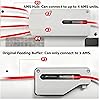
- 4-in-1 Central Hub: Effortlessly connect up to four Automatic Material Systems (AMS) to this single hub. It consolidates the four input paths into one streamlined output to your 3D printer, simplifying your multi-material workflow.
- Plug and Play Setup: Get started in minutes. The setup is straightforwardconnect your AMS units to the hub, and the hub to your printer. It requires no complex configuration or software, leveraging the smart features of your system.
- Integrated Filament Buffer: Features a built-in buffer zone that smartly manages filament retraction during color changes. This critical function significantly reduces the risk of filament tangling and jams within the AMS units, ensuring a smoother and more reliable printing experience.
- Seamless Compatibility: Designed to work seamlessly with your printer, including the AMS, the upgraded AMS 2 Pro (with drying features), and the high-temperature AMS HT. It is intended for use with compatible Bambu Lab printers like the X1,P1,P1S.
- NOTICE:Non-official component, this is a third-party adapter.
Description
The AMS hub can connect up to 4 AMS units and can be expanded to up to 16 spools of filament. It consists of a filament selection module and a buffer module. The filament selection module is equipped with 4 input ends with Hall sensors, enabling precise filament identification. The buffer module works in the same way as a standard filament buffer: the slider, spring, and sensor ensure uniform and stable filament tension during operation. If a filament buffer has already been installed, remove it and replace it with an AMS hub. Install the hub on the back of the printer and connect it to the printer via a suitable 4-core cable. Connect the first AMS to the hub using a 6-core cable, and then connect the remaining AMS units one by one with more 6-core cables. Installation Guide Connect the AMS hub and the filament feed interface on the back of the printer to the appropriate Teflon filament tube. Pass the tube through the 4-core plug and through the underside of the filament spool bracket to minimize the filament advancement resistance. Choose the appropriate length of Teflon filament tube based on the position of the AMS and the printer to connect the AMS unit to the AMS hub. Avoid any bending or twisting of the tube to reduce the thrust resistance. Elevate your 3D printing studio with the AMS Hub, which streamlines filament management and boosts overall printing efficiency. Its built-in buffer effectively avoids filament tangles and jams for more stable and successful prints. Fully compatible with various AMS versions and X1, P1, P1S, A1 series printers, it is your ideal pick to unlock excellent multi-color printing performance. Passionate about precision, we craft durable, seamless 3D printer parts that turn creators’ ideas into tangible reality. Rooted in makers’ needs, we craft 3D printer parts that blend precision, reliability and practicality. We know one faulty component can ruin hours of work. That’s why every piece—from fasteners to core parts—goes through rigorous testing, including temperature resistance, wear and precision checks. Our goal: cut printing disruptions, so you focus on creativity without compromising quality.
Brand: TANGBOLIBO
Material: ABS
Color: white
Compatible Devices: Laptop, Personal Computer, Smartphone
Supported File Format: STL,OBJ
Package Dimensions: 6.1 x 5.91 x 2.09 inches
Item Weight: 8.4 ounces
Item model number: AMS Hub
Date First Available: November 13, 2025
Manufacturer: TANGBOLIBO
Frequently asked questions
To initiate a return, please visit our Returns Center.
View our full returns policy here.
- Klarna Financing
- Affirm Pay in 4
- Affirm Financing
- Afterpay Financing
- Zip Pay in 4
- Financing through Apple Pay
- Financing through Google Pay
Learn more about financing & leasing here.
Similar Products




Top Amazon Reviews


