Search  for anything...

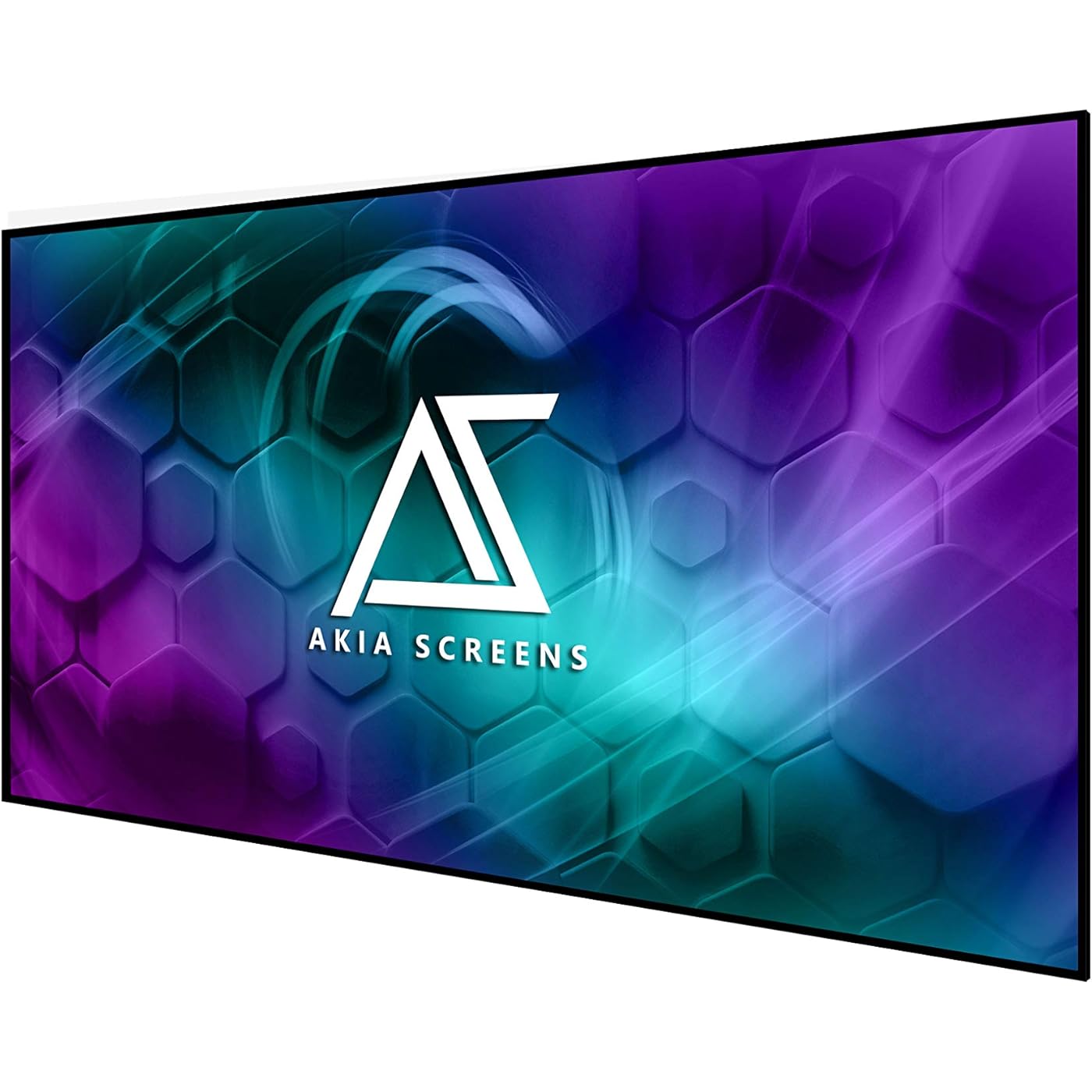
Akia Screens 100 Inch Edge Free Fixed Frame Projector Screen 16:9 – CineWhite UHD-B 1.3 Gain – 8K 4K Ultra HD 3D Ready – Indoor Home Theater Wall Mount Screen AK-NB100H1
  • Based on 403 reviews
Condition: New
Checking for the best price...
$183.99 Why this price?
Save $115.01 was $299.00

Buy Now, Pay Later


As low as $30.67 / mo
  • – 6-month term
  • – No impact on credit to apply
  • – Instant approval decision
  • – Secure and straightforward checkout

Ready to go? Add this product to your cart and select a plan during checkout.

Payment plans are offered through our trusted finance partners Klarna, Affirm, Afterpay, Zip, Apple Pay, and Google Pay. No-credit-needed leasing options through Acima may also be available at checkout.

Learn more about financing & leasing here.

Selected Option

Free shipping on this product

FREE 30-day refund/replacement

To qualify for a full refund, items must be returned in their original, unused condition. If an item is returned in a used, damaged, or materially different state, you may be granted a partial refund.

To initiate a return, please visit our Returns Center.

View our full returns policy here.


Availability: Only 8 left in stock, order soon!
Fulfilled by Amazon

Arrives Tuesday, Oct 27
Order within 6 hours and 53 minutes
Available payment plans shown during checkout

Protection Plan Protect Your Purchase
Checking for protection plans...

Size: 100"/16:9


Color: CineWhite UHD-B


Features

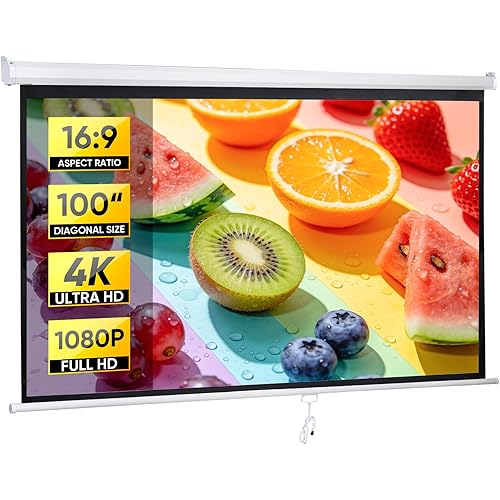
  • 100 16:9 HD Viewing Size: 100 inch projector screen with a 49" H x 87.2" W viewing area in 16:9 aspect ratio. Overall assembled size measures 50" H x 88.2" W with a thin border strip, delivering a clean, modern presentation ideal for indoor home theater setups.
  • CineWhite UHD-B 1.3 Gain Material: ISF Certified front projection surface with 1.3 gain and a fully black-backed layer to prevent light penetration. This projector screen indoor solution supports 8K, 4K Ultra HD, and Active 3D with a wide 180 viewing angle for consistent brightness. Compatible with Standard, Short Throw, UST projectors.
  • Edge Free Fixed Frame Design: Sleek edge-free look enhances visual immersion while maintaining a lightweight 6-piece split aluminum frame. Designed for indoor movie and video environments, it pairs seamlessly with a home theater projector for a clean, modern entertainment setup.
  • Easy Assembly & Maintenance: Includes full installation hardware and sliding wall mount brackets for precise centering with your projector mount or ceiling projector mount setup. The screen surface cleans easily with mild soap and water for reliable long-term indoor use. ISF-certified material supports accurate color reproduction with minimal color shift.
  • Warranty & U.S. Based Support: Backed by a 1-year manufacturer warranty from an ISO9001-certified manufacturer since 2004, plus lifetime technical support via email, web chat, or toll-free phone. Designed to pair reliably with your 4K projector setup for long-term indoor performance.

Description

Ceiling and Ambient Light Rejecting Screen: CLR series is for UST Projection/ CineGrey 3D series is for Standard Throw Projection. CLR ALR Screens (CLR series and CineGrey 3D series) - Higher color saturation and black levels under ceiling lighting conditions. Motorized Projector Screen/ Floor Rising Projector Screen with Remote Controller - Arrives Fully Assembled, Plug and Play Ready! Features Auto-Lock System, allowing the screen to be set at any position. Perfect for home, office, or professional video presentation. Portable Screen Collection: Lightweight/Tripod/Folding Frame/Front and Rear Projector Screen. Perfect for Indoor and Outdoor Movie Obtained certifications for ISF- high-fidelity video quality, GREENGUARD- indoor air safety, and flame retardant NFPA 701 standards In 2018, Akia Screens was born to deliver the most impactful cinema-quality experience to millions of homes. Thanks to our beloved customers, we are continuously expanding our product development and refining our manufacturing to meet all different needs. Our mission is to provide the best quality at the most reasonable offering. We strive to design and manufacture varieties sizes and functions of screens to fit different purposes. We believe that everyone deserves a cinema-quality experience at an affordable cost. EdgeFree Series Edge Free series is compatible with standard throw as well as short throw projectors Available in diagonal sizes 100" to 145" in 16:9 aspect ratio (Overall assembled screen size is subject to data +-1” tolerance) Black backing prevents light from behind for a brighter picture Ultra-thin black aluminum bezel trim resembles a flat panel TV. Luxury home theater, Akia Screens takes the projection experience to another level. Includes full installation kit with optional ultra-thin Bezel frame and sliding wall mount brackets for easy hanging and centering.

Mounting Type: Inside Mount


Product Dimensions: 87"W x 52"H


Material: Aluminum


Display Dimensions: 100 inches


Brand: AKIA SCREENS


Brand: AKIA SCREENS


Unit Count: 1 Count


UPC: 851906008313


Number of Items: 1


Color: CineWhite UHD-B


Manufacturer: Akia screens


Model Number: AK-NB100H


Mfr Part Number: AK-NB100H


Item Dimensions W x H: 87"W x 52"H


Screen Dimensions: 100 inches


Item Weight: 21.5 pounds


Screen Size: 100 inches


Mounting Type: Inside Mount


Screen Finish: Matte


Operation Mode: Edge


Viewing Angle: 180 degrees


Enclosure Material: Aluminum


Frequently asked questions

If you place your order now, the estimated arrival date for this product is: Tuesday, Oct 27

Yes, absolutely! You may return this product for a full refund within 30 days of receiving it.

To initiate a return, please visit our Returns Center.

View our full returns policy here.

  • Klarna Financing
  • Affirm Pay in 4
  • Affirm Financing
  • Afterpay Financing
  • Zip Pay in 4
  • Financing through Apple Pay
  • Financing through Google Pay
Leasing options through Acima may also be available during checkout.

Learn more about financing & leasing here.

Top Amazon Reviews


  • Great Screen. Take your time, and you will get a perfectly flat quality screen
Size: 125"/16:9 Color: CineWhite UHD-B
I am very pleased with the final result of the 125-inch fixed frame series AKIA screen. I was able to fully assemble the screen alone. I originally was concerned that the screen material would not stretch over the frame, and was certain that I was sent the wrong size screen. I contacted customer support by phone and was given encouragement that convinced me to continue. I reviewed several videos on assembly of these type of screens that use springs and slowly but surely was able to complete the process. My setup may be different than most. I basically did a ceiling mount (Actually floated from L brackets), so the frame is about 8 inches from my wall. This was needed as I had 2 windows behind my wall that would limit the size of the screen. Previously I had a 82 inch custom build projection screen that fit between the 2 windows on the wall. I always wanted to go much bigger on the screen but originally felt that would not be possible. Here is what I finally did: I added 6 L-brackets to the top of my wall. Four of the brackets would be to support the screen using the supplied Wall Brackets. (The directions tell you to use 2 of the brackets for the top and 2 of the brackets for the bottom. I changed this and placed all 4 of the wall brackets on the top. I purchased a large curtain rod from Amazon that was adjustable from 120 to 170 inches. This Rod was simply supported on the top of the 6 L-Brackets. I also purchased 8 Theater Grade Extreme 100% Blackout Grommet Curtain Panels, 52” x 95”. 6 of the panels were black and for the ends, I used 2 red panels. This took care of blacking out the background from the 2 windows, and I was now able to have full light control in the room. I was able to make 4 custom metal bracket adapters that I painted flat black, which allowed me to mount the screen to the L-Bracket and wall mounting brackets to float the screen. Wire or other mounting options would have worked here as well. The screen had a tendency to angle in toward the wall slightly. For this reason, I placed 2 additional L-Brackets at the bottom of the screen hitting the Frame so that the screen was now perfectly vertical. The curtain panels completely hide all brackets and the screen has a nice floating look. I am considering adding 2 4x4 blocks cut to size from floor to the bottom of the screen to relieve any pressure on the bottom of the screen. In all honesty, I am not sure this is even needed as the frame this screen is supported on is very heavy duty, and I doubt any sagging would occur over time. Overall, I am very happy with how this has turned out and I believe the screen is of exceptional quality and a very good product. The only issues I had are as follows: Tension Rods: Horizontal rods, were fine with proper overlap. The 2 Vertical rods were too short. The rod length just matched the length of the outside holes of the fabric. This result on one of the sides tearing through the mounting hole. I ended up having to purchase 2 brass rods of the same diameter to get some overlap for the springs to attach to the frame. While nowhere in the manual is this mentioned, I found it much easier to mount the screens with the spring oriented in a certain direction. One end of the spring seems to make a perfect half circle (Better for tension rod), and the other end, is less angled, and that end seems to more easily mount to the metal frame. Also, I found that in many cases it was easier to first start the spring by attaching it to the frame, and then pull it over through the tension rod hole. The supplied Allen wrench was not of the greatest quality. It was starting to strip as I was tightening the screws. I switched to a much higher quality Allen wrench I had, which greatly improved my ability to tighten down all screws without slippage or striping. Overall, I am very pleased with the result. It is a bit of work, and my fingers are still a bit numb from stretching the springs into position, but the supplied tool does get the job done. ... show more
Reviewed in the United States on October 24, 2019 by M. Silva

  • Highly Recommend!
Size: 100"/16:9 Color: CineWhite UHD-B
I recently got a VAVA 4K ultra-short throw projector and was in the market for a projector screen. This was my first experience in the projector screen market so rather than going with an expensive ALR screen, I decided to go for the more budget friendly 100” edge free fixed frame cinewhite screen with Axia. The quality of this projector screen for the price I paid is amazing; it's very clear and better than I expected! It feels like in a movie theater and the modern design gives a nice look to the room. You can watch during any time of the day and the screen will still give the good colors and the image you want. And in a darkened environment, the screen performs superbly. The assembly manual could definitely use some updating as I found it challenging to follow, but being the relatively handy person that I am, I was able to assemble the screen by myself (hanging the frame is definitely a two person job though). Overall, I am quite thrilled with my purchase and would highly recommend Axia screens for those in the market for a projector screen. P.S. my furry little four legged kiddo loves watching the fish screensaver! ... show more
Reviewed in the United States on May 29, 2021 by Dave Mulvaney

  • Some important advice for assembling this screen
Size: 125"/16:9 Color: CineWhite UHD-B
I have no complaints about the screen after I was able to get it assembled. It provides a nice smooth surface and I like the narrow black satin frame. I have an Epson 5050 projector and it looks fantastic with this screen. BUT....I did have an issue that required me to redo the screen assembly which was frustrating and time consuming. If your screen comes with a supplied screwdriver that has what I would describe as short rubber hairs all around the handle.... THROW IT AWAY and use a different screwdriver. The problem is that this screwdriver SHEDS a bunch of those rubber hairs and if they fall off while you are assembling the screen they can lodge between the face of the frame and the back of the screen. And you won't likely notice this until you finish assembly and hang the screen, only to notice a bunch of very visible protrusions all around the screen edge (as happened in my situation). The only way to remove these is to disassemble the screen from the frame and locate and remove each of those little rubber hairs. WHAT A PAIN. Kudos to Akia for supplying assembly tools in the first place, too bad the supplied screwdriver turned out to be a dud. Perhaps they have fixed this problem and are now included a better screwdriver. Here are three suggestions that will help you with assembly: 1. Toss the supplied screwdriver and use your own (as per details above) 2. Use very fine grit sandpaper (220 grit) to sand down the joints of the aluminum frame where they meet in the middle of the face. The aluminum frame ends were very sharp with burrs left on the metal. If it wasn't for close inspection I am certain my screen material would have ripped upon stretching to fit. Use some 220 grit sandpaper to knock the edges down and make them mostly smooth. 3. Perform step 7 of the instructions BEFORE step 6. Step 6 of the instructions has you hooking all the tension springs in place but then step 7 has you add rubber caps to the tension rods. THIS IS WRONG. Step 7 should come first- if you don't have those rubber caps on the tension rods when you have hooked all the springs, the sharp edges of the tension rods can tear the screen, as was the case in my situation. Additionally, attempting to put the rubber caps on the tension rods after the springs are in place is impossible, especially if the rods were too short (again, as was my case). ... show more
Reviewed in the United States on November 18, 2020 by DrH

  • Do NOT buy—cheap price, terrible quality, and nightmare assembly
Size: 145"/16:9 Color: CineWhite UHD-B
Just don’t. Skip this screen and do not get lured in by the lower price tag. It is by far the worst quality screen I’ve used. The frame panel alignment is completely off, and even after screwing the frame panels together, they start to slide apart easily. The included springs and tension rods are the bare minimum needed to keep it together. To make matters worse, the screen material has zero markings or guide points to show you where to align and place the frame rails, forcing you to guess during assembly. Spend a little extra for a real screen from a reputable brand. ... show more
Reviewed in the United States on August 30, 2026 by Salman Munawar

  • Love this screen
Size: 125"/16:9 Color: CineWhite UHD-B
Pros: Image quality. Wow. Nothing even close to projecting against the wall. Colors are brighter and allow for a nice, colorful and clear image. Very thin "bezels" which provides with a great looking quality screen. Came with extra screws and tools to get the screen set. Cons: Installation. While it is not that difficult, there are certain steps that are just shown on the video and on the instructions but require to pay attention to make sure it allows for a smooth surface on the screen side. Some screws were really low quality (specifically, the one to hang the screen to the wall). I skipped them and used some of mine. Other thoughts: Here are a few tips to installing this screen: 1) Make sure you have plenty of space and 2 people available to put it together. I did it by myself and it felt harder than it should have been. 2) Check you have all the parts. They give you extra screws, but sometimes, things do not fully match properly, so make sure you have everything beforehand. 3) when putting it together, make sure you center the material for the screen on the frame. Otherwise, you may run into small folding issues on the corners. Since you may have the screen side looking down, you may not see it until you are doing setting it up, and then finding out the imperfections. Here is where the "2 people" can help. As long as both people are doing the opposites springs, you will be fine. 4) Skip the mounting screws. Horrible and were stripped very quickly. I used my own. Once I was done with the installation, I loved it. Get it. ... show more
Reviewed in the United States on November 26, 2022 by MaV

  • Great picture but inferior quality screen material and read more
Size: 145"/16:9 Color: CineWhite UHD-B
We've had projector screens before but this screen is like fabric covered in vinyl and definitely not puncture resistant so be very careful when handling and installing. I've given 4* and above for brightness, value for money and picture quality but only 3* for overall rating for the following reasons. Springs get in the way when hanging on the bracket at desired location. Spring quality is cheap and deforms very easily. Screen itself is not evenly square on all sides for overlapping so the tension rod gets in the way at some places to connect the trim. The back of the screen covers the holes to install trim so takes more time to find those holes. No matter what you do, tiny ripples on one or two edges appear in the corners. We installed additional springs in some areas and it improved tad bit but didn't eliminate the ripples completely. Trims don't cover the ripples. No instructions when using for ceiling mount projector. Instructions can be improved significantly, 2* out of 5. Magnetic assembly not provided like you'll find on high end screens for bottom portion. Pros Extremely well built frame and light to mount. Excellent quality of the pictures, see non 4k picture attached. Same as elite screen 135", literally there's no difference in parts other than the screen size and 200$ cheaper for larger screen. For UST projector, it's expected the screen to lean in from the top. However if mounting the projector on the ceiling the screen is actually moving away from the projector at the opposite side(bottom). Silver talkies flat out said that their S7 series won't work but I beg to differ. We installed 3 2" spacers at the bottom to push the frame out, 2 on far sides and one in the middle to push the frame outward at the bottom. The screen at the bottom is now offset by 1.5" from the top. We still have to implement magnetic mechanism so they don't move but might be over engineering at this time because of the friction we put on the brackets on top. Overall happy with the purchase and this is bar the cheapest option in the market for UST projector. Epson ls800 used in the setup. ... show more
Reviewed in the United States on March 26, 2023 by FAll

  • Great Looking Screen at a good price!
Size: 125"/16:9 Color: CineWhite UHD-B
The screen looks fantastic and highly recommend it. The thin edge profile is really striking and give your home theater a modern look compared to the thick frame screens. Really recommend you buy this over the other thick boarder screens. Packaging was very well and secure and it keeps all the parts dent and scratch free. Quality of each part is very well as well. I have a 111 inch wide wall space and it would fit a 120 inch standard screen with 3 inch boarders. I did not want to loose the picture size with wide boarders. I chose AKIA 125 which still fits well on my wall with a more clean and modern looks as well as larger viewing area. A great buy. Instructions are well and was able to assembly it fine. There is one thing that you should pay attention to (not mentioned in the instructions) which I did not realized and ended up taking more time for assembly. The plastic wire/pipe that you slide into the screen fabric to attach springs to the frame needs to be centered so it leave one inch clearance on each side of the edge of the frame. I did not do that and this prevented me from putting the velvet black boarder around the screen. ... show more
Reviewed in the United States on November 29, 2020 by Dash

  • Gigantic screen works perfectly in a darker room!
Size: 145"/16:9 Color: CineWhite UHD-B
I replaced a motorized 120" screen with this 145" monster from Akia Screens and I regret nothing! I almost went with the 125" screen from Akia, but after measuring the different image sizes and projecting them onto my wall, it was clear that bigger is MUCH better! This screen is over 10 feet wide and almost 6 feet tall! The packaging could have been sturdier, but there was no damage to the box contents, and assembly went quicker than I expected. You'll need an extra set of hands to hang the screen on your wall, but the screen weighs less than 40 pounds so it's very manageable. The instructions said the lighting kit would not fit, but I added LED lighting around the perimeter by screwing 90 degree drywall corner protectors onto the back of the screen and offsetting the hangers to allow extra space in the back of the screen. I used 32.8 feet of Govee RGBIC LED strips which fit perfectly without cutting, and I think it really looks fantastic! This CINEWHITE screen is ideal for my light-controlled basement but if you can't control the light in your room then you may need one of the Ambient Light Rejecting screens to prevent washout (hence the 4-star rating). My BENQ W1070 projector is only 1080P and 2000 lumens, but the picture on the screen is sharp and bright, and 3D movies look almost as good as in the theater. Overall I could not be happier with my purchase! ... show more
Reviewed in the United States on September 7, 2021 by Tom from Inman

Can't find a product?

Find it on Amazon first, then paste the link below.
Checking for best price...