


Search  for anything...

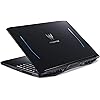
acer Predator Helios 300 Gaming Laptop PC, 15.6" Full HD 144Hz 3ms IPS Display, Intel i7-9750H, GeForce GTX 1660 Ti 6GB, 16GB DDR4, 256GB NVMe SSD, Backlit Keyboard, PH315-52-78VL

  • Based on 2,770 reviews
Condition: Used - Good
Checking for the best price...
$1,559.99 Why this price?
Save $340.00 was $1,899.99

Buy Now, Pay Later


As low as / mo
  • – Up to 36-month term if approved
  • – No impact on credit to apply
  • – Instant approval decision
  • – Secure and straightforward checkout

Ready to go? Add this product to your cart and select a plan during checkout.

Payment plans are offered through our trusted finance partners Klarna, Affirm, Afterpay, Zip, Apple Pay, and Google Pay. No-credit-needed leasing options through Acima may also be available at checkout.

Learn more about financing & leasing here.

Selected Option

Free shipping on this product

This item is eligible for return within 30 days of receipt

To qualify for a full refund, items must be returned in their original, unused condition. If an item is returned in a used, damaged, or materially different state, you may be granted a partial refund.

To initiate a return, please visit our Returns Center.

View our full returns policy here.


Availability: 20 left in stock
Fulfilled by Epower Solutions

Arrives Aug 29 – Sep 2
Order within 12 hours and 58 minutes
Available payment plans shown during checkout

Protection Plan Protect Your Purchase
Checking for protection plans...

CPU: i7-9750/16GB/256GB


Capacity: 15.6 in


Style: Notebook only


Features

  • 9th Generation Intel Core i7-9750H 6-Core Processor (Up to 4. 5GHz) with Windows 10 Home 64 Bit
  • NVIDIA GeForce GTX 1660 Ti Graphics with 6GB of dedicated GDDR6 VRAM
  • 15. 6" Full HD (1920 x 1080) Widescreen LED-backlit IPS Display (144Hz Refresh Rate, 3ms Overdrive Response Time, 300nit Brightness & 72% NTSC)
  • 16GB DDR4 2666MHz Memory, 256GB PCIe NVMe SSD (2 x PCIe M. 2 Slots | 1 Slot Open for Easy Upgrades) & 1 - Available Hard Drive Bay
  • Backlit Keyboard | LAN: Killer Ethernet E2500 10/100/1000 Gigabit Ethernet LAN | Wireless: Killer DoubleShot Pro Wireless-AC 1550 802. 11ac | 4th Gen All-Metal AeroBlade 3D Fan
  • System Ram Type: Ddr4 Sdram

Description

Acer Predator Helios 300 PH315-52-78VL Gaming Laptop comes with these high level specs: 9th Generation Intel Core i7-9750H 6-Core Processor 2. 6GHz with Turbo Boost Technology up to 4. 5GHz, 15. 6" Full HD (1920 x 1080) widescreen LED-backlit IPS display, 144Hz Refresh Rate, 16: 9 aspect ratio, 3ms Overdrive Response Time, 300nit Brightness, 72% NTSC, NVIDIA GeForce GTX 1660 Ti with 6GB of dedicated GDDR6 VRAM, 16GB DDR4 2666MHz Memory, 256GB PCIe NVMe SSD (2 x PCIe M. 2 Slots | 1 Slot Available), 1 - Available Hard Drive Bay, Waves MaxxAudio sound technology, featuring MaxxBass, MaxxVolume, MaxxDialog and hyper-realistic 3D Audio using Waves Nx, Acer True Harmony Technology, Two Built-in Stereo Speakers, Acer Purified. Voice technology with two built-in microphones, Killer Double Shot Pro Wireless-AC 1550 802. 11ac WiFi featuring 2x2 MU-MIMO technology (Dual-Band 2. 4GHz and 5GHz), Killer Ethernet E2500 10/100/1000 Gigabit Ethernet LAN, Bluetooth 5. 0, HD Webcam (1280 x 720) supporting Super High Dynamic Range (SHDR), 1 - USB 3. 1 Type C Gen 2 port (up to 10 Gbps), 3 - USB 3. 1 Gen 1 Ports (One with Power-off Charging), 1 - HDMI 2. 0 Port with HDCP Support, 1 - Mini Display Port 1. 4, Backlit Keyboard, Lithium Ion Battery, Up to 6-hours Battery Life, 5. 07 lbs. | 2. 3 kg (system unit only) (NH. Q5MAA. 001).

Brand: Acer


Model Name: PH315-52-78VL


Screen Size: 15.6 inches


Color: Black


Hard Disk Size: 256 GB


CPU Model: Core i7


Ram Memory Installed Size: 16 GB


Operating System: Windows 10 Home


Special Feature: Backlit Keyboard


Graphics Card Description: Dedicated


Color: Black


Hard-Drive Size: 256 GB


Operating System: Windows 10 Home


Other Special Features of the Product: Backlit Keyboard


Graphics Description: Dedicated


Graphics Coprocessor: NVIDIA GeForce GTX 1660 T


Hard Disk Description: SSD


Item Weight: 5.1 pounds


Video Processor: NVIDIA


Specific Uses For Product: Gaming, Multimedia, Personal


Graphics Card Ram: 6 GB


Automatic Backup Software Included: Google Drive, Google Play, Microsoft Office 365, Webcam


Form Factor: Laptop


Hard Disk Interface: Solid State


Voltage: 240 volts


Graphics Ram Type: GDDR6


Compatible Devices: External displays, mice, keyboards, storage devices, printers


Warranty Type: Limited


Item Dimensions L x W x Thickness: 14.23"L x 10.01"W x 0.9"Th


Power Device: AC adapter


Video Output: HDMI, Mini Display Port


Front Photo Sensor Resolution: 0.3 mp


Screen Size: 15.6 inches


Resolution: 1080p


Native Resolution: 1920 x 1080 pixels


Display Type: LED


Display Resolution Maximum: 1920x1080 pixels


Display Technology: IPS


Touch Screen Type: Capacitive


Connectivity Technology: Bluetooth, USB, Wi-Fi


Wireless Technology: Bluetooth, Wi-Fi


Wireless Compability: 802.11ac


Bluetooth Version: 5


LAN Port Bandwidth: 1 Gbps


Total Usb Ports: 3


Hardware Interface: Bluetooth 5, Ethernet, HDMI, USB


Number of Ports: 7


Number of Ethernet Ports: 1


Total Number of HDMI Ports: 1


Available M2 Slot Count: 1


Audio Output Type: Speakers


Speaker Description: stereo speakers


Microphone Form Factor: Built-In


Processor Series: Core i7


Processor Speed: 4.5 GHz


Processor Count: 6


Processor Brand: Intel


CPU Model Number: i7-9750H


CPU Model Generation: 9th Gen


CPU Model Speed Maximum: 4.5 GHz


CPU L1 Cache: 512 KB


CPU L3 Cache: 12 MB


CPU Codename: Coffee Lake


Brand: Acer


Model Name: PH315-52-78VL


Model Year: 2019


Model Number: PH315-52-78VL


Built-In Media: Laptop; AC Adapter; Power Adapter


Manufacturer: Acer


UPC: 193199181077


Global Trade Identification Number: 77


Warranty Description: One-year International Travelers Limited Warranty (ITW) and 24/7 access to a dedicated support team, specialized in the Predator brand


RAM Memory Installed: 16 GB


RAM Memory Technology: DDR4


Memory Clock Speed: 4.5 GHz


Ram Memory Maximum Size: 32 GB


Memory Speed: 2666 MHz


RAM Type: DDR4 SDRAM


Memory Slots Available: 1


Battery Cell Type: Lithium Ion


Battery Life: 6 hours


Battery Average Life Standby: 6 hours


Number Of Cells: 4


Lithium-Battery Energy Content: 56 watt-hours


Human-Interface Input: Microphone, Touch Pad


Keyboard Description: Gaming Backlit


Keyboard Layout: QWERTY


Control Method: Touch


Frequently asked questions

If you place your order now, the estimated arrival date for this product is: Aug 29 – Sep 2

Yes, absolutely! You may return this product for a full refund within 30 days of receiving it.

To initiate a return, please visit our Returns Center.

View our full returns policy here.

  • Klarna Financing
  • Affirm Pay in 4
  • Affirm Financing
  • Afterpay Financing
  • Zip Pay in 4
  • Financing through Apple Pay
  • Financing through Google Pay
Leasing options through Acima may also be available during checkout.

Learn more about financing & leasing here.

Top Amazon Reviews


  • Best Value in a Gaming Computer
CPU: i7-9750/16GB/256GB Capacity: 15.6 in Style: Notebook only
Granted I've only had this laptop in my possession for a couple of days, but so far I like it a lot. Gaming on a 15.6" screen will take some getting used to. (My previous gaming laptops were ASUS ROG models with 17 inch screens, and my desktop has a 27" monitor.) but the picture quality is the best I've seen. The Predator has some great components with the 9th gen i7 processor, the Nvidia 1660 Ti GPU, 16 GB of RAM and an NVMe SSD. The SSD is 256 GB so I added a Seagate Firecuda 2TB hybrid drive for an additional expense of $80. In addition, the Killer networking hardware/software seems to work very well. That's the good. The bad is that it comes with Windows 10 (but what's a practical alternative?), and Microsoft is very aggressive in pushing its services. It can be difficult if not impossible to remove them. I make my own choices for browser, search engine, email clients, etc, but when I removed Edge I got notifications every time I started up on my startup screen pushing Edge and not once but twice. ( I think and hope I finally removed it. I'm not a fan of advertising, and I don't trust Microsoft.) And I'm not willing to trust "the cloud", so Dropbox and cloud storage were refused. I've downloaded several games onto the hybrid drive but only played Destiny 2 for about an hour and a half and a little of Age of Wonders III. As I said the graphical quality is the best I've seen, but Destiny 2 did freeze after I'd been playing for an hour or so which I assume was due to the GPU overheating (and I do use a notebook cooler), but I'm also assuming there are things I can do to prevent this in the future. For one thing, the game was optimized by the Nvidia GeForce Experience software and I'll have to look at their selections. I should also adjust the fan speeds, but I haven't looked into this yet either. So, if I should have to amend this review (and recommendation) in the future I will do so, but so far I'm very impressed with what Acer has provided and at what cost. I gave battery life and camera quality three stars because the laptop will always be plugged in, and I'll rarely if ever use the camera (though from what I've seen in YouTube reviews the image quality is certainly IMO acceptable for ordinary uses). Update: On the day after I wrote this review, I played some Shadow of the Tomb Raider, Dragon Age: Inquisition, WOW, Alpha Centauri and more Destiny 2. GeForce Experience optimized the games at ultra quality. I tinkered with the fan settings setting them slightly higher than standard (about 4000-4200 rpms and will fine adjust this more). The games looked great and played well without any problem. The fans did make some noise, but it's a whoosh and not a whine, and for me not terribly intrusive. As I said, I'll adjust the fan speed some more and may be able to reduce it even further. The speakers by the way are great with excellent sound quality and volume for a laptop. The fan noise never interfered with the sound at my settings. Again, well done, Acer. Two months later, and I'm still very impressed with this computer. I installed the new Crytek Neon Noir Ray Tracing Benchmark for ray-tracing effects without an RTX gpu, ran it fullscreen at 1920x1080 and ultra and got a score of 5529 with very fluid playback and frame rates that varied from about 45 to the upper 70s. The benchmark would seem to be quite the workout for a system and the Acer got a commendable result IMO. ... show more
Reviewed in the United States on October 4, 2019 by William Bolton

  • Best "gaming laptop" at this price point, full stop.
CPU: i7-9750/16GB/256GB Capacity: 15.6 in Style: Notebook only
This is hands down the best laptop, or even desktop, I have ever owned. That's coming from long time AMD guy. It pains me to say this, but AMD just doesn't exist in the mobile market at this time. If you need real power in a laptop, Intel and Nvidia are the only game in town now. I've started traveling more lately so I needed a laptop that could essentially replace my desktop(s) and this Acer has far surpassed my expectations in that regard. See attached image. The construction is solid, and it looks great, in my opinion...sleek enough to pass as professional with just a hint of "gaming laptop" appeal. The fans can get loud when you're hammering on it, that's true. There is no free lunch, a laptop must have compromises when they are stuffed with this kind of hardware. That said, unless you run it in Turbo (read overclocked) mode all the time I find the fan noise more than reasonable. I have not found a game, or CPU workload, that required me to use Turbo in order to have a good experience. It's just stupid fast. In my opinion, you can't find a better laptop for the money, period. As you can tell, I love it. Now, I'll answer some of the questions I had before buying it since there seems to be some confusion. The following information is from my own experience, if Acer changes things up in the future I can't help you. The is no RGB on this (the 1660ti) version. The keyboard is blue backlit only. For me, this is a pro as I’m tired of red, and I think RGB is a silly overplayed gimmick. If you go to Acer directly, there are different versions with different features. The RAM (16gb total) is 2x8gb sticks of Kingston 2666mhz...it is in dual channel. It scores well in the benchmarks that I have ran and from my own experience 16gb is more than enough for 95% of people out there. It's enough for 100% of the gamers. The included 256gb M.2 style SSD is also from Kingston and seems to perform quite well. There is an additional empty M.2 slot in there. I didn't use it, so I have no idea what will or won’t work in that slot. I decided to use the open 2.5 inch HDD/SSD space for my storage needs. (Please, for all that is sacred, don't you dare put a regular 2.5 HDD in there and hamstring this fine machine). I opted to stay with the Kingston memory theme and stuck a 1tb Kingston 2.5 SSD in there. So, as of this writing I have 186gb free on my C: Drive (it's got all the normal stuff loaded up), and I'm loading my giant Steam library and other big programs onto the 1tb D: Drive. This, in my opinion, is the way to go. The CPU is an Intel last gen refresh (you know 14+++++ lol). That said, it's a good one. 6 cores, 12 threads at 45 watts it tough to beat...actually, I don't think anyone is beating it right now. AMDs mobile Ryzens are topping out at 4 core, 8 threads as of the time of this writing. I'm sure higher core count CPUs make their way into the laptop market in the next few years, but for now...this is the best game in town. Also, it's 2019, you don't want a quad core, no matter who makes it. Trust me. The 1660ti is a beastly little thing. Nvidia's naming scheme is clearly insane, but this guy is sweet. It's based on the new Turing architecture and performs quite well. It will smoke a GTX1060 and spit at the heels of a decent desktop Vega 56...and all the while using way less power. For desktops it's a hard card to love, but in a laptop it's brilliant. The battery is fine for what it is. People wanting 10-hour battery life and 144 frames per second in their games, pull yourself together people. Sacrifices must be made for mobility. When on battery the laptop automatically switches over to the Intel IGP and doing regular (non-taxing) stuff will get you 4-5 hours. You can force the 1660ti to play ball while running on the battery through the Nvidia control panel...but I hope you don't plan on a long gaming session...maybe 1.5 hours. Pro tip: You want to game? Find a wall outlet. The "Killer" WIFI and internet stuff...actually works. I was getting stupid fast wireless downloads at distances away from my router that shocked me. I'm not even going to run an ethernet cable unless I'm playing a FPS. Blazing fast connection and rock solid so far. Sadly, you will have to remove Norton (duh) and Windows 10 comes with the usual fluff that nobody wants...it is what it is. Took me about 30 minutes to remove all the silly stuff and download all the stuff I actually needed. Keep the Predator App, I think they will be useful (Update: It is, see below update). When I was setting up this machine, I did log it into my Microsoft account, and it appears I have Office installed. Not sure if that's because I have Office on another machine registered to my account...or if this comes with Office. Your mileage may vary. The "Turbo" button...here's the deal. It only works when plugged in and above 40% battery. It basically raises the voltage limits of the machine, while turning on the fans full blast. This results in the CPU auto boosting on more cores and higher than usual. Oh, and it also overclocks the 1660ti! Yes, yes you read that right...basically it's an "overclock button". Normally I would laugh at such silliness, but I have to say...it works. It sounds like a small jet, but it goes like one too. I use it for benchmarking and playing around...but you could game with it in Turbo, provided you have headphones. All that said, I'm getting like 62 fps in AC Odysseus on Very High WITHOUT "Turbo". If you're familiar with this painfully un-optimized AAA title you will understand how impressive that is, lol. Love that game though...don't judge me. Hope this helps someone make a big decision. Edit: Update 7/18/19 I read a review where someone was having issues with an echo on the audio. I didn't have this problem as I have an external sound processor that I use. At any rate, I plugged in my headphones directly (1/8th jack) and sure enough...there was an echo. After a bit of investigation, it's from the "Waves MaxxAudio" App. This app can be tuned/disabled through the Predator App under the App center portion. Turn that guy off, and your echo goes away. That particular App might be useful in a gaming situation, but if your just watching videos or listening to music it falls a little short. I never thought I would say this, but let Windows control your sound and you will be fine, lol. Edit 9-25-19. Man I love this thing. I travel (airplanes) with it weekly and thus far it has been flawless. Every evening when I get done with work I'm reminded how nice the keyboard on this thing is compared to my company issue Lenovo work laptop. No regrets, I'd still buy it at the current price...very few laptops can compete at this price range. Edit 11-26-19. Still the best at this price point. 1660ti is just the best for laptops balancing performance and battery. Edit: 11-23-20. So, shopping season is near and I figured I would update this for people shopping around. I purchased this in July 2019, for less than it is selling for today. Really unsure how that works as there is a new 2020 model that is marginally faster (this is the 2019 version with the 9750h). At any rate, I'm still in love with this thing, I was actually shopping for another one to buy my daughter. Since purchase, I have started running a 1440p monitor off the display port and it does just fine. I'm not getting 100fps at that resolution, but 60fps in most titles with the settings cranked is just fine for me. Also, freesync/gsync, whatever were are calling it these days is brilliant...but only works off display port, not HDMI. In summary, I would buy again at the price I paid for it the first time around ($1199.99). ... show more
Reviewed in the United States on July 13, 2019 by daxsgarage

  • Amazing value on all fronts
CPU: i7-9750/16GB/256GB Capacity: 15.6 in Style: Notebook only
Simply put, this thing is great especially at the $928 black Friday 2019 price I paid. Good mix of portability, versatility, gaming, without going too far in either direction (being so thin and light that it can't game, being so powerful that it can't be portable). This is a great middle ground, and an amazing price. I'll now break my review down into different sections. Screen: 144Hz is becoming the norm for gaming laptops, including budget ones. For me, the response time is what makes this screen feel great. The 3ms response time is published prominently on the listing because most gaming laptops have response times at least twice that, and I can tell the difference going from my 144hz 9ms 17" laptop I previously used. Same refresh rate, different response "feel". It's noticeable faster on the Helios. It isn't color-calibrated or anything, and according to experts the colors are just mediocre. To my simple gamer eyes, colors pop and games look great. So it does what it needs to! Gaming: The i7-9750H is the standard for this generation of gaming laptops, and it's just a refresh of the 8750H. 100Mhz faster, it's basically the same. Not too much to discuss about it other than the thermals which I'll discuss more later. The GPU is the new GTX 1660TI. This is why the Helios is relatively "cheap" compared to some laptops touting an RTX 2080. Honestly, I've used very powerful gaming laptops, and they do not feel faster. Unless you're going home and hooking the laptop up to a 4k monitor, which you should have a powerful gaming desktop for anyway, you don't need more performance than this. Even with a RTX 2060, the GPU doesn't reach full utilization because the mobile version of Intel's CPUs cannot keep up with the GPU performance. With a 1660ti, you get high settings in games, with over 70-80fps (AAA games), and it's being fully used, so you know that your investment is being put to good use. Keyboard: Acer did an amazing job of mixing a great feel for both typing and gaming. I have not owned the machine for long, but have reached my full typing speed very quickly. Just mushy enough to be comfortable in gaming, but tactile enough for typing to be a breeze and enjoyable. Mousepad: Great for a gaming laptop. The use of Microsoft precision drivers makes it very accurate, and I have been happy with the feel. Click-and-drag functions are easy to do, not something I can say for all laptops. Aesthetics and build quality: The aesthetic is now a blue, not the familiar red that the Helios line has used before. Some non-Amazon models have RGB keyboards, this one does not. I personally don't care, but it's there. In a way I do wish the logo on the back was smaller or less angular, but having my peers know that it's a gaming laptop doesn't really make a difference for me as a student. The build quality is great, and it feels like a quality machine. Yes, the bottom is plastic, but that's true for laptops costing over $2,000 as well. The parts that you touch such as the lid, and keyboard deck are metal, and have no flex in them. It feels like a machine costing hundreds more, evidenced by the fact that Acer uses the same chassis/frame for models costing closer to $2,000. That speaks for itself. Portability: The laptop is relatively thin without compromising on the cooling performance. It is 5 lbs, and this again is good enough without giving up potential performance. The fact that it's 15" and not 17" also adds to the portability, if you're thinking about a 17" and have to move your laptop often, don't do it. The power supply "brick" in the cord is also relatively small for the performance you're bringing around. I can carry the laptop with one hand easily, and in a backpack it feels like it isn't there. Battery life is shorter than an ultrabook, sure, but that's what you should expect. 3-4 hours is enough if you're a student in my opinion, and I rarely need to use my laptop when I'm not near a power plug. Thermals/noise: Acer has done some serious engineering here. I have used ASUS, MSI, and even custom-made liquid metal applied laptops. I know what I'm talking about here. Any ASUS I've tried hits 95+ celsius on the CPU right away even in normal gaming, even with the fans all the way up. Seriously, they're horrible. MSI's that I have experience with are actually quite good at cooling, but they were also thicker than this machine. I most recently used a custom-made Eluktronics laptop with optional liquid metal applied for cooling (goes between the CPU and heatsink for maximum heat transfer). This laptop is actually most comparable to that one, and even is slightly better in some ways. Acer has seriously taken into account the thermal paste they use, the construction of the fanblades, and the necessary fan speeds, PLUS, the machine is undervolted from the factory. From stock settings, the CPU stays in the 80s, usually below 85. Given how Intel has not been able to get past their 14nm process, this is sadly a great result. If you use predator sense software and change the GPU overclock to fast or extreme, you get more performance, and louder fans, resulting in slightly lower temps, plus better framerates, going from 70-76 in my borderlands 3 benchmarking. I personally am a tinkerer, and enjoy messing with settings. I used throttlestop and undervolted the CPU more to -.150V, plus adding 15W to the chip's turbo boost power consumption, changing it from 45W to 60W, and changing the turbo boost time window from 28 seconds up to 40. Even with adding a lot of power to the chip, my CPU stays 77-80 now, with a maximum of 81 in games. This is even with the Acer software set to extreme overclocking, and with the fans in their stock overclocked setting. All summed up, as someone who knows a lot about laptops, desktops, and their cooling issues, this is hands-down an amazing feat. Acer is the only manufacturer in the game right now that cares at all about thermals it appears. The changes they've done with the thermal paste, fanblade design, and undervolting is a GREAT innovation. Altogether, this is an amazing laptop. I'd recommend it to anyone looking in the price range, and even those looking closer to the $2,000 price mark, as the 1660ti GPU is really all you need for a gaming laptop, they almost always have 1080p screens anyway. I'm happy I got it on black friday, but it's well worth the $1200 regular price as well. A last note is storage. The laptop only ccomes with 256gb SSD storage. The included SSD is actually NVMe, and extremely fast. Just plan on getting an additional 1tb slower ssd, or even a hdd if you're desperate. Acer has two extra mounting options included, with hardware provided. You can add a 2280 M.2 SSD, or a 2.5" SSD. You can total have 3 drives in the machine, and that's amazing for a 15" option. Upgrading is very simple, just need a philips screwdriver, and there's many videos online of how to open this laptop. ... show more
Reviewed in the United States on December 3, 2019 by Sam Goodman

  • Fantastic gaming laptop
CPU: i7-9750/16GB/256GB Capacity: 15.6 in Style: Notebook only
This is hands down the best gaming laptop for the money at this time. The 1660TI performs incredibly well at 1080p, taking full advantage of the 144hz display. The i7 CPU boost and maintains 4ghz regularly without hitting thermal throttle. It can handle VR (I tested with a rift s), and every modern title that I've thrown at it well over 100fps. Almost every other laptop at this price includes the MAX-Q version of the 1660TI, which is about 40% slower, or the significantly worse 1650. The full 1660 TI in this laptop can nearly match the performance of 2070 MAX-Q and 2060 GPU's in more expensive laptops. I reduced one star for a couple minor complains: - The screen, while bright and vivid, does have some backlight bleed in the corners. Some have it worse than others, but its acceptable on my device. It doesn't show in games, even in dark areas, and is only really noticeable when booting up. There is also some IPS glow, but that is just a part of using that tech for the screen. - Battery life is pretty bad, even in a low power non-gaming use case. If you need to use this portably without a reliable power source for more than a couple of hours, look elsewhere. - Its loud. If you use 'turbo' to get the max clock speed on the GPU/CPU, it ramps the fans up to 100% and is audible even through headphones. Luckily, I haven't found a need to use turbo mode yet. Even more demanding VR games run very well on the 'fast' GPU setting. Overall, if you're looking for a mid-range gaming laptop, the helios 300 is by far the best available in the ~$1000 price range. ... show more
Reviewed in the United States on September 30, 2019 by BR

  • I finally got my dream gaming laptop ^_^
CPU: i7-9750/16GB/256GB Capacity: 15.6 in Style: Notebook only
This laptop is amazing, I can't describe it in few words this will take a lot of time to and I want to write a short review as much as I can. So I got this laptop on the gamer's day deal for 1000$ and that is a great value for me since I was looking for this laptop since 2018, my previous laptop was MSI GL62M, and I sell it when I got my new Acer Predator Helios 300, it have more RAM, stronger CPU, GPU and much powerful gaming screen with 144Hz. I have few notes over all my use in the last 3 weeks since I got it, the laptop makes an echo when I take the charger out while I wear my headphones and that's a little bit annoying and when you pull the charger out it makes a sound and I don't like it as well, the screen is perfect, but before I purchase this laptop people kept saying that there is a screen bleed on the top of the screen, and that is not a screen bleed at all, it from the manufacturer, since it is pressing so hard on the top side of the screen and that what make the white color showing, but in my case this not annoying at all, and I don't notice it at all and I am really happy with it. another thing that the charger place is different than any other laptop I use in my life which is on the middle left side of the laptop and that's a kinda annoying me as well, also one time I was playing games and the predator sense was working on background and I wanted to use the max fans speed ( which are really loud when they are on ) it didn't work and I had to close it and launch it again and it worked. Turbo button works well and the installation of the HDD was very easy and works perfect ( I bought a Seagate firecuda 2TB from amazon on a deal for 65$ only and this SSHD works really well - also I install it with Justech screwdriver which is also from amazon ). I recommend who buy this laptop to get a cooling pad with it because it get really hot when playing high FPS games like PUBG, Fortnite, overwatch and other games, because it will help lowing down the temperature so much. Final review: The material that used to build this laptop is really good, blue color that added to this years model is just insane and beautiful, you can open the laptop with one finger easily, but what annoys me that fingerprints are staying and you have to clean them daily if you want to keep you laptop clean. Screen is good for me even with the white pressure on the middle top screen on and sometimes I don't even notice it. GPU and CPU are just amazing for this price point and they work perfectly with no problems at all, just watch out for the temperature. keyboard is well built and I have no problems typing on it and im writing this review while using the laptop keyboard, also the blue back-lit looks amazing at night when the lights around you are off, I really like it. track-pad is really annoying as well, you feel like your fingers are sticking when ever you move around, I recommend every one to get a mouse to avoid using it, this the most part that I didn't like about this laptop. sound feels amazing on this laptop, and I can hear my favorite music on it and listen to video's without any problem at all, It feels nice to listen to favorite stuff on this laptop Audio with this phenomenal quality. Battery gives me around 4 hours while I don't play, just watching movies and browsing and it last for long time, but when I am playing games it gives me around 1:00 to 1:30 hours at max while gaming. webcam is coming at 720p30 which is not that much and If you a kind of person that use laptop for streaming and video calling and you want who watch you in a better picture you may want to get a better external webcam. The advertising of this laptop for the Killer Doubleshot Pro Wi-Fi card is not for nothing I really feel it is download stuff more faster than my previous laptop and I really like it. well done Acer. Storage comes with a kingstone 256GB PCIe M.2 drive is installed, It works perfectly and fast on day to day tasks and I really appreciate Acer for this SSD that they installed. Well thanks for continuing reading this article to the end, and I am sorry for making it so long as I say I will try to make it as shot as I can xD, I got excited and kept writing. thank you all and I hope for you a wonderful life. ^_^ ... show more
Reviewed in the United States on September 28, 2019 by Hazah

  • Great budget gaming laptop that performs above it's class.
CPU: i7-9750/16GB/256GB Capacity: 15.6 in Style: Notebook only
This is my second purchase of a gaming laptop over thr 2019 summer. The first was by another large brand and was a total bust, returned within the 30 day amazon window due to serious hardware issues right out of the box. This one had restored my faith in buying gaming laptops online without being able to "test" them out. If you understand what you're getting with this machine and have a very clear picture what it is you want out of it, then this is a fantastic machine. The graphics card is powerful enough to run most modern games at mid to high settings with zero issues. The powerful CPU and mid tier specs set you up at a good starting point to boot up and game, literally right out of the box, with little need to really add anything other than a good gaming mouse. The screen is one of the better ones and usually can be found on more expensive laptops. I have very minimal light bleed on mine and it's not noticeable at all during normal use. The keyboard is comfortable to work on although the letters are a bit squished together so it did take me a little bit to get used to. Upgrading is super simple. I had a second SSD hard drive installed within 5 minutes of popping the bottom off the laptop and there is still space to add yet another drive. At this time, I've got a second 500 gig drive to complement the main 250g drive and I also have a portable 250g Samsung rugged ssd drive that uses the 3.1 USB C port should I need even more space. This laptop, for me, is not a replacement for my desktop. It's just a really nice partner to it for those days I want to snoodle up on the couch and game with my dog on my lap. It runs warmer than some other laptops but this is normal. It's a gaming laptop. It's actually quite good for gaming laptop standards. The fans work really well but can get loud so you'll need headphones or a cooling pad underneath to help with that. I use a cooling pad and the noise doesn't bother me or anyone else when I decide to game a bit while watching a movie with the boyfriend on the couch. I installed an app that monitors CPU and GPU temps and it's never gone above 75c while gaming. While doing regular stuff, its in the low 30s and the fans run near silent. Battery is poor so stay plugged in and you'll be fine while you game. When not gaming and just doing regular stuff, the battery might last 3.5 hours if you dim the screen to 50 percent. This honest doesn't affect me much. When I use it, I stay pluggef in. If I need longer battery life, I have two other laptops specifically purchased for productivity that I can use to solve that issue. It's quite small and light for how powerful it is and for being a 15 inch monitor. I love that because as a female who often likes to game while she travels, I don't want to lug around heavy bulky gear just to do that. This little guy lets me pop it into my thin laptop sleeve along with it's charger, which is also a nice compact size, and my gaming mouse and earbud headphones and I'm good to go. Also, it doesn't scream gamer the colors are a soft white and blue and the design itself is nice but not aggressive like their Helios 300 of last year, which I purchased as a gift for my sister. Happy girl here. All in all, I'm really happy with this purchase and can see that this laptop will last me at least 4 to 5 years gaming-wise because of the powerful components Acer used. This little fella is definitely a declaration against all other gaming laptop companies out there. For what I needed and wanted, it's perfect. Beautiful screen, powerful components, upgradeability in memory and storage, small compact size, and tech that will still be viable a few years down the line. Definitely a huge improvement over their Helios offering of last year. ... show more
Reviewed in the United States on August 25, 2019 by misu

  • Great bang for the buck
CPU: i7-9750/16GB/256GB Capacity: 15.6 in Style: Notebook only
Bricked after updating windows and wouldn't recognize 2nd drive. Spent over an hour with Predator support. I was very excited for this product and will update my review if I ever get my exchange. ***Updating After Receiving Replacement*** This laptop is a beast. It can handle any game you throw at it. Features: Turbo button. If you're anything like me the idea of tinkering and micro managing settings seems tedious. "Say no more!" says Acer and they provide a turbo button. With 1 press you automatically overclock your gpu and cpu and boost your fans to get the most out of your latpop! Predator button: Another wonderful addition. With a press of a button you can bring up a management screen to adjust everything. You can set bandwidth priority you can set fan speed. If you like to tinker, this is wonderful. Hardware: This laptop is an amazing piece of equipment for the price. Especially if you catch it on sale like I did for prime day ($999 are you kidding me?!). You would be hard-pressed to build a desktop with this much power for the same price, including a 144hz monitor. Speaking of 144 hz: As someone who has never played at anything over 60hz this is amazing. Its so smooth! The 1660ti makes gaming at 1080/ultra a breeze for most games. The not so good: While the monitor is literally amazing, there are some spots along the edges during black screens. I assume this is just something we have to live with as most reviews mention it. The hard drive expansion, while not difficult warrants some research. Instead of simply having a plug and play SATA cable for a second hard drive acer sends you a cable and a rubber case of sorts. It is not particularly difficult to install but you can damage your laptop if you don't know what you're doing. At the very least watch a YouTube video. Overall: This laptop is amazing for the price. This is THE BEST budget gaming option of the year. If you want to play upcoming games like Cyberpunk 2077 or have a relatively future proof machine for 1080 gaming this is an easy buy. ... show more
Reviewed in the United States on July 18, 2019 by Patrick

  • Great laptop, with a lot of good things going for it.
CPU: i7-9750/16GB/256GB Capacity: 15.6 in Style: Notebook only
I will say a few words based on someone who is not using it primarily for gaming. (I do intensive CPU and GPGPU computations.) I have used this laptop for a few months now. Good things: - Good thermal performance. Has the option to quiet the fan in an office or library setting, but has the CoolBoost feature to provide some additional RPM. Even so, I'm using a cooling pad. The CPU is 6 cores so anything that is CPU-intensive will need to have more heat dissipated than a 4 core laptop with the same chassis. They undervolted from the factory which definitely helps cool it down by a few degrees. I really appreciate how quiet it is. It will almost certainly not draw attention in a quiet room. Of course, don't take it for granted - a high ambient temperature will easily nullify all these gains. - The boot time is consistently about 5-6 seconds. Much better than the 15 seconds my previous laptop had even after I replaced its hard drive with an SSD. You can use the PredatorSense software to disable the sound during boot time. Worth noting: - Keyboard keys. I would have preferred a dedicated power button off to the side instead of it being part of the keyboard. I have not accidentally pressed it while cleaning the keyboard but it is of note. As someone who uses the number pad quite frequently, the placement of the right arrow and the 0 key might take a bit of getting used to. The keys themselves have good action through and I have not had any problems with key presses. The sides are white and the WASD and arrow keys have a blue edge to them, which is much better than the red theme of the previous laptop. The backlit is fine but I do not use it at all - the white sides already help with visibility. - Bloatware. As usual, uninstall all the garbage that comes with it. There are a few that you might not want to uninstall, especially the PredatorSense software (activated by the key next to NumLock). I also make sure to regularly clear space, especially after a Windows update. The default storage is 256 GB so it will quickly fill up. - Battery. I have gotten a rather wide variation of battery life. It is definitely not designed to be long-lasting 8-10 hours; you will need to bring your charger for extended periods. Tips to save battery life apply to every laptop. Most important is to dim the screen as much as possible and to minimize the time of tasks that end up increasing RPM, including surfing the web (note the high CPU and RAM usage by Firefox, Chrome, etc; and no videos, streaming!). Unlike my previous laptop, you have to take the bottom lid to expose the battery so you cannot replace it with a larger one. - External monitor. The HDMI works, but if you have a 60 Hz monitor, the laptop screen will also go down to 60 Hz if a video is playing on the monitor, such as a Twitch stream or a YouTube video. If, on the monitor screen, you go to a different tab, you get back 144 Hz on the laptop. The 144 Hz is very smooth and it adds a lot to the experience. - Webcam. Somehow something got messed up during initial configuration, and very early on, the webcam light turned on whenever I watched a video on YouTube. Very strange, almost like the NSA was spying on me. Luckily I do not use the webcam at all and disabled it. For those that do, make sure you fidget around with the settings until it works. - Audio. The speakers are not great, use a headset. And DO make sure to uncheck the "Enable audio enhancements," which may be on by default and produces a much worse sound than if it were disabled. Even a tone-deaf person can tell the difference. Not sure why the option even exists, to be honest. Nitpicks: - Outer design. I don't mind the logo, but I wish that they removed the blue streaks, which detract from a professional look. In terms of bringing this laptop to a meeting or other professional setting, it's on the edge between sleek and tacky, in my opinion. It can be mitigated by putting on some laptop stickers for those who are into that. I have noticed much criticism on the internet about the flashy looks of most gaming laptops, but frankly, I wouldn't be too self-conscious about how your laptop looks. - There is a weird thing where the screen flashes red for a few frames before returning to normal every time it brings up the login screen. This happens both upon startup and after pressing Windows-L. I do not know what is causing this but it is slightly annoying. - There is a moderately loud beep that sometimes happens when I plug in the charger before turning the laptop on or while it is booting, or awaking the laptop from sleep. Also slightly annoying. The loudness of the beep seems to be independent of the speaker volume. Overall, great laptop and great value too. Don't be dissuaded by the number of cons vs. pros in my list, they are very minor compared to all the great things that this device offers. ... show more
Reviewed in the United States on October 13, 2019 by Andrew J.

Can't find a product?

Find it on Amazon first, then paste the link below.
Checking for best price...