Search  for anything...

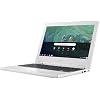
Acer Chromebook 11, Celeron N3060, 11.6" HD, 4GB DDR3L, 16GB Storage, CB3-132-C4VV

  • Based on 1,024 reviews
Condition: New
Checking for the best price...
$290.00 Why this price?

Buy Now, Pay Later


As low as $48.33 / mo
  • – 6-month term
  • – No impact on credit to apply
  • – Instant approval decision
  • – Secure and straightforward checkout

Ready to go? Add this product to your cart and select a plan during checkout.

Payment plans are offered through our trusted finance partners Klarna, Affirm, Afterpay, Zip, Apple Pay, and Google Pay. No-credit-needed leasing options through Acima may also be available at checkout.

Learn more about financing & leasing here.

Selected Option

Free shipping on this product

30-day refund/replacement

To qualify for a full refund, items must be returned in their original, unused condition. If an item is returned in a used, damaged, or materially different state, you may be granted a partial refund.

To initiate a return, please visit our Returns Center.

View our full returns policy here.


Availability: In Stock.
Fulfilled by Gusto Electronics (SAME DAY SHIPPING)

Arrives Monday, Aug 24
Order within 7 hours and 47 minutes
Available payment plans shown during checkout

Protection Plan Protect Your Purchase
Checking for protection plans...

Style: Clamshell


Features

  • Chromebook runs on Chrome OS - an operating system by Google that is built for the way we live today. It comes with built-in virus protection, updates automatically*, boots up in seconds and continues to stay fast over time. (*Internet connection is required).
  • All the Google apps you know and love come standard on every Chromebook, which means you can edit, download, and convert Microsoft Office files in Google Docs, Sheets and Slides.
  • With the Google Play Store, you can access a rich library of apps, games, music, movies, TV, books, magazines, and more, all from your Chromebook.
  • Chromebooks come with built-in storage for offline access to your most important files and an additional 100GB of Google Drive space to ensure that all of your files are backed up automatically.
  • Intel Celeron N3060, 11.6 HD Display, 4GB Memory, 16GB eMMC and Up to 10-hour Battery Life

Description

Acer Chromebook 11 CB3-132-C4VV comes with these high level specs: Intel Celeron N3060 Dual-Core Processor 1.6GHz with Intel Burst Technology up to 2.48GHz, Google Chrome Operating System, 11.6" HD Widescreen Comfy View LED- backlit IPS Display, Intel HD Graphics, 4GB DDR3L SDRAM Memory, 16GB Internal Storage, 802.11ac Wi-Fi featuring MIMO technology (Dual-Band 2.4GHz and 5GHz), Bluetooth 4.0, HD Webcam (1280 x 720) supporting High Dynamic Range (HDR), 1 - USB 3.0 Port, 1 - USB 2.0 Port, 1 - HDMI Port, 3-Cell Li-Ion Battery (3490 mAh), Up to 10-hours Battery Life, 2.43 lbs. | 1.1 kg (system unit only) (NX.G4XAA.002).

Brand: Acer


Model Name: Acer Chromebook


Screen Size: 11.6 inches


Color: White


CPU Model: Celeron


Ram Memory Installed Size: 4 GB


Operating System: Chrome OS


Special Feature: HD Webcam, Tamper-proof Keyboard


Graphics Card Description: Integrated


Graphics Coprocessor: Intel HD Graphics 400


Color: White


Operating System: Chrome OS


Other Special Features of the Product: HD Webcam, Tamper-proof Keyboard


Graphics Description: Integrated


Graphics Coprocessor: Intel HD Graphics 400


Hard Disk Description: SSD


Item Weight: 2.4 pounds


Video Processor: Intel


Specific Uses For Product: business, personal


Graphics Card Ram: 2 MB


Automatic Backup Software Included: Windows 1 Home


Form Factor: Laptop


Hard Disk Interface: USB


Voltage: 24 volts


Camera Description: HD Webcam (1280 x 720)


Biometric Security Feature: Fingerprint Recognition


Graphics Ram Type: DDR3 SDRAM


Compatible Devices: External displays, keyboards, mice, storage devices, and other accessories that use USB, HDMI, or Bluetooth connections.


Warranty Type: Limited


Item Dimensions L x W x Thickness: 12"L x 2"W x 10"Th


Chipset Type: Intel Pentium Silver/Celeron N-series (Gemini Lake)


Power Device: AC adapter


Video Output: HDMI


Screen Size: 11.6 inches


Resolution: 720p


Native Resolution: 1366 x 768 pixels


Display Type: LED


Display Resolution Maximum: 1366x768 pixels


Display Technology: LED


Supported Monitor Maximum Quantity: 1


Battery Cell Type: Lithium Ion


Battery Life: 10 hours


Battery Average Life Standby: 10 hours


Number Of Cells: 3


Lithium-Battery Energy Content: 39 watt-hours


Human-Interface Input: Touch Pad


Keyboard Description: Ergonomic chiclet keyboard with fingerprint sensor


Notebook Pointing Device Description: Touchpad


Keyboard Layout: QWERTY


Control Method: Touch


Touchpad Feature: True


Processor Series: Celeron


Processor Speed: 1.6 GHz


Processor Count: 2


Processor Brand: Intel


CPU Model Number: Celeron N3060


CPU Model Generation: 6th Gen


CPU Model Speed Maximum: 2.48 GHz


CPU L3 Cache: 1 MB


CPU Codename: Apollo Lake


Brand: Acer


Model Name: Acer Chromebook


Model Year: 2019


Model Number: CB3-132-C4VV


Built-In Media: AC Adapter, Laptop, Power Cord


Manufacturer: Acer Computer


Unit Count: 1 Count


UPC: 191114572382


Item Type Name: Acer Chromebook 11, Celeron N3060, 11.6" HD, 4GB DDR3L, 16GB Storage, CB3-132-C4VV


Warranty Description: One-year International Travelers Limited Warranty (ITW)


RAM Memory Installed: 4 GB


RAM Memory Technology: DDR3


Memory Clock Speed: 2.48 GHz


Ram Memory Maximum Size: 4 GB


RAM Type: DDR3 SDRAM


Connectivity Technology: HDMI, USB


Wireless Technology: Bluetooth


Wireless Compability: 802.11ac


Bluetooth Version: 4


Total Usb Ports: 2


Hardware Interface: HDMI, USB 2.0, USB 3.0


Number of Ports: 4


Total Number of HDMI Ports: 1


Audio Output Type: Speakers


Microphone Form Factor: Small built-in microphone (likely boundary or lavalier)


Audio features: Includes built-in speakers


Frequently asked questions

If you place your order now, the estimated arrival date for this product is: Monday, Aug 24

Yes, absolutely! You may return this product for a full refund within 30 days of receiving it.

To initiate a return, please visit our Returns Center.

View our full returns policy here.

  • Klarna Financing
  • Affirm Pay in 4
  • Affirm Financing
  • Afterpay Financing
  • Zip Pay in 4
  • Financing through Apple Pay
  • Financing through Google Pay
Leasing options through Acima may also be available during checkout.

Learn more about financing & leasing here.

Top Amazon Reviews


  • Very high build quality, Fast, nice looking, nice Screen
Style: Clamshell
Fantastic Chromebook, old laptop broke, Already have both a rediculously powerful Windows 10 gaming rig and an iMac, I had a Chromebook when they first came out and hated it, but after reading about their latest features and how much I loved the looks of the Acer I bought it and it came in yesterday, it has already become my favorite computer I have, it’s extremely high quality, the display is brilliant, keyboard is very nice, by the way those complaining about the track pad being hard to click, all you have to do is tap on it to click it and it supports multi finger gestures, there is rarely s need to actually physically click the track pad, and even clicking it seems like every other laptop. This thing plays every game on the play store with max graphics at perfectly playable frame rates, It’s become my little game machine, and I love where Chrome OS is going, it’s a quickly maturing OS, I cannot compliment this Chromebook enough, I cannot compliment this as a laptop enough. One of the biggest thing ai wanted to stress is how high quality it is, it is made out of very strong plastic that does not flex at all, the back of the screen section has a metal plate for more protection so something doesn’t hit the Chromebook when it’s closed and break the screen. If you want a good, very portable laptop, explore other options than windows, I would highly recommend a Chromebook, I wouldn’t have 6 years ago when I had my first one because it was like there was no OS, now it’s a beautiful elegant OS that’s easy to use and this particular model is very fast and feels like a 300 or more dollar computer just by build quality alone, I hope this helps you if your considering this Chromebook, I love it and I know you will too. ... show more
Reviewed in the United States on January 17, 2019 by Kenny

  • Amazing for Grad School
Style: Clamshell
My girlfriend purchased this little laptop for me off the Treasure Truck for a steal, for me to cart around to classes and home for grad school. I wanted something very light and fast enough that I could have multiple tabs of scholarly articles open while also taking notes and maybe playing music in the background, so nothing too major. This laptop is very light, seems very sturdy (I don't have a case for it and just throw it into my bag every day) and fast! I was extremely hesitant at first about Drive and very attached to Word (who knows why), but I switched over to saving EVERYTHING on Google Drive for school, and this laptop has been perfect. I use my NYU email address (which is handled by Google) to sign in (note that some institutions require a separate password to use Chromebooks - NYU does this, it's called a "Google Apps for Education" password). This is not my main laptop - I have a 2015 MacBook Pro at home that stays there, but the Acer Chromebook is perfect for keeping at school or for traveling (no issues with playing YouTube, Netflix, etc). I was worried I wouldn't like the "pared-down" nature of the laptop, but I actually love it (I did have to get my more tech-savvy girlfriend to explain how everything worked, but after I understood, using the machine seems much more intuitive). The ONLY things I don't like are that I cannot take a partial screenshot without it saving to a folder - I often screenshot and paste on my MacBook, and there doesn't seem to be any function that copies partial screenshots to a clipboard temporarily without saving it (I use this sometimes when taking notes on articles in Drive). Maybe there is a way to do this and I'm just unaware. The other thing I don't like is that I'm weird and like reverse scroll (dragging your fingers down on the trackpad causes a webpage to scroll UP) and there's no reverse scroll on this laptop. Very, very, very minor points that I'm happy to work around. In conclusion - if you need a secondary laptop for school, or if lightness is your primary concern, BUY THIS! You won't regret it (probably). *EDITED TO ADD:* After several months of working perfectly, this laptop stopped being able to connect to wifi (the wifi toggle refused to switch to "on"). After some googling, I unscrewed the back cover with an eyeglass screwdriver and removed and re-inserted the wifi card (and did the same with the wires connected to it). Good as new. If you're having a similar problem (which I gather from my googling is fairly common with this laptop), it's definitely worth a try. I bought a case to try to prevent something similar happening in the future. ... show more
Reviewed in the United States on January 26, 2019 by Customer Review

  • Great build quality, decent IO, and the OS is fairly basic but good.
Style: Clamshell
So I guess to qualify this review it's important to note that this is a $200.00 chromebook. It's not going to blow your mind and it's fairly cheap, that said: as noted in the header, the overall build quality is very good for the price. This is a durable device with absolutely no keyboard flex and hardly any screen flex either. The keyboard itself is a fairly standard chiclet board minus the Windows functional keys (no F-keys) which are instead replaced with The standard Chrome OS keys (back, forward, brightness adjustment, volume, no caps lock...etc) and honestly, I personally like it. The outer shell on this thing is tough as nails so it'd be great to travel with or for a kids first laptop or something. Upon teardown you'll notice that this is a very basic device which sorta negates any upgradability in terms of adding third-party RAM (at least to my knowledge) which is a unfortunate, but that's to be expected at this pricepoint. In terms of Chrome OS, it seems to be a modified form of Linux (it's pretty easy to eventually run Linux on this actually) and it's a very barebone experience, that said Chrome OS is really snappy, it boots very fast and this is because the entire OS is basically in the Cloud. Chrome OS basically requires the user to have a Google account to get the full experience...so take from that what you will. If you don't have internet (which, who doesn't) then this thing is completely useless really. Play Store functionality is integrated into the device as well, but seeing as how this particular model lacks a touchscreen, you're not going to get too much out of that option honestly, but your mileage may vary. Hardware wise: again, we're talking really basic components here. A Celeron CPU with 4gb of RAM is...well its competent in very light multitasking, its fine, it works, but coming from a custom made PC, it struggles comparatively. IO is pretty good as well, You're getting 1 USB, 1 USB 3 port, 1 HDMI out, SD card slot (not mini SD) , a 3.5mm headphone port, and a Kensington lock (?) (<<not sure on that one). The HDMI out can scale up to 1920x1080p which is pretty impressive, but it doesn't look 100% right. I have yet to try using a USB to HDMI connector so there might be potential for multi-monitor set up, which, quite frankly would be very impressive for such a cheap piece of tech. All-in-all for this price-point, you're getting a competent little machine. For me, it has been serving as a gateway into learning about Chrome OS (more poignantly Linux) and it's a cheap one at that, (not cheaply made though, Acer makes good products from my experience). If you're a basic user, it works great as a little media device, light web browsing, Netflix, Youtube...etc. Power users can sideload Linux OS on it and experiment booting different OS's. I wouldn't buy this as a main computer, or as a replacement for Windows at all, but as a novelty, as a media device, movie player, doing school work, browsing the web, online shopping...basic stuff like that, it is totally fine. It's a fun little computer definitely. ... show more
Reviewed in the United States on January 20, 2019 by David Jenkins

  • What a great Chromebook
Style: Clamshell
I got this little guy on a treasure drop from Amazon. I liked the price, so I decided to buy it. I've been using it for over a year, and it's still going strong. Having the ability to download android apps has been a fantastic benefit for the Chromebook community! the battery life easily gets me through a day at school without breaking a sweat. As long as I charge it overnight, I'll never have to worry about it dying on me halfway through the day. It also has great Wi-Fi antennae, as it has no issues finding routers and it works great when I turn on my phone's hot spot. There are newer, more powerful models out now, but this guy has been great even over a year later. it's compact enough to easily fit in my now smaller messenger bag, and the keyboard is very comfortable to type on for extended periods of time. I've added a mouse and everything works great. ... show more
Reviewed in the United States on March 26, 2020 by RaulMan

  • Tremendous Bang for the Buck!
Style: Clamshell
Often luck, good and bad, seems to run in streaks. A couple of days after having surgery, and then having to replace our hot water heater, my Macbook Air finally bit the dust. It is a 2011 so it has served me well. It can possibly be repaired but it will surely be costly. At any rate, a new one at this point and time was out of the question. So, I took a chance and ordered this Acer Chromebook for just shy of $200. These days I mainly just check email and social media, and Microsoft has a free academic version of Office online for any word processing needs (not to mention Google Docs) so the big guns previously used for photo editing aren't a pressing need right now. I am sure I will eventually get a new Mac but I have to say this little machine, for the money, is a hell of a deal. 11.6 inch HD screen, 4 gig of RAM, and 16 gig HD. Runs for 11 hours on a full charge, and boots instantly. So, if you happen to find yourself in financial straits in the future and you need a computer, consider the Chromebook route. It's working great for me. Let me preclude comments about just using a phone. I have an iPhone X and it works great when I am on the go but it just ain't the same as a laptop. ... show more
Reviewed in the United States on September 7, 2018 by Paintrock

  • Acer Chromebook's display randomly goes black
Style: Clamshell
The Acer Chromebook worked fine at the beginning, but started having display issue a few months after I started using it. I purchased it in July for my son's school work. He started using it in August 2018. We are in December now, and for the past couple of weeks he has noticed that the screen goes black for no reason and eventually lights up randomly, mostly after I connect it for charging. Sometimes, I can see that the screen is dimly displaying the login window, but it is useless. I have tried several things such as restarting the Chromebook, closing it and reopening the screen, which do not help. I am very disappointed that this Acer Chromebook did live up to the expectations. If I do not get this resolved by Acer, this is definitely the last Acer product I purchase. Update: I contacted ACER regarding the display issue. They opened a ticket and I mailed it to get it fixed. I had to paid the shipping to their facility. After a couple of weeks I received it back and it was fixed, except that the display does not turn off when I close the Chromebook, which is not ideal but I can live with it. ... show more
Reviewed in the United States on December 20, 2018 by Gus Razo Jr.

  • Couldn't expect anything more for the price.
Style: Clamshell
I did get this for $140 on prime day last year so it was significantly cheaper than it is now. That being said, this chromebook is amazing. I use it for all my browsing needs. It can easily run office online without any issues. It doesn't have any trouble streaming netflix or Prime video in the background while browsing in other tabs. Chrome OS is constantly adding new features. The new picture in picture feature to watch your videos in the corner of the screen is awesome. As with other chromebooks it boots insanely fast, updates take less than a minute and come out weekly. Android apps can be a little clunky, but they work and are becoming closer to running native all the time. SD card integration has improved over the last 9 months. Linux integration works well for command line apps, the storage limitations make it hard to install apps with GUI, but adding SD support into linux has helped alleviate this issue. I've dropped it a few times and minus a chipped corner it's done well. The keyboard is sturdy and the touch pad is responsive. For the average user this is an awesome everyday machine, with amazing battery life (8 hours mixed use, 10 if you're watching videos stored on teh device.) ... show more
Reviewed in the United States on May 11, 2019 by Kyle Huff

  • 42 days later...it's dead!!!!!
Style: Clamshell
My son needed a computer for school and with all the buzz on chromebooks being reliable and inexpensive, I fell right into it. It's a very simple computer focused on providing practical google docs and internet support definitely not a work horse. But that's all he needed. Purchased a good carrying case and all was well until one evening he tried to turn it on and we faced a black screen. Contacted Acer and it is still under warranty so it is making it's way to TX. How long will analysis and repair take? I have yet to see. As of now between the cost of shipping, not having the required computer at school and the aggravation associated with this, it is already not worth it. Lesson learned. Will report back on Acer's response time. UPDATE: The Chromebook arrived at the Acer facility in Texas on 10/31/18. On Monday 11/5/18 I received an email notifying me that the computer was repaired. On Tuesday 11/6/18 I received an email with shipping information. We received the repaired computer on 11/7/18. The only information I received explaining what caused the computer to die was the packaging slip that came with the repaired computer noting "software repair". No idea what that could be. On the other hand, the computer is running fine. The repair and return shipping time exceeded my expectation. Would I buy the computer again? Mixed feelings but the determining factor will be the future behavior of this computer. ... show more
Reviewed in the United States on October 31, 2018 by tamr

Can't find a product?

Find it on Amazon first, then paste the link below.
Checking for best price...