Search  for anything...

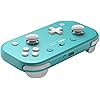
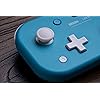
8BitDo Lite 2 Bluetooth Gamepad for Switch, Switch Lite, Android and Raspberry Pi (Turquoise)

Based on 2,202 reviews
Condition: New
Checking for the best price...
$34.99

Buy Now, Pay Later


As low as $8 / mo
  • – 4-month term
  • – No impact on credit to apply
  • – Instant approval decision
  • – Secure and straightforward checkout

Ready to go? Add this product to your cart and select a plan during checkout.

Payment plans are offered through our trusted finance partners Klarna, Affirm, Afterpay, Zip, Apple Pay, and Google Pay. No-credit-needed leasing options through Acima may also be available at checkout.

Learn more about financing & leasing here.

Selected Option

Free shipping on this product

FREE 30-day refund/replacement

To qualify for a full refund, items must be returned in their original, unused condition. If an item is returned in a used, damaged, or materially different state, you may be granted a partial refund.

To initiate a return, please visit our Returns Center.

View our full returns policy here.


Availability: In Stock.
Fulfilled by Amazon

Arrives Sunday, Nov 8
Order within 11 hours and 46 minutes

Available payment plans shown during checkout

Protect Your Purchase

Easy claims online, fast replacements, no fees

Checking for protection plans...

At a glance

Condition
New
Color
Turquoise
Dimensions
2.56 x 1.38 x 4.72 in
Weight
73 g
Controller Type
Gamepad, Joystick
Additional Features
Wireless
Hardware Platform
Gaming Console
Warranty
1 year manufacturer
Works with
Android

Features 6

  • Ultra Portable.
  • Fully Featured - now featuring joysticks and shaped trigger buttons
  • Rumble vibration, motion controls.
  • Customizable turbo functionality (D-input)

Description

8BitDo is a premier 3rd party video game hardware company with a special focus on retro themed game controllers. Renowned for producing the highest quality retro controllers on the market, 8BitDo’s controller line has been referred to as, “a range of excellent retro-style game controllers” by The Verge. 8BitDo’s goal is to produce premium quality game controllers with ultra-compatibility at economical prices.

Specs 16

Controller Type Gamepad, Joystick
Connectivity Technology Bluetooth, USB
Additional Features Wireless
Button Quantity 16
Hardware Platform Gaming Console
Power Source Battery Powered
Compatible Video Game Console Models Nintendo Switch
Item Weight 73 g

Frequently asked questions

If you place your order now, the estimated arrival date for this product is: Sunday, Nov 8

Yes, absolutely! You may return this product for a full refund within 30 days of receiving it.

To initiate a return, please visit our Returns Center.

View our full returns policy here.

  • Klarna Financing
  • Affirm Pay in 4
  • Affirm Financing
  • Afterpay Financing
  • Zip Pay in 4
  • Financing through Apple Pay
  • Financing through Google Pay
Leasing options through Acima may also be available during checkout.

Learn more about financing & leasing here.

Top Amazon Reviews


Makes for a Great Travel Game Controller!
Color: Turquoise
I already had an 8BitDo Micro that I use with my Steam Deck and MBP for gaming while traveling. But...some games really need the analog sticks and more buttons than the Micro controller can provide. So I bought the Lite 2. And it's great! Compared to the Micro, It's a lot easier on the hands. The Micro is a great controller; it's tiny and light, which is always good for travel. But it's not something I'd recommend using for extended amounts of time. I have small hands as it is, but even for me, using the Micro for long periods cramps my hands. But the Lite 2 is much better. It's still significantly smaller than a regular console controller, but it feels much more natural. I had no problems using it to game for awhile. As far as setup goes, it was simple connecting it to my Steam Deck or MBP via Bluetooth or even via USB-C cable (though you might want a longer cable than what comes in the box). Both recognized it as a game controller immediately. Do keep in mind that the ABXY buttons are "built-in" to use the Nintendo layout, where A is the rightmost button and is "OK/confirm," while B is the bottom-most button and is "cancel/go back." I'm used to using Playstation controllers, where X is the bottom-most button and is "OK/confirm," and Circle is the rightmost button, which is "cancel/go back." Basically backwards of Nintendo. Same goes for X/Y and Square/Triangle; these are reversed. On the Steam Deck, there's a simple one click option in controller settings to reverse all that. But on other devices, you might have to remap the buttons in the system settings or game settings. You can't force or reconfigure the Lite 2 itself to NOT use the Nintendo layout. Just something to be aware of if you're like me. If you're unable to remap in software, it's not a huge deal and you'll get used to using the Nintendo layout real quick. Overall, it's a solid buy. ... show more
Reviewed in the United States on July 24, 2025 by Giles R.

Great Little Gamepad - Just Learn the Power Button Trick
Color: Turquoise
This has become my go-to controller for travel and quick sessions. It pairs quickly, feels solid for how small it is, and supports multiple modes so it works well as a Switch-style pad, on Android, and with a Steam Deck. I mainly use it for emulation on a Samsung Fold 6 during flights and downtime. Connection stays reliable and the buttons respond cleanly. Battery life is strong enough that I rarely think about charging it between trips. It also works well as a secondary controller on the Steam Deck. A couple of things worth knowing: - The button on top is for pairing, not power. Hold the bottom-right button to turn it on or off. That confused me at first and made me think it was draining when it was just left on. - The turquoise color is fine, but I would prefer black to match the rest of my gear. Overall it is a reliable, compact Bluetooth controller that does a lot for the size and price. Good choice if you want something easy to pack that still feels usable for longer sessions. ... show more
Reviewed in the United States on July 10, 2026 by Tech Dad

Excellent Travel Controller, Even for Big Hands
Color: Turquoise
I use this little beauty as a travel companion with my laptop. It connects to Windows via BlueTooth very easily. There is also easy firmware updates on the 8BitDo support web site. I added a picture of this in my man hands. It is very comfortable and easy to use. I have five different 8BitDo controllers, and they all have great build quality and easy USB-C charging. I definitely recommend these in general and this particular Lite 2 for travel. There are also 3rd party controller cases to keep these safe during travel. The buttons respond like they should and it is working perfectly on Steam games, RetroArch emulators, and everything PC gaming that I can throw at it. ... show more
Reviewed in the United States on July 6, 2026 by J. Emerson

Fantastic switch controller for the price.
Color: Pink
This is a lovely little Nintendo Switch controller. Fits in my pocket, and even has full gyro controls (important for some games like Splatoon) as well as rumble support. It won't wake the switch (unfortunately), but it connects just fine to the Switch when it's awake. This is by design (controller's manual mentions it won't wake the switch), but it's a shame because some of 8bitdo's other controllers can (such as the Ultimate). If your main motivation for purchasing this is to have another Switch controller it can't be beat for the price. For PC and Android, it's still a fairly good controller, but there are some caveats I describe below. I prefer to use the controller in Switch-mode on my PC rather than the Direct-Input mode as the rumble and motion control feature is only available in Switch mode. Direct-Input mode does have a turbo button feature (holding a button and pressing the "star" button toggles it for the held button), but frankly I prefer having gyro controls and rumble. PC use is a bit tricky, as the controller doesn't have any X-Input support, but there's lots of ways around that. Steam natively supports Switch Pro Controllers, so all Steam games can work with it if you pair it in Switch-mode. If you want to use it for a non-Steam game, there's an open-source program you can download called "GloSI" that can provide Steam Input to non-Steam games. One quirk I ran into is when pairing with my PC for the first time: I had to turn off the controller after pairing and turn it back on before it completely worked. Seems to be the case every time I re-pair, so that's a slight bummer, but an easy work-around. For Android it's more of a mixed bag. Switch-mode did pair with my phone but didn't work very well. So Direct-Input is definitely preferred with Android. However, in Direct-Input mode, default Android button assignments are technically "correct" but not how they should be (in my opinion); pushing A is "technically" the A button, so it's labelled correctly. The problem, however, is most people prefer button assignments to be XBox based. For example, an XBox controller has its A button where the switch has its B button. When using other controllers on Android, such as the DS4 or DualSense, the button assignments match an XBox controller layout. So, for this controller, what I feel should be the default, is B=A, A=B, Y=X and X=Y. Yes, that would mean the labels don't match, but the "position" of all the buttons would match an XBox layout, which is what everybody is used to. However, with the 8bitdo Light 2, the A-B and X-Y buttons are swapped from their XBox positions on Android with Direct-Input. For a lot of games this isn't too big a deal as you can change controls in their settings, but there are games where this isn't supported. For instance, in Netflix's release of the mobile GTA games, they only permit limited pre-set layout arrangements, and none of them solve the A-B, X-Y swapping. It's apparently possible to fix this if you have a rooted Android phone, but sadly that's not an option for me (and countless others as well). I still love this controller, even for Android. The price is hard to beat, and it does indeed work on Switch, PC, and Android. I would give it 5 stars if the Android button swapping issue and Switch wake-up were fixed. ... show more
Reviewed in the United States on March 4, 2024 by Margaret T

Amazing product great for travel and space saving while still working great
Color: Pink
Great mini travel controller very reputable and would recommend over other brands! I love all of the 8bitdo controllers I have bought. They have so many different controllers with different features such as this one the LTE 2 that comes with the dual joysticks and they even have ones designed for persons with limited mobility. I also have the keychain sized one and it works great as well, and it can switch the arrows to work as a left joystick with just a click of a button. That was an extremely innovative idea for such a tiny controller. There is absolutely no input lag and the battery last extremely long. I keep it in my purse and use it when on the go and haven't had to recharge yet! It also saves battery by shutting off automatically when not in use. I recommend making sure you get the one that works with the platforms you intend to play on. This controller works great on my android phone so I can play on the go, but it does not work with my PC laptop. The keychain size ones do work great with my PC and android phone so I would love to find an LTE 2 that also works with PC. I would love to collect all of the mini controllers! They are great for my kids when we travel and go on vacation or trips to their grandparent's house. They save room in their travel bags but still work just as great as the full-sized ones. ... show more
Reviewed in the United States on May 23, 2025 by Tonya Lee

Awesome
Color: Turquoise
Great value i like the durability i have left it in the rain and it still works the gameplay is good and the stick drift is not there the lighting is great and compatibility is good and also durable no stick drift
Reviewed in the United States on August 30, 2026 by Jose ramirez

Perfect for family travel and multiplayer on the go
Color: Pink
I’ve been using a few 8BitDo Lite 2s across our Android phones, TV, and the kids' tablets, and they’ve been great. The Bluetooth pairing is quick and actually stays connected, which is a relief when you’re trying to get a game started with the kids. They’re small enough to genuinely fit in a pocket or a small tech bag without any bulk. It’s made a huge difference for traveling; we can just pair two or three to a single tablet or Switch and have a full multiplayer session going anywhere. Despite being so compact, they feel solid and the sticks are responsive. If you need a portable controller that actually works across multiple devices without a headache, these are a win. ... show more
Reviewed in the United States on May 4, 2026 by David H.

Does work including with iOS via Bluetooth , but is not software configurable.
Color: Turquoise
Edit: My original review about the inability to configure with the app is mostly correct, however I learned that if you put the Lite 2 in "S" mode and then connect it to the 8bitdo USB Adapter 2, you can then configure custom profiles from Windows, Mac, or Raspberry Pi. The downfall of 8BitDo is that their documentation is very incomplete and while there are a ton of features, you have to search online forums to figure out how to use them or even know about them. There is no mention in any manual for the Lite 2 for use with the USB adapter, the buttons required to switch profiles, or even the ability to switch profiles. Great product, very poor documentation, which is ashame because simply telling people how to use it would greatly increase it's sales. Upping from 3-4 stars because I can now use it exactly as I'd hoped I could... It just took buying the USB adapter and discovering how to use it to do so. END EDIT. I bought this believing that the 8BitDo app would allow custom configuration of the controller for things like button mapping or macros. That’s not the case. The app only works with very specific 8BitDo controllers and the Lite 2 is not one of them. As an aside, neither is the SN30pro. To that end, if your application allows custom mapping and you don’t mind the A/B X/Y buttons not actually mapping to A/B or X/Y the controller does work. It’s nice and small so very portable. The real kicker for me is that I’d intended this to be a controller to use with my phone and moonlight. However it’s is Uber inconvenient because I also use a different controller when actually playing from the PC directly. Because the controls aren’t mappable I have to change the button mapping in my games each time I move between this controller and my main controller. That’s a huge bummmer. ... show more
Reviewed in the United States on September 28, 2023 by James McPherson
Checking for best price...