Search  for anything...

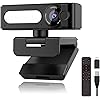
4K Webcam with Dual AI Noise-Cancelling Mics Autofocus, Auto Light Correction,120° FOV,Privacy Cover,Plug and Play Computer Camera for Microsoft Teams/Zoom/Google Voice/Skype/Facetime/YouTube,Black
  • Based on 26 reviews
Condition: New
Checking for the best price...
$45.11 Why this price?
Save $34.87 was $79.98

Buy Now, Pay Later


As low as $11 / mo
  • – 4-month term
  • – No impact on credit to apply
  • – Instant approval decision
  • – Secure and straightforward checkout

Ready to go? Add this product to your cart and select a plan during checkout.

Payment plans are offered through our trusted finance partners Klarna, Affirm, Afterpay, Zip, Apple Pay, and Google Pay. No-credit-needed leasing options through Acima may also be available at checkout.

Learn more about financing & leasing here.

Free shipping on this product

FREE 30-day refund/replacement

To qualify for a full refund, items must be returned in their original, unused condition. If an item is returned in a used, damaged, or materially different state, you may be granted a partial refund.

To initiate a return, please visit our Returns Center.

View our full returns policy here.


Availability: Only 5 left in stock, order soon!
Fulfilled by Amazon

Arrives Tuesday, Oct 27
Order within 17 hours and 5 minutes
Available payment plans shown during checkout

Protection Plan Protect Your Purchase
Checking for protection plans...

Features

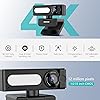
  • Ultra UHD 4K & Sony SensorExperience crystal-clear 4K resolution at 25fps with a Sony 1/2.55" sensor, capturing every detail for professional streaming and video calls. Auto light correction ensures perfect brightness even in low-light conditions. Ideal for content creators and remote workers who demand premium quality.
  • Dual AI Noise-Canceling MicsDual microphones with AI noise reduction deliver studio-quality sound by filtering background noise. Perfect for busy offices or home setups, ensuring your voice is heard clearly in every call or stream.
  • Adjustable LED Fill Light with Customizable Color TemperatureThis webcam features a built-in adjustable LED fill light with 5-level brightness control (10%-100%) and 9-step color temperature tuning (2700K-6500K). The light automatically adapts to your environment or can be manually fine-tuned for ideal illumination.Perfect for low-light video calls, streaming, and content creationensuring you always look your best!
  • Autofocus &120 Adjustable FOVAutofocus locks onto subjects instantly, while the 120 100 80 60 40adjustable field of view fits solo or group calls. No more blurry shots, just sharp, professional video every time.
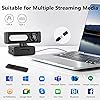
  • Wide Compatibility & Tripod ReadyUSB-Aand Type-C plug-and-play setup works instantly with no drivers saving your trouble.Includes a tripod mount for flexible positioning, making it perfect for streaming, meetings and online classes. PC, Mac, Laptop or Tablet all compatible.

Description

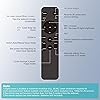
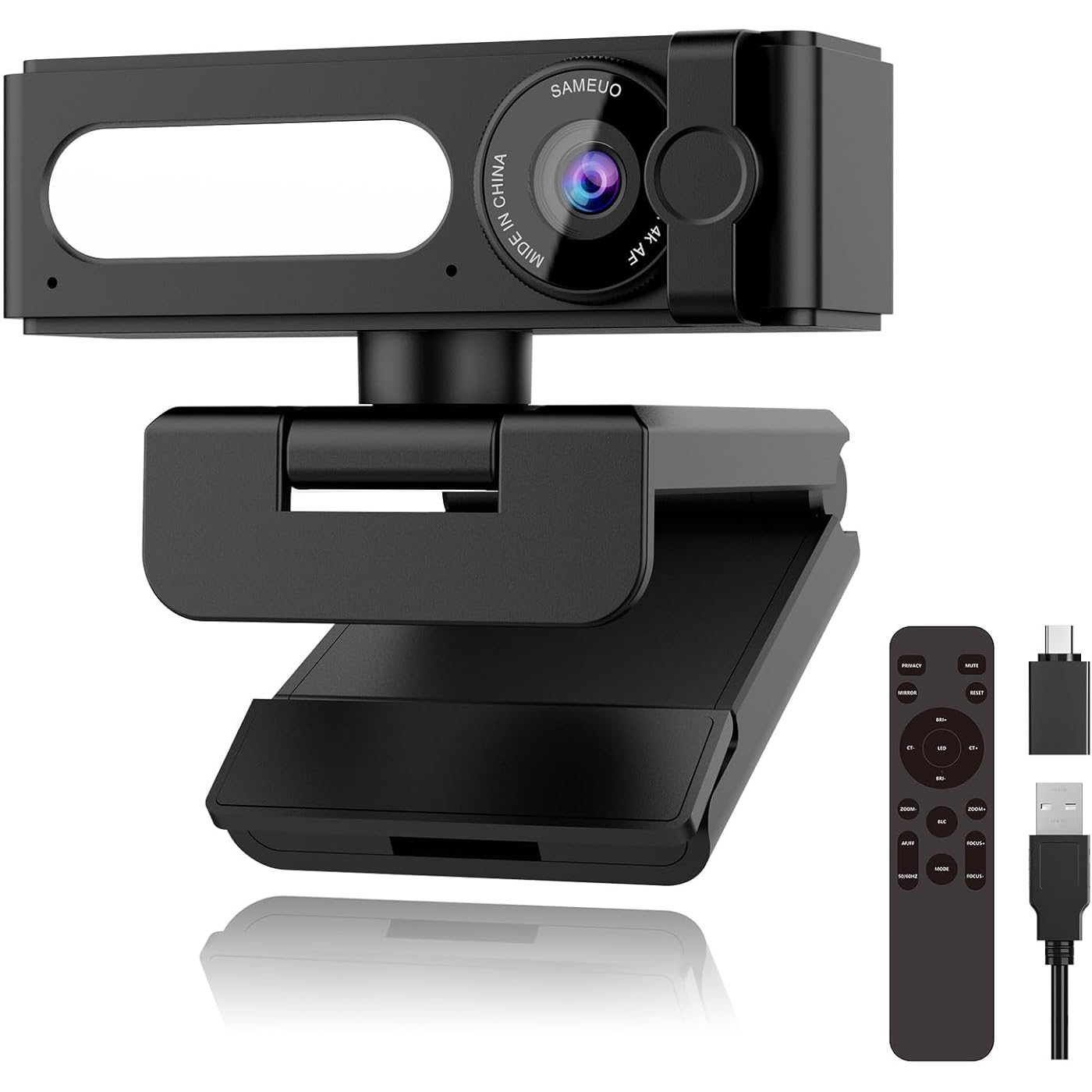
Transform any desktop into a professional meeting space in seconds. Featuring 4K Ultra HD resolution, noise-canceling dual mics, a 120° wide-angle lens, built-in dimmable fill light, full-function remote control, and a privacy shutter — all packed into one simple plug-and-play device. Is the G53-4K compatible with my computer? Yes. It works with Windows 7/8/10/11, macOS 10.4+, Linux, and Android 4.0+ (OTG required). Driver-free – just plug into USB-A. For MacBooks, use the included USB-C adapter. Does it work with Zoom, Teams, and Google Meet? Absolutely. It's a standard UVC camera, so it works with all major platforms including Zoom, Teams, Google Meet, Skype, and Tencent Meeting. Just plug in and select it from your app's camera settings. Can I mount it on my monitor or use it with a tripod? Both. It comes with a universal clip that fits any monitor or laptop screen. The bottom also has a 1/4" tripod screw hole, and a flexible mini tripod is included in the box for desktop use. What can I control with the remote? Mute, video on/off, flip, brightness/color temp, zoom, auto/manual focus, effects, backlight, reset, anti-flicker, and LED. No computer needed. 2x AAA batteries not included. Works up to 5m (16.4 ft). What if the camera is not working when I plug it in? Quick fixes: 1-Reconnect USB or try another port. 2-Open the privacy cover fully. 3-Select the camera in your app settings. 4-Close other apps using the camera.Most issues solved in seconds. Full guide in the box. Sameuo 4K Webcam Sameuo 2K Webcam for PC Sameuo 2K Webcam for PC 4K Webcam with Mics

Brand: Sameuo


Photo Sensor Technology: CMOS


Video Capture Resolution: 2K


Maximum Focal Length: 10


Flash Memory Type: Micro SD


Video Capture Format: MP4


Supported Audio Format: AAC, MP3


Screen Size: 2560


Connectivity Technology: USB


Color: Black


Sensor Type: CMOS


Connectivity Technology: USB


Color: Black


Special Feature: Built-In Light, Low Light, Night Vision, Remote Control, Scene Modes


Water Resistance Level: Not Water Resistant


Form Factor: Ultra Compact


Maximum Focal Length: 10


Minimum Focal Length: 3


Lens Type: Zoom


Focus Type: Auto Focus


Video Resolution: 2K


Video Capture Format: MP4


Effective Still Resolution: 20 mp


Shooting Modes: Automatic, Low Light, Portrait, Landscape


Image Aspect Ratio: 169


Supported Image Format: [MP4]


File Format: MP4


Effective Video Resolution: 2160 pixels


Supported Audio Format: AAC, MP3


Compatible Devices: PC, Mac, Laptop, Tablet


Brand: Sameuo


Model Number: G53-4K


Camcorder Type: Webcam


Model Name: G53


Built-In Media: Remote


Unit Count: 1 Count


Manufacturer: Sameuo


Warranty Description: 1 year manufacture


Screen Size: 2560


Display Resolution Maximum: 2K pixels


Flash Memory Type: Micro SD


Flash Memory Speed Class: C10


Flash Memory UHS Speed Class: 3


Flash Memory Video Speed Class: V60


Optical Zoom: 5 x


Digital Zoom: 5 x


Zoom: Optical


Frequently asked questions

If you place your order now, the estimated arrival date for this product is: Tuesday, Oct 27

Yes, absolutely! You may return this product for a full refund within 30 days of receiving it.

To initiate a return, please visit our Returns Center.

View our full returns policy here.

  • Klarna Financing
  • Affirm Pay in 4
  • Affirm Financing
  • Afterpay Financing
  • Zip Pay in 4
  • Financing through Apple Pay
  • Financing through Google Pay
Leasing options through Acima may also be available during checkout.

Learn more about financing & leasing here.

Top Amazon Reviews


  • Definitely an upgrade from stock chromebook camera. Easy to use.
Maybe because I was used to relying on stock cameras and apps this feels like a pretty nice upgrade for me. First, this is one device where I would recommend holding onto the remote until all software and settings are optimized. The remote has buttons that turn the LED on or off, zoom, mirror, select modes, reset, mute/privacy function, BLC, AF/IFF toggles between 50/60HZ and control focus in or out. It also allows you to be a good distance from the camera if needed and still control it. So it is actually pretty useful. The only downside I have noticed is it does lag a bit behind in the default mode. Fast movements are a bit blurry. However, you can improve it by optimizing based on what activity is happening. Higher resolution will cause it to have a lower frame-rate and vice versa. It's nice to have a 4k capable webcam. I was using a very low resolution one prior to this and this one is vastly superior. It does a pretty good job with lighting and everything looks sharp out of the box. This was very easy to set up. There is a USB-C dongle. They recommend connecting it to the back of the PC (if that's what is used) for best results. I am on a Chromebook, with default camera software and all I had to do was hit the camera flip button to get the webcam going once I plugged in the cable to the dongle. I really was surprised that it had a light. It has a white and red option and some adjustments can be made. I don't notice a huge difference as I have a large window behind it but in a dimmer room it would likely help. I love the mini tripod! It comes with a tripod that has 3 legs that are bendy with ball ends. It screws in to the bottom of the device. I made a collage and put it side by side with my phone. What I can see is that it will have cooler colors and less vibrant than the Pixel camera but detail and clarity are pretty similar. Overall a good webcam, perfect for telecommuting, meetings, video calls or writing reviews. I think for the price it is worth it. Disclosure: I received this item for free through the Amazon Vine program. ... show more
Reviewed in the United States on September 2, 2025 by lh

  • This camera is a huge upgrade from your built-in laptop camera.
This is a decent little camera. Who's quality seems to match the price point. While it is not necessarily the absolute highest quality camera I have ever seen, it does seem to be on par with the Logitech and razor type cameras that are very popular for general streaming and gaming these days. I do enjoy the fact that it comes with a remote that allows me to make all of the functional changes to the video from the remote itself. It does have pretty nice backlight control as well as both auto and manual focus. It also has a healthy digital zoom which does a pretty good job of getting a nice wide shot or zooming right in on you. You can adjust the color tone of the integrated illumination LEDs, so that you may use either a cool or warm color temperature. You also can mute your audio from the remote, you have a privacy button so you can mute your video, and you also have the ability to mirror your video so that if you're trying to, for example, demonstrate a product and you want to make sure you're staying in frame it makes it easier to line yourself up in the shot. The LEDs can also be adjusted brightness wise, which is pretty nice. I find that the auto focus mode works pretty well, but if you're having a hard time with a close-up or something, you can switch it to manual focus and use the focus plus focus negative buttons to manually dial in a nice sharp image. I am currently using this camera with OBS studio, and adding it is an absolute breeze. I can tell you that it does a really good job in conjunction with OBS studio if you're into doing green screen background replacement. I do not know how to tell if it's actually AI noise reduction, however, it does seem to do a decent job of isolating my voice, and not picking up things like my mini split air conditioner behind me, or little things like me tapping my foot. The camera itself can easily hook over the top of your monitor, stand on the desk, or it even comes with a little tripod with flex legs so that you can position it at weird angles. This camera as a plug and play as it gets, even with my M1 Mac mini. Like I said, this camera seems to be relatively well built, it's output picture quality is better than average for a WebCam, and it functions perfectly with Microsoft teams, zoom etc. Honestly, the only thing about it i'm not super fond of, is the fact that you do need to have decent lighting to get a really crisp image. Too much overhead, or forward facing light can cause the images to look a bit washed out. This isn't a problem if you're using a program like OBS to record, because you can adjust your brightness, gamma, tint, etc.... But as far as just plugging it in and going to town? you may find that you need to play with lighting a bit. ... show more
Reviewed in the United States on October 30, 2025 by stephen Lynch

  • Received a used product
Haven’t tried it yet but wth is this, I ordered it brand new and I open it up to see a ripped open ziplock bag missing whatever was in it and the camera is wrapped up with the cord all bent. I clearly received someone’s return when I ordered the product brand new
Reviewed in the United States on March 13, 2026 by William

  • Surprisingly Good!
I'm a photographer and videographer, so I know cameras and sensors. I have to admit this camera exceeded expectations! I recently returned one of the most popular web cams because it just couldn't auto focus, and was useless because of it. It was a good bit more expensive than this camera. This one is very small. Even smaller than your bog standard Logitech camera, and very light. But what I really care about is the quality of the sensor. Now, this thing isn't going to stack up to a DSLR or mirror-less camera, but it's not bad for a sensor the size of a pencil eraser. It's VERY wide angle, and the digital zoom quickly degrades the quality, so you should consider this as a wide angle camera first and foremost. The picture is sharp, but there is some noise, even in good light. Given the resolution, the noise reads a bit more like grain to me, which is more acceptable. Auto focus is good enough, and it locks on to items if you hold them up to the camera. The depth of field is deep enough that tack-sharp focus isn't really needed. The colors aren't bad for a web cam. It has several modes, with some of them appearing to be pre-graded, and another that looks like LOG, or close to it. But don't expect to push the image too far in post. The built in light is nice, but you'll need more than that to light your scene. The light from my monitors is enough to get a reasonable picture at night, where the grain/noise starts to creep up, and you lose some temporal fidelity, but that's to be expected. What is included is a RGB light that can do white, warm, and several other colors. At first I laughed at the inclusion of a remote, but it has actually been quite useful. It is way easier than digging through some 3rd party software for settings (and I should note the camera works out of the box, no special software needed) Audio is serviceable, and will be good enough for a zoom call. I don't really have much background noise to test the noise canceling though. In conclusion, it's quite good for the price if you can stand a bit of grain/noise, and you want a wide angle shot. If you need something tighter in, the flaws of the camera will be more pronounced. Still, I'm pleasantly surprised! ... show more
Reviewed in the United States on August 18, 2025 by Kyle Biggs

  • Reports as 4K but grainy at lower resolution, plus some issues
Transitioning from Google Meets to Teams, you find that your camera in Teams does not zoom in to get headshots like Meets does, so you can end up with wide angle shots of everything. I picked up this camera specifically because of the ability to zoom in, and to step up from the 1080p camera I had been using. This one has some challenges that might have to move in back out of rotation. Overall, the camera seems to work as advertised and reports as a 4K camera when testing. Using the built in Windows camera app shows a decent resolution image. The camera comes with a sliding lens cover that works correctly. It has a remote that controls additional features such as an LED and the ability to mirror the image. These sort of work, and they don't rely on any installed software to work which is helpful in making the camera plug and play. A number of problems have already cropped up through. - The auto focus is incredibly glitchy. Just in the course of writing the above paragraph, the camera constantly did little zoom in and outs trying to refocus. This was happening earlier in meetings which is very distracting and telling of a hardware focusing concern somewhere. - Using the remote in at least one Google Meet messed up the camera so badly that the meeting gave up and said the camera was unavailable to use, and no amount of unplugging would fix it. It took an entire system reboot to work. This is a pretty big issue when the camera needs that remote to do it's functions. - Audio has been reported as sometimes garbled on the distant end using the built in camera microphone. I am a somewhat loud person by default in a meeting, and this has never been an issue with other camera mics. - Google Meets is limited to1080p video. There was a noticeable graininess when running that resolution, more than other 1080p native cameras which seemed to be a lens downscaling concern. So, it's an OK camera, but I'd have to call it a pass on recommending as there seem to be some bugs still to work out. ... show more
Reviewed in the United States on August 25, 2025 by Chris

  • Decent quality camera with good detail but washed out slightly inaccurate colors.
The Sameuo 4K Webcam arrived fairly well packaged with all parts bundled together but wrapped individually in plastic and arriving in great shape. The package included a remote (needs two aaa batteries not included), velcro style cable tie, USB A to USB C cable, USB A to USB C adapter, separate tripod stand, camera block and a manual. The camera and parts are well made and look to have good manufacturing quality. The camera worked well on both my older USB A equipped mac as well as my newer USB C equipped mac with no drivers or other software adjustments needed. The positives are that this camera works well, has fairly sharp image quality, and has a plethora of manual adjustments (via remote) like zoom, camera light (including brightness and warmth levels) and image color balance. The negatives were that the images, though sharp and higher definition, had somewhat inaccurate colors and perspective was slightly skewed. Attached is a screenshot comparison between my macbook pro m1 and the Sameuo - the Sameuo gets an edge in image sharpness and detail, but trails behind in color accuracy, having more contrast but washed out colors (the mac screenshot accurately captured the actual color of objects like the mint green pickguard of the guitar in the background). In addition, the monitor hook is large and covers up part of my visible screen on my thin-bezel monitor. ... show more
Reviewed in the United States on August 21, 2025 by Paul Miller

  • Good webcam
The webcam delivers solid performance overall with sharp enough image quality and a useful built-in LED light, though it’s not quite as crisp as I expected for a 4K sensor. Setup was easy, and it works well across different devices. The autofocus and adjustable field of view are nice touches for streaming or calls. My biggest complaints are the stand, which feels a bit unstable, and the reliance on a remote control for adjustments. In today’s world, app-based controls would make much more sense and free up desk space. Despite these drawbacks, it’s still a good choice for video calls and content creation, just not perfect. ... show more
Reviewed in the United States on September 25, 2025 by Sandip

  • Low quality product, does not work.
Horrible quality product, it never turn on nor was detected by any computer.
Reviewed in the United States on December 29, 2025 by MP

Can't find a product?

Find it on Amazon first, then paste the link below.
Checking for best price...