





Buy Now, Pay Later
- – 6-month term
- – No impact on credit to apply
- – Instant approval decision
- – Secure and straightforward checkout
Ready to go? Add this product to your cart and select a plan during checkout.
Payment plans are offered through our trusted finance partners Klarna, Affirm, Afterpay, Zip, Apple Pay, and Google Pay. No-credit-needed leasing options through Acima may also be available at checkout.
Learn more about financing & leasing here.
Selected Option
30-day refund / replacement
To qualify for a full refund, items must be returned in their original, unused condition. If an item is returned in a used, damaged, or materially different state, you may be granted a partial refund.
To initiate a return, please visit our Returns Center.
View our full returns policy here.
Recently Viewed





Set name: With Pacific Blue Cover
Features
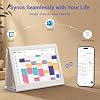
- SMART DIGITAL CALENDAR NO SUBSCRIPTIONTransform your home organization with the KEVZEZY 10.1 inch Digital Family Calendar without any monthly subscription fees. This Smart Digital Desk Calendar serves as the central "Family Hub," replacing messy paper planners. Whether it's a Digital Wall Calendar for the kitchen or a Smart Hub for the living room, it keeps everyones schedules synchronized in one beautiful Electronic Calendar display.
- BOOST OFFICE PRODUCTIVITY & WORKFLOWElevate your workspace with a professional Digital Desk Calendar. Perfect as a "Second Screen" for your office, it provides a dedicated view of your meetings and tasks without switching computer tabs. Its the essential Smart Office Hub for professionals who need to stay ahead of deadlines and manage high-stakes corporate schedules.
- EFFORTLESS CLOUD SYNC: NO COMPLEX SETUPExperience the power of a WiFi Digital Calendar that actually works. Our software is designed with a "Simplicity First" philosophyno complex menus or confusing steps. Features seamless, real-time Sync with Google Calendar, iCloud, and Outlook. Any update on your phone reflects on the screen, making it User-Friendly for Seniors and Kids alike.
- PREMIUM AESTHETIC WITH 3-COLOR COVERSUnlike plastic competitors, KEVZEZY features a unique Retro Minimalist Design. Each unit includes Three Interchangeable Premium Leather Covers (Black, Blue, Purple) to match your specific Home Decor or office style. It's a high-end Aesthetic Digital Calendar that looks like a piece of luxury furniture rather than just a tech gadget.
- GAMIFIED CHORE CHART & MOTIVATIONEnd the daily nagging with our integrated Digital Chore Chart for Kids. Assign tasks, set point values, and watch as your kids earn stars for completing their responsibilities. This Smart Task Management system turns household chores into a fun game, providing positive reinforcement and a sense of accomplishment for the whole family.
- ALL-IN-ONE LIFE ORGANIZERIts more than a calendar; its a full Digital Life Planner. Manage your Weekly Meal Planner, update collaborative Grocery Shopping Lists in real-time, and set Smart Reminders for medication or school pickups. When idle, it transforms into a high-definition Digital Photo Frame to showcase your family memories in crystal clear 10.1-inch quality.
- THE PERFECT THOUGHTFUL GIFT BOXSearching for the best Holiday Gift for Mom, Dad, or Seniors? KEVZEZY arrives in an Exquisite Premium Gift Box, making it a standout Christmas Gift, Housewarming Gift, or Wedding Present. Its a gift of "Peace of Mind" and "Organization" that any busy family will cherish for years to come.
Description
Keep your entire family’s schedule organized with the MWE Digital Calendar. In this video, we’ll show you how to create a new event, assign it to a family member, set the time and reminder, and view everyone’s plans at a glance. Turn daily responsibilities into positive habits with the Tasks feature. Learn how to create a task in the MWE Calendar mobile app, assign it to a family member, add an emoji and point reward, and sync it instantly with your digital calendar. Make progress fun and motivating with personalized rewards. This video shows you how to create a custom reward in the mobile app, set the required points, assign it to a family member, enable repeat redemption. Stay on top of household routines with flexible, easy-to-use lists. Learn how to create a color-coded checklist, add items and sections, organize related tasks, and check off completed items—all from your MWE Digital Calendar. Keep all your favorite recipes organized and ready whenever inspiration strikes. In this video, you’ll learn how to browse recipe categories and save a new recipe with its ingredients, cooking instructions, and meal type. Plan your family’s meals ahead of time with the Meals feature. Discover how to assign saved recipes to different days, add multiple dishes, and send recipe ingredients directly to your grocery list for easier shopping and meal preparation. Turn your Kevzezy Digital Calendar into a beautiful electronic photo album. Learn how to upload photos from your phone, create and organize custom albums, sync them with the calendar, and select an album to display as your personalized screensaver. Which calendar platforms can this digital calendar sync with? It supports synchronization with Google Calendar, Apple Calendar/iCloud, and Outlook, allowing your family’s schedules to appear together on one easy-to-read display. Can family members add or update events from their phones? Yes. Family members can add or update events from their connected mobile devices, and the changes will sync to the digital calendar through Wi-Fi. How does the chore chart help organize the family? You can assign chores to different family members, track completed tasks, and use rewards to make responsibilities more engaging for children. Does it include meal-planning and shopping-list features? Yes. You can organize weekly meals, display recipes and ingredients, and create grocery or household shopping lists from one central screen. Is this only a digital calendar? No. It combines a touchscreen family calendar, chore chart, task manager, reminders, meal planner, lists, and digital photo frame in one space-saving desktop device. KEVZEZY is a sub-brand of MWE. Created to solve the chaos of modern schedules, we believe technology should bring harmony, not headache. We build intuitive digital hubs that help families stay organized and live with ease—by smoothing out the day, not adding complexity. Our focus is the heart of the home. We keep everything in sync effortlessly, restoring order in a busy world so families have more time together.
Brand: KEVZEZY
Manufacturer: MWE
Item Highlight: WiFi Sync Color-Coded Family Schedule, Chore Chart & Meal Plan, HD Interactive Touchscreen Smart Calendar with Blue Case See more
Brand Name: KEVZEZY
Manufacturer: MWE
Part Number: QJZZNRL01
Frequently asked questions
To initiate a return, please visit our Returns Center.
View our full returns policy here.
- Klarna Financing
- Affirm Pay in 4
- Affirm Financing
- Afterpay Financing
- Zip Pay in 4
- Financing through Apple Pay
- Financing through Google Pay
Learn more about financing & leasing here.
Similar Products





Top Amazon Reviews
