




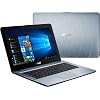
ASUS 2019 14" Premium High Performance Laptop Computer| AMD A6-9225 up to 3.0GHz| 4GB DDR4 RAM| 500GB HDD| AMD Radeon R4| WiFi| Bluetooth| USB 3.1 Type-C| HDMI| Silver Gradient| Windows 10 Home|
Condition: Used - Very Good



Notify me when this product is back in stock
$149.00
Save $80.99
was $229.99
Buy Now, Pay Later
As low as
$24.83
/ mo
Learn more
- – 6-month term
- – No impact on credit to apply
- – Instant approval decision
- – Secure and straightforward checkout
Payment plans are offered through our trusted finance partners Klarna, Affirm, Afterpay, Zip, Apple Pay, and Google Pay. No-credit-needed leasing options through Acima may also be available at checkout.
Learn more about financing & leasing here.
Selected Option
Free shipping on this product
30-day returns
Learn more
This item is eligible for return within 30 days of receipt
To qualify for a full refund, items must be returned in their original, unused condition. If an item is returned in a used, damaged, or materially different state, you may be granted a partial refund.
To initiate a return, please visit our Returns Center.
View our full returns policy here.
Availability:
Unavailable
Recently Viewed



At a glance
- Condition
- Used - Very Good
- Capacity
- 4G
- Color
- Laptop
- Model
- X441BA
- Storage
- 500 GB
- Memory
- 4 GB
- Screen size
- 14 in
Features 5
- 14. 0" (16: 9) LED backlit HD (1366x768) Display; AMD Radeon R4 Graphics, 7th Generation AMD A6-9225 Processor, Dual-Core, 2. 6GHz up to 3. 0GHz Processor
- 500GB SATA Hard Drive, 4GB DDR4-2400 SDRAM Memory
- USB Ports (Total) x2, USB 2. 0 Type A Ports x1, USB 3. 0 Type A Ports x 1, USB 3. 1 Type C Ports x1, HDMI Outputs (Total) x1, VGA Ports x1, Integrated 802. 11b/g/n and Built-in Bluetooth V4. 0
- Built-in Stereo 3 W Speakers And Microphone, Multi-format card reader (SD/SDHC) Card Reader
- 3 Cells 36 Whrs Battery, Windows 10 Home
Specs 38
| Brand | ASUS |
|---|---|
| Model Name | X441BA |
| Screen Size | 14 Inches |
| Color | Laptop |
| Hard Disk Size | 500 GB |
| CPU Model | AMD A Series |
| Ram Memory Installed Size | 4 GB |
| Operating System | Windows 10 |
| Graphics Card Description | Dedicated |
| Graphics Coprocessor | AMD Radeon R4 |
| Standing screen display size | 14 Inches |
| Screen Resolution | 1366 x 768 pixels |
| Max Screen Resolution | 1366 x 768 |
| Processor | 2.6 GHz amd a series |
| RAM | 4 GB DDR4 |
| Memory Speed | 2400 MHz |
| Hard Drive | 500 GB HDD |
| Chipset Brand | AMD |
| Card Description | Dedicated |
| Graphics Card Ram Size | 2 MB |
| Wireless Type | 802.11bgn, 802.11b, 802.11b/g |
| Number of USB 2.0 Ports | 1 |
| Number of USB 3.0 Ports | 1 |
| Average Battery Life (in hours) | 36 Watt Hours |
| Series | X441BA |
| Item model number | X441BA |
| Hardware Platform | PC |
| Item Weight | 4 pounds |
| Product Dimensions | 13.7 x 9.6 x 1.1 inches |
| Item Dimensions LxWxH | 13.7 x 9.6 x 1.1 inches |
| Processor Brand | Intel |
| Number of Processors | 2 |
| Computer Memory Type | DDR4 SDRAM |
| Hard Drive Interface | Serial ATA |
| Optical Drive Type | No Optical Drive |
| Power Source | Battery Powered |
| Voltage | 19 Volts |
| Batteries | 1 A batteries required. |
No specs match.
Frequently asked questions
This product is currently out of stock. Please check back later for shipping info.
Yes, absolutely! You may return this product for a full refund within 30 days of receiving it.
To initiate a return, please visit our Returns Center.
View our full returns policy here.
To initiate a return, please visit our Returns Center.
View our full returns policy here.
- Klarna Financing
- Affirm Pay in 4
- Affirm Financing
- Afterpay Financing
- Zip Pay in 4
- Financing through Apple Pay
- Financing through Google Pay
Learn more about financing & leasing here.
Similar Products


![HIDevolution [2024] ASUS ROG Ally X RC72LA 7" FHD 120Hz, 3.3 GHz Ryzen Z1 Extreme, AMD Radeon, 24 GB LPDDR5 RAM, 1 TB PCIe SSD, Windows 11 Home](https://m.media-amazon.com/images/I/51ye26LPpaL._AC_US500_.jpg)


Top Amazon Reviews
Really nice computer, couldn't ask for anything more for the price!
I really love this computer! I will say, that I had both of the common problems that people complain about in their reviews, and I will explain how I dealt with them here: The trackpad protrusion issue: I purchased my laptop from an Amazon Warehouse deal, so I saved a bit of money. I realized that I might very well be receiving a unit that was returned due to the trackpad or other issue. The unit I received came in the original packaging and appeared to be untouched, however it did have the trackpad protruding on the bottom left side as others have mentioned here as well. I immediately contacted Asus customer service via chat to inquire about the issue (along with the other issue listed next), and they suggested I send the product in for service. First of all I was surprised it was under warranty at all, because technically it was "used" as an Amazon Warehouse item, but the warranty was tied to the serial number and was good for another year (the standard warranty). I knew when purchasing that I could return for a full refund to Amazon if it was defective in any way, so I was a little hesitant to send it away and risk going past the 30 day mark where I wouldn't have to pay a re-stocking fee. I only had it two days when I sent it off, it was going to California, and I am two states away. 6 days from when I sent it it came back, trackpad fixed, and now I've been using it daily for 2 weeks - no more issues with the trackpad. Time will tell of course if it stays fixed, but I can send it in again if I so desire. The thing I was really amazed about was the 100% free warranty support, including shipping; and the very fast turn around time of the repair and shipment back to me. All in all it was the absolute easiest and best customer support/repair I've ever had to deal with. Thanks Asus! The date issue: My computer also had the date issue, where the time and/or date won't stay set. This leads to problems with programs and websites that rely on the date of the computer to validate authenticity and geographic location.. among other things. The first thing I did was adjust the time and date to the correct settings by clicking on the clock and going to Date and Time Settings - I also turned off all automatic settings within there as well. No avail, when my computer went to sleep and woke up, it was wrong again. So I spoke to Asus support when I was talking to them about the issue above, and they had me go into the bios and check the date there (it was correct), and adjust it by a couple seconds. I did that, and upon restarting the clock was accurate when I logged back in to Windows. A day of computer usage and all was well, so I thought. I then sent it out for the service mentioned above, and when it returned the date and time were incorrect again. I did the bios trick once again, it took but reverted to an incorrect date/time once again. So I then went to the Control Panel > Date and Time - This is a different date and time setting panel than the one accessed from the clock in Windows 10. On the "Internet Time" tab I clicked the Change Settings button, and in there the server was set to "time.windows.com". I clicked Update Now, and after a period of time it said that it could not connect to the server.. hmm.. ok. So I changed the server to "time.nist.gov", clicked Update Now, and it instantly synchronized my time to the correct time. I changed the settings back to be automatically updated (the menu accessed from the clock), and for two weeks the time has been set with no issues at all. Sorry, those were two long winded ways to explain how I fixed those two common issues, but I hope it helps someone else along the way! As far as the computer, I just love it! It's sleek, stylish, thin, light, has excellent battery life, and is super fast! It has absolutely everything I wanted for a very reasonable price. Sure the hard drive could be bigger, but most of my music/pictures/videos are saved on a home server, so I really don't have a need for more storage, there's plenty for games or other programs. It's worth it to me to sacrifice size for the speed of the SSD. I really like the backlit keyboard, this is the first time I've every had a laptop with one, and it is very useful in low light situations.. no more bending the screen down to shine some light on a key I can't find! I find the trackpad responsive and easy to use. It doesn't have a hugely annoying click sound, but if you are annoyed by it at all, you never need to use it because of the multi-touch settings. It should be mentioned that I can't speak to the out of the box speed, as the first thing I did (and do with every laptop I have) is delete every program not necessary for the operation of the system - especially McAffee antivirus. To do this I use the free version of Revo Uninstaller, because it will take care of the left over registry items as well. The only thing that is a little annoying to me is the number pad is kind of scrunched, and it's hard for my big fingers to use as accurately as I'm used to. I suppose over time I will get used to it. yes, I'm one of the few people that loves number pads. The bigger issue with the number pad is the zero key is the size of the other number keys, where usually it is two keys long. They did this to leave room for the right arrow key in the layout. This will be a harder thing to get used to, but it's not a deal breaker - I use my desktop when I'm doing a lot of spreadsheet or calculator work. Yes, the screen isn't the best in the world, but I find it more than adequate for my needs. When you put it next to a QHD screen it is going to look sad, but for a 15" screen I don't think a super high resolution is really necessary. I'm always looking right at my computer, not from the side, so viewing angles don't bother me at all. It looks good to me. I'd recommend this product to anyone else. I did a ton of research before I bought, and actually bought 6 laptops from various stores, after trying them all I settled on this one, because it was simply the best bang for the buck. The others have all been returned. I will update if this computer fails to meet my expectations in the future.
...
show more
Reviewed in the United States on January 3, 2016 by P. Riedell
Great Price, Great Tech.


For what you get, this laptop is a fantastic deal. To start, the general build quality is what I expect out of a premium piece of technology. It is very thin and light yet sturdy with the majority of the laptop being made out of aluminum with the only large piece of plastic being on the bottom of the base of it as well as the keys on the keyboard. The keyboard layout is full sized, with a 10-key section, but it is scrunched incredibly close to the regular keys. After a day of data entry, I did finally get used to it. The screen on this laptop has gotten a bad reputation from the previous model of this laptop, but all of my uses has shown me that the screen is just fine. When at full brightness, everything is crisp and clear. Fonts in Microsoft Word are great as well as photos and graphics in Photoshop. When I unplug the power and the screen dims, it can start to get a little fuzzy to see fine details, but it is far from unusable. The hinge for the screen and lid is relatively stiff and will likely take two hands to open. Rest assured, however, that it will not fly open in your bag or flop about as you move around in your chair. The speakers on this laptop had me confused for a little bit as they were incredibly quiet, even at full volume. However, once I started playing with some of the included sound software that ASUS includes it got a lot better. The speakers are still small laptop speakers and can sound a bit tinny with certain sounds, but they are defiantly usable in the case you don’t want to use headphones. It is strange that the speakers are located on the bottom of the laptop, and this may add to some of the issues about perceived volume and quality, but I ended up forgetting about it with things generally working how I intended them to. The performance of this laptop is very superior, especially when considering its price. A brand new 6th generation Core i7 processor, a Nvidia GTX 950m, 8 gigs of RAM and a 256 gig SSD make it very snappy in any task you throw at it. From the time the power button is pressed to being able to launch a program only about ten seconds have elapsed. Once it is started, Photoshop or any other Adobe program takes just under three seconds to launch with Office programs performing similarly. Along the lines of hardware, I was curious about some of the brands of components inside of it. The SSD inside of this laptop is a Micron m600 (Micron is the parent company that produces Crucial hard drives and memory as well as Lexar brand flash memory cards). The memory is Hyundai and the onboard graphics is an Intel HD graphics 520. Battery performance is some of the best I have seen for a full featured laptop. When utilizing the battery, having the screen at its lowest intensity, using the onboard graphics processor and just browsing the Internet or typing a document, it is incredibly efficient. The battery can last upwards of eight hours with those operating conditions. If the Internet is not needed, putting the laptop in airplane mode can extend this even further. It is worth noting that when the laptop is being used in its lowest power state it produces almost no heat, allowing it to stay on bare legs without a problem for extended periods of time. When under full load and using the discrete graphics card it does produce heat but so little that I have not heard the fans wind up to something that I would think is annoyingly noisy by far. Although this is a fine piece of hardware that can see anyone through many years of service, it is worth noting some of the nuances about it that I have noticed after using it for a week. While mentioned before, they keyboard is full sized but scrunched, I don’t know if it is missing some of my keystrokes or if I have just not fully acclimated to it yet. That issue aside, the stroke length of the keys is quite shallow, something that can be annoying at first but can become unnoticeable after some time using it. The backlighting feature is nice, nearly being expected by laptop users, but when it turns off or on, the fade up and down of the lighting can be abrupt or flickery, far from being an operation issue, just something I noticed. It is nice to note that there are three brightness settings for it as well. The track pad is similar to that which is found on laptops currently for sale. It is a single surface with a button built into the bottom of it. The left and right buttons are included in the main pad, but recognized with a single short vertical line near the bottom. Generally speaking, the touch pad works as expected with few navigational issues. Clicking the button is fine and seems like it requires just the right amount of pressure so that it is not pressed accidentally while driving the cursor. While typing, it is not in the way and placed in such a way relative to the keyboard that I have never accidentally hit it on accident. Lastly, the manner in which the touch pad is connected to the chassis of the laptop has me puzzled. Although the chassis flexes very little when picked up by a corner, the bottom of the touch pad seems to protrude from the surface of the base slightly. It is nothing so drastic that it completely lifts off the laptop, but it creates a significant amount of space that a fingernail can fit under it. When the laptop is placed back of a flat surface or not being articulated, the touch pad is in its normal position. The software that comes preloaded in this laptop is what is to be expected. There is a little bloatware from ASUS themselves as well as a few things from Microsoft that comes with Windows in addition to an introductory offer for some third party antivirus software. All of this was easily removed, and while it was still installed, did not seem to impact performance negatively. A couple of notes about a few things regarding the software image that ASUS put on this laptop: when installing the Adobe CC products, I kept getting install errors. After I did a little reading, I found that one or more of the preinstalled Microsoft Visual C++ Redistributable packages were corrupt. It was a relatively quick process to fix this so it was not too annoying. The second thing is the OS was set to defragment the hard drive once per week. With a solid state drive, this is a definite no no as it will cause unneeded writes to the drive and will shorten the useful life time of the drive. Once purchasing this laptop, it is a must to correct this. Lastly, and this is by no fault of ASUS, this laptop is being sold as having a dark blue lid color. When I opened the box of mine, it did not look blue at all, it was unmistakable gray. Honestly, it is not a deal breaker for me at all, it looks just as stylish and functions just the same. When inspecting the carton that it shipped in, ASUS even labeled the laptop as having a gray color, not blue. All in all, for the price of this computer and what you get, it is a fantastic piece of equipment, capable of handling just about whatever you can toss at it. Notwithstanding the few oddities that accompany it, a user can expect to be very pleased with this computer and what it has to offer, especially when the price is taken into account. Edited for spelling and grammar.
...
show more
Reviewed in the United States on November 1, 2015 by Perm2069 Perm2069