Search  for anything...

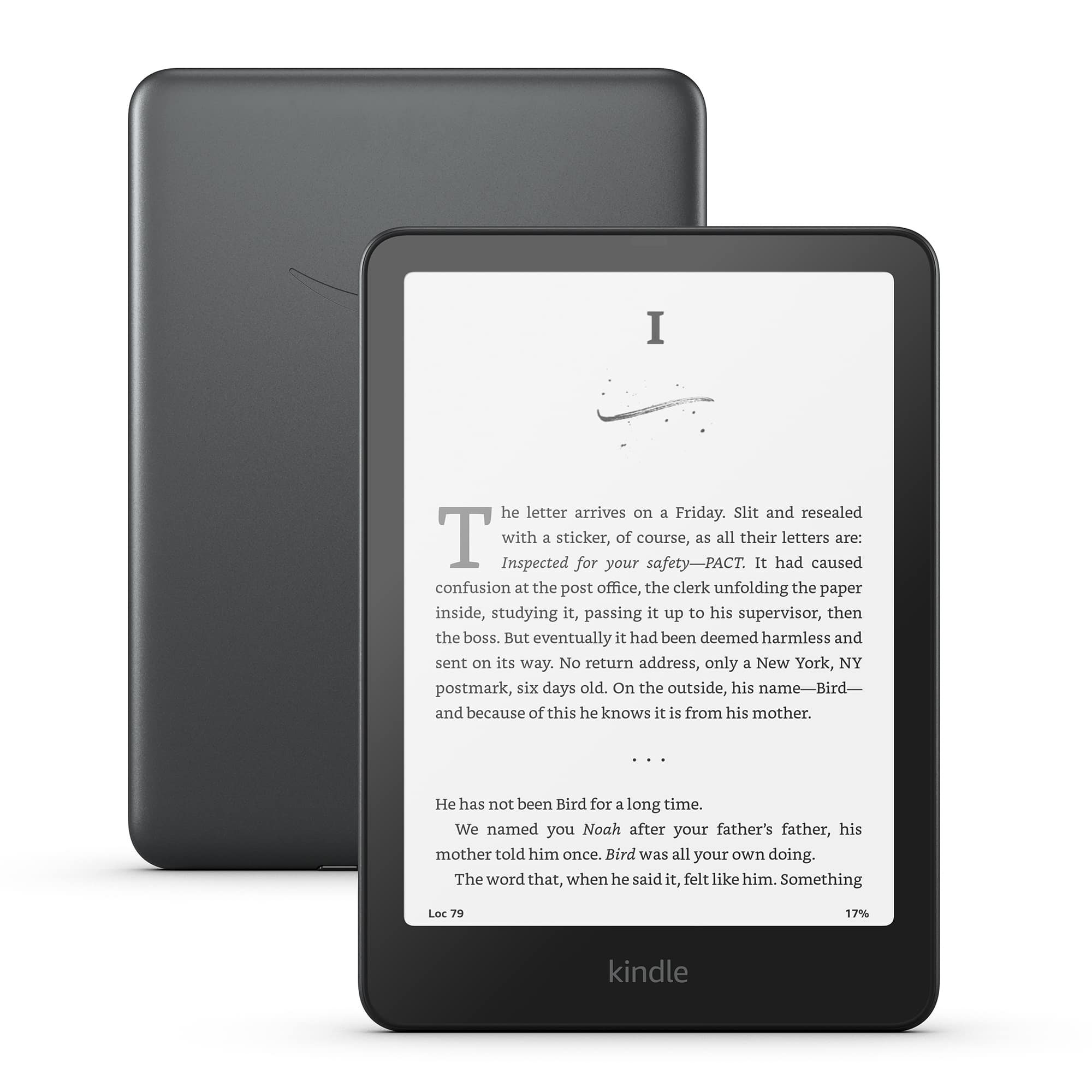
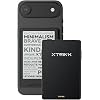
XTEINK X3 3.7" Pocket eBook Reader, 58g, Magnetic,Mini Ereader Devices

Based on 895 reviews
Condition: New
Checking for the best price...
$69.00
Holiday Deal · 15% off was $80.98

Buy Now, Pay Later


As low as $11.50 / mo
  • – 6-month term
  • – No impact on credit to apply
  • – Instant approval decision
  • – Secure and straightforward checkout

Ready to go? Add this product to your cart and select a plan during checkout.

Payment plans are offered through our trusted finance partners Klarna, Affirm, Afterpay, Zip, Apple Pay, and Google Pay. No-credit-needed leasing options through Acima may also be available at checkout.

Learn more about financing & leasing here.

Selected Option

Free shipping on this product
This item's return window has been extended for the holiday season: FREE refund/replacement until Jan 31, 2027

To qualify for a full refund, items must be returned in their original, unused condition. If an item is returned in a used, damaged, or materially different state, you may be granted a partial refund.

To initiate a return, please visit our Returns Center.

View our full returns policy here.


Availability: 20 left in stock
Fulfilled by Amazon

Arrives Monday, Nov 23
Order within 18 hours and 38 minutes

Available payment plans shown during checkout

Protect Your Purchase

Easy claims online, fast replacements, no fees

Checking for protection plans...

At a glance

Condition
New
Color
Space Black
Model
X3
Storage
16 GB
Screen size
3.7 in
Dimensions
3.86"L x 0.2"W x 2.52"Th
Weight
58 g
In the box
1x Card Reader2 x Adhesive Metal RingsCharging CableQuick Start GuideScreen Protector
Warranty
1 year manufacturer

Features 8

  • 3.7" Pocket eBook Reader, Only Approx. 58g: Take your library anywhere with XTEINK X3, a compact 3.7-inch pocket eReader designed for true everyday portability. At only approx. 58g and 5.1mm thin, it slips easily into your pocket, bag, or daily carry setup for reading during commutes, travel, and quick breaks.
  • Paper-feel E-Ink Reading, Made for Focus: Enjoy a clean, paper-feel E-Ink reading experience that feels gentle on the eyes and helps you stay focused. No constant notifications, no social media distractionsjust a simple mini eReader built for books, manga, notes, and quiet reading time.
  • Gyroscope Page-Turn + Physical Buttons: Read comfortably with one hand using gyroscope page-turn control and responsive physical buttons. Whether you are standing, commuting, or relaxing, XTEINK X3 makes page turning smoother, easier, and more intuitive than traditional touch-only reading devices.
  • Personalized Features & Long-Lasting Battery:Switch between reading, photos, clock, and more for a customizable experience beyond traditional eReaders. Designed for everyday portability, XTEINK X3 delivers up to 10 hours of reading time, supporting about a week of casual reading on a single charge. For safe charging, use a locally certified charger and keep conductive objects away from the charging pin contacts during charging to help prevent short circuits.

Description

How can I transfer eBooks to X3? X3 supports multiple transfer methods: Wi-Fi (phone/computer browser), eReader Hotspot (no external Wi-Fi needed), MicroSD card (16GB pre-installed; reader sold separately), and the Xteink App. Is the X3 easier to carry than a traditional eReader? Absolutely! Weighing just 58g and measuring only 5.1mm thin, the X3 easily fits into your pocket, making it ideal for reading on the go. Can I read my own eBooks without an online bookstore? Yes! The X3 has no built-in bookstore or subscription requirement. Bring your own DRM-free eBooks and transfer them via the XTEINK App or microSD card. Does it have a front light? No, X3 is designed without a front light to keep an ultra-thin body and deliver a clearer, paper-like display. For the best experience, we recommend reading in a well-lit environment or using an external reading light. Do I need an internet connection to read books on the X3? No. Once your DRM-free eBooks are transferred to the device, you can read them offline without an internet connection. A phone can do almost everything. A tablet can show almost anything. But when you simply want to read, you don't need everything. You need a screen. You need your book. You need a few uninterrupted minutes. So we made XTEINK compact, lightweight, and purpose-built for reading. Because reading doesn't always need another app, notification, or distraction. XTEINK is designed to be small enough to keep in your pocket and ready whenever a few quiet minutes appear. Simple. Connect via USB to drag-and-drop files directly — no software installation needed. Alternatively, insert a MicroSD card pre-loaded with your library. No accounts, no subscriptions, no cloud required. Plug, load, read. Supports EPUB, PDF, TXT, MOBI,,and common image formats. Sideload content freely via USB or MicroSD — no account or proprietary software required. Read any book, any format, anywhere. Built for real life. The solid construction handles daily commutes, backpack tossing, and travel wear confidently. The compact size means less exposure and fewer drop risks than larger devices. Thousands of daily commuters trust it — trip after trip.

Specs 21

Brand XTEINK
Model Name XTEINK X3
Display Technology Electronic Ink
Connectivity Technology Bluetooth, USB, Wi-Fi
Screen Size 3.7 inches
Memory Storage Capacity 16 GB
Battery Life 10 hours
Color Space Black

Frequently asked questions

If you place your order now, the estimated arrival date for this product is: Monday, Nov 23

Yes, absolutely! This item's return window has been extended for the holiday season: FREE refund/replacement until Jan 31, 2027.

To initiate a return, please visit our Returns Center.

View our full returns policy here.

  • Klarna Financing
  • Affirm Pay in 4
  • Affirm Financing
  • Afterpay Financing
  • Zip Pay in 4
  • Financing through Apple Pay
  • Financing through Google Pay
Leasing options through Acima may also be available during checkout.

Learn more about financing & leasing here.

Top Amazon Reviews


Sometimes what you need is a really good book.
I highly recommend this device. I assume the X3 and the X4 Pro will also be amazing and this review will apply to them for the most part because I'm not talking about specs, I'm talking about the impact having a truly portable e-reader has had on me. Though the concept is the same and I believe Crosspoint can be loaded on all 3, this review is more tailored for my X4. I’m not going to lie to you... I did not pay full price for my Xteink X4. I paid $55 because it was on sale. That probably says something about me. I buy a lot of cheap products. Sometimes I buy something cheap and get exactly what I paid for. Sometimes, though, I stumble across an absolute diamond in the rough. I think the Xteink X4 is one of those products. Would I recommend waiting for a sale? Honestly, yes. Not because I think the X4 isn't worth its full price. I think it absolutely is. I'm just cheap. And after using it, I liked it so much that I talked about it enough around my family that my sister-in-law ended up wanting one too. Her birthday was coming up, she saw mine, and basically said, “Wow, I really like that.” “Do you want one?” “Yeah.” “The sale ends tomorrow.” And that's how another X4 got ordered. So, why would you want one? It's a book. But it isn't a book. If you like reading but don't necessarily want to carry a physical book around everywhere, the X4 makes an enormous amount of sense. I've had physical books get damaged. I've had people look at me strangely because I'm carrying a book around. And even when nobody cares, a paperback book is still a physical object that you have to carry around, keep open, bookmark, close, protect, and eventually shove into a bag or something. The X4 doesn't have any of those problems. It's tiny. It fits in my hand extremely well. If you can hold a cell phone, you can hold an X4. If you can read the text on your phone, you can probably read the smallest text on the X4 just fine. I don't have particularly good eyesight, and I use the smallest font size. The display is so crisp that I can read it comfortably. It's also ridiculously light. I have dropped mine four or five times. I have a little $10 clear case on it, and so far it has survived every time. One fall was a corner drop on the top. It's featherweight build helps protect it from falls. Now, obviously, dropping a paperback isn't exactly catastrophic either but the X4 is so light that when it hits the ground, there just isn't the same feeling of, “Oh Sh-t, I just dropped my expensive electronic device.” It's not my phone. It's a tiny little book reading thing. The X4 is supposed to be a “dumb” e-reader I've seen people criticize the X4 for being a dumb e-reader. One person actually called me dumb for buying it. And I have to say... I think that's missing the point. Why does my e-reader need to be a tablet? Why does my book reader need TikTok? Why does it need social media? Why does it need a thousand applications? Why does it need to constantly connect me to the internet? A toaster doesn't need Bluetooth. A toaster needs to toast. A refrigerator doesn't need wifi and social media. It just needs to keep food cold. And a book reader needs to display books so I can read them. That's it. The X4 is almost aggressively simple, and I think that's one of its greatest strengths. We're living in a world where everything wants your attention. Everything wants an account. Everything wants a subscription. Everything wants notifications. Everything wants to know what you're looking at so somebody can sell you something. The X4 doesn't care. It doesn't need me to scroll. It doesn't need me to like anything. It doesn't need me to watch a video. It doesn't need to show me twenty pieces of bad news before I can get to the thing I actually wanted. It doesn't force me to watch an ad. It just shows me a book. And I read it. It's the perfect “I have five minutes” device though I've spent over an hour once reading on it. This is where the X4 really surprised me. I don't necessarily sit down with it and say, “Okay, I'm going to read for two hours.” (Though I totally would) Instead, I have five minutes. I'm waiting for a sandwich at a restaurant. I pull out the X4. I read a few pages. I'm standing in line at Chipotle. I pull out the X4. I read a few pages. I'm waiting somewhere. I pull out the X4. I read a few pages. Then somebody says, “You're up.” Okay. I put it in my pocket and I'm done. There is no bookmark. There is no finding my place. There is no awkwardly holding a paperback open while trying to carry food. There is no fumbling around. I just put the little rectangle smaller than my phone back into my pocket. And because the X4 doesn't display a huge amount of text on each page, getting interrupted isn't particularly painful either. If I'm halfway through a page when I have to put it away, I don't feel like I've lost anything. I just turn it back on later and keep reading. The X4 is currently set to go to sleep after ten minutes, and when I wake it up, I'm right where I left off. It's almost frictionless. That matters. I like turning the page This might sound ridiculous, but I genuinely get a little sense of accomplishment from turning pages. Click. Next page. Click. Next page. Click. Next page. I'm watching that little page count move forward and thinking, “Hell yeah. I'm reading.” The X4 has four physical buttons on the front because the two larger buttons are rockers, along with buttons on the side. I actually use the side buttons most of the time because my fingers naturally sit there when I'm holding it. A little squeeze. Click. Next page. And before I know it, I've read a chapter. I've read three books on this thing since I bought it. One was a reread, and the other two were books in the same series. It's a guilty pleasure of mine, so I'm not going to drag you into that rabbit hole. The important part is that I read them. Books that I finished in the small chunks of time that I normally waste uselessly scrolling. It made me use my phone less. This is probably the biggest unexpected benefit of the X4. My phone screen time has gone down. Not because I made some grand decision to stop using my phone. I just started reaching for something else. When I have a few minutes of downtime, my old instinct was to pull out my phone. Check something. Scroll something. Look at the news. Check a channel. Watch a video. Scroll some more. And then somehow twenty minutes disappeared. Now I have another option. I can pull out my X4 and read and that has been incredibly refreshing. I don't have to disconnect from the internet forever. I don't have to become some kind of bearded hermit living in a cabin with 500 books and a wood-burning stove. Sometimes I just want five minutes where nobody is asking anything from me. No notifications. No arguments. No news. No advertisements. No algorithm trying to figure out what it can show me next. Just a story. I can step outside the internet for a few minutes and go somewhere else entirely. I can solve a mystery. I can go on an adventure. I can explore another world. I can experience somebody else's life. And then, when I'm finished, I put the X4 back in my pocket. That feels incredibly good. I don't want to overstate what it's done for my mental health This is something I want to be careful about. My mental health has improved dramatically as I've started reading more and spending less time constantly connected to the internet. I can't honestly tell you that the X4 caused that improvement... But I suspect it's a contributing factor. Disconnecting more often and slowing down has helped me enormously and I can't completely rule out the possibility that reading more has contributed to that. I do wonder whether replacing some of those empty moments with something I actually enjoy has changed something for me. Instead of getting online and becoming increasingly miserable, angry, distracted, or overwhelmed, sometimes I just read a book. And maybe that matters. Maybe there's something to be said for giving your brain something meaningful to pay attention to instead of constantly feeding it little pieces of internet noise. At the very least, I know that I feel better when I'm reading than when I'm mindlessly scrolling. CrossPoint is where it's at I don't use the stock operating system. I use CrossPoint. And personally, I consider CrossPoint an upgrade. I knew going into the purchase that I wanted to use CrossPoint, so I don't have much experience with the stock software and wouldn't feel comfortable reviewing the stock operating system in depth. CrossPoint does introduce a small learning curve if you're not accustomed to navigating menus with physical buttons. But I mean small. Really small. Once you understand what the buttons do, navigating around becomes very straightforward. And if you're coming from a touchscreen device and thinking, “Oh God, I have to use buttons?” Don't worry. You'll figure it out. I also discovered Calibre, which makes managing books much easier if you have a computer. And if you don't have a computer, you don't necessarily need one. I have a USB-C card reader that lets me plug an SD or microSD card directly into my phone. I can move books onto the card, organize them into folders, put the card back into the X4, and start reading. It's really not complicated. There are also countless tutorials online if you need help. Maybe the X4 is a gateway drug to reading. If you're already an avid reader, I think you'll probably love the X4. If you're an occasional reader, I think the X4 might actually help you read more. And if you're somebody who wants to read but constantly finds yourself reaching for your phone instead, I think that's where this little device gets really interesting. Because your phone is designed to distract you. The X4 isn't. You pick it up and there is one thing to do. Read. And if you're somebody whose phone battery is dead by the end of the day because you're constantly using it, there's another nice side effect, your phone might actually have some battery left. Mine certainly gets used less now. So, is it worth it? Yes. Absolutely. I paid $55 for mine on sale, plus about $10 for the clear case. So I was into the whole thing for around $65 before tax. At that price? Ten out of five stars. Ridiculous value. But even at the current full price of around $70, I think it's worth it. I'd still recommend waiting for a sale if you're cheap like me. But I wouldn't hesitate to recommend the X4 at full price to somebody who genuinely wants a small, simple e-reader. It's light. It's pocketable. The screen is incredibly crisp. The buttons work well. It's easy to carry. It's easy to put away. It's easy to pick back up. And with CrossPoint, I think it becomes an even better little reading machine. But more importantly, it gave me something I didn't realize I was missing. A way to disconnect. I spend an enormous amount of time connected to the internet. It's almost impossible not to anymore. Every empty moment can be filled with something. News. Social media. Videos. Arguments. Advertisements. Notifications. More news. More scrolling. More noise. The X4 gives me another choice. I can reach into my pocket and pull out a book. And for a few minutes, I can disappear. I can go somewhere else. I can become invested in somebody else's story. I can turn a page. Click. Next page. Click. Next page. And suddenly I've read twenty pages instead of spending twenty minutes scrolling. That's a pretty damn good trade. Sometimes I think what people really need is a good book. And I think the Xteink X4 gives you more opportunities to find one. Sometimes a piece of technology doesn't need to be smarter. Sometimes it just needs to do one thing really well. The X4 is a dumb e-reader. And I mean that as one of the highest compliments I can give it. If... You choose to not buy this product, at least take into consideration to pick up a book rather than distract yourself with mindless scrolling. This device gives me all the opportunity to do just that and I believe wholeheartedly that has made all the difference. ... show more
Reviewed in the United States on August 24, 2026 by Vargas, R

The break I've been yearning for....
Color: Mist Gray
Growing up, I loved to read. I also grew up as a lifetime gamer. A good book was one of the very few delights that could pull me away from my Nintendo (which I still have and still play, some things won't change!). As I'm approaching middle age, I'm taking a more critical look at things, and have had to admit that like most, I spend too much time on screens. I'm an analyst in profession, so I'm at a PC all day. As I said, I still play video games, so that's more screen time. However, where I differ is instead of doom-scrolling, I'm always working to feed my insatiable curiosity. Where a peer of mine would be on TikTok speeding through videos or reading the news, I'm on YouTube watching a video about hornets (which I dislike, and they dislike me) or reading through pages of a software/coding forum. However, despite this difference, the core concern remains: Too much tech, too much screen, too much functionality. I've been yearning to take up reading again, and tried the usual: got a Kindle, liked it for a few months, then my curiosity saw me....well....use it beyond it's intended purposes. Simple as it was, I also didn't feel comfortable taking it around with me for fear of damaging it as well. I of course tried physical books, but I strongly dislike being interrupted to chat, and there's always someone who has to grab my book, read it's title aloud, and start bombarding me with commentary on it. So, I moved to the Kindle app on smartphone and tablet so as to remain incognito by way of passing off as another doom-scroller , but reading at night became an exercise in resisting sleep thanks to blue light and also reading stories that got my imagination or again curiosity going. So, the past five years or so have been a perpetual hope of finding something, anything, that would let me read on the go. Are you still reading this review? If so, I think you'll like this device, with a slight technical caveat. Also, if you're reading my review, you've read others. So, you know about this device's battery life, it's form, fit and function, so I will not waste more of your time going over such points again. But I will say that this device has been the catalyst I've been hoping for. It's tiny, and with the XTEINK X3 official case around it, I am very comfortable slipping this into my pocket and going about my day. While my mind is being stimulated due to reading old classic books, thus preventing night reading, I am much more at ease now. Instead of being caught up in internet trends on a smart device, I can take this device out, and read at will. As Vargas, R put so well in their review, it doesn't matter if I'm relaxed at home, standing in line at the market, sitting at a cafe, etc. I can read, not worry about someone grabbing it and wanting to drown me in their comments since there's no visible title, and this device is just modern-looking enough that I still appear to the uninterested observer to be yet another doom-scroller, just with an oddly tiny phone(?) in my hand. It's not a backlit screen, so there's no blue light concerns (although you'll need external light in the dark, as you would with a physical book) and battery life is superior. I also am gradually experiencing degrading vision and am already blind in my left eye, yet even I have this device's text size small (the smallest font size, but in bold) and have no eye strain. Now, to end my long-prefaced, short review, I'd like to discuss the software side, since that's where I observed most complaints before purchasing this device. I cannot speak for this device's reliability in wireless connectivity at any depth. While I'm not an IT expert, I would regard myself as tech-savvy, and feel I could test said connectivity. But since I want this device to be as "standalone" as possible, I simply removed the 16 GB MicroSD card this device came with, formatted on my PC, went to the Gutenberg Project's website, and spent an hour hand-selecting books of various genres. I downloaded them all first to my PC for archival, and copied the files to the MicroSD card. After ejecting the MicroSD card and inserting it into this X3, my full library uploaded to the card appeared without incident, and I immediately dove into my first book. So, it is here I return to my mention of a technical caveat. You will need to utilize IT to get this device going, be it Wi-Fi or card handling. But I found removing and working the card on my PC then reinstalling it to the X3 was painless and simple, so I would recommend that route to anyone that buys this and doesn't HAVE to have their new X3 connected wirelessly. ... show more
Reviewed in the United States on September 15, 2026 by Hawk eye

Choose a Rock Instead. It Will Be More Useful.
Color: Mist Gray
Maybe not the most frustrating device ever, but it sure is a contender. This arrived early today, and I fought with it most of the day. As I have done with other e-readers, I set out to get it set up, load some e-books on it, and start reading. Only, it flatly refused to let me do that. You have to use wi-fi for the set-up, so it wanted me to enter my wi-fi password. The Xteink x3 does not have a touch-screen. To enter data you have to move the cursor around the screen, select a letter, numeral, or symbol, and push a confirmation key for each one. Like most wi-fi passwords, mine uses a combination of upper- and lower-case, numbers, and symbols. To shift from lower-case to Capitals you have to move the cursor down to the "Caps" key at the bottom of the screen and choose it. This shifts all the letters to Capitals. Then you move the cursor back to the Capital letter you want, choose it, and then turn off Caps by moving the cursor back to the Caps key... I have become spoiled by touch screens, and I found this to be a chore. This was particularly the case with a small device with multiple buttons to move the cursor. Several times I had to back up to the item I wanted. Still, once you tell the device what your wi-fi password is and it saves it, you're good to go. At least, that's the way it has been on every other e-reader I have bought. Not this time. Once I finally got my password typed correctly, there was no obvious way to tell the device to enter it. Pushing the confirmation key that selected letters, etc. had no apparent effect. None of the other control buttons helped either. No matter what I tried, the e-reader wouldn't connect to wi-fi, or tell me it didn't, or do anything. I can't tell if the interface was non-intuitive, or if the device was defective, or if the engineers who designed this thing were simply inept. (Yes, my wi-fi router does use the 2.4G signal it says it wants.) I tried several times to get it to connect, turning the device off and back on, entering and re-entering (and re-re-entering) my wi-fi password, but nothing worked. Eventually I reached the limits of my patience and gave up. The Xteink x3 comes with an instruction manual, but the manual is as non-intuitive as the interface seemed to be. It has small blocks of English type interspersed with Chinese and Japanese text, and digging out the English instructions required careful searching for each step. Maybe there was an answer to my connection problem buried somewhere in the manual, but as I said, I reached the limits of my patience with this thing before I found it, if it's there. The only reason this is a 1-star review is that Amazon does not offer the option of 0-stars. ... show more
Reviewed in the United States on September 10, 2026 by Jeffrey M.

Amazing little device
I wanted something small, much more portable, and can read books without distractions and this delivers exactly those criteria. What the listing comes with: - Xteink x4 device - Two magsafe ring stickers to place on items that doesn't have magsafe (one white and one black) - A matte screen protect that you must apply yourself - A microSD - A microSD USB There are CONS compared to other eReaders on the market such as: - No backlight - No touch screen - No highlighting - No apps, must upload the book yourself Personally, even though there are quite a few CONs they do not bother me at all. The backlight isn't a big issue, as you can pair it with a magsafe phone light or read with a lamp on. I personally do not read often at night, so this issue isn't such a big deal for me. No touchscreen is more of a pro for me than a con. I like that I can wipe the screen or hold the device without worrying I might touch the screen on accident and the pages flip. I always had that issue of accidental page flipping before on other types of eReaders so I appreciate the button only navigation. I am sad about not having the ability to highlight my books, but I can live without that function. Now let's actually talk about the pros. I love the size. There is another model (xteink x3 which is smaller) and I think the x4 is the perfect size to fit in the palm of your hand. It's also practically weightless. I always have issues with other eReaders where my hands get fatigue holding the device even with added accessories like a magsafe holder, a band, and a grip but it just adds more weight to the device, so it becomes less and less comfortable to use. The buttons are a bit customizable and are super responsive. I disliked that other eReaders sometimes does not register my finger when I tap the next screen. This is my first time having an eReader with buttons and it has been a dream to use. All the buttons are placed in areas where it feels natural when you hold the device so turning pages or holding the device isn't awkward nor tiresome. The customization is minimal but very nice, especially if you plan to use a custom firmware (which I HIGHLY recommend). Big tips from experience when you purchase this device: - Have a PC/laptop it makes uploading items to the device so much easier - Download community firmware! (Crosspoint, crosspet, or Inx) I personally like crosspoint - I haven't tried other firmware but if you do get crosspoint I found that the formatting can be weird sometimes if you upload an .epub file straight from the source. Sometimes I lose the select chapter function and other things. To prevent this, in my experience, download a program called Calibre and download .pdf files of your books. Convert them in Calibre to .epub files then upload those to the device. For some reason it saves the formatting of the .pdf better with individual chapters and pages so it's easier to select them. I'm not sure if it's just user error (probably is on my part) but I find uploading books this way makes the formatting better, readable, can select chapters/pages, and the font is more legible. Honestly, I plan to buy another device just to have as a back-up. 10/10 would recommend. If you are not negotiable on any of the CONs definitely do not buy. It is set as a very minimal device and that is exactly what it delivers. Images below are with crosspoint firmware installed. ... show more
Reviewed in the United States on April 19, 2026 by Lucien

Tiny, Portable, and Surprisingly Fun
Color: Mist Gray
Look, I fell victim to wanting another e-reader to pair with my Kindle. Did I need it? Absolutely not. But I justified it by telling myself it was more pocketable, could stick to the back of my phone, and would give me something fun to tinker with through custom firmware, backgrounds, and stepping outside of the Amazon ecosystem. I was worried the XTEINK 3 might feel too small, but I’ve actually found the opposite to be true. Its compact size and accessibility make it incredibly easy to carry everywhere, and I’ve been reaching for it far more often than I expected. It’s perfect for turning little pockets of downtime into reading time instead of mindlessly scrolling on my phone. My biggest complaint is the lack of a frontlight, but that’s also where my Kindle still has a place. The two devices complement each other well. This one comes with me everywhere, and the Kindle handles nighttime reading. The included screen protector was a little challenging to install, although that’s probably more a reflection of my impatience than the product itself (if you zoom in on my photos, you’ll spot a few dust particles trapped underneath). I’m not a particularly tech-savvy person, but I was able to figure out how to flash Crosspoint firmware without much trouble, which made the device even more enjoyable to customize. Overall, I have zero regrets about this purchase. It’s a fun, unique little e-reader that has genuinely helped me read more often, and I’d highly recommend it to anyone looking for an ultra-portable reading device. ... show more
Reviewed in the United States on June 11, 2026 by stevecas0929

So happy, no regrets
I always thought this was just a gimmick whenever I saw the ads in IG but after reading some reviews and seeing that the price isn't too high, I bit the bullet. I love this little e-reader. I was worried that without a light it'll be mostly useless unless outside but I've used it in my dark bedroom that is lit by only one small lamp due to sensitivity to light and I was able to easily read this. Too be fair, I also have the font set to xlarge but I think I can manage on large if needed. I love that it's button operated cuz the small screen would be annoying if my fingers kept accidentally brush against it. I don't use magsafe items because my android case is a credit card holder too and the sticker won't be able to stick fully on. I already have a smaller flat round disc magnetic holder on the back of my phone to stick to my car holder and sadly this e-reader doesn't stick well to it, very loose and slides around. Really need to use the magsafe rings if you want it to stick firmly to the back of your phone. But this wasn't a deal breaker because I bought this with the idea that I can just toss it into one of my pockets and quickly do some reading while at the doctor's office or waiting elsewhere. I did the firmware flash to crossreader since so many people mentioned it on the reviews and the interface is definitely nicer now with more customizations. It did take me a few tries but turns out it was my usb-c cable, changed to my USB c to USB c and the firmware flashed like advertised. I was worried the e-reader was locked but glad I tried another cable first. The books were easy to put into the reader through cloud push or ejecting the included microsd card and doing drag and drop. I loaded mine full of fanfics after using an online converter to export links as an epub. So far the only real negative I have is how difficult it is to remove and insert the microsd card, I was afraid I'd break the slot as my fingernail kept angling it wrong. I found the back end of a still folded paperclip works well for ejecting the card. I'm going to have to take the time and learn to use the other methods such as cloud push through the app or calibre wireless. No regrets about this purchase and I already have 2 Kindle Oasis and rarely leave home! But those are so cumbersome to bring out with me and I can't easily use my phone because of my sensitive eyes and poor eyesight. So this should be a game changer and keep me even more off my phone! I might invest in more screen protectors though...the one included didn't go on flawlessly and bugs my ocd. Oh and the lanyard slot was a huuuuuge pain to thread a lanyard through it!!! Had to try so many different tools to try and pull it through...tied floss and one side of tweezers did the trick! ... show more
Reviewed in the United States on July 30, 2026 by Goofy

Singlehandedly fixed my adversion to reading books. I love this thing!
TLDR: Read the pros and cons at the end... I probably havent seriously read a single book in the past 6 years. Even throughout college, I always wormed my way around reading the textbooks and class material. For me, there have always been 2 issues with books: One, they are cumbersome to carry around; two, they are overwhelming to think about. The XTEINK X4 solves both of these problems for me. The device is so small and slim (literally smaller than your hand), that putting it in your pocket adds no baggage at all. I can bring this thing anywhere, and read anywhere. Standing at a crosswalk, waiting for the walk signal? Read a quick paragraph on the X4. Sitting at work eating lunch? Bring out the X4. Hopping on the toilet and dont want to stare at the floor for the next 5-10 minutes? X4. On top of the portability, the size has a second advantage: it splits the page into digestable chunks. Gone are the days of tracking down which paragraph you left off on 2 hours ago. The device displays only a handful of sentences, so picking up where you left off is a cinch. Reading non-entertainment content (such as self help and textbooks) is more approachable too. I no longer feel overwhelmed by the sheer thickness of the book, or the length of the chapters. I can just take tiny bites, one at a time. Separate to how this device changes the reading experience, I really appreciate the fact that this device is "hackable". Unlike a device that rhymes with "jamazon bindle", XTEINK allows the community to develop custom software/firmware for the device. If you buy this item, I'd highly recommend looking for "Crosspoint Reader" on github. It really makes the device awesome to use. With all that said, here are the pros and cons of this device as I have experienced them: Pros: - Extremely portable (can even magnetically attach to some larger phones) - No subscriptions, No ads - "Hackable" - Bring your own ePub books - No touchscreen; physical buttons (gone are the days of accidentally swiping) - USB-C Port (no neeed for a new cable) - Expandable storage via micro-sd card. (You are not locked in to paying for an entirely new device if you run out of storage. - Tiny size makes tackling books feel easy. - Comes with a microsd card AND a microsd to USB-A adapter - Comes with a basic screen protector (Its glossy, so I opted to not use it) - Lanyard/wrist strap hole, if you think you need it. (Does not come with a lanyard). - Buttons are reprogrammable (to an extent) Cons: - Tiny size. If you are an avid reader, you might enjoy being able to read more words at once. - Limited accessory ecosystem. There are very few options for cases, screen protectors, and folios out there. (Check the official XTEINK website, since they have some items not listed on amazon.) - Included instructions are unclear. (You might need to look up some tutorials) - Does not include a USB-C cable. (But you probably already have one.. hopefully). - It can be unclear what the buttons do. (You'll learn very quickly, but it isnt obvious). ... show more
Reviewed in the United States on April 11, 2026 by One Sleepy Boi

Cool Concept…Not ready for Prime Time
Color: Mist Gray
I love technology and gadgets, so when I read about this e-Reader in an Atlantic Monthly article I decided to get it. I knew the limitations and that this would be a very basic e-Reader, but I was counting on the companion software (iOS App) to be more developed than it was. I was also expecting the Crosspoint app, which was supposed to be a better software tool than the native Xteink app, to transfer books and download them from Libby. The Xteink software was not intuitive and it was difficult to navigate. The crosspoint software required the application of too much tech expertise. I am comfortable using this level of tech, but it wasn’t worth the effort to read on a credit card-sized e-Reader. I would be giving this device a higher rating and wouldn’t be returning it if the app were polished and access to Libby was native. The form factor is cool, and the fact that it attached to the back of iPhone with MagSafe was very convenient. It’s also super lightweight. BUT, the software limitations diminish its value when I can actually use my Kindle or the Kindle app on my iPhone if I don’t want to carry around my Kindle. I took a picture of the device so you can see the gray color and to get an idea of the size of the device when compared to my iPad Pro case (for scale). ... show more
Reviewed in the United States on September 13, 2026 by RBBCPA
Checking for best price...