


Prime Big Deals are live! View Deals
Search  for anything...

Webcam for PC, 4K 30 FPS Streaming Camera with Light, for Desktop/Laptop

  • Based on 43 reviews
Condition: New
Checking for the best price...

Buy Now, Pay Later


As low as $8.33 / mo
  • – 6-month term
  • – No impact on credit to apply
  • – Instant approval decision
  • – Secure and straightforward checkout

Ready to go? Add this product to your cart and select a plan during checkout.

Payment plans are offered through our trusted finance partners Klarna, Affirm, Afterpay, Zip, Apple Pay, and Google Pay. No-credit-needed leasing options through Acima may also be available at checkout.

Learn more about financing & leasing here.

Free shipping on this product

FREE 30-day refund/replacement

To qualify for a full refund, items must be returned in their original, unused condition. If an item is returned in a used, damaged, or materially different state, you may be granted a partial refund.

To initiate a return, please visit our Returns Center.

View our full returns policy here.


Availability: In Stock.
Fulfilled by Amazon

Arrives Friday, Oct 9
Order within 8 hours and 45 minutes
Available payment plans shown during checkout

Protection Plan Protect Your Purchase
Checking for protection plans...

Features

  • Upgrade 4K Webcam Danyesth 4K webcam gives you real control right at your fingertips. Four dedicated buttons give you instant control: (Light brightness adjustment for better skin tone) (One-touch mute with microphone for Privacy Protection) (Mirror & vertical flip for document sharing or demos) (Zoom to focus on faces, files or fine details). Combined with PDAF AutoFocus, this pc camera stays sharp even when you move. It's a smoother, more professional experience designed for professional conference.
  • Built-in Noise-Canceling Mic Your voice, only clearer. The integrated noise-canceling microphone reduces background noise and echoes, delivering natural audio for meetings, classes, and streaming. This makes it a dependable usb webcam and computer camera with microphone for desktop.
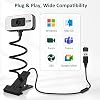
  • USB Plug-and-Play & Wide Compatibility No drivers neededjust plug in and go. This usb webcam supports Zoom, Skype, Teams, and more. it's also a thoughtful gift for remote workers, creators, and streamers.
  • Made for Home Office Designed for real home use, this webcam features a [Busy Now], do not disturb backlight that turns on automatically during video callsletting family know you're busy. it's an ideal web camera for computer users working from home or attending daily meetings. it includes a built-in adjustable light with 6 levels (3 warm + 3 white). Easily fine-tune brightness and color temperature to improve skin tones.

Description

Danyesth was founded by a team of engineers passionate about photography and technological security. We are committed to creating webcams that are clear, easy to use, secure, and reliable, making it easy for everyone to capture life's most beautiful moments.

Brand: Danyesth


Photo Sensor Technology: CMOS


Video Capture Resolution: 4K


Maximum Focal Length: 30 millimeters


Flash Memory Type: NOT Available


Video Capture Format: MJPEG


Screen Size: 2.8 inches


Connectivity Technology: USB


Color: 4K Black/White


Special Feature: Flexible Gooseneck


Sensor Type: CMOS


Connectivity Technology: USB


Color: 4K Black/White


Special Feature: Flexible Gooseneck


Photo Sensor Size: 1/2.5-inch


Water Resistance Level: Not Water Resistant


Image stabilization: Dynamic


Form Factor: Compact


Item Weight: 170 g


Maximum Focal Length: 30 millimeters


Minimum Focal Length: 20 millimeters


Lens Type: FOV 80°


Focus Type: Auto Focus


Screen Size: 2.8 inches


Viewing Angle: 80 degrees


Display Resolution Maximum: UHD


Flash Memory Type: NOT Available


Flash Memory Speed Class: NOT Available


Flash Memory Video Speed Class: NOT Available


Compatible Devices: Laptop


Brand: Danyesth


Model Number: W15


Camcorder Type: Webcam


Built-In Media: User Manual


Unit Count: 1 Count


Manufacturer: Danyesth


Warranty Description: 2 Years


Video Resolution: 4K


Video Capture Format: MJPEG


Effective Still Resolution: 8 mp


Image Aspect Ratio: 169


White Balance Settings: Auto


File Format: JPEG


Exposure Control Type: Manual


Effective Video Resolution: 8 mp


Optical Zoom: 5 x


Digital Zoom: 5 x


Zoom: Digital


Frequently asked questions

If you place your order now, the estimated arrival date for this product is: Friday, Oct 9

Yes, absolutely! You may return this product for a full refund within 30 days of receiving it.

To initiate a return, please visit our Returns Center.

View our full returns policy here.

  • Klarna Financing
  • Affirm Pay in 4
  • Affirm Financing
  • Afterpay Financing
  • Zip Pay in 4
  • Financing through Apple Pay
  • Financing through Google Pay
Leasing options through Acima may also be available during checkout.

Learn more about financing & leasing here.

Top Amazon Reviews


  • Clear Picture and Easy Setup
I needed a webcam that I could plug in without having to install a bunch of software first, and this one was recognized almost immediately. The autofocus locked onto my face quickly, and I liked having the flexible gooseneck because it made positioning the camera much easier than being limited to the top of the monitor. I tested it on a few video calls along with recording some sample footage, and the image stayed sharp in decent lighting. The microphone was also better than I expected. Voices sounded clear enough that I didn't immediately feel the need to switch over to a separate USB microphone for casual meetings. After using it for a while, I found myself leaving it connected full-time instead of unplugging it between calls. The privacy shutter is a small feature, but it's something I actually appreciate because I don't have to worry about covering the lens manually. Overall, it has been dependable every time I've needed it. Pros - Sharp image quality - Fast autofocus - Plug-and-play setup - Flexible positioning - Privacy shutter included Cons - Performs best with decent room lighting. Conclusion This turned out to be a reliable webcam that's easy to set up and even easier to keep using. It checks all the boxes without making things complicated. ... show more
Reviewed in the United States on September 19, 2026 by Schmelly

  • For $13 this seems to be a pretty decent 4k Webcam with Built in Light
Probably worth mentioning that I tried this cam on three systems and only managed to get it working well on one of them. For this review I was testing it out on a popular webcam testing site which is normally pretty good about finding any available webcams and providing all the details on them. I don't run a normal build of Windows so the issues with getting this going were likely because of that. Still, the versions of windows I do run normally work well enough and I tried it with both Windows 10 and Windows 11 with two of my three systems returning a green screen vs the actual webcam. My guess is that the two systems that failed were laptops with their own webcams (which I disable in device manager before testing) and windows choked somewhere on setting up the permissions before testing. This cam doesn't come with any software / drivers to install so you are sort of stuck with whatever windows plug and plays this with. On the systems that failed, I tried the online camera test mentioned as well as the Microsoft Camera app and Zoom test call. All of the methods tried just got me to a green screen for the most part. I only mention all this because if you are upgrading the camera you might run into some issues because there's really not much to do but disable the existing cameras and plug in this one. Windows doesn't seem to expose a lot of camera settings and in the case of two cameras, or at least with this camera as a second camera, it seems like more settings would help. For the system that did work, the camera is shockingly good quality for the price. It captures 4k video or stills and has a serviceable light that has two color temps and three brightness levels. In my dim office with the light, the images captured were still grainy suggesting a higher ISO being needed as would be expected. Still, even with the grain, the details captured were far and away better than what you get off the built-in webcams on most notebooks. I tested the autofocus and it does a pretty good job locking in on the active subject with a focus time of just a few seconds. It can focus down pretty close as pictured needing only about 3 inches to get good focus on a subject. The install difficulties are out there just as a possible warning for others that might experience them. My guess is it's mostly about windows having permissions for the built-in camera that don't properly propagate to the new camera, but I did not manage to resolve the issue other than just finding a system this would work on. On the system it works on, it works amazingly well. ... show more
Reviewed in the United States on August 3, 2026 by Amazon Reviewer

  • The 4K USB Webcam is a smartly designed, budget-friendly option that punches above its price point.
The first thing Amazon asks when writing a review is, “What should other customers know about this product?” Here are some of the highlights: Key Highlights •4K Ultra HD Resolution — Delivers crystal-clear 3840×2160 video for sharp, professional-quality calls and streams •Four Smart Control Buttons — One-touch access to brightness adjustment, mute, image flip, and 5x digital zoom without diving into settings •Flexible Gooseneck Design — 15.75-inch bendable neck with integrated sturdy clamp positions the camera exactly where you need it—on desk, monitor, or shelf •Built-in Noise-Canceling Microphone — Reduces background noise and echoes for clear, natural audio in meetings and streams •6 Adjustable Brightness Levels — 3 warm light and 3 white light modes to match any room lighting and improve skin tones •PDAF AutoFocus Technology — Stays sharp and focused even as you move, no manual adjustment needed •"Busy Now" Backlight Indicator — Automatically illuminates during calls to signal family that you're in a meeting •USB Plug-and-Play — No drivers required; works immediately with Zoom, Skype, Teams, and most platforms •80-Degree Wide Viewing Angle — Captures you and your surroundings naturally without distortion Specifications •Brand: Danyesth •Model: W15 •Video Resolution: 4K (3840×2160) •Sensor: 1/2.5-inch CMOS •Focus Type: PDAF AutoFocus •Digital Zoom: 5x •Viewing Angle: 80 degrees •Gooseneck Length: 15.75 inches •Clamp Thickness Required: 1.38 inches •Connectivity: USB •File Format: MJPEG video, JPEG photos •Weight: 8.5 ounces •Dimensions: 5.91" L x 4.72" W x 2.36" H •Warranty: 2 years Durability •Build Quality: Compact, sturdy design with reinforced clamp for secure positioning •Materials: Metal gooseneck withstands repeated bending and positioning without weakening •Not Water Resistant — Keep away from liquids and moisture; designed for indoor desk use only •Longevity: 2-year manufacturer warranty covers defects; customers report steady performance with regular use •Maintenance: Clean lens gently with a soft, dry cloth; avoid abrasive materials that could scratch the CMOS sensor What's Included •Camera Body — Main 4K webcam unit with integrated microphone •USB Cable — For power and data connection to your computer •User Manual — Instructions for setup and smart button functions •No Additional Accessories — Clamp mounting hardware is built into the camera body Compatibility NoteBefore purchasing, verify your monitor or desk edge thickness is approximately 1.38 inches (or less) to ensure the clamp secures properly. The gooseneck's 15.75-inch length accommodates most desk setups, but measure your positioning needs beforehand. Additional Considerations for the Danyesth 4K USB WebcamPerformance in Real-World Conditions •Lighting Matters: The 6-level brightness adjustment helps in various lighting, but the built-in light is supplementary—bright natural light or a desk lamp produces noticeably better results than the camera's light alone •AutoFocus Performance: PDAF keeps you sharp during movement, but it performs best when you're 1-3 feet away from the camera; extreme distances may soften focus •Microphone Range: Noise-canceling works best in moderately quiet environments; very loud backgrounds (construction, loud music) may still bleed through •Cable Length: USB cable is typically 5-6 feet; use an extension if your computer is far from your desk Setup Compatibility •Windows & Mac Compatible: Works with both operating systems; no driver installation needed •Streaming Platforms: Confirmed support for Zoom, Skype, Teams, Discord, OBS, and most major conferencing software •USB Version: Requires USB 3.0 or 2.0; works with laptops, desktops, and external USB hubs •Important: Measure your monitor/desk edge thickness before ordering—clamp requires about 1.38 inches of thickness for secure mounting Real-World Use Cases •Professional Video Calls: Crystal-clear 4K output makes you look polished for job interviews, client meetings, or presentations •Content Creation: 4K resolution and 5x digital zoom help when recording tutorials, reviews, or streaming gameplay •Document Sharing: Image flip and zoom features simplify showing handwritten notes, sketches, or physical materials during calls •Teaching Tutoring: "Busy Now" backlight is practical for letting household members know not to interrupt Practical Limitations •Field of View: 80-degree angle is standard but doesn't capture extremely wide views—you'll be visible, but not much background •Gooseneck Flexibility: Durable enough for regular positioning but not designed for extreme bending; it will hold position once set •Privacy Consideration: No physical shutter (despite what some listings claim)—cover the lens manually if you need full privacy between calls •Not Portable: Best used as a stationary desk camera; not ideal for constant travel between locations Price Value •At $12.99, this is an exceptional value for a 4K webcam with built-in lighting and noise cancellation •Premium 4K webcams typically cost $50-$150; this delivers core 4K functionality at a fraction of that price •Good budget option for remote workers, online students, and casual content creators Maintenance Tips •Clean the lens with a soft, dry microfiber cloth to avoid scratching the sensor •The gooseneck won't collect dust as easily if stored upright on your desk •USB connection should remain dry; don't place water bottles near the cable When NOT to Choose This Webcam •If you need ultra-wide angle capture (100+ degrees) •If you require extremely fine detail in fast-moving situations (professional sports streaming) •If your workspace is consistently very bright or very dim without supplemental lighting •If you need 60+ fps video (this maxes out around 30 fps at 4K) Final Thoughts The Danyesth 4K USB Webcam is a smartly designed, budget-friendly option that punches above its price point. The combination of 4K resolution, noise-canceling microphone, customizable lighting, and practical smart buttons makes it suitable for anyone upgrading from a basic laptop webcam.Best For: Remote workers, online students, casual content creators, and video call enthusiasts who want professional-looking video without premium pricing.The Trade-Off: You're getting excellent core features (4K, autofocus, noise cancellation) but sacrificing some of the premium polish and advanced features found in $100+ webcams.Bottom Line: Exceptional value. Reliable performer for everyday video calls, streaming, and online meetings. Worth the minimal investment for anyone spending significant time on video. ... show more
Reviewed in the United States on July 26, 2026 by Amazon Customer

  • Perfect for any online video call
This is a great webcam that can clip to the monitor or any other solid surface. The picture quality is great and the video quality is even better. It comes with built-in light to help accent my appearance on video. I love the long bendable arm so I can adjust a close up or far away view while I'm on video. This is great value for the money, made of high quality materials and easy to use. So far it's been very solid, steady, and durable. This camera is perfect for any work video conferences or chatting with friends online. ... show more
Reviewed in the United States on September 30, 2026 by Me&Her

  • Great camera, but privacy slide needs improvement
This is a great camera for image quality and the built-in backlight is really nice to add just a little more vertical lighting during video conferences. The automatic "Busy Now" sign with red lighting on the backside when the camera is in use is a really neat feature! The front has a small green LED showing the camera is active, and if you have the audio muted there is a little red LED on the front too. There is in integrated privacy slider that fully obstructs the lens (though I do wish it was easier to see when it is closed versus open!) There is a button on the top of the camera for flipping or rotating the image and another for setting zoom which is really neat because you don't have to mess with those settings in your program instead. The other buttons on the top include the backlight/ring light which cycles through three brightness settings for warm and bright white color temperatures (six options total) and another for muting the microphone which isn't particularly convenient since you'd be reaching towards the camera every time to use it. The one thing I don't like is that the ring light stays on at all times - so you have to constantly cycle through it if you want to turn it on or off. It would be much better if the ring light came on and off with the camera being active, the way the rear red busy sign and the green active camera light do - that's the main thing holding this otherwise great camera from a full 5 stars. ... show more
Reviewed in the United States on August 27, 2026 by A. Adams

  • Great for video conferencing or other needs
I acquired this webcam for use as an extra camera outside of my normal webcam that is connected to my laptop. My setup is that my laptop is connected to a larger monitor so the laptop camera is not directly in front of me. So, when I do any video conferencing, I have to make some adjustments. I also wanted a camera that was flexible in nature in terms of angle shots. For example, suppose I was vlogging about a tool or device that I wanted to demo and I wanted the focus to be on my hands and the tool, I can easily angle the camera so that it faces my hands demoing the tool or device. The camera features a clasp that you can attach to your monitor or desk. It also has a privacy lens that you can slide over the lens for privacy. What I like most about the camera is that it has its own built-in lighting which has a soft and natural light depending on your scenery needs. The camera also includes a built- in mic should you decide to use that as well. In all, it’s a decent webcam that can be used for video conferences or vlogging about a device you want to focus on. ... show more
Reviewed in the United States on August 20, 2026 by The Southwest Grasshopper

  • Close, but not 4k...
The most quality you can get with this camera is 1080p. Which I suppose isn't bad, especially for the price. But the light works enough to make a difference without using my ring light where I'm instantly blinded. The telescopic folding neck works great for getting the angle I need it to get, much better than the holder I was using before with my phone. I like the fact it has a privacy shutter, even if the camera is technically off anyway. The clamp itself is really sturdy and it's all incredibly easy to adjust with one hand. I just wish the buttons on top were a bit higher so I could actually see what I'm pushing without having to get up to look at it from the top. I don't use the mic so i can't speak to that, but overall it's a decent budget setup. But it does get very hot if you're filming for over an hour so I'd be weary about that. ... show more
Reviewed in the United States on September 15, 2026 by Chris Burke

  • Excellent quality
I got this webcam mainly for FaceTime and it works great. It was easy to get set up and I didn’t have to fight with drivers or complicated settings. The picture is clear and it does exactly what I needed it to do. For a simple plug-and-play webcam, I’m happy with it. I plugged it in, got it working, and was making video calls without any hassle. It has a professional feel. ... show more
Reviewed in the United States on September 17, 2026 by Jim from Florida

Can't find a product?

Find it on Amazon first, then paste the link below.
Checking for best price...