Search  for anything...

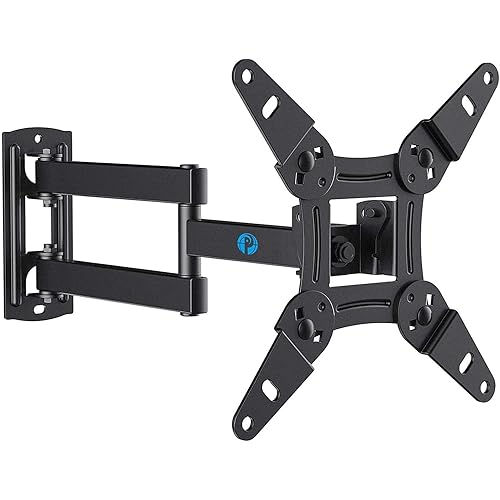
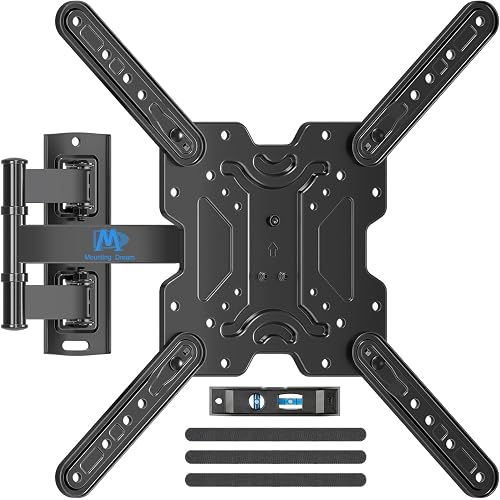
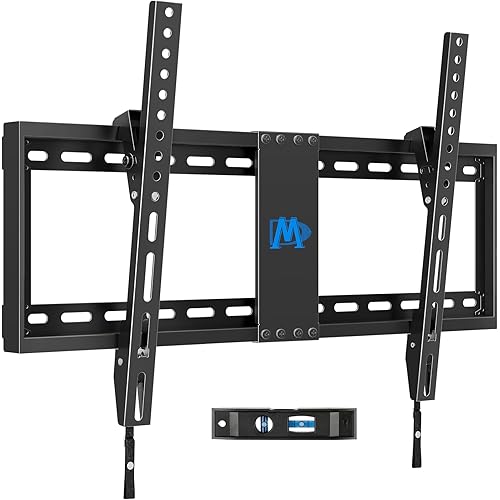
VideoSecu ML531BE2 TV Wall Mount kit with Free Magnetic Stud Finder and HDMI Cable for Most 26-55 TV and New LED UHD TV up to 60 inch 400x400 Full Motion with 20 inch Articulating Arm WT8

  • Based on 57,127 reviews
Condition: New
Checking for the best price...
$19.98 Why this price?
Memorial Day Sale · 78% off was $89.99

Buy Now, Pay Later


As low as $4 / mo
  • – 4-month term
  • – No impact on credit to apply
  • – Instant approval decision
  • – Secure and straightforward checkout

Ready to go? Add this product to your cart and select a plan during checkout.

Payment plans are offered through our trusted finance partners Klarna, Affirm, Afterpay, Apple Pay, and PayTomorrow. No-credit-needed leasing options through Acima may also be available at checkout.

Learn more about financing & leasing here.
Selected Option

Free shipping on this product

FREE 30-day refund/replacement

To qualify for a full refund, items must be returned in their original, unused condition. If an item is returned in a used, damaged, or materially different state, you may be granted a partial refund.

To initiate a return, please visit our Returns Center.

View our full returns policy here.


Availability: In Stock.
Fulfilled by Amazon

Arrives Tuesday, May 26
Order within 13 hours and 51 minutes
Available payment plans shown during checkout

Protection Plan Protect Your Purchase
Checking for protection plans...

Size: 26-55" TV single stud


Features

  • Heavy gauge steel mount supports TV up to 88 lbs. Compatible with VESA (mounting hole pattern) 400x400mm/400x300mm/400x200mm/300x300mm/300x200mm/200x200mm/200x100mm/100x100mm (16"x16"/16"x12"/16"x8"/12"x12"/12"x8"/8"x8"/8"x4"/4"x4")
  • Tilt, pan and 20 pull out from the wall provides maximum viewing flexibility.
  • Low profile mount retracts to 2 1/2" and nests centered on the wall
  • Free Magnetic stud finder included
  • 6ft HDMI cable and mounting hardware included in this mounting kit

Description

VideoSecu ML531BE TV Wall Mount for most 25"-55" LED LCD Plasma Flat Screen Monitor up to 88 lb VESA 400x400 with Full Motion Swivel Articulating 20 in Extension Arm, HDMI Cable & Bubble Level WP5

Mounting Type: Wall Mount


Movement Type: Articulating, Tilt


Brand: VideoSecu


Material: Alloy Steel


Color: Black


Compatible Devices: Television


Maximum Tilt Angle: 15 Degrees


UPC:


Manufacturer: VideoSecu


Number of Items: 1


Mounting Type: Wall Mount


Movement Type: Articulating, Tilt


Compatible Devices: Television


Maximum Tilt Angle: 15 Degrees


Enclosure Material: Alloy Steel


Color: Black


Minimum-Supported Screen Size: 26 Inches


Maximum-Supported Screen Size: 65 Inches


Brand: VideoSecu


UPC: 753182739939


Manufacturer: VideoSecu


Mfr Part Number: ML530B


Model Number: ML531BE


Warranty Description: 180 DAYS


Item Type Name: TV wall mount bracket arm


Item Weight: 8.8 Pounds


Built-In Media: user guide


Frequently asked questions

If you place your order now, the estimated arrival date for this product is: Tuesday, May 26

Yes, absolutely! You may return this product for a full refund within 30 days of receiving it.

To initiate a return, please visit our Returns Center.

View our full returns policy here.

  • Klarna Financing
  • Affirm Pay in 4
  • Affirm Financing
  • Afterpay Financing
  • PayTomorrow Financing
  • Financing through Apple Pay
Leasing options through Acima may also be available during checkout.

Learn more about financing & leasing here.

Top Amazon Reviews


  • Absolute Perfection!
*UPDATE 11-10-11* Apparently the design and sale of this mount has changed since my original review. It's now easier to install, and comes with an HDMI cable and level. Otherwise, most of my review still stands. I was planning to make my own TV mount because all the affordable ones were so cheaply made. That was until I stumbled on this one for $25. Wow, was I surprised when it arrived! Very nicely double-boxed and packaged extremely well. Then the construction is quality all the way, right down to the chrome-plated nuts, screws and bushings. This mount was manufactured and boxed as if it were a high-dollar item. It only took about 15 minutes to have my 37" LG firmly hanging on the wall. Oh, and I did it all by myself. I can't comment on the mount-to-TV screws because my LG already provided them. And I did use my own 5/16" flat washers on 2 of the lag screws since none were included, but that's just my preference. I highly recommend this mount, I would have been happy to pay double for such quality. Now, as usual, many of the reviews here are misleading: *Dismiss all reviews that talk about adjacent studs, or difficulties getting screws to grab at an angle. This thing BOLTS TO A SINGLE WALL STUD VERY EASILY! Just like what's shown on the instruction sheet, you simply screw 3 of the lag screws down the center of the mount. That's all that's needed, the other holes are just a bonus for more complicated setups. DO NOT PUT 6 OR 7 LAGS INTO A STUD! You will probably shred or weaken it. Crash goes your TV while ripping a chunk of 2x4 through your drywall. *Dismiss the reviews that mention short lag screws. They are 2", that's a depth of almost 1 1/2" into the stud after going through 1/2" drywall and the mount. If you drilled roughly 3/16" to 1/4" diameter pilot holes and didn't over-tighten your lags, it should be fine. I've mounted mine twice now, using the same (provided) lags. *I have no idea where this review came from that complains about an adjustment knob getting in the way. My mount doesn't have any kind of knob on it whatsoever, perhaps they are commenting on a different model. There's a tilt adjustment, but it uses a wrench and doesn't protrude anywhere. The ONLY BAD PART I'VE FOUND is that cheap stamped sheet-metal wrench to tighten the tilt mechanism. No problem, I just used my own 13mm wrench instead. *Yes, the mount can be somewhat stiff. Like another reviewer stated, just lubricate it. I used a few drops of 3-In-1 Oil in the joints. *And bad reviews from people who didn't research or check to see if their TV or monitor is VESA compliant. That also includes the ones who didn't check to see if the mounting plate will block off their inputs. The plate is about 8 1/2" square, it shouldn't be that hard to see if you'll have a conflict. Besides, in the description it says, "Please make sure what mount your TV needs before you place order. If you are not sure, please send us a message. We will check for you." So they are giving a nice product bad reviews because they simply didn't read the description. *Then all the complaints of trying to hold the TV to the mount while installing the screws. If you look at the pictures on Amazon you'll see the center screw hole is a "keyhole". 1. Hold the mount to the wall and mark the 3 hole locations on the wall. On the center keyhole you want to only mark the narrow slot at the top. 2. Drill (3) 3/16" holes. 3. Install center screw into the stud, but leave a small gap between the head and the drywall, you can even use the mount to test whether the slot in the "keyhole" passes behind the head. 4. Lay your TV face-down on a safe place like a mattress or a table with a comforter over it. Place the mount over the back of the TV and install screws. 5. Position the mount so the wall mounting plate is reasonably close to the TV and as close to center as possible, and simply hang it on the wall to the center lag screw through the keyhole. That should help with the weight while you screw the top lag in, then the bottom. Don't tighten anything completely until all 3 screws are in, then make sure it's level or plumb. That's it. This is an inexpensive, very well built product that solves a simple problem. I'll be ordering more for my PC monitors and future customers ASAP. ... show more
Reviewed in the United States on August 27, 2010 by Brianstech

  • Great value!!! TVs look great on the wall!
I have mounted three TVs to the wall so far--and I love this mount. The viewing angle adjusts easily (you can angle it down), and you can pivot the TV to either side of the room easily. I will share some suggestions regarding the installation. First of all, I started to mount this directly to a stud on top of the drywall. As I tightened down the screws, I started to crush the drywall, which isn't really meant to take too much pressure. I didn't have this problem with other, larger,more expensive mounts that spread the weight and pressure over a wider area. So, I installed the mount to a stud with a price of oak between the mount and the wall. Very sturdy. I should also note that the single-stud installation may limit your TV placement-you must mount it to a stud, so you can only center the TV on a stud. Even though they should be 16" apart, you might be disappointed if you can't mount it exactly where you had planned to mount it. However, I like the clean, simple look of the single stud mount. On my larger TV mount, I had more flexibility because it was 24" wide--I could pick my perfect spot, and at least one stud would be I the right place. I mounted my 120lb plasma (purchased in 2006...yes, they were heavy and expensive) was mounted on this type of mount. The mount included a HDMI cable, which is a great bonus. The mount included an assortment of hardware (about 10 different sizes of screws), so you can install virtually any TV with a VESA mount up to 400 mm. My 42" LG used the 100 mm VESA mount, but this mount will handle up to 400 mm. Actually mounting the TV was easy because you install the bracket on the back of your TV, then lift it up the the bracket. Once it's hanging there, you finish the installation by securing the last screw (or two....I installed it a few weeks ago, so I don't remember now). I have one final suggestion, for what it's worth: don't mount your TV too high. People like the idea of placing it over the fireplace--but, it will be like sitting in the front row at the movies. You really want it close to eye level when you are seated. Even if you are not too handy, you shouldn't have a problem. I recommend a peice of hardwood, and take your time to make sure it's level. Even if you are off a little--no big deal as you can rotate the TV. And, don't forget to make sure your cables can reach the TV! I wrapped my cables using Velcro ties (also from Amazon)...a pack of 100 was $5 as an add-on item. I'm writing this review on the iPhone app, so I can't find the link. Eventually, I may run the cables through the wall, but neatly wrapped cables look ok. Overall, very happy--and this was much less than the stuff on the shelf at WalMart. ... show more
Reviewed in the United States on December 2, 2015 by James Papeika

Can't find a product?

Find it on Amazon first, then paste the link below.
Checking for best price...