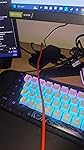
UGREEN USB 3.0 Switch 2 Computers Sharing USB C & A Devices, 4 Port USB Switcher Sharing Keyboard and Mouse, Printer/Scanner USB Switch Hub for Two Computers with 2 USB3.0 Cables and Controller




Buy Now, Pay Later
- – 4-month term
- – No impact on credit to apply
- – Instant approval decision
- – Secure and straightforward checkout
Ready to go? Add this product to your cart and select a plan during checkout.
Payment plans are offered through our trusted finance partners Klarna, Affirm, Afterpay, Zip, Apple Pay, and Google Pay. No-credit-needed leasing options through Acima may also be available at checkout.
Learn more about financing & leasing here.
Selected Option
FREE 30-day refund/replacement
To qualify for a full refund, items must be returned in their original, unused condition. If an item is returned in a used, damaged, or materially different state, you may be granted a partial refund.
To initiate a return, please visit our Returns Center.
View our full returns policy here.
Recently Viewed


Color: Black
Features
- 2 PCs Share Multiple Devices: UGREEN 2-In 4-Out USB switcher supports 2 computers sharing 4 USB devices like keyboards, mouses, printers, headphones, and USB cameras. Switch freely between your work computer and personal computer and boost your work efficiency. (NOTE: This USB Switcher is NOT a KVM switch and does not support connecting a monitor or video transmission)
- Connect USB C & USB A Devices: The USB 3.0 switch provides 1 USB C port and 3 USB A ports to support connecting various USB devices, extending more ports for two computers. (*It is recommended to power supply when using multiple devices simultaneously to avoid disconnection due to insufficient power.*)
- 5Gbps Data Transfer / Plug & Play: With 4 USB 3.0 ports, the USB 3.0 switcher supports data transfer up to 5Gbps and is backward compatible with USB 2.0; Simple plug and play for any modern operating system: Windows, macOS, Chrome OS, and Linux computers. (*The USB ports are primarily for data transfer and are not recommended for charging devices.*)
- Note: 1. If your input device uses a USB-C port, please purchase a USB-C to USB adapter before use. 2. When using a camera through the switcher, if your computer has a built-in camera, please select the UGREEN camera in the camera settings to ensure proper use. 3.The USB-C port on the product does not support video output and cannot be used with a dock to connect a display
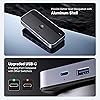
- USB-C Power Supply: The USB switch is designed with a optional power supply for high-power devices like Hard Disk Drives, headsets, and other USB devices to work more stably; The upgraded USB-C Power port avoids the trouble of not finding a micro cable.
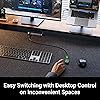
- Two Switching Modes: The USB switcher has two switching modesController and button, switch devices freely as you like.You can hide the USB switch to tidy up the desktop and save space, and then use the controller to switch devices.
Features
- 2 PCs Share Multiple Devices: UGREEN 4-In 2-Out USB switcher supports 2 computers sharing 4 USB devices like keyboards, mouses, printers, headphones, and USB cameras. Switch freely between your work computer and personal computer and boost your work efficiency.
- Connect USB C & USB A Devices: The USB 3.0 switch provides 1 USB C port and 3 USB A ports to support connecting various USB devices. USB C ports can be connected to a USB C hub or other USB C devices, extending more ports for two computers.
- 5Gb Data Transfer / Plug & Play: With 4 USB 3.0 ports, the USB 3.0 switcher supports data transfer up to 5Gbps and is backward compatible with USB 2.0; Simple plug and play for any modern operating system: Windows, macOS, Chrome OS, and Linux computers.
- USB-C Power Supply: The USB switch is designed with a USB-C charging port for high-power devices like Hard Disk Drives, headsets, and other USB devices to work more stably; The Upgraded USB-C Power port avoids the trouble of not finding a micro cable.
- Two Switching Modes: The USB switcher has two switching modesRemote control and button, you can switch devices as you like.
- Tip: You will get 1 USB 3.0 Switch, a remote control, and 2 USB A to A Cable if you purchase. (Charging cable and power adapter not included.)
Current Rating: 2 Amps
Operating Voltage: 5 Volts
Connector Type: Plug In
Brand: UGREEN
Item Dimensions LxWxH: 4.8 x 2.1 x 0.7 inches
International Protection Rating: IP00
Control Method: Remote
Connectivity Protocol: Usb
Color: Black
Unit Count: 1.0 Count
Current Rating: 2 Amps
Operating Voltage: 5 Volts
Connector Type: Plug In
Brand: UGREEN
Item Dimensions LxWxH: 4.8 x 2.1 x 0.7 inches
International Protection Rating: IP00
Control Method: Remote
Connectivity Protocol: Usb
Color: Black
Unit Count: 1.0 Count
Item model number: 15705
Item Weight: 4.8 ounces
Product Dimensions: 4.8 x 2.1 x 0.7 inches
Manufacturer: Ugreen Group Limited
Date First Available: August 13, 2023
Operation Mode: Manual, Automatic
Current Rating: 2 Amps
Operating Voltage: 5 Volts
Contact Type: Normally Open
Connector Type: Plug In
Brand: UGREEN
Switch Type: Push Button
Terminal: Solder
Material: Acrylonitrile Butadiene Styrene, Aluminum
Item dimensions L x W x H: 4.84 x 2.09 x 0.71 inches
Operation Mode: Manual, Automatic
Current Rating: 2 Amps
Operating Voltage: 5 Volts
Contact Type: Normally Open
Connector Type: Plug In
Switch Type: Push Button
Terminal: Solder
Circuit Type: 2-way
Mounting Type: Surface Mount
Actuator Type: Push Button
Number of Positions: 4
Controller Type: Push Button
Control Method: Remote, Touch
Connectivity Protocol: xxx
Wattage: 10 watts
Control Type: Manual
Compatible Devices: Desktops, Laptops
Smart Home Compatibility: Not Smart Home Compatible
Color: Black
Item Dimensions: 4.84 x 2.09 x 0.71 inches
Unit Count: 1.0 Count
Number of Items: 1
Material Type: Acrylonitrile Butadiene Styrene, Aluminum
International Protection Rating: IP55
Specification Met: Ip55
Brand Name: UGREEN
Model: CM662
Manufacturer: Ugreen Group Limited
Part Number: 15705
Included Components: 1
Item Weight: 0.34 Kilograms
Frequently asked questions
To initiate a return, please visit our Returns Center.
View our full returns policy here.
- Klarna Financing
- Affirm Pay in 4
- Affirm Financing
- Afterpay Financing
- Zip Pay in 4
- Financing through Apple Pay
- Financing through Google Pay
Learn more about financing & leasing here.
Similar Products


Top Amazon Reviews