Search  for anything...

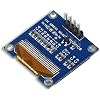
UCTRONICS 0.96 Inch OLED Module 12864 128x64 Yellow Blue SSD1306 Driver I2C Serial Self-Luminous Display Board for Arduino Raspberry Pi Pico

  • Based on 953 reviews
Condition: New
Checking for the best price...
$6.99 Why this price?
Save $17.00 was $23.99

Buy Now, Pay Later


As low as $1 / mo
  • – 4-month term
  • – No impact on credit to apply
  • – Instant approval decision
  • – Secure and straightforward checkout

Ready to go? Add this product to your cart and select a plan during checkout.

Payment plans are offered through our trusted finance partners Klarna, Affirm, Afterpay, Apple Pay, and PayTomorrow. No-credit-needed leasing options through Acima may also be available at checkout.

Learn more about financing & leasing here.

Free shipping on this product

FREE 30-day refund/replacement

To qualify for a full refund, items must be returned in their original, unused condition. If an item is returned in a used, damaged, or materially different state, you may be granted a partial refund.

To initiate a return, please visit our Returns Center.

View our full returns policy here.


Availability: In Stock.
Fulfilled by Amazon

Arrives Apr 30 – May 1
Order within 13 hours and 42 minutes
Available payment plans shown during checkout

Protection Plan Protect Your Purchase
Checking for protection plans...

Features

  • UCTRONICS 0.96 Inch OLED Module for showing graphical & textual information directly on your micro-controller projects. It supports many chips: Arduino UNO and Mega, Raspberry pi, 51 MCU, STIM 32, etc., the UNO shown in the picture is NOT INCLUDE
  • Resolution: 128 x 64, View angle: > 160, Support voltage: 3.3V-5V DC, Power consumption: 0.04W during normal operation, full screen lit 0.08W
  • Embedded Driver IC: SSD1306. Communication: I2C/IIC Interface, only need two I / O ports
  • Needn't backlight, the oled screen unit can self-luminous. It has Super High Contrast, bright and crisp dots, even tiny fonts quite readable
  • No embedded fonts inside the OLED controller, user can create the fonts through the font generation software. We offer technical support and software library as well as the guide book in the package. Note: the display part is 15mm0.5 tall.

Description

Name: UCTRONICS 0.96 Inch 128X64 Yellow Blue OLED module This OLED display module is small, only 0.96” diagonal, it is made of 128x64 individual yellow and blue OLED pixels, each one is turn on or off by the controller chip. This oled screen works without backlight, that is, in a dark environment OLED display is higher compared to that of LCD display you will like the miniature for its crispness. The Driver chip of this oled i2c display is SSD1306, which is compatible with IIC communication. So this esp32 oled module can be controlled by I2C. That is, except the VCC and GND, 2 wires would be needed when using 4-wires I2C mode. There is also a simple switch-cap charge pump that turns 5v into a low voltage drive for the OLEDs, making this module the easiest ways to get an OLED into your project. Features: OLED self-luminous, no backlight Size: 0.96” Driver IC: SSD1306 Voltage: 3.3V-5V DC Viewing angle: > 160° High resolution: 128 x 64 Working Temperature: -30°C~70°C Display: 2 rows of yellow, 6 rows of blue Module Size: 27mmx 27mm x 4mm Screen material: glass, need good protection I2C Interface: GND: Ground VCC: 3.3V~5V SCL: I2C Serial Clock (UNO: A5; MEGA: 21) SDA: I2C Serial Data (UNO: A4; MEGA: 20) Applications: MP3, MP4, watch Head-mounted displays Meters and other intelligent instruments Design any pretty patterns for your beloved electronic devices! Package including: 1pcs UCTRONICS 0.96 Inch 128X64 Yellow Blue OLED Display Module

Brand: UCTRONICS


Model Name: U602602


Memory Storage Capacity: 8 GB


Connectivity Technology: I2C


Operating System: Linux


Memory Storage Capacity: 8 GB


Connectivity Technology: I2C


Operating System: Linux


Processor Brand: Broadcom


Wireless Compability: 802.11a/b/g/n/ac


Compatible Devices: Arduino UNO and Mega, Raspberry pi, 51 MCU, STIM 32


RAM Memory Technology: I2C


Processor Count: 1


Total Usb Ports: 1


Item Dimensions L x W x H: 1.09"L x 1.08"W x 0.44"H


Brand: UCTRONICS


Model Name: U602602


Model Number: U602602


Mfr Part Number: U602602


Manufacturer: UCTRONICS


Warranty Description: 6 months


Item Weight: 0.35 Grams


Frequently asked questions

If you place your order now, the estimated arrival date for this product is: Apr 30 – May 1

Yes, absolutely! You may return this product for a full refund within 30 days of receiving it.

To initiate a return, please visit our Returns Center.

View our full returns policy here.

  • Klarna Financing
  • Affirm Pay in 4
  • Affirm Financing
  • Afterpay Financing
  • PayTomorrow Financing
  • Financing through Apple Pay
Leasing options through Acima may also be available during checkout.

Learn more about financing & leasing here.

Top Amazon Reviews


  • Great buy for affordable OLED screen!
The media could not be loaded. Works great for my test project. Animations are clear and brightness is great. If you’re on the fence about which affordable OLED to get, this is it. I had previously ordered another brand of the same screen in a 3 pack for about the same money. All of those were DOA
Reviewed in the United States on February 14, 2026 by Clayton Pack

  • Simple to use display and bright
I liked this display quite a bit. It is very simple to use and works quite well. It was connected to Arduino Uno Wifi R2 and worked pretty much straightaway. The only issue I had is that the version of Arduino that I use has SPI pins different from the regular Arduino. After I figured that out it was very easy. Display is quite small, but very bright and sharp. It is not color display but has two colors - top is orange and bottom is blue. But you can order single color display as well. Over all I am very pleased and would definitely order it for other projects. One caveat is that you need to have a good eyesight to read it as the writing is very small. Font size can be increased but then not much would fit on the screen. Great for status display that you do not need to read often. Also can do graphics. ... show more
Reviewed in the United States on May 1, 2020 by Xwin

  • Great little efficient displays that are easy to get working.
Amazing, and very easy to get going, they work great, just read the little instruction sheet, download the library files from the link they give in the instructions and you are all set. I think some users are will find this helpful, as I've read some users were unable to compile the example. Just change the chevron symbols to quotes on the two includes as shown below. The chevron symbols <> tell the compiler to locate the files from the default library location, and the quotes tell it to look for it in the running folder of the program script. I run my projects from my data drive, so I changed it to quotes. These are really nice displays, they are crisp and sharp, I started to draw bitmaps and do some animation on mine too, having lots of fun with these. #include "ArducamSSD1306.h" #include "Adafruit_GFX.h" ... show more
Reviewed in the United States on June 9, 2018 by RalphEE

  • functions very well, incredibly inexpensive, will buy again
This screen functions very well and is incredibly inexpensive. There are plenty of libraries available. It is a super easy way to add a cheap GUI or readout to your next project. And at the price really why not> Just be ready for less-than-perfect work and materials. I only needed a very simple numeric of alphanumeric readout and was considering an old-school 7-segment or 14-segment display, or an LCD character display. As this small OLED display was actually cheaper than those other options I chose to give a shot; I am super happy that I did. it's so much more flexible than either the 14-segment or LCD characters would have been and the text is really sharp, bright, and very readable. The only downside that I ran across (as was to be expected for a $6 OLED screen) was second rate materials/build quality. I had to desolder once (wanted to flip the orientation of the connector I was using) and lost a pad in the process... it can be overcome, but was a pain. So solder in your pins/connector(s) and then leave 'em alone, this board does not appreciate being reworked. All that said I will likely buy one again if I'm in need of a simple, inexpensive display. ... show more
Reviewed in the United States on August 14, 2020 by Inky Digits

  • Awesome and Cheap
I used this for an Arduino project of mine. I used this for displaying text-based characters and it got the job done. The resolution is great for text-based characters, and I assume it's similar for shapes and other displays too. I love having two colors also, that feature was useful for my project. Many libraries work well with this, but if you want to save on memory only get a text-based one as that is all you'll need. Definitely recommend! Tip: If you want certain inputs (like from a weight or heat sensor) to be in one place, such as only appearing on the top, then use commands like oled.setCursor(0,0). I went from the display being totally clogged with data to data only being at the top. Hope you have fun using this. ... show more
Reviewed in the United States on January 7, 2021 by Barry W. Summers

  • No issue
No issue
Reviewed in the United States on October 30, 2025 by Joel LaForest

  • Works on arduino but difficult on Raspberry Pi
I have been unable to port the driver to Pi. It seems determined to use SPI even though I am using I2C. This could have been a lot easier. It was advertised as working with the PI and some drivers could have been included easily enough.
Reviewed in the United States on November 3, 2019 by ichibrosan

  • Hardware is excellent, library docs need to be better!
I bought this last year just on a whim, messing around, and finally came up with a use for it. Screwing around with a Seeediuno, making my own auto-ranging ohm meter (almost have it calibrated properly here!). Display is super crisp and super easy to read (the "blooming" around the text is the photo, and not reality). I've read some other reviews about the "small text". Well, the text size is what you make it with the libraries that you use. This display is a DEVICE, YOU tell it what to display. I use VSCode with PlatformIO for all of my development needs, and using the u8g2 library, they have a bunch of fonts. Here are two different sizes, the larger being a double height/width using the u8x8 portion of the library which is text only. I think I'll stock up on a couple of more of these just so I have them laying around. ... show more
Reviewed in the United States on January 21, 2023 by Bob A.

Can't find a product?

Find it on Amazon first, then paste the link below.
Checking for best price...