Search  for anything...

Redragon K585 HE Rapid Trigger Gaming Keyboard, 8K Wired One-Handed Mechanical Keyboard w/Next-Gen UltraMag 100% POM Silky Magnetic Switch, Dual-Module Floating Structure Design, Detachable Wrist Rest

  • Based on 0 reviews
Condition: New
Checking for the best price...
$49.99 Why this price?
Save $100.00 was $149.99

Buy Now, Pay Later


As low as $8.33 / mo
  • – 6-month term
  • – No impact on credit to apply
  • – Instant approval decision
  • – Secure and straightforward checkout

Ready to go? Add this product to your cart and select a plan during checkout.

Payment plans are offered through our trusted finance partners Klarna, Affirm, Afterpay, Apple Pay, and PayTomorrow. No-credit-needed leasing options through Acima may also be available at checkout.

Learn more about financing & leasing here.

Selected Option

Free shipping on this product

FREE 30-day refund/replacement

To qualify for a full refund, items must be returned in their original, unused condition. If an item is returned in a used, damaged, or materially different state, you may be granted a partial refund.

To initiate a return, please visit our Returns Center.

View our full returns policy here.


Availability: Only 5 left in stock, order soon!
Fulfilled by Amazon

Arrives Friday, Apr 24
Order within 3 hours and 43 minutes
Available payment plans shown during checkout

Protection Plan Protect Your Purchase
Checking for protection plans...

Size: UltraMag Magnetic Switch


Color: Black K585


Features

  • THE BANGER UltraMag - The legendary next-gen UltraMag magnetic switch features an anti-wobble dual-module floating structure for unparalleled reliability & hyper-fast precision. Its full-POM construction with enclosed base delivers buttery-smooth keystrokes with crisp, Hi-Fi sound.
  • Rapid Trigger Tech - Combine the Hall magnetic switch with rapid trigger ON via software, the actuation point can be 0.1mm precision adjusted between 0.1-3.4 mm (The actual effect of the 0.1-0.2 mm actuation point may be affected by the normal tolerances of the components), ultra-precise actuation point combo with dynamic activation/deactivation defines your one-tap-kill.
  • 8K Hyper-Polling - REDRAGONs most advanced gaming keyboard gears the native 8,000Hz hyper-polling response. Quickly connected with a detachable USB-A to USB-C cable to transmit inputs up to 8x faster (0.125ms lowest latency), always gets pre-acted in the game.
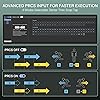
  • Team Wipe Engine Featuring revolutionary PRCS technology (4 Modes) rivaling Snap Tap & SOCD functionality for ultimate gaming performance. Zero redundant inputs, pure clean shots, become the true Ace Maker & Game Changer.
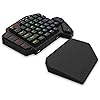
  • Slim and Tactical - The K585 keyboard gets rid of those extra keys and keeps the most useful ones in a slim & portable package. All of your keyboard action keys are in one convenient place. No need to worry about misclicked keys.
  • Play to Win - With 7 programmable macro keys, binding multiple commands and activating them instantly is simple and quick. Assign single or multiple keystrokes to any macro key to save precious time in the middle of battle.
  • What Game Needs It - To be honest, all games that pursue timing, precision, and instant action need it. Valorant, helps with accurate moves and stopping to take the headshot. CSGO, makes the perfect peeking behind the wall and shoots advantagely. APEX, gets untrackable TS/SG movement 100% successful. and osu!, more PERFECT notes out.
  • Dual Platform Driver Support The Innovative Upgraded K686 HE Gaming Keyboard has made a significant leap in driver compatibility. Previously, it only supported the standard desktop client (Windows-exclusive). Now, it adds web-based driver support, allowing users on other operating systems to access all software features directly via the browser. Visit redragonshop to learn more.

Description

Redragon K585 HE Rapid Trigger Gaming Keyboard, 8K Wired One-Handed Mechanical Keyboard w/Next-Gen UltraMag 100% POM Silky Magnetic Switch, Dual-Module Floating Structure Design, Detachable Wrist Rest

Brand: Redragon


Compatible Devices: PC


Connectivity Technology: USB-C


Keyboard Description: One-handed HE UltraMag Magnetic Switch Rapid Trigger Gaming Keyboard


Recommended Uses For Product: Gaming


Special Feature: 42 Keys One-Handed, Extra Onboard G Keys, UltraMag Magnetic Switch, Wrist Rest


Color: Black K585


Material: Acrylonitrile Butadiene Styrene


Included Components: Keycap/Switch Puller, Spare Switches, USB Cable


Model Name: DITI HE


Brand: ‎Redragon


Series: ‎DITI HE


Item model number: ‎K585 HE


Hardware Platform: ‎PC


Item Weight: ‎1.34 pounds


Package Dimensions: ‎10.79 x 9.09 x 1.73 inches


Color: ‎Black K585


Power Source: ‎USB Powered


Manufacturer: ‎Redragon


Date First Available: ‎September 19, 2025


Frequently asked questions

If you place your order now, the estimated arrival date for this product is: Friday, Apr 24

Yes, absolutely! You may return this product for a full refund within 30 days of receiving it.

To initiate a return, please visit our Returns Center.

View our full returns policy here.

  • Klarna Financing
  • Affirm Pay in 4
  • Affirm Financing
  • Afterpay Financing
  • PayTomorrow Financing
  • Financing through Apple Pay
Leasing options through Acima may also be available during checkout.

Learn more about financing & leasing here.

Top Amazon Reviews


  • Versatile with some nice DIY features
Size: Brown Switch Color: Black K585
TLDR: Likely the best sub $50 One Handed Keyboard you'll find; decent wrist rest and good thumb button placement, nice weight and non-sliding feet, nearly entirely reprogrammable and hot swappable (see below), and for those who like to void warranties, easily disassembled. It could use a slightly stronger angle, sound dampening (the thin plastic base is pingy) and more robust software, but for the price, you can't really see those as faults. I own more OHKs than I'd like to admit, but I dislike the spacebar on a standard keyboard while gaming (don't like my thumb curled under my palm). This one isn't comparable to the likes of Razer, but for half the price and more buttons, with some DIY, you'll have yourself the best all-around gaming keyboard for under $100. SETUP/USAGE: Works straight out of the box on most anything. The usb-passthrough is a true hub, so it works with almost any (USB 2.0) device, just don't expect it to charge anything. Great for connecting a mouse when using with a laptop lacking ports or Playstation/Xbox (only tried it with a PS4, works as expected). If you have Windows 10, the software allows you to reprogram all but the profile (M1-M4), Function, and recorder buttons. The software is basic but functional. I didn't have troubles with the included braided cable or any other USB-C cable I had. Connection was firm. The base doesn't slide around, but does have a largish footprint. It has more buttons than high end OHKs; too many for straight FPS, but useful for FP/TP RPGs, Mobas, 4X, or any game that needs 'G' or 'T'. The stock switches are decent, if a bit wobbly, the keycaps are thin ABS, but not terrible. ERGONOMICS: I like the placement of the two thumb buttons, but they might be an issue for small hands. The standard staggered keys should make switching from a standard keyboard easy, even if I prefer ortholinear keys. The wristrest is hard but not uncomfortable, and while some may like padding, I find hard surfaces less irritating and sweaty. The additional Map (M) and N and P keys are nicely placed so that nearly anything you need to do can be done with one hand. SOFTWARE: the software is basic and not exactly self explanatory, but isn't hard to work once you figure it out. It only works on Windows 10, and it doesn't allow extended options (you can program any of the main keys to any key on a standard keyboard, media function, mouse action, or a macro; it has profiles (4) but not layers). The changes are saved to the board, so they'll travel with it. You can't do much with the lighting other than change speed, direction, and color of the built-in effects. Still, it's more versatile than the software (or lack of it) found on other low-cost OHKs. MATERIALS/CONSTRUCTION: The main body is, what I assume is, a single piece of ABS. The bottom is the same, as is the wristrest. The top plate is a non-ferrous metal, the switches are plate mounted (3-pin). The stabilizers are part of the body, so not replaceable and made of the same plastic. The keycaps could be better, but expected at this price. Together, it feels solid, and a good balance of weight for stability and portability (other than the size). DIY: beyond the software, most of the keys are also "hot swappable" (the exception being the G2-G5 keys, which seem to be soldered in). The sockets are *not* Kailh, which makes it harder to get the keyswitch in straight, and it has a rather tall LED; you'll need a switch that had a cutout for SMDs (I swapped mine for Akko Blue Oceans because they're available on Amazon and fit just fine). The stabilizers are built in to the plate, so aren't replaceable and are pretty cheap. Lubing helped a bit. Deconstruction means removing the bottom screws (two are under the rubber feet, but as long as your careful, they stick back on just fine),, and then a set of screws to remove the plate/pcb from the base. No foam or gasket, but, again for the price, this isn't surprising. Removing the plate from the PCB means removing all the keyswitches, but with 4 soldered into the sockets this is close to impossible, and then popping some pressure clips. I don't recommend. Since the top and sides are all one piece, I found it easy to paint (in the picture, it's a matte white spray with masked stripes and a clear coat finish). The keycaps are replaceable, but the non-standard "T" and "G" can make finding a set difficult. It worked with several cables I tried from various manufacturers. Overall, this is a great little piece of gaming tech. While not high-end, the ease of use, good button count, and versatility through software and hardware modifications, make this a great choice for an inspiring gamer/builder looking for something to play on and also tinker with, without breaking the bank. ... show more
Reviewed in the United States on July 26, 2021 by M. Razzano M. Razzano

  • MERC Stealth Replacement..sort of
Size: Red Switch Color: Black K585
This is an excellent gaming keypad. It has a large amount keys and an ergonomic design that is well suited for any gaming configuration. It comes with extra switches, a key remover and USB-C cable. The included magnetic wrist guard is a nice feature. After my MERC Stealth keypad finally died I needed a replacement after 15 years of muscle memory with that keypad design. Most keypads on the market either do not have sufficient number of keys or do not have an ergonomic enough design to compete with my previous keypad. The Redgragon K585 fits the bill, but it will require a few modifications to do so. To emulate the Merc Stealth keypad you will need to download the Reddragon K585RGB keyboard app from the Reddragon website. Once the keys are programed, the key assignments are stored on the keyboard and can be moved from PC to PC without using the app. Second, you will need a USB keyboard to plug into the Reddragon keypad to program the new keys. Third, you will need to remove the old keys with the included key remover and replace them with new keys (Redgragon and others sell replacement keys on Amazon and are inexpensive). Finally, using the app and the keyboard, you can program the Reddragon keyboard with your new key bindings. All of the keys are programmable except the "rec" key. The F1-F4 are replaceable and programmable as well as the key to the right of the F4 key. The G1-5 keys can be used as macros or single key bindings (they just cannot be replaced). You can also change or turn off the background RGB colors. This is the second K585 keyboard I have purchased and is a very well priced replacement for the keypad side of the Merc Stealth keyboard. ... show more
Reviewed in the United States on October 6, 2023 by Phineas Gage

  • punches above its weight
Size: Blue Switch Color: Black K585
The Redragon K585 DITI is an entry level mechanical keyboard that punches above its weight. That doesn't make it perfect for everyone, however. Look, it's pretty clear just by looking at this keyboard that it isn't a full keyboard. That intrinsically limits its target audience. For someone with ample desk space, this might not make the most sense as a purchase. But, on the flip side of that, for those with LESS space than usual, this can accomplish a very crucial goal of getting you back some of that valuable desk real-estate for your mouse, or other peripherals. For instance, in my case, I needed more room for gaming. One of the problems I kept running into with my existing setup was that during an intense firefight, I would sometimes slap my mouse on the side of my keyboard, resulting in, almost always, poor results. And after trying for many months to get used to playing with my full-sized keyboard tilted at a 45 degree angle, it just became worth the $35 dollars or so to get rid of the hand-pain that induced and solve the mouse conundrum in a combo meal. On the other hand, I could also see this being fairly useful for something like Asesprite, GIMP, or other design-oriented programs and tools. While I'm sure that there are people that could easily use the full spread of a full-sized keyboard with macros and still need more room, I'm not one of them, and I think it's fair to say that someone reading a review about this keyboard for that reason probably isn't either. So, what sets this keyboard apart from the competition? The biggest thing for me has been the remappable buttons. With 5 dedicated macro-keys and two other keys that you have the *option* to remap (tilde and T), you've got 7 total keys to customize. There are severe limitations to this that can ultimately hamper that usability, but we'll come back to that later. If you're someone that's into RGB, the keyboard lets you choose from 5 arrangements of color patterns that can range from what you'd expect from a typical RGB rainbow-vomit experience, to more subdued patterns that only appear when a key is pressed. To Redragons credit, the depth and color coverage is absolutely outstanding. It absolutely cannot be understated, in comparison to my Corsair RGB keyboard, the colors are just better on the K585. There's even some hidden gems as far as features go, too. While you can change the color mode using the four dedicated mode-buttons atop the keyboard, this *also* serves as a convenient and quick way to swap between different macro bindings on those 7 macro keys. But, if someone were to decide that they wanted to change the color mode but not lose their bindings, they could just as easily use the function key and space key to cycle between the modes of their own volition. Additionally, the keyboard has a detachable Type-C cable, so in the off chance that your cable got ruined, you would no longer be in the market for a whole keyboard, but just a cable. It also features an extra USB slot on the back that you could use for presumably anything a normal USB Type 2 slot could be used for, like a full keyboard if you needed that extra range, a wireless headset adapter, or just a convenient place to charge your phone. So now we've covered the good, but what about the bad? Are there any "gotchas" to this product? That's a question with some complicated answers that mostly come down to your use case. For me, one of the biggest issues with the device was the limitations behind the macro recording. As you can only record buttons that are available on the device itself, it makes rebinding almost mandatory for some games. In Destiny 2, as an example, I have my social tab bound to my O key normally, but as the K585 doesn’t have an O key, it makes opening that menu kind of a chore. My options at that point were to either change which keyboard I was pressing keys on for only specific keys, or just rebind these actions. Luckily, Destiny 2 has two binding settings for each action, so I was able to set most of these crucial actions to be the F1 through F4 keys as their fallback binding, in the off chance that I wanted to use a full-sized keyboard for any reason. *But*, even this has consequences. If you’re playing a game that doesn’t have multiple binding options, or rebinding at all, you’re just going to be out of luck. On top of that, if you’re someone that uses the alt-key for whatever reason, you could potentially run into issues with either accidentally or unintentionally using ALT+F4 to close your game or program of choice. Ideally, passing a keyboard through the K585 would allow it to register these macros as any press, like how a lot of keyboard or mouse macro software works already. Of course, the K585 doesn’t have any software to speak of, so it may just be a limitation of the hardware they use to power these macro keys. Another binding issue that I’ve run into is the problem of *un*-binding keys. While you *can* unbind them, it appears to only have a group unbind option. For my use case, I’ve somehow managed to lose the T binding entirely. If I change modes it’s fine, or if I were to reset *the entire binding setup* I could fix it, but I can’t just rebind my T key to T, as it.. Isn’t T anymore. I also can’t just reset *that particular* binding, but this is again, probably a limitation of whatever they use to power the macros. Thankfully, that covers the largest of my gripes with the keyboard. I’m no mechanical keyboard expert by any means, but it uses blue switches that feel very good to me. If you’re not sure what kind of switches you like, the mechanical keyboards subreddit seems to always recommend buying a switch tester. They run around 17 dollars on Amazon, however, so if you’re looking for a budget option in something like this keyboard, you’ll potentially just be paying for peace of mind. With that said, the switches are audible, but they don’t drive me up the walls by any means. My only other real complaint with this is probably that the F key doesn’t have the nice tactile bump that I’m accustomed to on my full-sized keyboard. That lead to quite a few times where my senses and muscle memory clashed with each other and ultimately caused me to fumble around aimlessly, but that had an easy enough fix. For me, I just put a dab of super glue on the key to give it a little bump, and that’s been more than enough to ease the aforementioned clashing. I will say that when I was browsing Amazon to figure out what exactly I was going to buy, it took me a while to get over the absolutely dreadful looking font that is printed on the keys. To me, it came off as a very edgy and try-hard font, but in person it didn’t really bother me all that much. And, thankfully, most of the time I spend with this keyboard, I’m looking at the screen and not the keyboard, so truthfully it doesn’t bother me anymore. So, is the K585 worth it? In my opinion, absolutely! If you’re looking for a keyboard of this style, there are a ton of positive things to say here. If you like RGB, it’s got it, if you don’t, you can turn it off. If you’re worried about price, it’s inexpensive (especially in comparison to the competition), and if you’re working with limited desk space, this is a natural pick. ... show more
Reviewed in the United States on May 7, 2019 by R. Van Dyke

Can't find a product?

Find it on Amazon first, then paste the link below.
Checking for best price...