
Search  for anything...

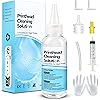
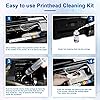
Printhead Cleaning Kits for Epson HP Canon Brother Inkjet Printers, 100ML | Printer Cleaning Kit for Epson Ecotank Nozzle, Print Head Cleaning Kit for HP, Printer Head Cleaning Kit for Canon Brother

  • Based on 2,825 reviews
Condition: New
Checking for the best price...
$8.99 Why this price?
Save $1.00 was $9.99

Buy Now, Pay Later


As low as $2 / mo
  • – 4-month term
  • – No impact on credit to apply
  • – Instant approval decision
  • – Secure and straightforward checkout

Ready to go? Add this product to your cart and select a plan during checkout.

Payment plans are offered through our trusted finance partners Klarna, Affirm, Afterpay, Zip, Apple Pay, and Google Pay. No-credit-needed leasing options through Acima may also be available at checkout.

Learn more about financing & leasing here.

Selected Option

Free shipping on this product

FREE 30-day refund/replacement

To qualify for a full refund, items must be returned in their original, unused condition. If an item is returned in a used, damaged, or materially different state, you may be granted a partial refund.

To initiate a return, please visit our Returns Center.

View our full returns policy here.

Availability: 20 left in stock
Fulfilled by Amazon

Arrives Tuesday, Aug 11
Order within 20 hours and 58 minutes
Available payment plans shown during checkout

Protection Plan Protect Your Purchase
Checking for protection plans...

Size: 100 ml


Features

  • Printhead Cleaning Kits for Inkjet Printers: Fosgoit Inkjet Printhead Cleaner for Epson Printer, Ink Jet Cleaning Solution for Canon Inkjet, Printer Printhead Cleaning Kit Cleaner for Print Head, Inkjet Cleaning Solution Kit for HP Printer Head, Inkjet Printhead Cleaning Kit Epson Eco Tank, Ink Cartridges Cleaning Solution for et-4800, Ink Cartridges Cleaner Solution for Epson, Printhead Cleaner for Print Head, Inkjet Cleaner Solution for Canon Print Head
  • Cleaner for Inkjet Printers: Fosgoit Printhead Cleaning Solution for Inkjet Printers are Suitable for Epson EcoTank WorkForce Inkjet Printers, Print head Cleaner Solution for HP Officejet HP Deskjet Canon Inkjet Printers. Inkjet Cleaning Solution for Epson 2720 2750 2760 2800 2803 2850 3760 4700 4800 5170 8500 8550 15000 Inkjet Printers; Epson WF 7710 7 2860 3820 4820 4830 7310 7820 7840 Inkjet Printers; Epson XP 330 0 4100 4105 7100 960 Inkjet Printers
  • Compatible with HP Epson Canon Inkjet Printers: Print Head Nozzle Cleaning for HP OfficeJet 8600 8610 8620 8025 6835 3830 5255 6230 6700 6978 7740 8022 8710 Inkjet Printers HP Envy 4520 5055 6052 6055 6055e 6075 6452 HP DeskJet 2622 2752 2752e 2755 2755e Inkjet Printers, Inkjet Cleaning Solution for MFC J491DW J5845DW J995DW J1010DW J1170DW Inkjet Printers, Cleaning for Inkjet Printer for Canon MX492 MX922 MG2522 MG2525 MG3620 G3260 TS3520 TS5320 TS6320 Inkjet Printers
  • Compatible Design of Printers Cleaning Solution: The yellow nozzle is for Epson and printers. The white is for HP and Canon printers. Each size of the nozzles is specifically designed to fit different ink fig port, which can avoid liquid leakage. Cleaning your inkjet printer with an effective printer head cleaner instead of discarding, it can bring your printer a brand new look and help you save money. Printer cleaning supplies protect the printhead and extend your printer life!
  • Wide Applications of Printer Cleaner: Fosgoit printer head cleaning kit can be used for OEM factory ink, dye ink, pigment ink, sublimation ink, heat transfer ink. Our print head cleaning solution contains degradation factors, which can dissolve the hard block and other soluble impurities left after the ink hardens, making the ink flow more smoothly and wouldn't corrode the print head.
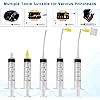
  • Printers Cleaner Solution are Easy to Use: Fosgoit printer cleaning kit comes with complete instructions. Printer nozzle clog cleaning tools include 100mL printhead cleaning solution, syringe, silicone hose, large rubber stopper, small rubber stopper, gloves and instructions, aiming to make your cleaning process more convenient and easier. Before cleaning, please unplug the power supply first to avoid clogging the nozzles caused by the circuit.

Description

for Epson Canon Brother HP Lexmark for Inkjet Printers About Us Inkjet Printer Nozzle Cleaner Kit, 100mL! (1) Inkjet Printhead Cleaner for Epson Inkjet Printer: (2) Inkjet Printer Head Cleaner for Brother Inkjet Printer: (3) Inkjet Printer Print Head Cleaning for HP Inkjet Printer: (4) Inkjet Printing Print Head Cleaning for Canon Inkjet Printer: Inkjet Printhead Cleaning Solution Package Content:

Model Name: Printer Cleaning Kit


Brand: Fosgoit


Ink Color: Printer Head Nozzle Cleaner Kit


Page Yield: 500


Compatible Devices: Inkjet Printer Cleaning Fluid for Canon G2270 G3270 G7020 G620 MG2525 TS5320a TS9520 TS9521C TR4720 TR7020a TR7620a/Canon Maxify GX3020 GX5020 GX6020 GX6021 GX7021 MB2120 MB2720 MB5120 MB5420/Canon Megatank G1220 GX4020 G4270; Inkjet Printer Flush Kit for Inkjet Printer, Inkjet Printer Nozzle Cleaning Kit for Epson Eco Tank ET-15000 ET-2720 ET-2800 ET-2803 ET-2850 ET-3760 ET-4760 ET-5150 ET-5170 ET-5850 Expression XP-970 XP-4200 XP-8700 XP-15000 Workforce WF-2860 WF-2930 WF-2960 WF-4820 WF-4830 WF-7310 WF-7820 Stylus C88; Inkjet Printer Nozzle Cleaner for HP DeskJet 2755e 3752 3755 3830 4155e Pro 6230 6978 8720 8730 OfficeJet 5255 8015e 8025e 9015e Pro 8035 Envy 6055e 6455e 7855 7858 Smart Tank 6001 7001 7301 7602, Printhead Nozzle Cleaning Kit Printer Head Nozzle Cleaning Kit Print Head Nozzle Cleaning Kit Printhead Nozzle Cleaner Print Head Nozzle Cleaner Printer Head Nozzle Cleaner Print Head Cleaning Fluid Printer Head Cleaning Fluid Printhead Flush Kit Print Head Flush Kit Printer Head Flush Kit Print Head Cleaner Solution Printhead Cleaner Solution Printer Head Cleaner Solution Printer Cleaner Solution Print Head Cleaning Liquid Printhead Cleaning Liquid See more


Special Feature: Printhead Cleaning Kit


Compatibility Options: Compatible


Color: Clear


Ink Base: Water


Compatible Printer Models: Inkjet Printer Cleaner Kit for HP Printhead, Print Head Liquid Nozzles for inkjet printer, Printer Cleaning Kit for Epson Ecotank Printer, Printer Head Cleaning Solution for Canon Inkjet See more


Ink Colour: Printer Head Nozzle Cleaner Kit


Page Yield: 500


Compatible Devices: Inkjet Printer Cleaning Fluid for Canon G2270 G3270 G7020 G620 MG2525 TS5320a TS9520 TS9521C TR4720 TR7020a TR7620a/Canon Maxify GX3020 GX5020 GX6020 GX6021 GX7021 MB2120 MB2720 MB5120 MB5420/Canon Megatank G1220 GX4020 G4270; Inkjet Printer Flush Kit for Inkjet Printer, Inkjet Printer Nozzle Cleaning Kit for Epson Eco Tank ET-15000 ET-2720 ET-2800 ET-2803 ET-2850 ET-3760 ET-4760 ET-5150 ET-5170 ET-5850 Expression XP-970 XP-4200 XP-8700 XP-15000 Workforce WF-2860 WF-2930 WF-2960 WF-4820 WF-4830 WF-7310 WF-7820 Stylus C88; Inkjet Printer Nozzle Cleaner for HP DeskJet 2755e 3752 3755 3830 4155e Pro 6230 6978 8720 8730 OfficeJet 5255 8015e 8025e 9015e Pro 8035 Envy 6055e 6455e 7855 7858 Smart Tank 6001 7001 7301 7602, Printhead Nozzle Cleaning Kit Printer Head Nozzle Cleaning Kit Print Head Nozzle Cleaning Kit Printhead Nozzle Cleaner Print Head Nozzle Cleaner Printer Head Nozzle Cleaner Print Head Cleaning Fluid Printer Head Cleaning Fluid Printhead Flush Kit Print Head Flush Kit Printer Head Flush Kit Print Head Cleaner Solution Printhead Cleaner Solution Printer Head Cleaner Solution Printer Cleaner Solution Print Head Cleaning Liquid Printhead Cleaning Liquid


Other Special Features of the Product: Printhead Cleaning Kit


Compatibility Options: Compatible


Color: Clear


Compatible Printer Models: Inkjet Printer Cleaner Kit for HP Printhead, Print Head Liquid Nozzles for inkjet printer, Printer Cleaning Kit for Epson Ecotank Printer, Printer Head Cleaning Solution for Canon Inkjet


Cartridge Type: Compatible


Printer Model Compatibility: Brother MFC J460DW, Brother MFC J491DW, Canon PIXMA G1200, Canon PIXMA G1220, Canon PIXMA G2260, Canon PIXMA G3260, Canon PIXMA G5020, Canon PIXMA G6020, Canon PIXMA G620, Canon PIXMA G7020, Canon PIXMA MG2420, Canon PIXMA MG2522, Canon PIXMA MG2525, Canon PIXMA MG2900, Canon PIXMA MG2920, Canon PIXMA MG2924, Canon PIXMA MG3020, Canon PIXMA MG3500, Canon PIXMA MG3520, Canon PIXMA MG3620, Canon PIXMA MG4220, Canon PIXMA MG5120, Canon PIXMA MG5220, Canon PIXMA MG5320, Canon PIXMA MG5420, Canon PIXMA MG5620, Canon PIXMA MG5720, Canon PIXMA MG5721, Canon PIXMA MG5722, Canon PIXMA MG6120, Canon PIXMA MG6220, Canon PIXMA MG6320, Canon PIXMA MG6820, Canon PIXMA MG6821, Canon PIXMA MG6822, Canon PIXMA MG7120, Canon PIXMA MG7720, Canon PIXMA MG8120, Canon PIXMA MG8220, Canon PIXMA MP540, Canon PIXMA MP560, Canon PIXMA MP620, Canon PIXMA MP630, Canon PIXMA MP640, Canon PIXMA MP980, Canon PIXMA MP990, Canon PIXMA MX452, Canon PIXMA MX472, Canon PIXMA MX490, Canon PIXMA MX492, Canon PIXMA MX512, Canon PIXMA MX522, Canon PIXMA MX532, Canon PIXMA MX860, Canon PIXMA MX870, Canon PIXMA MX892, Canon PIXMA MX920, Canon PIXMA MX922, Canon PIXMA TR150, Canon PIXMA TR4500, Canon PIXMA TR4520, Canon PIXMA TR4527, Canon PIXMA TR4720, Canon PIXMA TR7020, Canon PIXMA TR7020a, Canon PIXMA TR7520, Canon PIXMA TR8520, Canon PIXMA TR8620, Canon PIXMA TR8620a, Canon PIXMA TR8622, Canon PIXMA TS202, Canon PIXMA TS3100, Canon PIXMA TS3120, Canon PIXMA TS3320, Canon PIXMA TS3520, Canon PIXMA TS5020, Canon PIXMA TS5320, Canon PIXMA TS6020, Canon PIXMA TS6120, Canon PIXMA TS6220, Canon PIXMA TS6320, Canon PIXMA TS6420, Canon PIXMA TS6420a, Canon PIXMA TS702, Canon PIXMA TS702a, Canon PIXMA TS8020, Canon PIXMA TS8120, Canon PIXMA TS8220, Canon PIXMA TS8320, Canon PIXMA TS9020, Canon PIXMA TS9120, Canon PIXMA TS9500, Canon PIXMA TS9520, Canon PIXMA TS9521C, Canon PIXMA iP2820, Canon PIXMA iP3600, Canon PIXMA iP4600, Canon PIXMA iP4700, Canon PIXMA iP4820, Canon PIXMA iP4920, Canon PIXMA iP7220, Canon PIXMA iP8720, Canon PIXMA iX6820, Canon TS302, Epson Artisan 837, Epson ET(EcoTank) ET-15000, Epson ET(EcoTank) ET-2720, Epson ET(EcoTank) ET-2800, Epson ET(EcoTank) ET-2803, Epson ET(EcoTank) ET-2850, Epson ET(EcoTank) ET-3760, Epson ET(EcoTank) ET-4760, Epson ET(EcoTank) ET-5150, Epson ET(EcoTank) ET-5170, Epson ET(EcoTank) ET-5850, Epson ET(EcoTank) Pro ET-5150, Epson ET(EcoTank) Pro ET-5170, Epson ET(EcoTank) Pro ET-5850, Epson WorkForce WF-2860, Epson WorkForce WF-7710, Epson XP Expression Home XP-330, Epson XP Expression Home XP-4200, Epson XP Expression Photo XP-8700, Epson XP Expression Photo XP-970, Epson XP Expression XP-15000, HP Deskjet 1255, HP Deskjet 2622, HP ENVY 4520, HP ENVY 6455, HP Officejet 250, HP Officejet 8600, HP Officejet Pro 6970, HP Photosmart 5520, HP Photosmart 6510, Lexmark 7000


Ink Base: Water


Additional Printer Functions: All In One


Item Dimensions D x W x H: 5.91"D x 2.36"W x 1.97"H


Item Weight: 0.16 kg


Print media: Paper (plain)


Printer Output Type: multiple colors


Printer Type: inkjet


Model Name: Printer Cleaning Kit


Brand: Fosgoit


Manufacturer: NUOK


Number of Items: 1


Unit Count: 1 Count


Built-In Media: 100mL printhead cleaning solution, syringe, silicone hose, large rubber stopper, small rubber stopper, gloves, instructions


Item Type Name: Inkjet Printer Cleaner


Model Number: Inkjet Printer Cleaning Kit


Model Series: Universal Printer Cleaning Kit


Mfr Part Number: UN-UN100ML-T01-1PACK


Specific Uses For Product: Inkjet printer maintenance


Warranty Description: Printhead Cleaning Kit


Frequently asked questions

If you place your order now, the estimated arrival date for this product is: Tuesday, Aug 11

Yes, absolutely! You may return this product for a full refund within 30 days of receiving it.

To initiate a return, please visit our Returns Center.

View our full returns policy here.

  • Klarna Financing
  • Affirm Pay in 4
  • Affirm Financing
  • Afterpay Financing
  • Zip Pay in 4
  • Financing through Apple Pay
  • Financing through Google Pay
Leasing options through Acima may also be available during checkout.

Learn more about financing & leasing here.

Top Amazon Reviews


  • Very good investment WOW
Size: 100 ml
I tried printing a copy of a printer purge file that had all colors and check which color was having a clog. Two colors had a 100% clog. I tried printing several times with the same result. Then did a light head cleaning (3 minutes) and that did not work. Stoped doing the 7 minute clean up until I tried this product. I reluctantly purchased it as a last option before I gave up on the printer. Was already looking for new printers. When it arrived, i was ready but my ET-4700 did not readily lifted up to get to the printer heads. You have to remove two little screws right above where the printed page comes out. Then the top part goes up and you have full access to the printer heads. You have to put something to keep the top of the printer opened. The next step is to put paper towel right under the printer heads. You have to fold the paper very tightly as there is not very much clearance between the printer head and the bottom of the printer. The syringe can eject 5mm at a time. This is good so that you don't flood the bottom of the printer. The bottle comes with 100mm and it is recommended to flow no less than 20mm into each color head with a possible clog. After the paper towel is in placed between the printer bottom and the printer head, you have to gently take the soft plastic tubes out of the cassette (a little reservoir box where the ink passes right before it prints to the page) that sits right on top of each printer head. You have a choice to make as to where you plug the tube that comes out of your syringe. 1st Choice: Place the syringe tube on the same place as the soft plastic tubes that flow the ink from the big reservoir. 2nd Choice: Remove the cassette (a little reservoir box where the ink passes right before it prints to the page) that sits right on top of the print head and connect the syringe tube where the cassette makes contact with the print head. I chose the first one as it seemed the most thorough option. The videos I saw stat that it is almost always right on the head but I though why not clean anything in the cassette as well. Plus the syringe connection to the print head did not all that tight (worried about leaks). We did 4 flows (as the syringe has 5mm) for each troubled color (we had Yellow and Cyan with a complete clog). I had to be careful when i replaced the plunger after I filled the syringe with the clear fluid that came with the product. The plunger seems to have a very tight seal and I was afraid of shooting the liquid really fast as I replaced the plunger. After you shoot 10mm of liquid; move the head towards the other side of the paper towel to get that side ready for the other 10mm of clear liquid. If you see the paper towel completely soaked in ink. Then replace it. I recommend using the gloves (plastic bag material) that came with the product of use your own nitrile gloves. The paper towel will be very saturated with a clear solution and remaining ink. Move the head to the left or right and remove the paper towel. Use another paper towel for the next color but if you see too much liquid, clean the printer bottom before moving to the next clogged color. We only had two colors to do so, we used a few more paper towels to clean the bottom of the printer when we were done. Replaced the soft tubes that go to the cassette (gentle and slow proces) the tubes felt pretty delicate. We went ahead and did the full printing head clean regardless (7 minutes). You have to turn the printer off and then hold power button + help button for a few seconds to turn on into full cleaning mode. I had full ink on the tanks before I started this process and then seven minutes later I saw that all had gone down, mostly the black ink for some reason. Test post-product: Printed the head alignment page and surprise!! I SAW ALL FOUR COLORS in all their glory! Then printed a personal document and it was perfect. Very good product and resulted just as intended. Will definitely have this on hand and also use the printer more often from here on. Satisfied Customer. ... show more
Reviewed in the United States on November 16, 2023 by Pato McPickle

  • Very Effective
Size: 100 ml
Fairly easy to use, very effective, the printer was printing practically blank and this kit cleared the print to almost new condition, it ended up taking two rounds of cleaning but I’m very happy with results
Reviewed in the United States on July 26, 2026 by RQ

  • Works as Advertised
Size: 100 ml
Follow the instructions, also used YouTuber; The Printer Guy, as there are some extra things to do not listed in the product instructions. BTW, his video is 3-years old and still applies. I used the yellow adapter directly onto the syringe and then onto the nozzle head and did about 2-3ml per head (not the instructed 4-5ml) just to see how efficient, knowing i would have to wait 48-hours to run the printer. They do say 24-hours, but 48-hours is absolute insurance. No issues, printed system check (recommended prior to printing) fine. After the check, was able to print what i needed too. Now just need to do a print again with-in a month or run a Nozzle Check. Works as advertised, also do recommend "nozzle check" under Maintenance, every month if you do not use your printer a lot. Hope this helps ... show more
Reviewed in the United States on June 23, 2026 by Richard

  • Low cost but effective inkjet print head cleaner for my Brother MFC printer.
Size: 100 ml
Low cost but effective inkjet print head cleaner. I have a Brother MFC J491 DW, and the kit worked with just the syringe and none of the attachments that came with it. After removing the cartridges, each color's connection is recessed, but the syringe is long enough to reach and work. I did have to use another yellow cartridge. I removed a star because I experimented with the attachments, and they were very difficult to connect to the extension tube and the syringe. Perhaps the extension tube inner hole diameter could be little larger. Tip: With Brother MFC printers, after opening the printer up, you can free the print head by holding the Stop/Exit button for a few seconds without unplugging the printer. ... show more
Reviewed in the United States on June 19, 2026 by Phd21

  • Printer head cleaner
Size: 100 ml
Worked as describe. Open printer system heads. Find the correct fitting, put only a little product in syringe, attach and squeeze some in. Remember to slide a paper towel stripping to catch any over flow thru the heads. Only a strip of Paper Towel
Reviewed in the United States on July 31, 2026 by Thomas J Duggan LLC

  • The Printer That Rage-Baited Me For Three Days Straight.
Size: 100 ml
I didn’t set out to become a printer repair technician. I set out to make stickers. Free stickers, for someone else, out of the goodness of my heart. A volunteer mission. A noble cause. The printer had other plans. It started with a nagging feeling. The prints looked off, streaky, wrong, the kind of quality that makes you squint at it and say “yeah that’s not right” but not quite know why. So I did what any reasonable person does. I ran a head cleaning. Then another. Then a nozzle check, and that’s when I saw it. Cyan was gone. Not low. Not struggling. Gone. A fully filled tank, doing absolutely nothing. I ran more head cleanings. I troubleshot for hours. I questioned my life choices. And then, in what felt like a miracle… cyan came back! Magenta stopped working… I want you to understand that I stared at that nozzle check printout for a long moment in complete silence. The printer had waited. It had let me celebrate. And then it took something else away. This was not a malfunction. This was personal. Google informed me there were likely air bubbles in the feed line and that I would need a syringe to pull them out. I did not own a syringe. I went looking for a solution and found this product, which came with one. I popped out the ink tank, looked inside, and the air bubbles were not subtle. They had moved in. They had furniture. I drew them out with the syringe, reseated everything, ran a nozzle cleaning, and tested… Still nothing. The ET-2400 wasn’t even on the supported printer list for this solution. I was about to give up when I found a YouTube video of someone using it on the exact same model. It looked straightforward. I had nothing to lose. I flushed the head with the cleaning solution, set the printer aside, and waited 24 hours. I ran a nozzle check. Magenta came back, clean as the day the printer was new. And then cyan stopped working again… It was rage baiting me! I won’t describe the noise I made. I will only say that it was not a calm noise. Back to the syringe. Popped out the cyan tank, found the air bubbles had, once again, staged a full occupation. Cleared them out, flushed it, and this time, impatient, battle-hardened, and frankly a little unhinged by this point, I only waited 12 hours instead of 24. The manual says 2. I figured 12 was a reasonable compromise between caution and my rapidly deteriorating sanity. Then, before running the test, something made me check yellow. Just a hunch. The kind of hunch you develop after days of being systematically deceived by a machine. Yellow was practically empty. Full of air. It had been quietly failing in the background the whole time, biding its moment, waiting for me to declare victory so it could make its move. I drew out the air, refilled it with fresh ink, and did not clean it. I had a feeling. I ran the nozzle check. Every single color came back. I sat there staring at a perfect test print, clean lines, full colors, not a gap in sight, and felt the specific exhausted joy of someone who has won a war they never asked to fight. The stickers came out beautifully. The volunteer mission was completed. My sanity was mostly recovered. Check yellow before you think you’re done. The printer is always planning something. 10/10 product. 0/10 printer behavior. Would syringe air bubbles out at midnight again if I had to. ... show more
Reviewed in the United States on June 15, 2026 by Mr. Shopper

  • Maybe the cleaning kit works,... for you?
Size: 100 ml
After my workhorse HP OfficeJet Pro 8600 Premium decided to add stripes to everything requiring cyan ink, I hit the "Clean Printhead". And then again. And again. After reviewing the how-to sources (YouTube, ChatGPT, heck even HP), I decided printhead cleaning needed to go to the next level. Which was soaking the business end of the printhead in distilled water. Which I did, um, three times, All to no avail. So, next up was buying this kit. I thought since you actually squeeze the cleaning solution through the printhead and out through the little holes, it would do the trick. It didn't. After going through the cleaning process three separate times (followed by the recommended "Clean Printhead" steps built into the printer menu, the result was basically the same as when I started. Sigh. I got the cleaning kit as the step before buying a whole new printhead. This is now my next step--and it's a way more expensive step. So I don't begrudge buying the cleaning kit; had it worked it would have saved me a lot of money, Since it didn't it cost me a little money. So, why three stars, if it didn't work? Three reasons: 1. It seems the printhead on this printer has run its course. The cleaning kit can't be blamed for this and the printhead on my 8600 has printed a LOT of pages over the dozen or so years I've had it. It's just end-of-life. 2. The cleaning kit might well work for you,. It's inexpensive so worth a try. 3. It's a logical step between the printer inbuilt cleaning routine and buying a new printhead (or even a new printer). Last thoughts: when handling the cartridges and printhead do use the supplied disposable gloves if you don't want to have to scrub your hands clean of ink for the next few days. Using disposable vinyl gloves would be even better, Ditto for keeping the cartridges and printhead off and surfaces: first cover with something impermeable (like a plastic shopping bag), then a layer of paper towels, then a clean sheet of printer paper or two, and then rest the printhead and cartridges on this layer. The reason for this order is: + The printer paper won't push paper paper particles into the printhead ports (which the paper towel might do). You're supposed to not rest the printhead with the nozzles down, but its easy to forget that. + The paper towel better absorbs the ink that leaks through the first layer. + The plastic shopping bag stops any ink getting though to whatever surface you put the stuff on. So there you have it. The cleaning kit did not work for me, was a lot of rather messy work for me, but might work for you. ... show more
Reviewed in the United States on December 7, 2025 by Malicorneus

  • Works great once you figure out how to connect everything
Size: 100 ml
The instructions could be better but I found a YouTube video that helped me better understand how to configure the nozzles I needed for my HP printer. I jammed a paper towel under the print-head and flushed the nozzles a couple of times before hooking the printer back up to test. I was presently surprised to find that my printer was now functioning correctly and printing in color again. I had done a dozen or more cleanings from the maintenance menu and could not get a drop of color to flow, but this flush kit brought me right back to life! Like an idiot I did not put on the gloves they provided to keep my hands ink free lol so definately put on a pair of latex gloves or something before you begin. I was left with tons of solutions for future cleanings of other printers if need be. That is all, I hope this product works as well for you as it does for me. For my HP printer I had to use the little yellow rubber tip and don't miss the little L connectors as they are small and easy to loose. You will need one L adapter to attach the clear hose to the syringe and another L adapter to connect the yellow flush nozzle to the hose. I've attached a picture of the configuration I used to clean my HP Officejet Pro 6960. ... show more
Reviewed in the United States on April 11, 2026 by Adam Siefferman

Can't find a product?

Find it on Amazon first, then paste the link below.
Checking for best price...