Search  for anything...

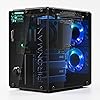
Pironman 5-MAX Raspberry Pi 5 Case Dual NVMe M.2 SSD PCIe, Mini PC NAS RAID 0/1 Hailo-8L AI Accelerator PWM Tower Cooler+Dual RGB Fans, OLED Module, Safe Shutdown, Standard HDMI (RPI5 Not Included)
  • Based on 635 reviews
Condition: New
Checking for the best price...
$94.99 Why this price?
Save $7.99 was $102.98

Buy Now, Pay Later


As low as $15.83 / mo
  • – 6-month term
  • – No impact on credit to apply
  • – Instant approval decision
  • – Secure and straightforward checkout

Ready to go? Add this product to your cart and select a plan during checkout.

Payment plans are offered through our trusted finance partners Klarna, Affirm, Afterpay, Zip, Apple Pay, and Google Pay. No-credit-needed leasing options through Acima may also be available at checkout.

Learn more about financing & leasing here.

Free shipping on this product

FREE 30-day refund/replacement

To qualify for a full refund, items must be returned in their original, unused condition. If an item is returned in a used, damaged, or materially different state, you may be granted a partial refund.

To initiate a return, please visit our Returns Center.

View our full returns policy here.


Availability: In Stock.
Fulfilled by Amazon

Arrives Sunday, Oct 25
Order within 1 hour and 35 minutes
Available payment plans shown during checkout

Protection Plan Protect Your Purchase
Checking for protection plans...

Features

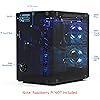
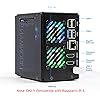
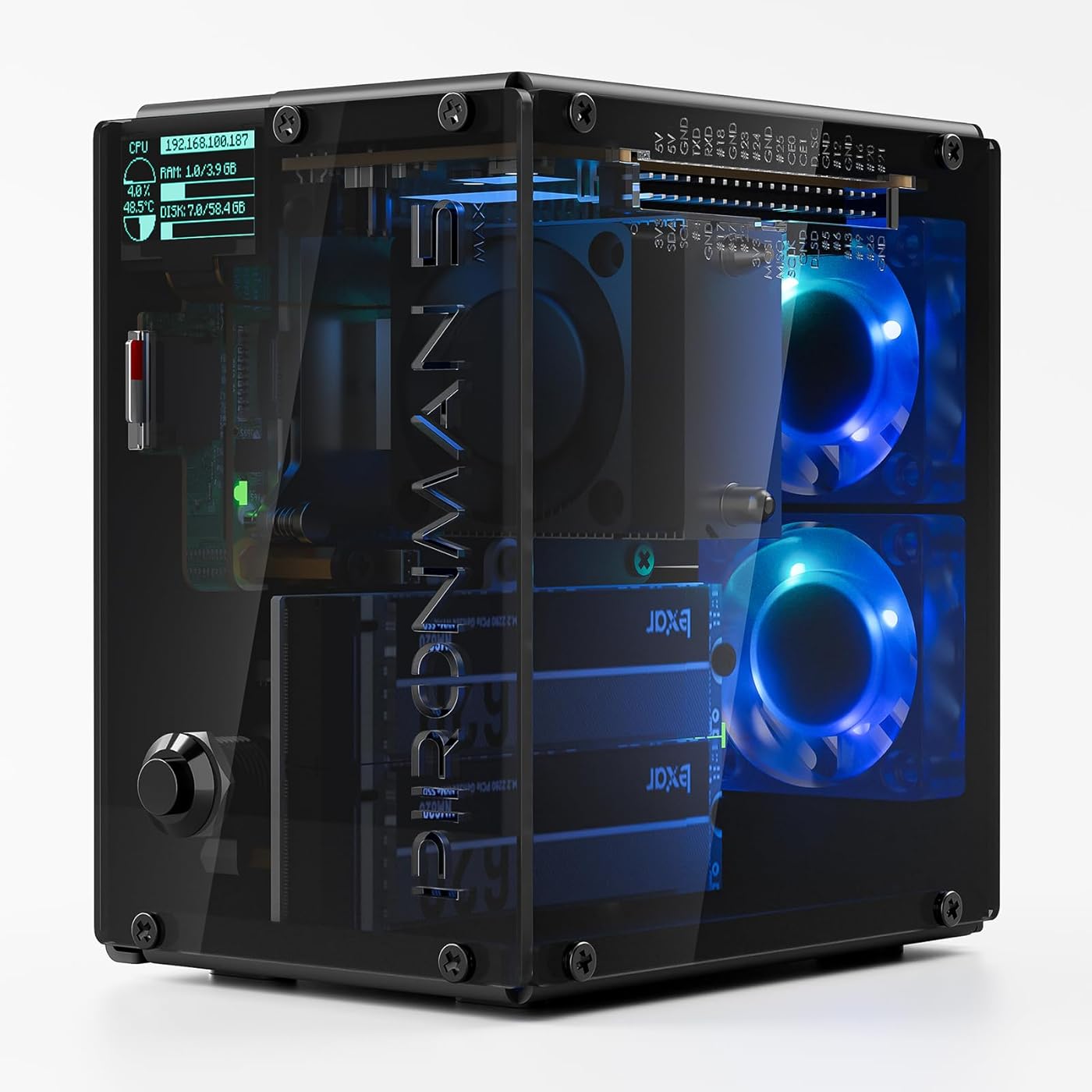
  • [ULTIMATE RASPBERRY PI 5 CASE & MINI PC] - Unlock the full potential of your Raspberry Pi 5 with the Pironman 5-MAX the most advanced Raspberry Pi 5 Case for power users. This high-performance Raspberry Pi 5 Cooling Case features dual NVMe M.2 slots with RAID 0/1 support, AI accelerator compatibility ( e.g. Hailo-8l M.2 AI), a PCIe Gen2 switch, a PWM tower cooler + dual RGB fans and a smart OLED display. With its dual transparent panels and optimized cable management (including full-size HDMI), its the ideal Raspberry Pi 5 Enclosure for building a high-speed NAS, AI edge computing device, or Home Assistant hub. (Raspberry Pi NOT Included)
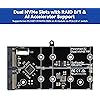
  • [DUAL NVMe M.2 SLITS & NAS RAID SUPPORT] - Supercharge your storage with the best Raspberry Pi 5 NVMe Case solution. Featuring two expandable NVMe M.2 slots (2230-2280) powered by a built-in PCIe Gen2 switch, this Raspberry Pi 5 NAS Case supports RAID 0/1 for ultra-fast data setups. Whether you're using a high-speed NVMe SSD or a Hailo-8L AI accelerator, Pironman 5-MAX delivers the ultimate performance boost for advanced Raspberry Pi 5 AI applications and edge computing
  • [SMART OLED DISPLAY WITH VIBRATION WAKE-UP] - Pironman 5-MAX features a 0.96" OLED screen that delivers real-time system insights including CPU usage, memory, temperature, IP address, and disk status. With customizable display options and auto sleep mode, the screen can be instantly reactivated by a light tap thanks to the built-in vibration sensoroffering a smarter and more interactive experience
  • [ENHANCED FUNCTIONALITY] - Pironman 5-MAX empowers your Raspberry Pi 5 with advanced features like safe shutdown via a metal power button, customizable RGB lighting, dual full-size HDMI ports, vibration-triggered OLED wake-up, and an external GPIO extender. It also includes RTC battery support for timekeeping and seamless Home Assistant integration. With detailed guides, online tutorials, and full technical support from SunFounder, setup and use are effortless and worry-free

Description

Pironman 5 Series The Ultimate Raspberry Pi 5 Case Choice Pironman 5 Pironman 5-Max Pironman 5-Pro Max Pironman 5-Mini

Brand: SunFounder


Motherboard Compatability: Raspberry Pi 5


Case Type: Raspberry Pi


Color: clear or smoked


Material: Metal


Power Supply Mounting Type: Bottom Mount


Cooling Method: Air


Model Name: PIRONMAN 5 MAX


Item Weight: 0.53 kg


Product Dimensions: 6.1"D x 5.31"W x 3.66"H


Supported Motherboard: Raspberry Pi 5


Case Type: Raspberry Pi


Power Supply Mounting Type: Bottom Mount


Cooling Method: Air


Internal Bays Quantity: 2


Compatible Devices: Raspberry Pi 5


Number of Fans: 3


Light Color: RGB


Color: clear or smoked


Enclosure Material: Metal


Item Weight: 0.53 kg


Item Dimensions D x W x H: 6.1"D x 5.31"W x 3.66"H


Brand: SunFounder


Model Name: PIRONMAN 5 MAX


Number of Packs: 1


Number of Items: 1


Manufacturer: SunFounder


Model Number: PIRONMAN 5 MAX


Warranty Description: 1 Year Guarantee


Frequently asked questions

If you place your order now, the estimated arrival date for this product is: Sunday, Oct 25

Yes, absolutely! You may return this product for a full refund within 30 days of receiving it.

To initiate a return, please visit our Returns Center.

View our full returns policy here.

  • Klarna Financing
  • Affirm Pay in 4
  • Affirm Financing
  • Afterpay Financing
  • Zip Pay in 4
  • Financing through Apple Pay
  • Financing through Google Pay
Leasing options through Acima may also be available during checkout.

Learn more about financing & leasing here.

Top Amazon Reviews


  • Amazing case for the money
First off, this case just looks cool as heck. The RGB fans (which you can control) and the opaque walls make this little case look visually appealing. The case also leverages pogo pins to give you a nice, prominently placed reset button, which I personally thought was pretty cool. The case also comes with a beefy (for the size) heatsink with fan. Between that and the RGB fans I've not had any cooling issues. Also, despite 3 fans, it's nice and quiet. However, the real value in this case is all the stuff that comes with it. The Pironman comes with a port extender that not only moves the USB and Micro HDMI ports to the back of the case, but it also adapts those Micro HDMI ports to proper, full size, HDMI ports. No more "Where in Gods name did I put that HDMI to Micro HDMI adapter" moments. Second, the kit also comes with a dual slot M2 hat. I was building a project that required a SSD and a Hailo-8 TPU. By virtue of buying this case I didn't have to also pick up a M2 hat to add my additional hardware. Oh and one other nifty addition that comes with the case is a little OLED screen that sits up in the top left corner of the case front. The OLED screen (which is also configurable, I believe) displays useful information like the IP address, RAM usage, CPU usage, Storage, and temperature. In its default configuration the screen is off most of the time. To wake it up give the box a tap and it will turn on for a few seconds (again, configurable). Building this thing was a bit of a pain. It took me back to building PCs back in the 90s, but smaller and slightly more frustrating. However, big picture, it was not an ordeal. I had the case together fairly quickly and only had to backtrack once. Finally, making all the wiz-bang features work was super simple. The Pironman folks have a Github repo up with everything you need and a simple setup script that pulls everything down and gets it installed. Overall if you are looking to build a little RPi mini-PC, this is the case to go with. I'd only wave you off of it if you are planning on stacking a bunch of hats onto your Pi as there isn't a lot of room in there for doing that. Thankfully in my case the only addon I needed was the M2 hat. ... show more
Reviewed in the United States on January 31, 2026 by Brian

  • A really cool case. OUTSTANDING customer service.
This case is amazing. I want to start off by saying something I wish I knew ahead of time- this is NOT as simple to build as it seems. Not that that is a bad thing. It's actually a good thing, in my opinion. Everything is extremely thoroughly designed to fit tight with exacting tolerances. My first time around (I'll touch on why it was my FIRST time later), it took me a long time to finally put together. But boy oh boy, is it ever rock solid when it's together. If you buy one, you'll know exactly what I mean. My problem was I didn't understand just how important it was to make sure that the board extensions were LOCK TIGHT in place and not just joined together. You HAVE to apply some uncomfortable amount of pressure to get things to really seat the way they should. That caused me to think mine was defective. It wasn't. It just took more strength than I was comfortable with. But, it's well built, so it worked out in the end. My biggest gripe is the screen. The screen is a nightmare to get to cooperate when sealing the case up. The ribbon cable just doesn't want to work with you. Then, in my particular case, the drivers were fickle and didn't want to work. It took me a long time to get it to work. And then when it did, I realized how tiny the screen is. Almost unusable, but it looks nice. The fans are tiny. So they're loud. Be ready for that. But the RGB everything looks nice. Again, however, I had issues trying to get it all to work well with one another. I had to keep taking the case apart, over and over again, thinking something was connected wrong. It wasn't. It was just the eye candy being difficult. The good news is that I was able to put this all back together in a matter of minutes as a result. A great case, just hard to work with at times. **UPDATE** I need it to be known that SunFounder, the company behind this product, has top notch customer service. Remember back when customer service used to be good? Yeah, that's how SunFounder is. It's a breath of fresh air. They listen to the customer instead of trying to find ways out of problems. That is something too many companies are doing now- trying to pass the buck to the customer when something goes wrong. But in this occasion, like I said, they LISTENED and they were not just quick to help, but eager as well. Other companies, please take notes. This is how it's done. ... show more
Reviewed in the United States on May 10, 2026 by Amazon Customer

  • Best Case/Expansion/Mini Tower for Raspberry Pi 5.
This kit was delivered very well packaged and arrived very quickly. The construction is VERY solid and secure compared to nearly every other case I have tried for my RPi5. It went together very easily just using the quick reference reference. There are tons od videos that show very detailed instructions and I had watched a few before beginning. All parts fit extremely accurately and their system of expansion/moving all the ports to the rear really go a long way to "remake" the Pi5 as a mini desktop. Others had noted the fans had a loose fit and were possibly noisy, but mine secured excellently and the fans are really quiet. Once it was all assembled (and a 1TB NVMe SDD drive installed internally, the O/S installed without any issues) and the manufacturer's website had great instructions for installing the additional packages for monitoring and using all the Pironman 5 MAX features. Once it was all installed, the case and all it's features work perfectly. The fans take care of temperature control very well, and the internal lights really add a nice visual to the package. So many options to customize to your liking. I highly recommend this package to anyone with a Pi5. The addition of slots for extra drives or a Hailo card for AI acceleration opens up so many possibilities. This is a fun project and I have really enjoyed using it! ... show more
Reviewed in the United States on January 6, 2026 by Bill

  • Solid Raspberry Pi 5 Case with Great Hardware, but Room for Software Improvement
The Pironman 5-MAX is a well-built and impressive Raspberry Pi 5 case, especially if you’re looking to turn a Pi into a compact mini PC or small NAS setup. The construction feels solid, assembly was straightforward, and overall performance has been very good. The dual NVMe M.2 SSD support over PCIe is a strong feature, and it makes the case much more capable than a basic Raspberry Pi enclosure. For anyone interested in experimenting with RAID 0/1, lightweight server use, or a compact home lab setup, this is a very appealing option. That said, I do think the software side could use some refinement. LED color control in particular feels like it could be more polished and user-friendly. It works, but it does not feel as refined as the hardware. I also wish I had waited for a sale, since it is a bit of a premium accessory once everything is factored in. Overall, I’m pleased with the purchase. The hardware quality, easy assembly, and solid performance make it worthwhile, even if the software and LED control experience leave some room for improvement. ... show more
Reviewed in the United States on June 24, 2026 by Amazon Customer

  • You will not be disappointed!!
I’ve been extremely impressed with the Pironman case for the Raspberry Pi 5. Right from the start, the packaging stood out—it’s clean, well-organized, and makes a great first impression that reflects the quality of what’s inside. Assembly was surprisingly easy. The instructions are clear, and everything fits together smoothly without frustration. Even if you’re not deeply experienced with Pi builds, you shouldn’t have any trouble getting it up and running. Once assembled, the case looks absolutely amazing. It has a sleek, modern design that really elevates the overall appearance of the Raspberry Pi 5 into something that feels far more like a premium mini PC than a hobby board. Functionally, it works great. One of the main reasons I chose this case was the inclusion of the two M.2 slots, and it absolutely delivers here. I’ve already added a 1TB M.2 drive to use as a boot device, which works flawlessly. Looking ahead, I’m excited about the option to add an AI accelerator in the future, which makes this case feel like a forward-thinking investment rather than just an enclosure. Overall, this is a thoughtfully designed, high-quality case that combines ease of use, great aesthetics, and powerful expandability. Highly recommended. ... show more
Reviewed in the United States on April 16, 2026 by Danny Lowe

  • A very nice enclosure for the Raspberry Pi 5
The case is absolutely superb and very well made from quality materials, so let's focus on the caveats: 1. The NVMe drives are very difficult to install once the case is fully assembled. For this reasons the instructions advise installing them about halfway through the build process. Keep this in mind when you need to change a NVMe drive later after installation is complete. It's hard. 2. The NVMe mounting holes accept a M2.5 screw and have a very tight fit so NVMEs with heatsinks like the WD_BLACK drives can't fit next to each other. You can fit two NVMEs with no heatsinks or one with a heatsink only. 3. The OLED screen only turns on when you tap the case to trigger a motion sensor. This is to prevent burn-in, meaning the OLED screen cannot be on continuously and is only really useful if you are within arm's reach of the case. Also the OLED screen goes behind a smoky plexiglass cover so it is substantially dimmer than it would be. It looks kinda cool from an aesthetic point of view but given the small screen size, making it dimmer isn't that helpful. Ultimately the OLED is a gimmick and not a practical feature. 4. The SD card extender bows slightly because of the height difference between the RPI5 SD card and the mounting posts the extender attaches to. It's probably OK but you can tell it's putting strain on the SD connector. You may want to skip the extender entirely, add some washers as shims to make up for the missing height they add to the nearby mounting posts, and then just remove the front faceplate when you want to infrequently access the card from the RPI5 directly. If you are going to boot off of NVMe you'll never need to use the SD card anyway. You really only need the extender if you are regularly removing and inserting SD cards. 5. The I/O extender board is a very tight fit because the two HDMI and USB-C connectors have tight tolerance. Ideally these should have been attached with short ribbon cables instead of being PCB mounted. It's probably putting some strain on the RPI5 connectors as a result because there's absolutely no wiggle room and the tolerance is only as good as how well aligned the connectors were when the card was soldered in the factory. 6. The I/O extender board doesn't have a lot of mounting points so all the I/Os (two HDMI and USB-C for power) wiggle a bit when you insert a cable. I don't think they will survive a large number of insert/removal cycles. Ideally the HDMI and USB-C connectors themselves would have mounted to the case frame. For cost reasons they don't, but that would have fixed the problem. 7. Once assembled the OLED screen is connected to the GPIO riser board and if you try to disassemble the unit the fan wires and OLED cable are the only thing holding the GPIO riser board in place. The board has mounting holes as if they were planning to attach it to the case frame, but they didn't because the case slides in horizontally to fit but the GPIO riser board slides in vertically, and you can't do both. If you need to take the case apart be careful that the weight of the GPIO riser board is pulling on those three cables. Use a lot of caution. 8. The two rear fans, board LEDs, and OLED won't work until you install "pironman5.service" from SunFounder's instructions. That's not an issue, but it is confusing at first. 9. Once installed I have had an issue sometimes where the system fails to boot or shutdown and I have to pull the USB-C cable in and out to cycle the power. It's not a dealbreaker but I wish the case had a real physical (toggling) power switch instead of a momentary pushbutton to do a soft start. 10. About cooling the main fan on the heatsink for the RPI5 only come on when the RPI5 detects it is too hot, so it is idle most of the time. The two rear case fans are always on. They aren't that loud. They attach with self tapping screws (carving threads into the plastic as you turn them) so if you have to remove the fans they likely will not ever attach as tightly as they did. While vibration isn't a problem some kind of rubber gasket between the fans and the case might have been nice. Overall this is a very, very well made case and the benefits outweigh the few quirks. The RPI5 boots incredibly fast from NVME and it works well for setting up a samba share (for Windows file exchange) and DLNA (for streaming to a XBox or other media device). Plus it runs quite cool. ... show more
Reviewed in the United States on November 1, 2025 by Xbox Gamertag

  • Love this case
Like the title says, I have had a great experience with this little case. I found myself wanting to buy another whole set just to build another one. Sanity won out, barely, and I will wait until I have a purpose for another one. This little case is an attractive build when finished, with the RGB lighting and smoky plexi sides. The fans almost never come on (I have them set to only trigger at higher temps and the temps never rise unless I'm running something challenging). The build was complicated, but I found the instructions to be quite good. The only times I felt confused by a step, I took a closer look at the illustrations, and it made sense. I have issues with my hands, and my eyes are getting old, but I was still able to build this kit without too much trouble. Yes, it costs a lot more than other options, but I still highly recommend this for anyone who will actually use their Raspberry Pi 5 as more than a temporary project. I am using another one of these as my media server in the living room and it looks and performs great. ... show more
Reviewed in the United States on January 8, 2026 by ToddPh

  • Was 5-Stars now 1-STAR.Fun Build, impressive work selecting parts + building easy
Update: 3/26/26...NOW 3-STARs..HAT slot-1 throwing NVMe errors/resets, one day after return window closed. Support immediately ordered me a new HAT, which was very nice. Problem is it's been over 11 days in transit from China, now in California. I live in Florida so no end in sight.. now slot-2 through a couple of the same errors. I'm struck with a machine that has continual errors in the part is nowhere to be found. Nice looking box & lights but I really need it to be operational. I guess it was a good idea, but it's a swinging a miss. I can't really recommend this product at this time. I'll happily update the situation once I get the hat and validate that it is working, but no way can I go back to a 5-Star rating on this $100 product. About 1.5->2hr build. Enjoyable seeing this massive pile of parts come together. Well marked parts bag(s). No written directions only illustrations. All that is needed. I did make one error mislocating a standoff for the power board, but easily corrected. Works great when powered-on. I used a SDcard that created on prior build so everything came up quickly. Pironman software installed with no problem. Only glitch was using web page monitor on port 43001. It displayed all the framework, but no data (SDcard worked, but NVMe SDD had influxdb issue). Found the fix online running the following commands: * sudo service pironman5 stop * sudo rm -fr /var/lib/influxdb/data/pironman5 * sudo rm -fr /var/lib/influxdb/wal/pironman5 * sudo service pironman5 start In my case the problem has been solved. Overall VERY happy, and it looks and operates GREAT. no problems, no regrets. Super fun build...Highly Recommended. Oh and cooling is great. THERMALS -------------------------------------------------------------------------------- • Thermal zone snapshot cpu-thermal: 49.0 °C / 120.3 °F vcgencmd: 48.8 °C / 119.84 °F TEMP10 -------------------------------------------------------------------------------- • CPU temperature sampling: 10 samples @ 10s interval 2026-02-08 14:38:06 | [1/10] 49.4 °C / 120.92 °F 2026-02-08 14:38:16 | [2/10] 48.8 °C / 119.84 °F 2026-02-08 14:38:26 | [3/10] 48.3 °C / 118.94 °F 2026-02-08 14:38:36 | [4/10] 49.4 °C / 120.92 °F 2026-02-08 14:38:46 | [5/10] 47.7 °C / 117.86 °F 2026-02-08 14:38:56 | [6/10] 47.7 °C / 117.86 °F 2026-02-08 14:39:06 | [7/10] 47.7 °C / 117.86 °F 2026-02-08 14:39:16 | [8/10] 47.7 °C / 117.86 °F 2026-02-08 14:39:26 | [9/10] 46.1 °C / 114.98 °F 2026-02-08 14:39:36 | [10/10] 47.7 °C / 117.86 °F • HWMON sensor snapshot /sys/class/hwmon/hwmon0 (cpu_thermal) temp1_input: 47.4 °C / 117.3 °F /sys/class/hwmon/hwmon1 (nvme) temp1_input: 24.9 °C / 76.7 °F temp2_input: 40.9 °C / 105.5 °F /sys/class/hwmon/hwmon2 (nvme) temp1_input: 23.9 °C / 74.9 °F temp2_input: 39.9 °C / 103.7 °F /sys/class/hwmon/hwmon3 (rp1_adc) temp1_input: 56.1 °C / 132.9 °F in1_input: 1467 in2_input: 2552 in3_input: 1372 in4_input: 1033 /sys/class/hwmon/hwmon4 (pwmfan) fan1_input: 1097 RPM pwm1: 75 pwm1_enable: 1 • NVMe temperatures (smartctl) nvme0n1: 38°C / 100.4°F (sensor1), 23°C / 73.4°F (composite) nvme1n1: 40°C / 104.0°F (sensor1), 25°C / 77.0°F (composite) ... show more
Reviewed in the United States on February 9, 2026 by JT

Can't find a product?

Find it on Amazon first, then paste the link below.
Checking for best price...