Search  for anything...

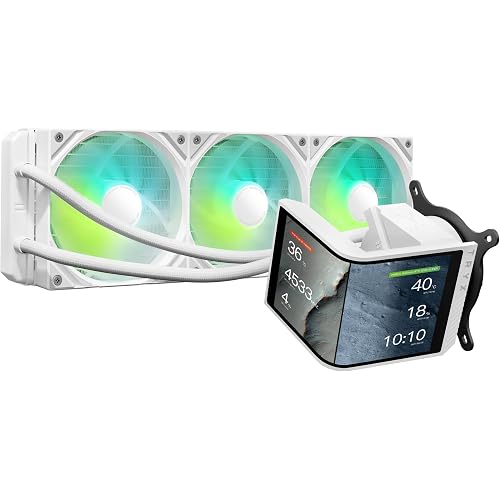
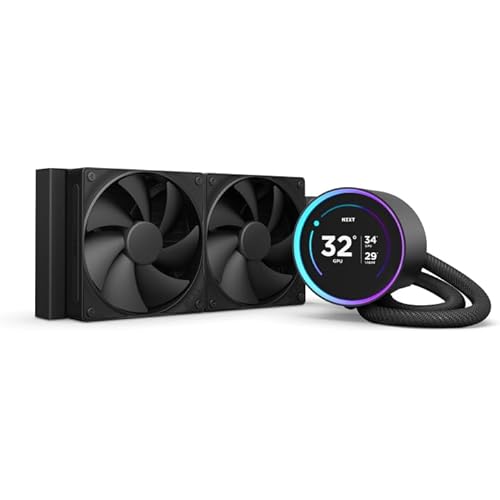
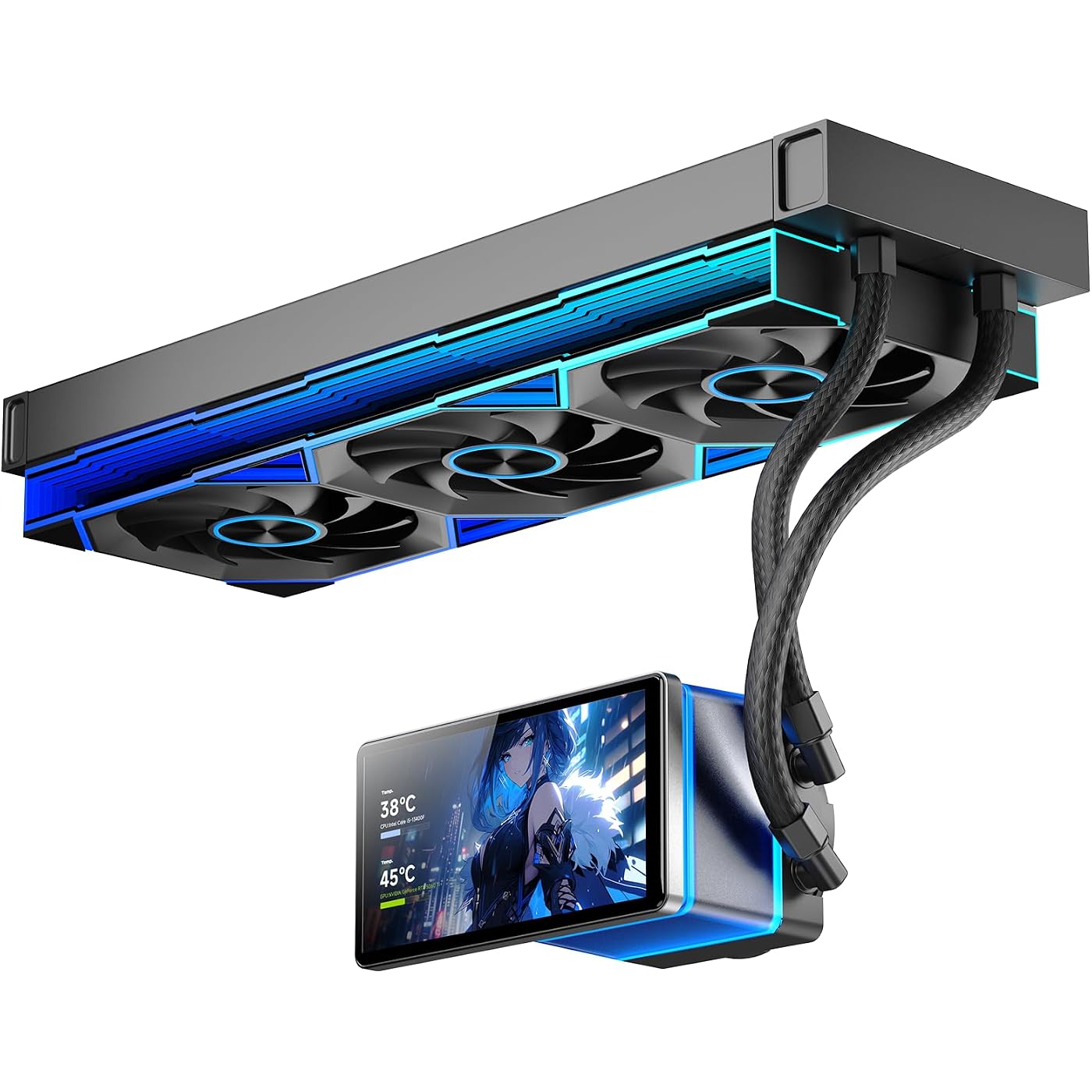
PF 360 CPU Water AIO Cooler Liquid Cooling|5.5-inch LCD Magnetic Screen|360mm ARGB Infinity Mirror 2000RPM PWM Fan|Lower Noise ≤30DBA|for Intel LGA1851/1700/1200/115X AMD AM4/AM5-Black
  • Based on 339 reviews
Condition: New
Checking for the best price...
$149.00 Why this price?
Save $210.99 was $359.99

Buy Now, Pay Later


As low as $24.83 / mo
  • – 6-month term
  • – No impact on credit to apply
  • – Instant approval decision
  • – Secure and straightforward checkout

Ready to go? Add this product to your cart and select a plan during checkout.

Payment plans are offered through our trusted finance partners Klarna, Affirm, Afterpay, Zip, Apple Pay, and Google Pay. No-credit-needed leasing options through Acima may also be available at checkout.

Learn more about financing & leasing here.

Selected Option

Free shipping on this product

FREE 30-day refund/replacement

To qualify for a full refund, items must be returned in their original, unused condition. If an item is returned in a used, damaged, or materially different state, you may be granted a partial refund.

To initiate a return, please visit our Returns Center.

View our full returns policy here.


Availability: In Stock.
Fulfilled by Amazon

Arrives Thursday, Jul 30
Order within 16 hours and 22 minutes
Available payment plans shown during checkout

Protection Plan Protect Your Purchase
Checking for protection plans...

Color: 360 Black


Features

  • [5.5 Inch LCD Smart Screen]Equipped with a 5.5-inch LCD smart screen with a resolution of 480*960. 270 rotation (adjustable 90/180/270) is supported. Magnetic design for easy assembly, multi-angle display without dead angle, convenient to display customized content or hardware data
  • [Customized Display Content] support imported video and pictures set as background, with a variety of customized design, covering video import, data display and visualization customization. With customized R&D software, the operation is intuitive and smooth, and the interface layout is clear to meet personalized needs
  • [Better Cooling]Aluminum integrated heat sink design improves cooling efficiency by 40%. It can handle up to 320W TDP, with fan speeds of 800 - 200010% RPM, three fans with a total airflow of 165.1CFM, and an air pressure of 2.05mmH2O, guaranteeing excellent overclocking-level cooling
  • [Radiator Parameters]PF360 water-cooled radiator size of 379 * 120 * 27MM, waterway length of 400mm, pump speed of 2700 10%, fan size of 360 * 120 * 25mm, fan speed of 800-2000 10%, noise 30db (A)
  • [ARGB Synchronized Lights]Siamese ARGB Infinity Mirror fans and dual-ring ARGB water-cooling headers are synchronized with the 5V 3pin on the motherboard, and 1600W colorful soft-lighting effects create cool visual effects. Transparent shell + dual halo surround, enhance the chassis value, realize the whole machine lighting effect unity

Description

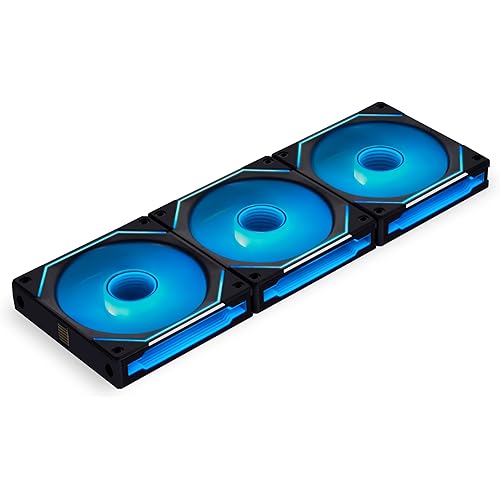
Galaxy 120 Case Fan Prism4 Ultra ARGB Fan Interstellar V2 RS PC Fan Interstellar V3 PC Fan ProFlow SE AIO CPU Cooler

Brand: Jungle Leopard


Power Connector Type: 7-Pin


Voltage: 12 volts_of_direct_current


Wattage: 6.1 watts


Noise Level: 30 db


Material: Aluminum


Maximum Rotational Speed: 2000 rpm


Number of Packs: 1


Manufacturer: Jungle Leopard


Number of Items: 1


Power Connector Type: 7-Pin


Voltage: 12 volts_of_direct_current


Wattage: 6.1 watts


Noise Level: 30 db


Maximum Rotational Speed: 2000 rpm


Material Type: Aluminum


Brand Name: Jungle Leopard


Manufacturer: Jungle Leopard


Number of Items: 1


Item Weight: 4 pounds


Part Number: JL PF 360 BK


Frequently asked questions

If you place your order now, the estimated arrival date for this product is: Thursday, Jul 30

Yes, absolutely! You may return this product for a full refund within 30 days of receiving it.

To initiate a return, please visit our Returns Center.

View our full returns policy here.

  • Klarna Financing
  • Affirm Pay in 4
  • Affirm Financing
  • Afterpay Financing
  • Zip Pay in 4
  • Financing through Apple Pay
  • Financing through Google Pay
Leasing options through Acima may also be available during checkout.

Learn more about financing & leasing here.

Top Amazon Reviews


  • Good aio
Color: 360 Black
Good aio cools my CPU and has a nice screen I’ve seen people complain about the screen disconnecting I don’t have the problem and about the screen it looks nice and the installation was easy it’s quiet and reliable and the lights look nice
Reviewed in the United States on June 27, 2026 by Melissa L

  • Better than I expected!!
Color: 360 Black
I was extremely impressed with this AIO. Its build quality is excellent. The fans are very nice and quiet. The infinity mirrors and RGB lights are great. The big standout of course is the screen. It looks amazing and the ability to switch it to three different angles. Makes installation a lot easier. If I had to pick one thing to complain about, it would be that the factory AI screens are pretty bland and underwhelming. BUT like I read on another review, it is very easy to make your own. The software is pretty intuitive and is very easy to make your own image and loop. ... show more
Reviewed in the United States on June 29, 2026 by Justin

  • Best 360 AIO available for the money! HIGHLY RECOMMEND!!!
Color: 360 Black
I don't know how these people are building computers, when they leave 1 star reviews on a product stating issues that are obviously operator error. This AIO unit it VERY nice for the price. If you can't measure things before you buy them, that's not on the manufacturer when your screen can't be mounted a certain direction. Why are you putting a 360 radiator in a micro atx case anyways? As far as the software for the screen, you can easily make your OWN completely unique display. Literally ANYTHING you want, the software allows you to make a custom display. The stock ones are very underwhelming, but don't be lazy, and make your own. As for cooling, my CPU runs under 60c full load for hours. No complaints on noise either. It's silent. No noise at all from the pump, and the fans never even ramp up because it stays super cool. This is a fantastic unit! Don't hesitate, just buy it, you will be satisfied if you know what you're doing. ... show more
Reviewed in the United States on May 18, 2026 by Kyle Howard

  • UPDATE: A Lesson in Mechanical Seating (ISSUE RESOLVED)
Color: 360 Black
(EDIT)I am editing this review because, after further investigation, I’ve identified the root cause of the connectivity issues I was experiencing. While I initially believed this was a software or load-related failure, it turns out the issue was purely mechanical. The screen connects to the pump block via a magnetic mount, while the actual data and power transfer happens through spring-loaded pogo pins. I discovered that these components are incredibly sensitive to their physical orientation. When you stick the screen on, you will notice there is a little bit of "wiggle room" or play. If the screen is not seated perfectly, it is very easy to lose that connection. My screen wasn't perfectly aligned, and even though it appeared attached, the pogo pins were not making consistent contact across all points. This explains why the disconnects seemed load-related: when the system was under heavy gaming loads, the pump and fans would ramp up, and the resulting micro-vibrations were enough to break the connection on those marginally seated pins. Once I carefully re-seated the screen until it "dropped" into its true magnetic home position, the disconnects stopped entirely. The connection is now rock-solid, even during intense gaming sessions. Performance Note: Now that the hardware is stable, I can honestly say this is a great AIO. On my 7800X3D, I’m seeing idle temps in the 45°C–55°C range, and under load, it consistently keeps me under 70°C, with only brief, expected spikes in the low 70s during high-demand game loading. Bottom Line: If you find yourself experiencing flickering or disconnects, don't rush to blame the software or your power delivery. Gently remove the screen and re-seat it until you feel that definitive "drop" into the magnetic center, it’s the difference between a glitchy mess and a fantastic display. The hardware is solid; it is just a bit touchy and requires a bit more precision in assembly than I initially realized. I also noticed my Thrustmaster TMX wheel would cause the screen to default to its original screensaver every 9 seconds, which seems more software related though I haven't re-tested that since fixing the physical seating. Perhaps when I eventually test it again in the future, I will provide another update. (ORIGINAL POST)really wanted to love this 5.5-inch screen. From a design and pricing perspective, it offers exactly what I need for my build, and when it works, it looks fantastic. However, after extensive troubleshooting, I cannot recommend it for users who prioritize stability. The primary issue is the screen’s tendency to disconnect under load. This happens intermittently but occurs more frequently in graphically intensive games. I have attempted all standard troubleshooting steps, including disabling USB selective suspend in Windows and while some issues are easily fixable such as enabling ErP in the BIOS to manage power states when the PC is shut down. The other issues make it nearly useless. I even invested in a dedicated SATA-powered internal USB hub to ensure the device is receiving consistent, optimal power, but the disconnects persist. I am not sure if it is a EMI issue or what, but I shouldn't have to do all this just to use the product. Currently, the only "fix" is to kill the device’s software in Task Manager, which effectively disables the screen entirely. It defeats the purpose of having a secondary display if I have to shut it down just to play a game. If you are looking for a reliable, "set it and forget it" monitoring screen, this is likely not the right choice due to these connectivity flaws. ... show more
Reviewed in the United States on June 8, 2026 by Andrew

  • Power Remains on After Computer Shutdown
Color: 360 Black
Very Disappointed in this manufacturing company Great Fans Great Cooling 10/10 But the Screen / AIO it Very Poor There is so many Things I can say about this 1. The Angle they built the Screen yes you can have it vertical are horizontal but it will not work in a MicroATX case to have it vertical It only fitted Being Horizontal for me 2. The Software is very poor to control the screen and change the themes 3. The Stupid Screen Always has Power Trips meaning that it remains on when the PC is Completely off The main issue I’m having is with the Dumb Screen not Shutting off after PC Shutdown completely it remains on and it’s bright it’s honestly ridiculous just to get sleep at night I have to completely unplug my Computer I do not Recommend Anyone Buying Jungle Leopard Products At all I guarantee all there Liquid Cooling Products / AIOs are all like this and you will experience a issue with the product I’ve talked to Amazon Support they mailed me a Replacement I currently have and yet :) it still does the stupid same crap so I am definitely gonna be returning this when I get the chance and I will NOT BE BUYING FROM JUNGLE LEOPARD Again. I Recommend NZXT to Everyone they are Great Nice Software and very easy to managed I have there AIO on my old desktop and I’ve never had issues and it’s been a year having there product This Company has overall Caused me Problems and has officially Won my 1 star rating:) Jungle Leopard team do better on your crappy software and improve your Screens before you sell to the public :) ... show more
Reviewed in the United States on April 14, 2026 by Joshua

  • Excellent Budget AIO With Great Cooling, Quiet Fans, and a Surprisingly Premium Screen
Color: 360 White
The Jungle Leopard PF 360 CPU Water AIO turned out to be a much better cooler than I expected for the price. The build quality out of the box feels solid, and installation on my Intel i7‑14700K was straightforward. The kit includes brackets for Intel 115X, 1200, and 1700 sockets, along with AMD mounting hardware. Setting the bracket size for LGA 1700 was simple, and attaching the backplate through the motherboard was just as easy. The pump head bracket twists and locks into place cleanly, and choosing the correct LGA 1700 spacers made securing the pump to the CPU quick and hassle‑free. The included 360mm fans were a pleasant surprise. They’re very quiet, even under load, and the RGB implementation looks fantastic. The 360 fans has four infinity‑mirror accents on the front plus full-length infinity mirrors along both sides, giving the radiator a premium look. I usually replace stock AIO fans, but in this case I don’t feel the need to—the performance and aesthetics are already excellent. Cooling performance is strong as well. At idle, my 14700K sits between 36–46°C across the cores. Under a full 100% burn‑in load, temperatures rise to 60–70°C, and none of the cores hit thermal throttling. For a CPU known to run hot, that’s impressive for an AIO in this price range. The pump‑head screen is another highlight. It’s removable and can be mounted in three different orientations. I chose the vertical position with the tubes entering from the bottom, which limits the screen’s rotation options, but it still ended up exactly how I wanted it. If you want the screen oriented vertically downward, you’ll need the tubes coming in from the side due to the pin alignment—but the flexibility is still better than many AIOs. The software worked with some issues on my system. The interface isn’t immediately intuitive, so I watched a couple of YouTube videos to get familiar with it. Once I understood the layout, I was able to upload video clips or screen captures, add system stats like CPU temperature, and customize the screen with various widgets. It supports multiple image and video formats, and so far it hasn’t conflicted with any of my other RGB software. One item I noticed if I used some animated videos, the screen saver would not execute for windows. Since I am concerned about screen burn in, I wanted the screen saver to work so I had to go with still images which did not affect the windows screen saver. Hopefully this will be addressed in future software updates. Another option I hope they will add to future software updates is some sort of picture and video shuffle so the screen could change over time. Overall, this AIO delivers excellent cooling, quiet fans, great RGB, and a customizable display—all at a very competitive price. It exceeded my expectations in almost every category. ... show more
Reviewed in the United States on April 28, 2026 by HotNSX

  • Great bang for the buck
Color: 360 Black
The one I initially received did not work. The USB header for the screen wouldn't connect to my computer. Tried multiple USB 2.0 connections and could not get it work. I returned that one and requested a replacement. As usual, Amazon was quick to make it right. Installed the second one and worked out of the box. The software is indeed a bit clunky, but works. I was able to program a custom screen, which looks great in my PC! The 360 radiator and fan combo fit along the top of my case perfectly. It does a good job of keeping my CPU cool. If you watch the videos on the software, I think this is a great AIO! ... show more
Reviewed in the United States on July 10, 2026 by Shea B.

  • Fantastic price, aesthetic, and performance
Color: 240 White
I at first was wary of a few problems this AIO had from other reviews such as the screen being very sensitive and the software being pretty bad. I've had no problem with this guy so far. The pogo pins and magnet on the LCD are a lot stronger than I thought, the people complaining about the screen resetting every so often due to movement or poor seating must be absolutely earthquaking their desk and PC. I've tested moving the case around, bumping into it, tapping on it, still stays intact and doesn't reset. As for the software, designing a custom theme for the screen was actually more intuitive than some other LCD softwares out there. Wasn't too hard to find the software and navigate through it either. Performance wise, it's great! Using Cinebench R23 multi-core benchmark and a Ryzen 9 5900XT (16 cores, 32 threads), even when the CPU was on its knees at 100% utilization, this AIO kept it at around 60-66°C. Pretty quiet at that too, for a 240mm AIO. As for the rotations on the screen, I was only able to install it facing my RAM. Odds are, for most MATX mobos and cases, that will be the only way to install the screen. ... show more
Reviewed in the United States on May 7, 2026 by Eric

Can't find a product?

Find it on Amazon first, then paste the link below.
Checking for best price...