Search  for anything...

ORICO 4 Bay External Hard Drive Docking Station USB 3.0 to SATA I/II/III for 2.5''/3.5'' HDD SSD with Hard Drive Clone Function Slope Design Support UASP [4 x 20TB]-6648US3

  • Based on 318 reviews
Condition: New
Checking for the best price...
$99.99 Why this price?
Save $200.00 was $299.99

Buy Now, Pay Later


As low as $16.67 / mo
  • – 6-month term
  • – No impact on credit
  • – Instant approval decision
  • – Secure and straightforward checkout

Ready to go? Add this product to your cart and select a plan during checkout.

Payment plans are offered through our trusted finance partners Klarna, Affirm, Afterpay, Apple Pay, and PayTomorrow. No-credit-needed leasing options through Acima may also be available at checkout.

Learn more about financing & leasing here.

Selected Option

Free shipping on this product

FREE 30-day refund/replacement

To qualify for a full refund, items must be returned in their original, unused condition. If an item is returned in a used, damaged, or materially different state, you may be granted a partial refund.

To initiate a return, please visit our Returns Center.

View our full returns policy here.


Availability: In Stock.
Fulfilled by Amazon

Arrives Wednesday, Mar 11
Order within 9 hours and 3 minutes
Available payment plans shown during checkout

Protection Plan Protect Your Purchase
Checking for protection plans...

Model: ORICO 6648US3-C-V1-BK-US


Features

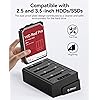
  • 80TB Capacity: Supports both 2.5-inch and 3.5-inch SATA I, II, III HDDs and SSDs,store up to 80TB of data; Whether you're managing a photography portfolio, editing high-resolution videos, or backing up critical data, our docking station is your go-to solution for seamless storage management.
  • Experience Lightning-Fast 5 Gbps Transfer SpeedsUpgrade your storage game with this high-performance USB 3.0 External Hard Drive Enclosure. Featuring a USB 3.0 SuperSpeed interface, it delivers maximum data transfer rates of up to 5 Gbps, ensuring blazing-fast performance for all your files. Plus, it's fully backward compatible with USB 2.0 and USB 1.1, making it versatile for any device
  • Hard Drive Cloner Duplicator: 4 Bay hard drive docking station supports offline clone function, Large-area contact buttons offer enhanced operability,designed with LED indicator monitor for the working status, one button cloner without connecting to a computer
  • Advanced Heat DissipationThis hard drive dock features an open-type and sloped design that enhances heat dissipation during operation. It supports tool-free installation, plug-and-play functionality, and does not require additional drivers
  • Universally Compatible: The 4-bay USB 3.0 SATA docking station is compatible with Windows XP, Vista, Windows 7, 8, 8.1, 10, Linux, Mac OS 9.1, 10.2, and later versions

Hardware Interface: USB 3.0


Brand: ORICO


Color: Black


Hardware Platform: PC


Material: Composite


Memory Storage Capacity: 80 TB


Compatible Devices: Desktop, Laptop, PS4, Router, Xbox


Hard Disk Form Factor: 3.5 Inches


Max Number of Supported Devices: 4


Data Transfer Rate: 5 Gigabits Per Second


Connectivity Technology: SATA, USB


Manufacturer: ORICO Technologies Co.,Ltd


Product Dimensions: 8.86 x 6.3 x 5.75 inches


Item Weight: 3.54 pounds


Item model number: ORICO 6648US3-C-V1-BK-US


Is Discontinued By Manufacturer: No


Date First Available: July 31, 2018


Frequently asked questions

If you place your order now, the estimated arrival date for this product is: Wednesday, Mar 11

Yes, absolutely! You may return this product for a full refund within 30 days of receiving it.

To initiate a return, please visit our Returns Center.

View our full returns policy here.

  • Klarna Financing
  • Affirm Pay in 4
  • Affirm Financing
  • Afterpay Financing
  • PayTomorrow Financing
  • Financing through Apple Pay
Leasing options through Acima may also be available during checkout.

Learn more about financing & leasing here.

Top Amazon Reviews


  • Amazing Dock.
This has been by far the best dock I owned, while it was a little pricey, it was well worth it and works perfectly every time I use it and after unboxing it, I had everything ready to go and installed within 5 minutes, upon testing the device I found that the speeds are better than my previous 2 slot dock, the cloning is great and never had any issues with this dock, however I have only used the cloning a few times as the last dock I had wiped out a source and target partition table upon cloning so I am more on edge about using it to do direct clones, but the low priority drives I did do cloning on had zero issue so for the time being I love it. Overall I would recommend this over the competitors, it's a bit more expensive but well worth it. ... show more
Reviewed in the United States on July 26, 2025 by Michael

  • Works well
I've only had it for 8 hours but it's working great so far. I've tried it with about a dozen hard drives transferring data solely between the drives in this enclosure. I've probably transferred and deleted about 15TB of data so far without any issues with any of the hard drives that I have used. My only knock and it would be the same for any enclosure with spinning disks is that the drives get pretty warm. Since it is an open air system, I just point a small fan at the drives and life is good. I've owned several 2 drive enclosures from Orico and they have all worked well for me. The oldest enclosure that this new one replaced was 4 years old. No issues other than it only holds 2 drives. The intended use of this unit is to keep 2 drives in constantly with the 2 other slots being used as needed. This particular model is an improvement over the the 2 slot one since the power switch is on the top right as opposed to the back of the 2 slot version. I also like the drive access lights that represent each of the drives inserted in the system. ... show more
Reviewed in the United States on July 21, 2023 by RB

  • Good equipment. Weird power cycle.
Plug it in. Don’t put any SSD’s in it. Turn it on. Then put SSD’s in. Will not turn off if it’s plugged into your computer.
Reviewed in the United States on December 4, 2025 by Tait Studebaker

  • Very Useful For Data Work/Neat Trick With A Case Fan
So a little trick here, you can fit a 140mm by 25mm fan in one of the drive bays & keep your hard drives cool under load. Also, keep in mind that the data speed is shared for all drives. This means that if you're performing wiping on all 4 plugged in drives, you'll be limited by the slowest drives write speed. Example would be if one of the drives is bad then the other drives will slow down to a crawl. Besides that? It's been very helpful with my data management across many SATA Hard Drives! :D ... show more
Reviewed in the United States on December 16, 2025 by TechAzn TechAzn

  • Poor performance and reliability for all but the lightest workloads...
For basic usage, I suppose these USB drive docks might be OK. For intensive use, like backing up a ZFS pool on TrueNAS, avoid these at all costs. I have the same problems with both units that I own. Pros: 1. They are great hard drive holders. Cons: 1. The USB cables that are included are unreliable garbage. Literally any random USB 3 type B cable you have stashed in a drawer would be better. 2. They don't pass through drive serial numbers correctly. TrueNAS will only recognize them in the ZFS CLI, but not the web interface as a result. (You will have to use partitions instead of the raw drives.) 3. They have have very little bandwidth and IO. Even sequential IO is poor unless you store data with a large block size like 1MB. Expect speeds of about 30 MB/s to maybe 80 MB/s per drive in real wold usage. I have compared performance against internal SATA ports and also a SAS controller. Something is not right with the design of this drive dock. I understand that USB 3 limits total bandwidth to about 400 MB/s (about 100 per drive), but you should see much better performance than 30 MB/s on sequential workloads! ... show more
Reviewed in the United States on December 24, 2025 by Thomas

  • Excellent HDD reader & cloner
Works just as advertised and can create up to 3 clones of a single drive. Well packaged and good build. Highly recommended
Reviewed in the United States on May 19, 2025 by Sharat Faqurudheen

  • Absolute garbage as a cloner
I need to clone about 30 1Tb ssd drives and possibly more after a month so I purchased 30 of the exact same ssd here from amazon and purchased a nice StarTech (https://www.amazon.com/dp/B019Y4JE22) and it works great, shows a 4 segment progress bar 25%/50%/75%/100% of leds that blink as it progresses. It takes 1 1/2 for each clone to complete so it's going to take some time. I bought this one as it had pretty decent reviews and touts I can clone 1 ssd to 3 ssd's simultaneously. It was less than the StarTech 1 to 1 cloner so I took a chance based on the reviews. This is why I'm writing this, to stop anyone from purchasing this as a cloning station. First attempt I tried to clone 1 ssd to 3 ssd and I stopped it after 3 hours thinking it was taking way too long. as I had created 2 clones on the StarTech and was already cloning a 3rd. I formatted the 3 attempted clones and wiped out partitions so I see it was trying to clone the source. Put 3 more ssd's (formatted in windows per the instructions) and started another cloning of 1 ssd to 3 ssd's. Remember, all the same ssd, all brand new. I had just cloned the source ssd on the StarTech. I waited and waited and waited. 4 1/2 hours later it beeped and said they were done. I did boot from them and verified they worked and seemed fine but 4 1/2 hours? I thought ok, maybe it was just like the StarTech, 1 1/2 hours per drive so no speed savings over 1:1 cloning. Then I tried a test. I cloned 1 ssd to 1 ssd and left 2 bays empty. Hoped it would completed in 1 1/2 hours like the StarTech. Nope. 1:1 cloning took 4 hours! Unbelievable! I'm churning out 2 1/2 clones on the single StarTech in the time it took to clone 1 ssd on this garbage. Since I had a job to do, I kept cloning away with 1 ssd to 3 ssd clones at 4 1/2 hours a pop. The only benefit is that you can go to bed and wake up to 3 clones without cycling the ssd targets like the StarTech. I am returning it and I bought a 2nd StarTech so I can at least make 2 at a time every 1 1/2 hours. One more thing. The StarTech has the progress bar albeit in 25% intervals. At least you can see there is progress as the 25% led goes solid, the 50% led goes solid etc. This cloner just blinks incessantly and you have no clue if it's working or if it will ever complete. It's nerve wracking to keep checking on it blinking with no feed back for 4 1/2 hours! ... show more
Reviewed in the United States on February 14, 2024 by Rickmc

Can't find a product?

Find it on Amazon first, then paste the link below.
Checking for best price...