Search  for anything...
msi

MSI Herald-BE WI-FI 7 MAX (Wi-Fi 7, 802.11BE, Bluetooth 5.4, PCIe, Multi-Link Operation Technology, External Antenna)

  • Based on 237 reviews
Condition: New
Checking for the best price...
$39.00 Why this price?
Holiday Deal · 22% off was $49.99

Buy Now, Pay Later


As low as $9 / mo
  • – 4-month term
  • – No impact on credit
  • – Instant approval decision
  • – Secure and straightforward checkout

Ready to go? Add this product to your cart and select a plan during checkout.

Payment plans are offered through our trusted finance partners Klarna, Affirm, Afterpay, Apple Pay, and PayTomorrow. No-credit-needed leasing options through Acima may also be available at checkout.

Learn more about financing & leasing here.

Free shipping on this product
This item's return window has been extended for the holiday season: FREE refund/replacement until Jan 31, 2026

To qualify for a full refund, items must be returned in their original, unused condition. If an item is returned in a used, damaged, or materially different state, you may be granted a partial refund.

To initiate a return, please visit our Returns Center.

View our full returns policy here.


Availability: Only 10 left in stock, order soon!
Fulfilled by Amazon

Arrives Tuesday, Jan 6
Order within 16 hours and 48 minutes
Available payment plans shown during checkout

Protection Plan Protect Your Purchase
Checking for protection plans...

Features

  • NCM865 Wi-Fi 7 Module
  • Blazing Fast 5.8 Gbps Transfer Speeds
  • 320 MHz Channel Widths (on 6GHz)
  • Improve the Modulation Scheme from 1024-QAM to 4096-QAM
  • Supports Bluetooth 5.4

Description

FASTER SPEED, LESS DELAY - the MSI HERALD-BE WI-FI 7 MAX, a combination of 320 MHz channels and Multi-Link Operation (MLO), Wi-Fi 7 boasts 5 times the network capacity of Wi-Fi 6.

Release date: August 24, 2024


Package Dimensions: 8.27 x 6.81 x 2.44 inches; 11.29 ounces


Type of item: Electronics


Item model number: HERALDBWIFI7MAX


Item Weight: 11.3 ounces


Manufacturer: MSI


Date First Available: August 28, 2024


Frequently asked questions

If you place your order now, the estimated arrival date for this product is: Tuesday, Jan 6

Yes, absolutely! You may return this product for a full refund within 30 days of receiving it.

To initiate a return, please visit our Returns Center.

View our full returns policy here.

  • Klarna Financing
  • Affirm Pay in 4
  • Affirm Financing
  • Afterpay Financing
  • PayTomorrow Financing
  • Financing through Apple Pay
Leasing options through Acima may also be available during checkout.

Learn more about financing & leasing here.

Top Amazon Reviews


  • Amazing Product! (Would Recommend)
amazing, works as intended and took under 10 minutes to install after looking at my motherboard manual; fyi the cable they provided you with plugs into a usb connector on your motherboard. I am very happy with this product. Tripled my internet speed from where I am and lowered both my bluetooth and wifi latency. If you have an old or outdated wifi adapter, I would recommend getting this one as it is both affordable and great value. ... show more
Reviewed in the United States on October 23, 2025 by Kan

  • Another 5 star review... but real.
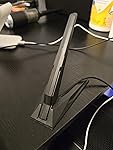
Chasing more internet speed. Updated all my routers and computers to Wifi6 and thought I'd give this wifi 7 card a test even before upgrading my main router. It is a PCIe card with will fit the PCIe (1 or 16) slot on your motherboard. Speed tests are much different from the WIFI 6 card on my primary PC, but really didn't expect it to be. The card installs easily and MS installs the drivers or you can download them from MSI. I have a MSI MB with integrated wifi-6 and used the antenna which came with this card as a test. The antenna alone helped increase my internet speed. It has a magnetic base which the 6 antenna doesn't. So, good antenna. Will update info on speed when I upgrade my router to WIFI 7. Very good price and worth it, even if you are sticking with wifi6 for a while. Good quality, good antenna and works well so far. Using it now. ... show more
Reviewed in the United States on January 23, 2025 by Topwatch

  • Latancy, and lower ping than my TP Link wifi 6E.
It works great. I can get it to 9000Mbps connection. But for my S22 Plus which is only Wifi 6, It connects at 1201 down and up. The ping is lower than my old TP-Link Wifi 6E card. I am happy with this purchase. I took out the hold wifi, Put in the new one, I did unplug the power to the PC and push the tower power button tons of them, before plugging everything back in and it on. I was able to installed the WIfi and the Blue tooth drivers without any issues. I am using 5800X, x570e, 64GB RAM, RTX 4090, WIndows 11 latest version 24H something. I dont see any pocket lost in fortnite any more. My TP-Link wifi 6E, I get a lot of pocket lost. Highly recommend this MSI wifi 7 Max. ... show more
Reviewed in the United States on September 22, 2025 by WillC

  • COMPATIBILITY ISSUE FOR BLUETOOTH
Gonna crash out for a minute, here's my story with the MSI Herald-BE card. For reference, I spent the better part of a decade in IT/systems before changing professions (couldn't handle any more network printer error tickets), so hopefully my troubleshooting can help save someone else a headache. If not, TL;DR is at the bottom. I spent the better part of tonight trying to get this card to work in my wife's gaming PC. Brand-spankin'-new, fast modern technology. Fire up the PC, Wi-fi picks right up, but no BT. Probably a driver right? Pick up the driver from MSI, run the setup and get a "no suitable drivers" error. Ok, weird. Double check the connection for the provided cable between the card and the board, it's in there. Check device manager, nothing showing with errors. Use the included driver CD (gross, literally had to find my external CD drive) and ran the setup, only detects the Wi-fi portion. Check the support page on MSI (again) and sure enough the BT should be showing up separately from the Wi-fi for drivers. Restart and check BIOS to make sure nothing dumb happened; USB port is active. Restart and go to ASUS for motherboard drivers (ASUS Prime X570-P is the part). Search for chipset drivers and restart, still nothing. I start looking on forums for issues with this card. Most of the "BT not working" trouble was from people not realizing you have to plug the USB cable to your mobo, then it works no problem. Not working for me, so I dive deeper. Cross reference the mobo with this card and there's TWO posts about it (which is 2 more than I expected). One post refers to the other as a solution, so I cross my fingers and read the thread. A few people with the same mobo are trying to figure out what's going on with the USB connections. One user starts testing between the two USB connection ports on the board and finds that one of them works flawlessly, the other not at all. Changes to another device, same outcome, so it sounds like the port. I check the port number (USB11 if you're wondering), that's the port I'm having an issue with too! Sweet hallelujah, we're getting somewhere! Not the somewhere I wanna be, but still it's progress. Since I am using the other mobo port for the USB ports on the PC case itself, I'm stuck figuring out what's up with this second port in particular. Further on someone posts a link to the mobo manual, calls out the page for the USB port connections on the board, and tells everyone to look it over. I get to the page and confirm that's what I'm looking at on my own board, but a bunch of "NC"'s catch my eye on the pin description section. I go back to the forum, and the user explains the NC ports mean there's no connection. NO. CONNECTION. THEY LITERALLY DIDN'T WIRE THE BOTTOM PINS ON THIS BOARD. /sigh So I look back at the cable just like the forum users and sure enough, the one provided with the Wi-Fi card uses the lower "NC" pins. Well, at least I know why nothing is detecting. I keep reading on the forum and a few users noted that it's simple enough to just move the wires on the provided cable from the bottom to the top pins, so I give that a shot. It was easier than I expected, and my hopes rise. I plug everything back in; adjusted pin connection to the mobo and original connection to the Wi-Fi card. Fire the PC up and WE HAVE AN UNKNOWN DEVICE! Surely this has solved it. I pat myself on the back, down my Red Bull, and click the BT driver setup once again. I breathe a sigh of relief as the software loads and I click the "Install" button....and nothing happens. The button is greyed out...."No suitable drivers"... This....can't be happening....I take another breath, but this time I'm nervous. I go back to device manager and tell it to update manually, selecting my driver folder. No change. I run the driver CD software, does not detect the BT. I go BACK to the mobo manual and look over the pin values, then double check that I moved the right color wires into the right pins. I spent a few minutes learning about USB cable colors and their corresponding functions (power vs data) to make sure. I got it right, everything aligns. I shut the PC down and pull the cable out again. Maybe I needed to move the wires on both ends of the cable? Worth a shot right? I move the wires just like before and everything lines up just as it did, now just on the top row of pins for both ends of the cable. I triple check and make sure the wires are pushed all the way in, everything feels good. I plug the cable back in and fire up the rig, going straight into device manager. The unknown device is gone! HALLELUJAH! It's gone! It's gone.....it's gone? Where is it? No "Bluetooth" device is listed, nothing new showing up under network adapters...what? I check the cables one last time, they're firmly seated. I swap the ends between the card and the board, scan for changes, nothing. Wi-fi worked the entire time. I am 100% at a loss here, and I know this is absolutely due to the fact that the pins are not connected on that mobo port. TL;DR the MSI Herald-BE Wi-Fi/Bluetooth card isn't compatible with the ASUS PRIME X570-P motherboard because ASUS is cheap and/or stupid. ... show more
Reviewed in the United States on July 27, 2025 by Amazon Customer

  • Works incredibly, albeit with a little trouble.
This was faster than my ethernet once I got it to workwith windows. I downloaded the driver's from their site and was having issues with the wifi one. There are two, one for wifi and another for Bluetooth capability. I checked device manager and the Wi-Fi adapter wasn't even recognized. I reseated the card and it still didn't work. After another reboot it decided to work, not sure what it was about. I didn't try it on Arch yet so idk how it works with Linux. ... show more
Reviewed in the United States on July 30, 2025 by Ronny K

  • Excellent network adapter
4 stars because my Bluetooth seemed to stop accepting new devices after installing. This has a Bluetooth adapter built in. I installed the drivers for it and spent hours looking for a workaround to get the Bluetooth working to no avail, but I can’t say 100% that it’s the adapter’s fault. The timing just seemed inconvenient. This is the second one I purchased because the one I got for my daughter was excellent. We have 2gbps fiber internet and a WiFi 7 router. Before this adapter, my daughter was getting 600mbps download speed and mine was a 30mbps for some reason. With this card, we both get 1600-1800mbps. NOTE: This card will work with other routers just fine, but to access its full potential, pair it with a WiFi 7 router with MLO ... show more
Reviewed in the United States on July 9, 2025 by Christina

  • Works like a champ
Works like a champ. One thing to note is that I did not test in a desktop computer Needed to replace the WiFi card that came with the Razer Blade 2023. No other card worked - only the Bluetooth of the adapters were detected by the laptop. Took a gamble on this and it worked. By removing a couple of screws, it was rather easy to get to the card itself ... show more
Reviewed in the United States on February 24, 2025 by Enigma

Can't find a product?

Find it on Amazon first, then paste the link below.
Checking for best price...